
1. Introduction
Thank you for purchasing the Intempo EE1736MGSTK Curved Metallic Bluetooth Speaker. This speaker is designed to provide high-quality wireless audio from your Bluetooth-enabled devices. Featuring a sleek curved design, hands-free calling capability, and a rechargeable battery, it offers portable sound for various environments. Please read this manual carefully before use to ensure proper operation and to maximize your listening experience.
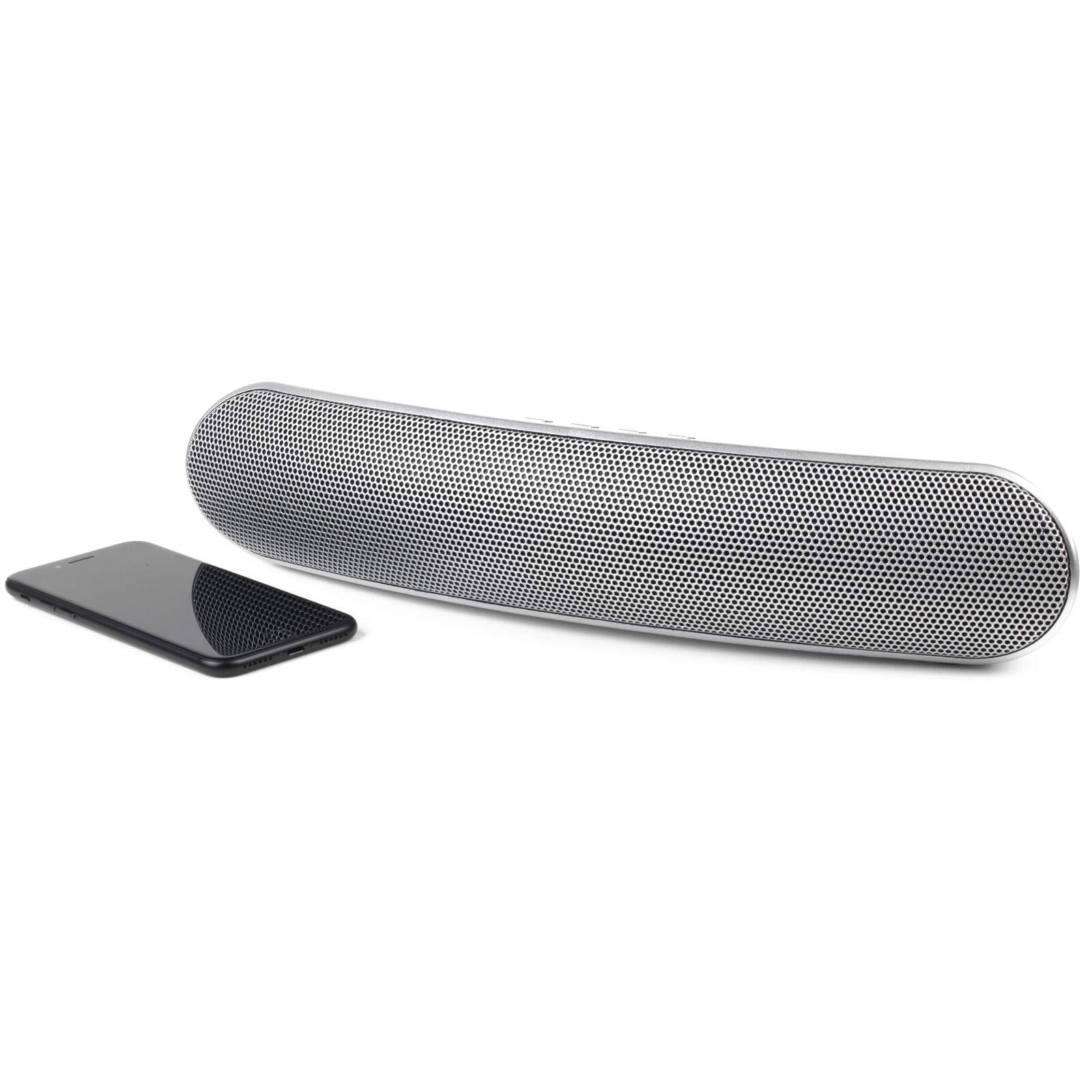
Image 1.1: Front view of the Intempo EE1736MGSTK Curved Metallic Bluetooth Speaker.
2. Safety Information
To ensure safe and efficient operation, please observe the following safety guidelines:
- Keep the speaker away from water, moisture, and other liquids to prevent electric shock, explosion, or damage to the device.
- Do not expose the speaker to extreme temperatures (hot or cold), as this may shorten the life of the battery or deform plastic parts.
- Do not attempt to disassemble or modify the speaker. This will void the warranty and may result in injury or damage.
- Clean the speaker only with a soft, dry cloth. Do not use abrasive cleaners or solvents.
- Keep out of reach of children.
- Dispose of the battery responsibly according to local regulations. Do not dispose of the battery in fire.
3. Package Contents
Please check the box for the following items:
- Intempo EE1736MGSTK Curved Metallic Bluetooth Speaker
- USB Charging Cable
- 3.5mm AUX Cable
- User Manual
4. Product Overview
Familiarize yourself with the speaker's controls and ports:

Image 4.1: Top view of the speaker with control buttons.
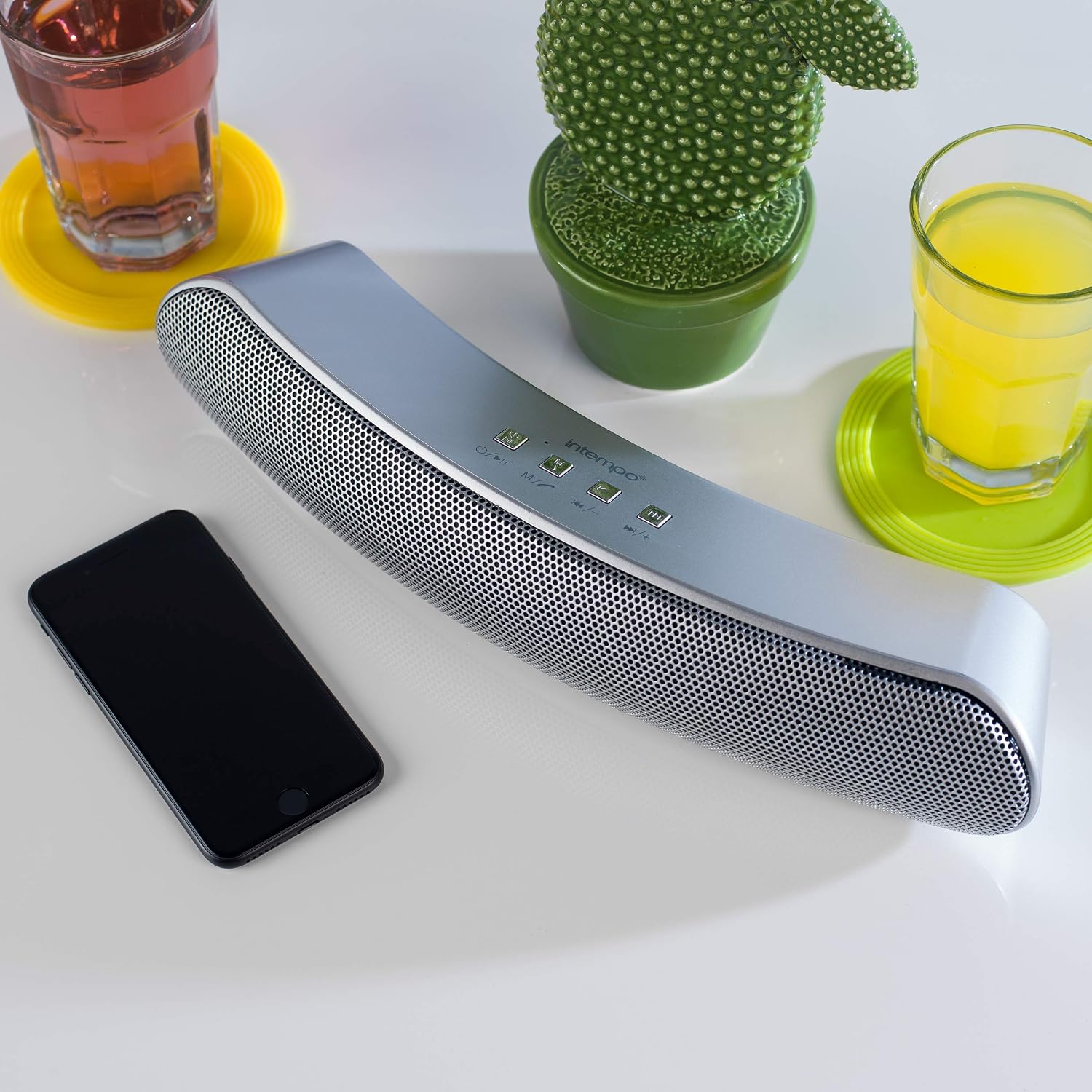
Image 4.2: Close-up of the speaker's control panel.
- Power Button / Mode (M): Press and hold to power on/off. Short press to switch modes (Bluetooth, TF Card, AUX).
- Play/Pause / Call Button: Play or pause music. Answer or end phone calls.
- Previous Track / Volume Down (-): Short press for previous track. Long press to decrease volume.
- Next Track / Volume Up (+): Short press for next track. Long press to increase volume.
- TF Card Slot: For inserting a TF (Micro SD) card.
- AUX Input: For connecting external audio devices via 3.5mm cable.
- Micro USB Charging Port: For charging the speaker.
- LED Indicator: Shows charging status and Bluetooth pairing status.
- Microphone: For hands-free calling.
5. Setup
5.1 Charging the Speaker
- Connect the small end of the provided USB charging cable to the Micro USB charging port on the speaker.
- Connect the larger end of the USB charging cable to a USB power adapter (not included) or a computer's USB port.
- The LED indicator will illuminate to show that the speaker is charging. It will turn off or change color once fully charged.
- A full charge provides up to 8 hours of wireless playtime.
5.2 Powering On/Off
- To power on the speaker, press and hold the Power/Mode (M) button until you hear an audible prompt or see the LED indicator light up.
- To power off the speaker, press and hold the Power/Mode (M) button again until you hear an audible prompt or the LED indicator turns off.
6. Operating Instructions
6.1 Bluetooth Pairing
- Ensure the speaker is fully charged and powered on. It will automatically enter Bluetooth pairing mode, indicated by a flashing LED light.
- Enable Bluetooth on your smartphone, tablet, or other Bluetooth-enabled device.
- Search for available Bluetooth devices. The speaker will appear as "EE1736MGSTK" or similar.
- Select the speaker from the list to initiate pairing.
- Once successfully paired, the LED indicator will stop flashing and remain solid, and you will hear a confirmation tone.
- The speaker has a Bluetooth range of up to 10 meters (33 feet).
6.2 Playing Music
- Play/Pause: Short press the Play/Pause button to play or pause the current track.
- Next Track: Short press the Next Track (+) button to skip to the next song.
- Previous Track: Short press the Previous Track (-) button to go to the previous song.
- Volume Up: Long press the Next Track (+) button to increase the volume.
- Volume Down: Long press the Previous Track (-) button to decrease the volume.
6.3 Hands-free Calling
When connected via Bluetooth, the speaker can be used for hands-free calls:
- Answer Call: Short press the Play/Pause / Call button when an incoming call rings.
- End Call: Short press the Play/Pause / Call button during a call to hang up.
- Reject Call: Long press the Play/Pause / Call button to reject an incoming call.
6.4 TF Card Playback
- Insert a TF (Micro SD) card with MP3 audio files into the TF card slot.
- The speaker will automatically switch to TF card mode and begin playing music. If not, short press the Mode (M) button to switch to TF card mode.
- Use the Play/Pause, Previous Track (-), and Next Track (+) buttons to control playback.
6.5 AUX Mode
- Connect one end of the 3.5mm AUX cable to the AUX input port on the speaker.
- Connect the other end of the 3.5mm AUX cable to the headphone jack of your external audio device (e.g., MP3 player, laptop).
- The speaker will automatically switch to AUX mode. If not, short press the Mode (M) button to switch to AUX mode.
- In AUX mode, playback is controlled directly from your connected audio device. Volume can be adjusted on both the speaker and the connected device.
7. Maintenance
- Always power off the speaker before cleaning.
- Wipe the exterior of the speaker with a soft, dry, lint-free cloth.
- Do not use liquid cleaners, aerosols, or solvents.
- Store the speaker in a cool, dry place when not in use for extended periods.
- Recharge the battery periodically if storing for a long time to maintain battery health.
8. Troubleshooting
| Problem | Possible Cause | Solution |
|---|---|---|
| Speaker will not turn on. | Battery is depleted. | Charge the speaker using the provided USB cable. |
| Cannot pair via Bluetooth. | Speaker is not in pairing mode or device Bluetooth is off. | Ensure speaker is on and flashing LED. Turn Bluetooth off/on on your device. Move devices closer. |
| No sound during playback. | Volume too low, incorrect mode, or device not connected. | Increase volume on both speaker and connected device. Check if speaker is in correct mode (Bluetooth, TF, AUX). Re-pair Bluetooth if necessary. |
| Poor audio quality. | Bluetooth interference or low battery. | Move speaker closer to the source device. Ensure no obstructions. Charge the speaker. |
| Hands-free calls not working. | Speaker not connected via Bluetooth or microphone blocked. | Ensure Bluetooth is connected. Check if anything is covering the microphone. |
9. Specifications
| Feature | Specification |
|---|---|
| Model Number | EE1736MGSTKEU |
| Dimensions (L x W x H) | 36 x 7 x 7 cm (approx.) |
| Weight | 1.04 kg |
| Connectivity Technology | Bluetooth, Wireless |
| Speaker Type | Bluetooth Speaker |
| Maximum Speaker Output Power | 10 Watts |
| Power Source | Battery Powered (Rechargeable via USB) |
| Average Battery Life | Up to 8 hours |
| Bluetooth Range | Up to 10 meters (33 feet) |
| Color | Silver |
10. Warranty and Support
This product comes with a standard manufacturer's warranty. For details regarding warranty coverage, please refer to the warranty card included in your package or contact Intempo customer support. If you encounter any issues or require technical assistance, please visit the official Intempo website or contact their customer service department for support.


