
Lindy 42680
LINDY 50m USB 2.0 Cat.5 Extender User Manual
Model: 42680
Brand: Lindy
1. Introduction
1.1 Product Overview
The Lindy USB 2.0 CAT5/6 Extender is designed to extend the distance between a USB peripheral device and a host computer by up to 50 meters. This system consists of two units: a local (transmitter) unit that connects to the computer and a remote (receiver) unit that connects to the USB peripheral. A standard, low-cost CAT5/5e/6 network cable (not included) is used to bridge the connection between these two units.
A key feature of this extender is Power over CAT5/6 (PoC), which means only the transmitter/local unit requires a power supply. This allows the receiver/remote unit and connected devices to be positioned more freely without needing a separate power outlet. Both the transmitter and receiver units include integrated mounting brackets for easier installation.
Note: For high-bandwidth bus-powered devices like webcams, especially HD webcams, the 100m 4 Port USB 2.0 CAT5 Extender Pro is recommended. The stated extension lengths are achievable with a direct connection using good quality CAT6 UUTP Solid Core cable. Using different cable types, wall plates, couplers, or patch panels may reduce the maximum achievable distance.
1.2 Key Features
- Extends a USB 2.0 port up to 50m using low-cost CAT5/5e/6 network cable (not included).
- Features Power over CAT5/6, requiring only a single power supply connected to the Transmitter unit.
- Supports USB 2.0 High Speed (480Mbps) and USB 1.1 Full Speed/Low Speed.
- Plug and Play installation, compatible with all operating systems that support USB.
- Durable metal housing with integrated mounting brackets.
2. Package Contents
Please verify that all items listed below are present and in good condition:
- Lindy USB 2.0 CAT.5/6 Extender (Transmitter and Receiver Units)
- Multi-Country Power Supply - 24V 0.25A with 3.5/1.35mm Outer/Inner DC Jack
- USB 2.0 Type A/B Cable

Image: The Lindy USB 2.0 Cat.5 Extender includes both the transmitter and receiver units.
3. Setup
Follow these steps to set up your Lindy USB 2.0 Cat.5 Extender:
- Connect the Transmitter Unit: Connect the USB Type B port of the transmitter unit to a USB Type A port on your host computer using the provided USB 2.0 Type A/B cable.
- Connect the Power Supply: Plug the multi-country power supply into the power input jack on the transmitter unit. Connect the power supply to a suitable electrical outlet.
- Connect the Receiver Unit: Connect your USB peripheral device (e.g., printer, webcam, keyboard, mouse) to the USB Type A port on the receiver unit.
- Connect the CAT Cable: Connect a standard CAT5e or CAT6 network cable (not included) between the RJ45 ports of the transmitter and receiver units. Ensure the cable is securely seated in both ports.
The system is plug-and-play, so no drivers are typically required. Once connected, the units should establish a link, and your USB peripheral should be recognized by the host computer.
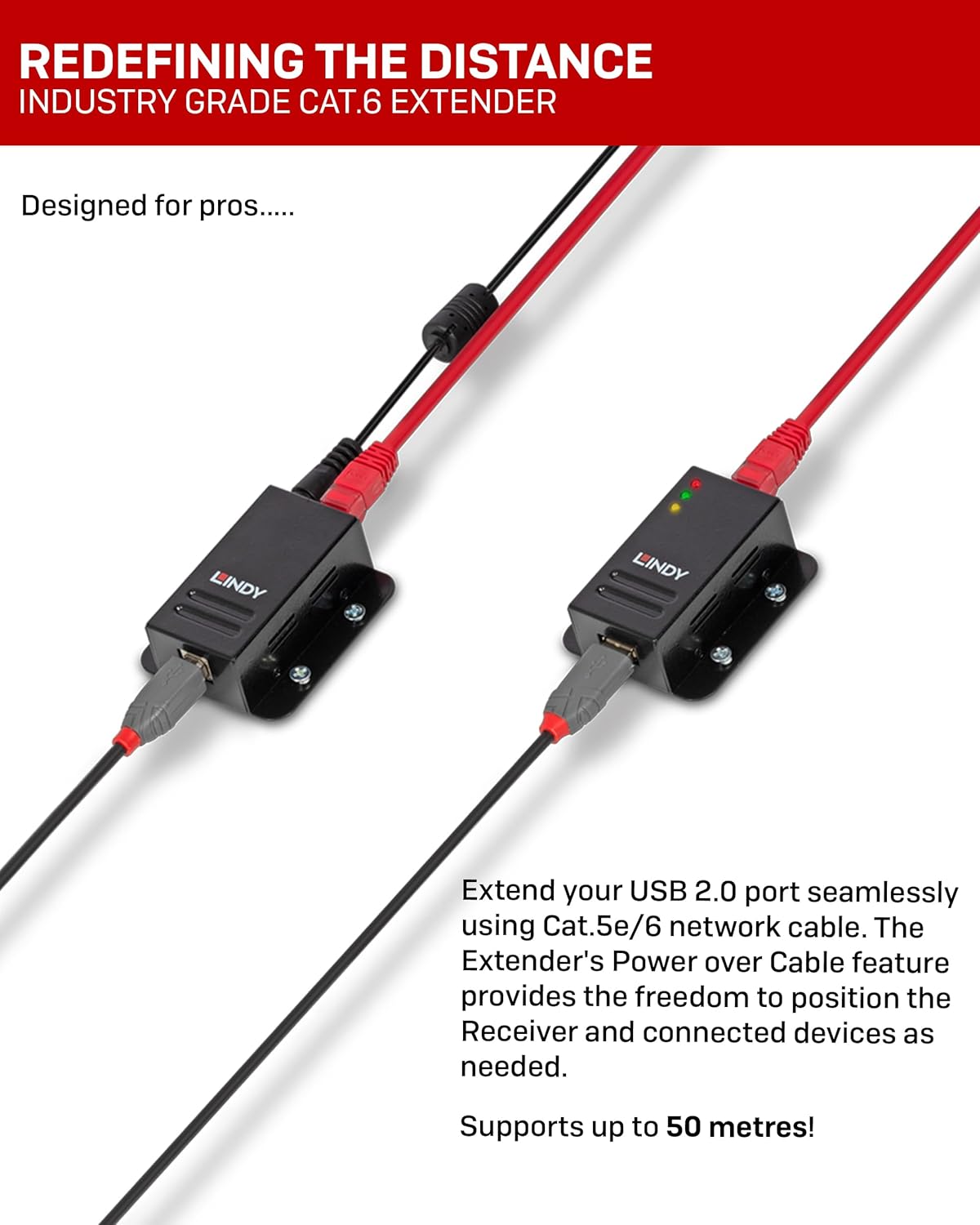
Image: Diagram illustrating the connection of the Lindy USB Extender units with a CAT cable.

Image: Side view of the Lindy USB Extender units, showing the USB and RJ45 ports.
4. Operation
Once the setup is complete, the Lindy USB 2.0 Cat.5 Extender operates transparently. The connected USB peripheral will function as if it were directly connected to the host computer.
4.1 LED Indicators
Both the transmitter and receiver units feature LED indicators to provide status feedback:
- Power LED: Indicates that the unit is receiving power.
- Link LED: Illuminates when a stable connection is established between the transmitter and receiver units via the CAT cable.
- Activity LED: Flashes to indicate data transfer activity between the host computer and the USB peripheral.

Image: Front view of the Lindy USB Extender units, highlighting the LED indicators.
5. Maintenance
The Lindy USB 2.0 Cat.5 Extender is designed for reliable operation and requires minimal maintenance.
- Cleaning: Use a soft, dry cloth to clean the exterior of the units. Do not use liquid or aerosol cleaners.
- Environment: Ensure the units are operated within their specified temperature and humidity ranges. Avoid exposing them to excessive dust, moisture, or direct sunlight.
- Cable Management: Ensure that all cables are routed neatly and are not under excessive strain or bent sharply, which could damage them.
6. Troubleshooting
If you encounter issues with your Lindy USB 2.0 Cat.5 Extender, please refer to the following troubleshooting steps:
| Problem | Possible Cause | Solution |
|---|---|---|
| No power to units / Power LED off | Power supply not connected or faulty; power outlet issue. | Ensure power supply is securely connected to the transmitter unit and a working power outlet. Test the outlet with another device. |
| No link / Link LED off | CAT cable not connected, faulty cable, or incorrect cable type. | Verify the CAT5e/6 cable is securely connected to both units. Test with a different, known-good CAT5e/6 cable. Ensure it's a direct connection, not through patch panels or wall plates if experiencing issues at maximum distance. |
| USB device not recognized or unstable | Faulty USB cable; incompatible USB device; excessive cable length; power delivery issue to device. | Try a different USB cable for the peripheral. Ensure the peripheral is USB 2.0 compatible. If the device is bus-powered and high-bandwidth (e.g., HD webcam), consider a powered USB hub at the receiver end or a different extender model designed for higher power/bandwidth. Reduce CAT cable length if possible. |
| Slow data transfer | Poor quality CAT cable; excessive cable length; interference. | Use high-quality CAT6 UUTP Solid Core cable. Ensure the cable length does not exceed 50m. Avoid routing the cable near sources of strong electromagnetic interference. |
7. Specifications
| Feature | Detail |
|---|---|
| Brand | Lindy |
| Model Number | 42680 |
| USB Standard | USB 2.0 (High Speed, Full Speed, Low Speed) |
| Max Extension Distance | 50 meters (164 feet) |
| Required Cable Type | CAT5e or CAT6 UTP/STP (not included) |
| Power Supply | 24V 0.25A (included, connects to Transmitter) |
| Item Weight | 14.1 ounces (approx. 0.4 kg) |
| Product Dimensions (LxWxH) | 2.64 x 2.36 x 0.91 inches (per unit, approx.) |
| Color | Black |
| Manufacturer | LINDY Electronics Limited |
8. Warranty and Support
8.1 Product Warranty
This Lindy USB 2.0 Cat.5 Extender comes with a 2-year warranty from the date of purchase. This warranty covers defects in materials and workmanship under normal use. It does not cover damage caused by misuse, accident, modification, or unauthorized repair.
8.2 Technical Support
For technical assistance or warranty claims, please contact Lindy customer support. You can find contact information on the official Lindy website or through your point of purchase. Please have your product model number (42680) and proof of purchase ready when contacting support.
For more information, visit the official Lindy website: www.lindy.com
Related documents42680


Ask a question about this manual
Ask about setup, troubleshooting, compatibility, parts, safety, or missing instructions. Manuals+ will review the question and use this page’s manual context to help answer it.