
Sharper Image 1011954
Sharper Image® LED Light-Up Word Clock User Manual
Model: 1011954 | Brand: Sharper Image
Introduction
Welcome to the world of innovative timekeeping with your new Sharper Image® LED Light-Up Word Clock. This modern and elegant clock displays time using illuminated words, offering a unique and contemporary accent for any home or office. Its intuitive design makes it easy to set up and operate, providing both functionality and a captivating conversation piece.

The Sharper Image LED Light-Up Word Clock in a modern setting.
What's Included
Please ensure all items are present in your package:
- 1x Sharper Image® LED Light-Up Word Clock
- 1x USB Power Cord
- 1x USB Adapter

Included components: Word Clock, USB Power Cord, and USB Adapter.
Setup
Follow these simple steps to set up your Word Clock:
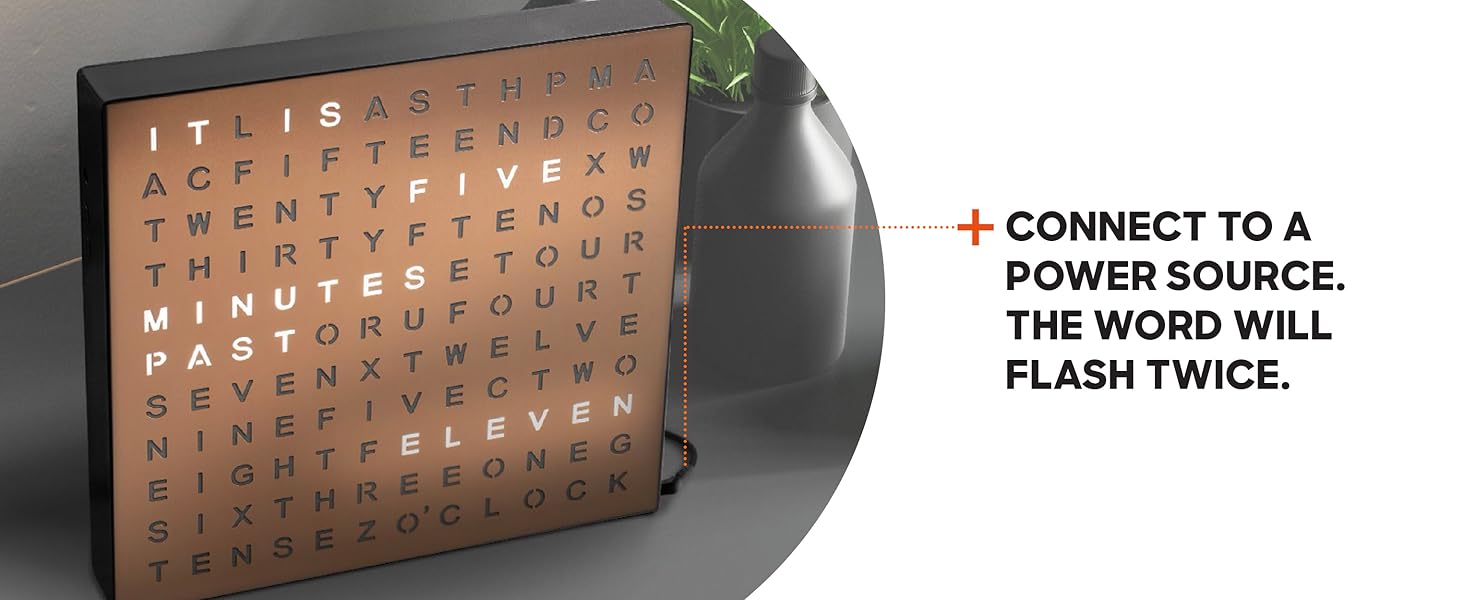
- Connect to Power: Connect the included USB cable to the clock and then to the USB adapter. Plug the adapter into a standard wall outlet. The word display will flash twice upon successful connection.
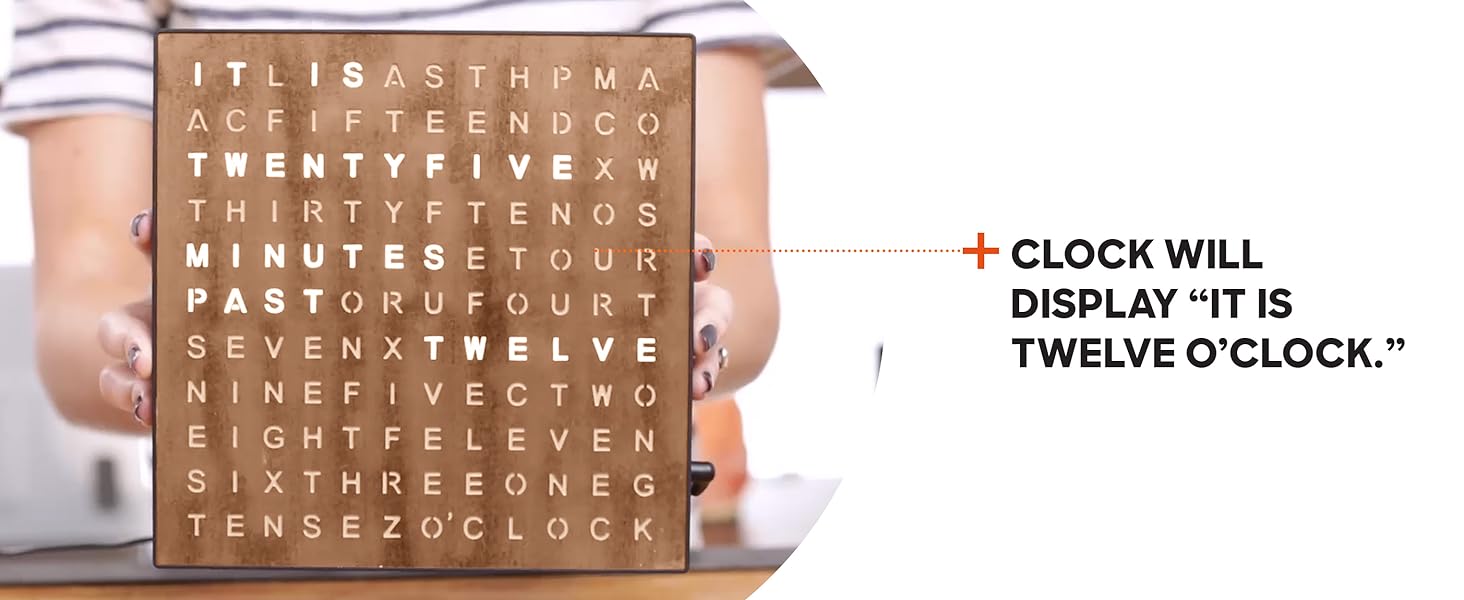
- Initial Display: The clock will initially display "IT IS TWELVE O'CLOCK".
- Set Time: Use the "+" (advance) and "-" (reverse) buttons located on the side of the clock to adjust the time. Press and hold the desired button to move the time forward or backward.
- Confirm Time: Release the button once you have reached the desired time. The clock displays time in five-minute segments.

Step 1: Connect the clock to a power source.

Step 2: The clock will display "IT IS TWELVE O'CLOCK".
Step 3: Use the '+' and '-' buttons to adjust the time.
Step 4: The clock displays time in 5-minute segments.
Watch a setup and operation video:
Official video demonstrating the setup and operation of the Sharper Image Light Up Electronic Word Clock.
Operation
The Sharper Image® LED Light-Up Word Clock is designed for simple and intuitive operation:
- Reading the Time: The clock displays the time by illuminating specific words in a grid. The time is read from top to bottom.
- Five-Minute Increments: The clock changes its display every five minutes.
- Time Display Format: The clock displays the time in terms of minutes past the hour (up to 30 minutes) and then minutes until the next hour.
- Example: "IT IS FIVE MINUTES PAST ONE"
- Example: "IT IS TEN MINUTES TO TWO"

Visual guide for setting and reading the time on your Word Clock.
Maintenance
To ensure the longevity and optimal performance of your Word Clock, follow these simple maintenance guidelines:
- Cleaning: Gently wipe the surface of the clock with a soft, dry, lint-free cloth. Avoid using abrasive cleaners, solvents, or spray cleaners, as they may damage the finish or the LED display.
- Placement: Place the clock on a stable, flat surface or mount it securely on a wall. Avoid placing it in direct sunlight or in areas with extreme temperatures or high humidity.
- Power: Always use the provided USB power cord and adapter. Disconnect from power before cleaning or if the clock will not be used for an extended period.
Troubleshooting
If you encounter any issues with your Sharper Image® LED Light-Up Word Clock, please refer to the following common problems and solutions:
| Problem | Possible Cause | Solution |
|---|---|---|
| Clock is not lighting up. | No power connection or faulty adapter/cable. | Ensure the USB cable is securely plugged into the clock and the adapter. Verify the adapter is firmly plugged into a working wall outlet. Try a different USB port or outlet if available. |
| Time is incorrect or not changing. | Time not set correctly or power interruption. | Re-set the time using the '+' and '-' buttons on the side of the clock. If power was interrupted, the clock may reset to default and need to be re-set. |
| Clock appears to be flickering (on camera). | Camera refresh rate interference. | This is a common effect when recording LED displays with certain cameras and is not indicative of a fault with the clock. The clock does not flicker in real life. |
If the issue persists after trying these solutions, please contact customer support.
Specifications
| Feature | Detail |
|---|---|
| Brand | Sharper Image |
| Model Number | 1011954 |
| Color | Copper |
| Display Type | Digital (Word Display) |
| Product Dimensions | 7.75"W x 7.75"H |
| Power Source | Corded Electric (USB) |
| Material | Plastic, Metal |
| Mounting Type | Wall Mount / Desk |
| Item Weight | 1 Pounds |
| UPC | 843479141573 |
Warranty and Support
Your Sharper Image® LED Light-Up Word Clock is backed by a 90-day manufacturer warranty for added peace of mind and reliable product support.
For any questions, issues, or warranty claims, please contact the manufacturer's customer support. You can typically find contact information on the product packaging or by messaging the seller through the platform where you purchased the product for a quick resolution.
Please retain your proof of purchase for warranty purposes.
Related documents1011954

Ask a question about this manual
Ask about setup, troubleshooting, compatibility, parts, safety, or missing instructions. Manuals+ will review the question and use this page’s manual context to help answer it.