
Winegard GM 9000
Winegard GM 9000 Carryout G3 Portable Automatic Satellite Antenna User Manual
Introduction
This manual provides essential information for the setup, operation, and maintenance of your Winegard GM 9000 Carryout G3 Portable Automatic Satellite Antenna. This device is designed to provide reliable satellite television reception for portable use, offering automatic satellite acquisition for various providers. Please read this manual thoroughly before operating the antenna to ensure optimal performance and longevity.
What's in the Box
Upon unboxing your Winegard GM 9000 Carryout G3, please verify that all the following components are present:
- Satellite Antenna
- Power Inserter
- AC/DC Power Supply
- 25-foot RG6 coax cable
- 36-inch high-flex RG59 mini-coax cable
- Carrying Handle
- Tripod Accessory Mounting Feet
- Operation Manual (this document)
Setup
Proper setup is crucial for optimal satellite reception. Follow these steps to prepare your antenna for use:
- Choose a Location: Select an outdoor location with a clear, unobstructed view of the southern sky. Ensure there are no trees, buildings, or other obstacles that could block the satellite signal.
- Position the Antenna: Place the Winegard GM 9000 Carryout G3 on a stable, level surface. For elevated protection from mud and water, consider using an optional tripod.
- Connect Coaxial Cables: Connect one end of the provided RG6 coaxial cable to the antenna's coaxial port. Connect the other end to the 'Antenna' port on the power inserter.
- Connect Power Inserter: Connect the AC/DC power supply to the power inserter. Plug the power supply into a standard electrical outlet.
- Connect to Receiver: Connect a coaxial cable from the 'To Receiver' port on the power inserter to your satellite receiver's 'Satellite In' port.
- Power On: Turn on your satellite receiver. The antenna will automatically begin searching for satellites. This process may take several minutes.
For DirecTV users with newer receivers requiring a SWM (Single Wire Multiswitch) unit, an additional Winegard SWM-80 kit may be necessary for proper functionality. Consult the SWM-80 kit's instructions for integration.
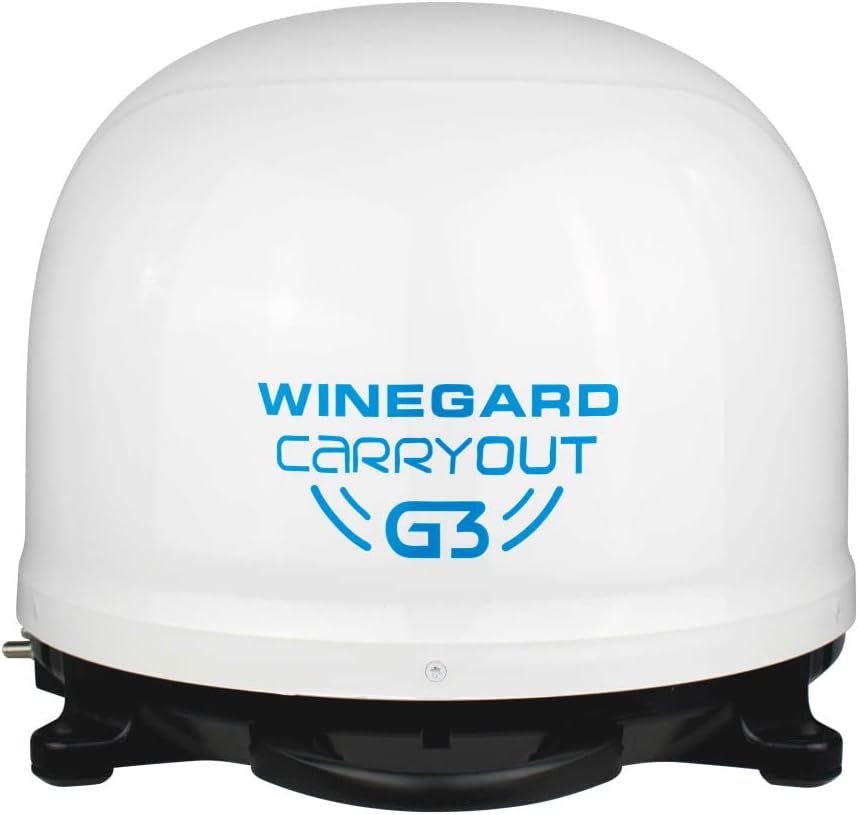
Front view of the Winegard GM 9000 Carryout G3 Portable Automatic Satellite Antenna, showcasing its compact, dome-shaped design.
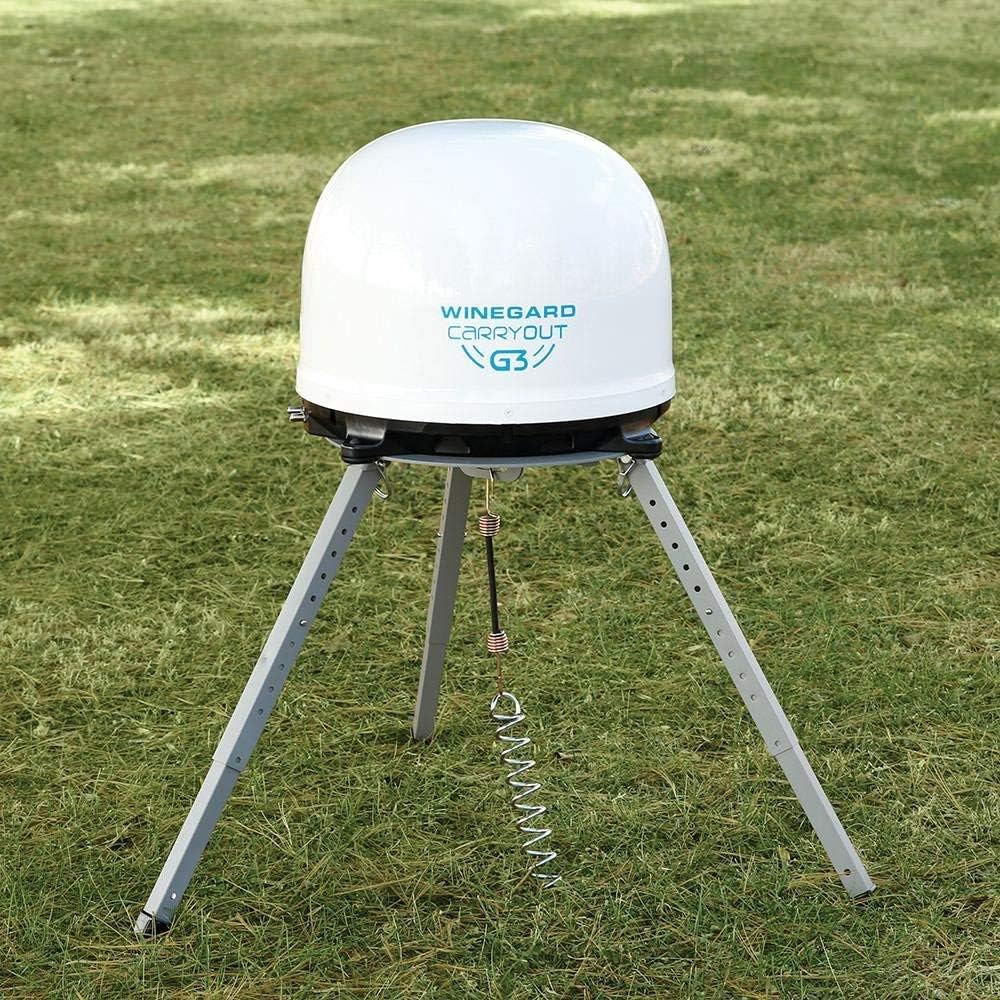
The Winegard GM 9000 Carryout G3 Portable Automatic Satellite Antenna positioned on a tripod in a grassy outdoor setting, demonstrating its portable setup.
Operating
The Winegard GM 9000 Carryout G3 is designed for ease of use with its automatic satellite acquisition feature.
- Automatic Satellite Acquisition: Once powered on and connected, the antenna will automatically scan and lock onto the appropriate satellite signal for your chosen provider (Dish, DirecTV, Bell, Rogers). This process typically takes a few minutes.
- Provider Compatibility: The Carryout G3 is compatible with multiple satellite providers. You can easily switch between providers by adjusting settings at the power inserter or through your satellite receiver's menu, depending on the specific provider's requirements.
- Signal Quality: For DirecTV, this unit primarily receives Standard Definition (SD) programming. For Dish Network, it is capable of receiving High Definition (HD) programming. Ensure your receiver is configured correctly for the signal type.
Maintenance
To ensure the longevity and optimal performance of your Winegard GM 9000 Carryout G3, follow these maintenance guidelines:
- Cleaning: Periodically wipe the exterior of the antenna with a soft, damp cloth to remove dirt and debris. Do not use harsh chemicals or abrasive cleaners.
- Storage: When not in use, store the antenna in a dry, protected environment. If storing outdoors, ensure it is covered to protect it from extreme weather conditions.
- Protection from Elements: The antenna is designed for outdoor use, but using an aluminum tripod elevates it off the ground, providing additional protection from mud, water, and other ground-level elements.
- Cable Inspection: Regularly inspect all coaxial cables for signs of wear, fraying, or damage. Replace damaged cables immediately to prevent signal loss.
Troubleshooting
If you encounter issues with your Winegard GM 9000 Carryout G3, refer to the following common troubleshooting tips:
- No Signal / Signal Loss:
- Ensure a clear line of sight to the southern sky. Obstructions like trees or buildings can block the signal.
- Check all coaxial cable connections to ensure they are secure and not damaged.
- Verify that the power inserter is properly connected and receiving power.
- Confirm your satellite receiver is correctly configured for the antenna and satellite provider.
- Antenna Not Acquiring Satellite:
- Ensure the antenna is placed on a level surface.
- Power cycle the antenna by unplugging the power inserter for 30 seconds and then plugging it back in.
- For DirecTV users, confirm if a SWM-80 kit is required for your receiver model and that it is correctly installed.
- Grinding Noise at Startup: Some users report a grinding noise at startup. According to Winegard, this is considered normal operation for the antenna.
For more detailed troubleshooting or persistent issues, please refer to the official user manual PDF available on the Winegard website or contact Winegard customer support.
Specifications
| Feature | Specification |
|---|---|
| Brand | Winegard |
| Model Number | GM 9000 |
| Antenna Type | Satellite |
| Color | White |
| Product Dimensions | 16.8 x 16.8 x 13 inches (16"L x 16"W x 13"H) |
| Item Weight | 12.6 pounds |
| Number of Channels | 3 |
| Elevation Range | 18-65° |
| Azimuth | 0 – 416° |
Warranty Information
Warranty details for the Winegard GM 9000 Carryout G3 Portable Automatic Satellite Antenna are typically provided with the product packaging or can be found on the official Winegard website. Please retain your proof of purchase for warranty claims. For specific terms and conditions, refer to the documentation included with your antenna or visit the manufacturer's support page.
Support
For further assistance, technical support, or to access additional resources, please contact Winegard customer support. You can typically find contact information, FAQs, and updated manuals on the official Winegard website. Always refer to the manufacturer's official channels for the most accurate and up-to-date support.
Visit the Winegard Store for more products and information.
Related documentsGM 9000


Ask a question about this manual
Ask about setup, troubleshooting, compatibility, parts, safety, or missing instructions. Manuals+ will review the question and use this page’s manual context to help answer it.