
1. Introduction
The JETBeam HR30 is a high-performance rechargeable headlamp designed for various outdoor activities. It delivers up to 960 lumens of bright illumination and features a versatile 160-degree rotatable mechanism for precise light direction. Equipped with a Type-C fast charging port and compatible with 18650, 20700, or 2CR123A batteries, the HR30 ensures reliable power. Its durable anodized aluminum construction, removable bracket design, and tail magnet function enhance its utility and adaptability in diverse environments. This manual provides essential information for the safe and effective use of your headlamp.
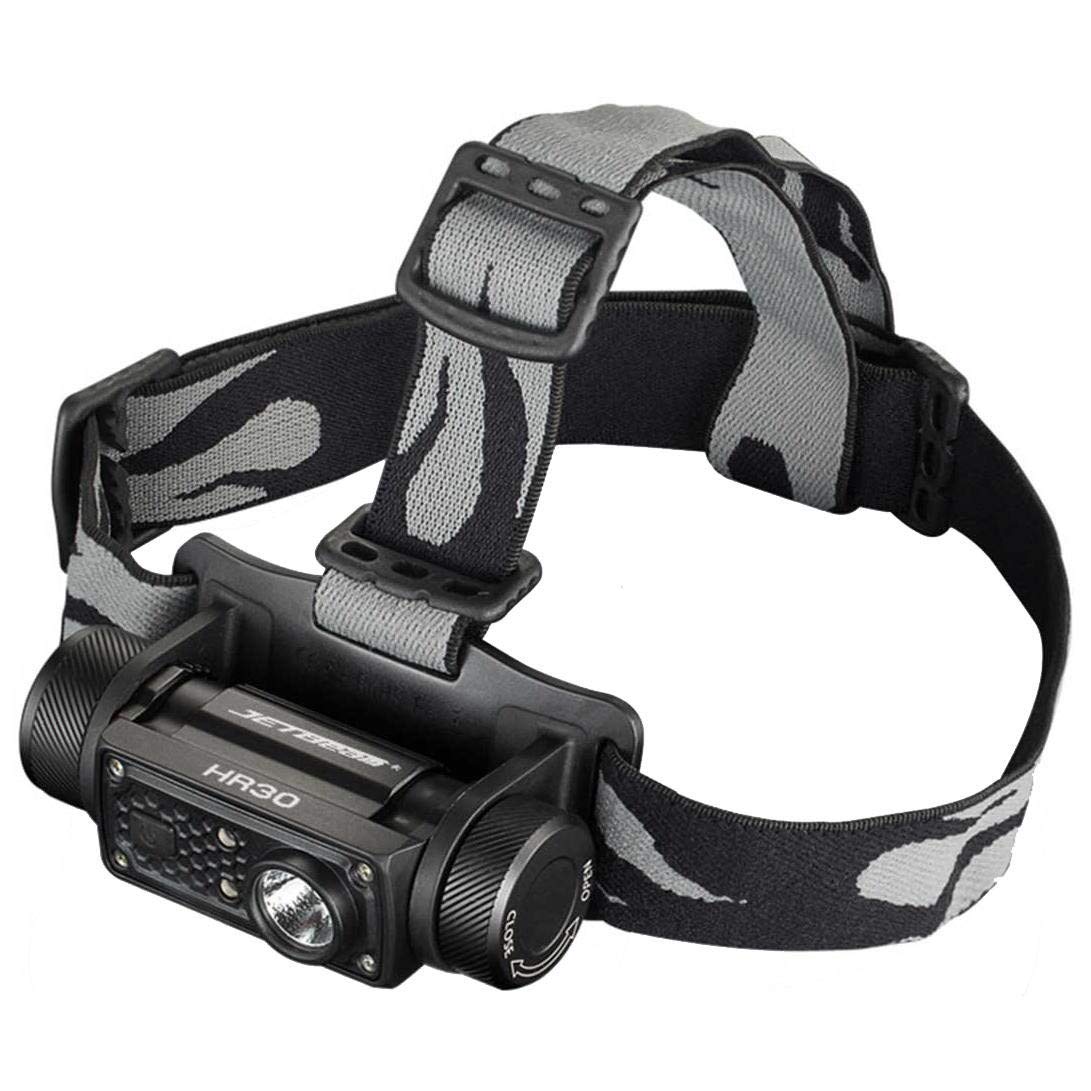
Figure 1: JETBeam HR30 Rechargeable Headlamp, showcasing its compact design and adjustable strap.
2. What's in the Box
- JETBeam HR30 Rechargeable Headlamp (960 Lumens)
- 1 Product Specific battery (included)
3. Features
- High Brightness: Up to 960 lumens white light output.
- Versatile Power: Compatible with 18650, 20700, or 2CR123A batteries.
- USB Type-C Charging: Fast and convenient recharging.
- Red Light Mode: Available on both front and rear for preserving night vision or enhanced visibility.
- Adjustable Beam Angle: 160-degree rotatable mechanism for directing light precisely.
- Durable Construction: Made from anodized aluminum.
- Comfortable Fit: Lightweight design for extended wear.
- Water Resistance: IPX4 rated, suitable for rainy conditions.
- Removable Bracket: Allows for flexible mounting options.
- Tail Magnet Function: Provides hands-free attachment to metal surfaces.
4. Setup
4.1. Battery Installation
- Open the battery compartment located at the rear of the headlamp.
- Insert the provided 18650 battery (or a compatible 20700/2CR123A battery) according to the polarity indicators.
- Securely close the battery compartment.
4.2. Adjusting the Headband
The headlamp features an adjustable headband for a secure and comfortable fit. Use the two loops on either side of the headlamp to tighten or loosen the strap until it fits snugly around your head without being too tight. The design ensures a balanced feel, minimizing bounce during activity.
5. Operating Instructions
5.1. Power On/Off
- To turn on the headlamp, press and hold the power button located on the top of the unit.
- To turn off the headlamp, press and hold the power button again.
5.2. Switching Light Modes
Once powered on, short press the power button to cycle through the available white light modes (e.g., high, medium, low, ultra-low). The HR30 also offers a dedicated red light mode for both front and rear lights.
- White Light Modes: 950 lumens, 400 lumens, 150 lumens, 50 lumens, 5 lumens, 1 lumen.
- Red Light Mode: To activate the red light, typically a double-press or long-press from off or a specific sequence is required (refer to quick start guide for exact sequence if not specified).
- Flashing Red Light: The rear red light can be set to a flashing mode for increased visibility, especially when running or cycling in traffic.
5.3. Adjusting Beam Angle
The front light module can be tilted up or down to adjust the beam angle. There are approximately four to five distinct angle levels, allowing you to direct the light straight ahead for distant viewing or downwards to illuminate your immediate path, which is particularly useful for trail running or detailed tasks.
5.4. Battery Indicator
The headlamp features a battery indicator (usually small LED lights) to show the remaining power level. Monitor this indicator to ensure you have sufficient charge for your activities.
6. Charging
The JETBeam HR30 is equipped with a USB Type-C charging port for convenient and fast recharging. Locate the Type-C port, typically protected by a rubber cover, and connect it to a compatible USB power source using a Type-C cable (not always included). The battery indicator lights will typically show charging progress and full charge status.
7. Maintenance
- Cleaning: Wipe the headlamp with a soft, damp cloth. Do not use abrasive cleaners or solvents.
- Battery Care: If storing for extended periods, remove the battery or ensure it is charged periodically to maintain battery health.
- Water Resistance: Ensure the USB port cover is securely closed to maintain the IPX4 water resistance rating.
8. Troubleshooting
- Headlamp not turning on: Check if the battery is correctly installed and fully charged.
- Dim light output: The battery may be low. Recharge the headlamp.
- Charging issues: Ensure the USB Type-C cable and power adapter are functioning correctly. Check for any debris in the charging port.
9. Specifications
| Overall Length | 3.43 inches |
| Lumens (White Light) | 950/400/150/50/5/1 |
| Runtime | 2.8 hours (950lm) / 3.8 hours (400lm) / 10.5 hours (150lm) / 30 hours (50lm) / 100 hours (5lm) / 100 hours (1lm) |
| Material | Anodized Aluminum |
| Beam Distance | 120 meters |
| Power Source | Battery Powered |
| Light Source Type | LED |
| Battery Cell Composition | Lithium Ion |
| Item Weight | 0.25 Pounds |
| Number of Batteries | 1 (included) |
| Water Resistance Level | IPX4 Rated (Water Resistant) |
| Item Dimensions (LxWxH) | 3.43 x 1.81 x 1.75 inches |
10. Safety Information
WARNING: This product contains chemicals known to the State of California to cause cancer and birth defects or other reproductive harm. Always handle with care and follow all safety guidelines.
11. Warranty and Support
For warranty information and customer support, please refer to the documentation provided with your purchase or visit the official JETBeam website. Keep your proof of purchase for any warranty claims.