
1. Introduction
Thank you for choosing the Teesa Sonic Black TSA8015 Electric Toothbrush. This manual provides essential information for the safe and effective use of your new device. Please read these instructions carefully before first use and retain them for future reference.
2. Safety Information
To ensure safe operation and prevent damage, observe the following safety guidelines:
- Choking Hazard: Keep the toothbrush and its components out of reach of children under 3 years of age.
- Intended Use: Use this product exclusively for oral hygiene purposes. Do not use for any other applications.
- Water Exposure: While the device is IPX7 waterproof, avoid prolonged submersion in water to prevent damage to internal components.
- Brush Head Replacement: For optimal hygiene and performance, replace the brush head every 3 to 4 months, or sooner if bristles are frayed.
- Power Source: Use only the provided charging cable and charger. Do not attempt to modify the charging system.
- Damage: Do not use the device if it appears damaged in any way. Contact customer support for assistance.
3. Package Contents
Verify that all items are present in the package:
- 1x Teesa Sonic Black TSA8015 Electric Toothbrush Handle
- 2x Brush Heads
- 1x Travel Case
- 1x Charging Base with Cable

Image: Contents as displayed on the product packaging.
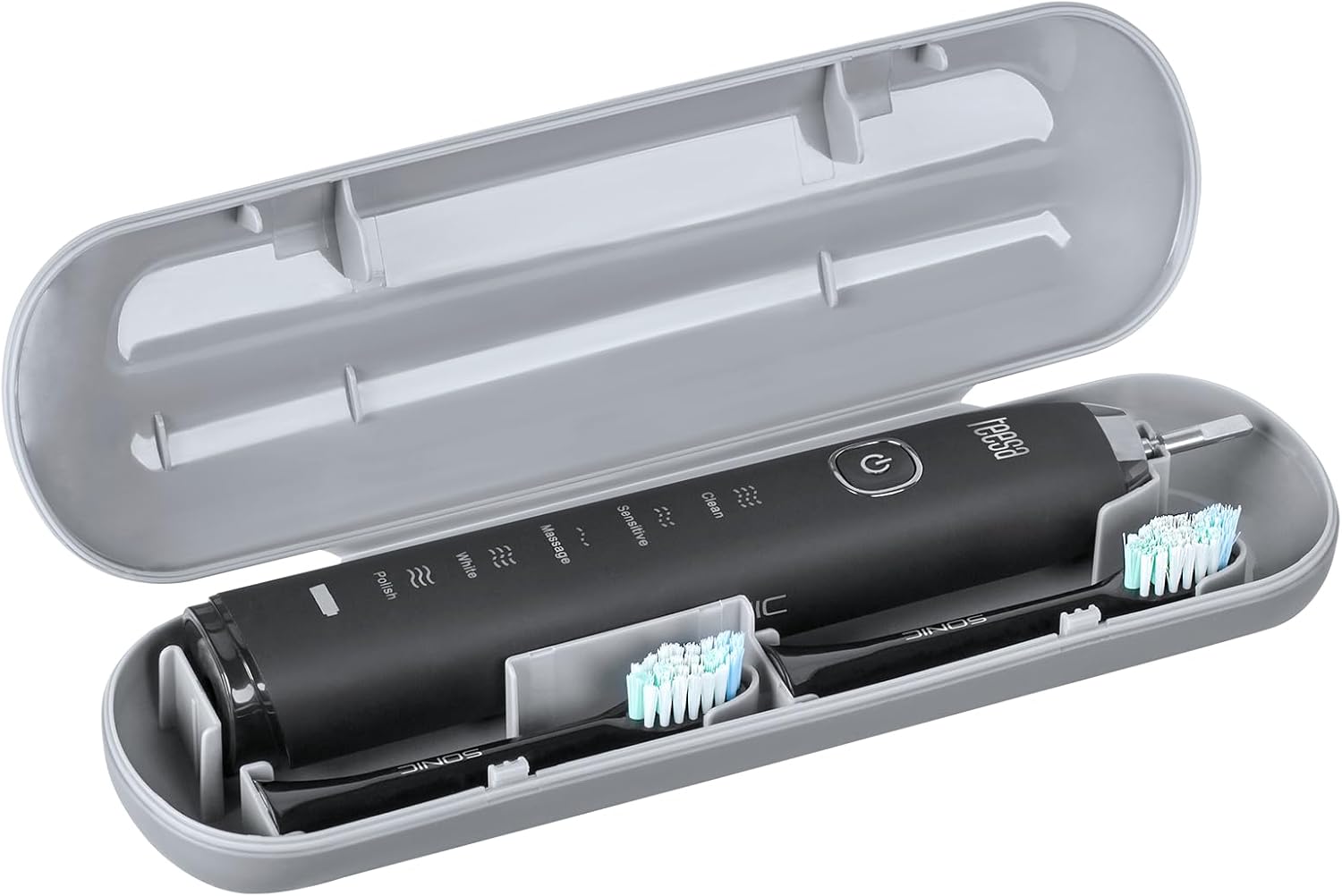
Image: The toothbrush and two brush heads neatly stored within the included travel case.
4. Product Overview
The Teesa Sonic Black TSA8015 is an advanced electric toothbrush designed for effective oral care. It features multiple cleaning modes and a built-in timer for optimal brushing habits.
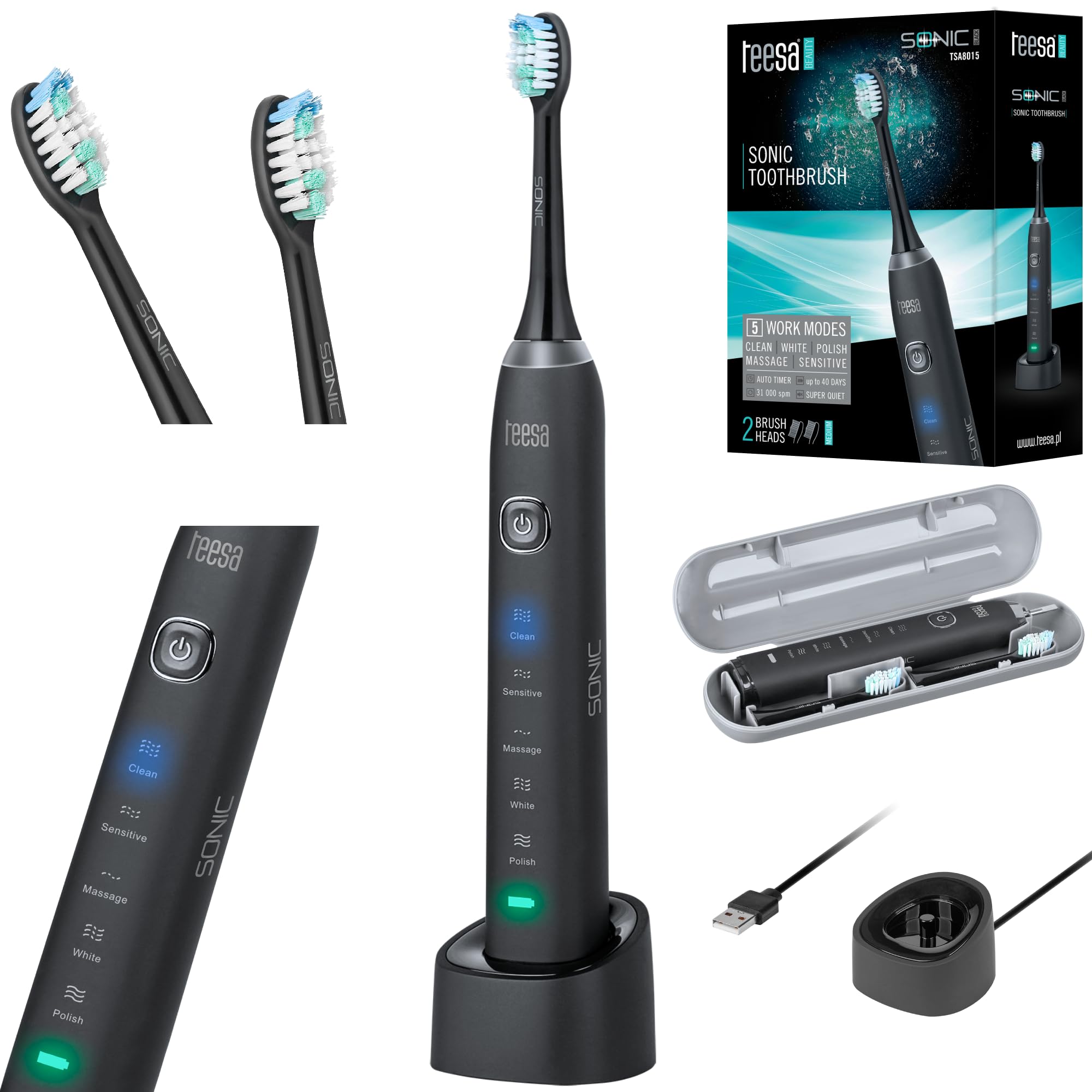
Image: Teesa Sonic Black TSA8015 Electric Toothbrush on its charging base.
Key Features:
- 5 Cleaning Programs: Clean, Sensitive, Massage, White, Polish.
- High-Frequency Vibrations: Up to 31,000 movements per minute.
- Smart Timer: 2-minute automatic shut-off timer with 30-second interval reminders for even brushing.
- Waterproof Rating: IPX7 for safe use in wet environments.
- Long Battery Life: Up to 40 days or 160 minutes of continuous use on a single charge.

Image: Close-up of the toothbrush handle showing the power button and mode indicators.
5. Setup
5.1 Initial Charging
- Place the toothbrush handle onto the charging base.
- Connect the charging base to a suitable power outlet.
- The indicator light on the toothbrush will show charging status. Allow the toothbrush to charge fully before first use. A full charge can provide up to 40 days of use.
5.2 Attaching the Brush Head
- Align the brush head with the metal shaft on the toothbrush handle.
- Push the brush head down firmly until it clicks into place. Ensure it is securely attached.

Image: Two Teesa Sonic brush heads.
6. Operating Instructions
6.1 Powering On/Off
- Press the power button once to turn on the toothbrush. It will start in the last used mode.
- Press and hold the power button for 2 seconds to turn off the toothbrush.
6.2 Selecting a Cleaning Mode
After turning on the toothbrush, press the power button repeatedly to cycle through the 5 available modes:
- Clean: Standard mode for daily cleaning.
- Sensitive: Gentle cleaning for sensitive teeth and gums.
- Massage: Gently massages gums.
- White: Designed for removing surface stains.
- Polish: For polishing teeth and enhancing brightness.
6.3 Brushing Technique
Apply a small amount of toothpaste to the brush head. Place the brush head against your teeth at a slight angle towards the gum line. Gently move the brush across your teeth, allowing the sonic vibrations to do the work. Do not scrub vigorously.
6.4 Smart Timer Function
- The toothbrush features a 2-minute timer, which is the dentist-recommended brushing time.
- Every 30 seconds, the toothbrush will briefly pause, signaling you to move to the next quadrant of your mouth.
- After 2 minutes, the toothbrush will automatically turn off.
7. Cleaning and Maintenance
7.1 After Each Use
- Rinse the brush head thoroughly under running water while the toothbrush is still on to remove any remaining toothpaste and debris.
- Turn off the toothbrush.
- Remove the brush head and rinse both the brush head and the handle separately under running water.
- Wipe the handle dry with a soft cloth.

Image: Rinsing the toothbrush under running water.
7.2 Replacing the Brush Head
It is recommended to replace the brush head every 3 to 4 months, or when the indicator bristles fade, to maintain optimal cleaning performance and hygiene.
- Grip the brush head and pull it straight off the handle.
- Dispose of the old brush head responsibly.
- Attach a new brush head as described in Section 5.2.
7.3 Storage
When not in use, store the toothbrush in a clean, dry place. If traveling, use the provided travel case to protect the toothbrush and brush heads.
8. Troubleshooting
If you encounter issues with your Teesa Sonic Black TSA8015, refer to the following common problems and solutions:
- Toothbrush does not turn on: Ensure the battery is charged. Place the handle on the charging base for several hours.
- Reduced vibration/performance: The brush head may be worn out; replace it. Ensure the brush head is securely attached. The battery might be low; recharge the device.
- Charging indicator not working: Check if the charging base is properly connected to the power outlet. Ensure the toothbrush handle is correctly seated on the charging base.
- Unusual noise: Ensure the brush head is correctly attached. If the noise persists and seems abnormal, discontinue use and contact customer support.
If the problem persists after attempting these solutions, please contact Teesa customer support.
9. Specifications
| Feature | Specification |
|---|---|
| Model Number | TSA8015 |
| Cleaning Programs | 5 (Clean, Sensitive, Massage, White, Polish) |
| Vibrations per Minute | Up to 31,000 |
| Waterproof Rating | IPX7 |
| Timer | 2-minute auto-off with 30-second interval reminders |
| Battery Type | Lithium-ion (800 mAh) |
| Battery Life | Up to 40 days or 160 minutes continuous use |
| Dimensions (L x W x H) | 50 x 50 x 28 cm (product); 390 grams |
| Power Source | Cable electric |
| Material Feature | Durable |
| Color | Black |
10. Warranty and Support
Your Teesa Sonic Black TSA8015 Electric Toothbrush is covered by a manufacturer's warranty. Please refer to the warranty card included in your package for specific terms and conditions.
For technical support, troubleshooting assistance, or to inquire about replacement parts, please visit the official Teesa website or contact their customer service department using the contact information provided with your product.
