
Introduction
This manual provides essential information for the safe and efficient operation of your monolith OL 250-L A4 Laminator. Please read it thoroughly before using the device and keep it for future reference.
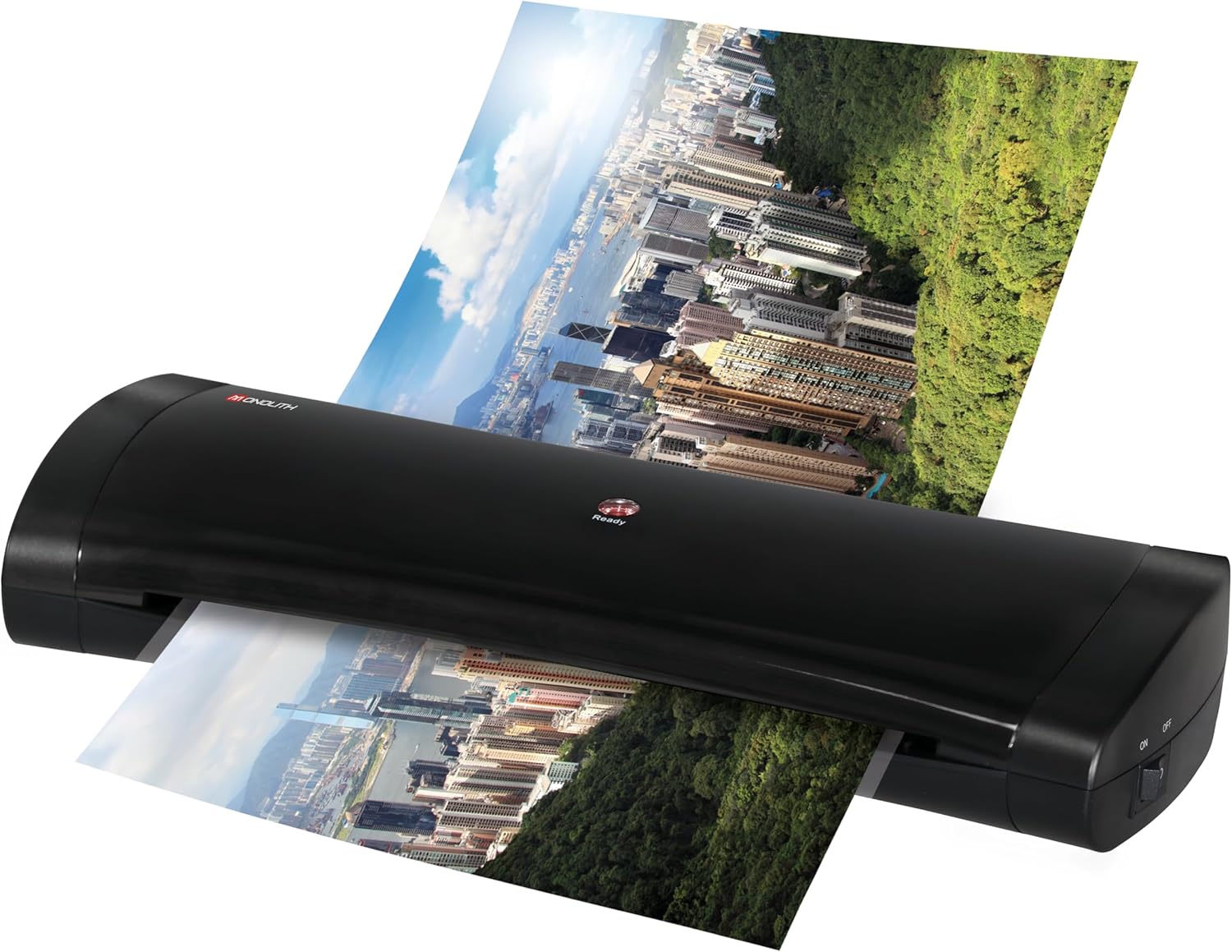
The monolith OL 250-L is an A4 laminator designed for home office or low to medium volume office use. It features 2 thermal roller technology, PTC heating, and a quick warm-up time for efficient lamination.
Safety Instructions
- Always place the laminator on a stable, flat surface.
- Ensure adequate ventilation around the device during operation.
- Do not touch the hot parts of the laminator during or immediately after use.
- Keep away from water or other liquids.
- Unplug the device when not in use or before cleaning.
- Do not attempt to open or repair the laminator yourself. Contact qualified service personnel.
- Use only laminating pouches recommended for this device.
Product Overview
The monolith OL 250-L A4 Laminator is designed for ease of use and efficient document protection. Key features include:
- 2 thermal roller technology for consistent lamination.
- Energy-saving design with PTC heating technology.
- Fast warm-up time of approximately 1.5-2 minutes.
- Rear insert technology for convenient document feeding.
- ABS function for clearing misfed pouches.
- Supports hot lamination for pouches from 75 to 125 microns.
Setup
- Unpacking: Carefully remove the laminator from its packaging. Retain packaging for storage or transport.
- Placement: Place the laminator on a flat, stable, and heat-resistant surface. Ensure there is enough space behind the machine for laminated documents to exit freely.
- Power Connection: Plug the power cord into a suitable electrical outlet.
- Power On: Turn on the laminator using the power switch, usually located on the side or rear of the device. The "Ready" indicator light will illuminate, typically red, and then change color (e.g., green) when the device is ready for use.

Operating Instructions
Hot Lamination
- Warm-up: Turn on the laminator. Wait for approximately 1.5-2 minutes until the "Ready" indicator light changes to green (or indicates readiness as per device design).
- Prepare Document: Place your document inside a laminating pouch. Ensure the document is centered and there is an even border of the pouch around it.
- Insert Pouch: Insert the sealed edge of the laminating pouch into the rear input slot of the laminator. The machine will automatically feed the pouch through.
- Retrieve Document: Once the laminated document exits the rear of the machine, allow it to cool on a flat surface before handling.
Cold Lamination
This laminator supports cold lamination for pouches between 75-125 microns. For cold lamination, ensure the laminator is set to the cold lamination mode (if available, consult device specific controls) or simply use self-adhesive cold laminating pouches without heating the machine.
ABS Function (Anti-Blocking System)
In case of a misfeed or jam, activate the ABS function. This typically involves pressing and holding a dedicated ABS button (if present) or switching to a reverse mode. This will release the rollers, allowing you to gently pull out the jammed pouch. Refer to the specific button layout on your device.
Maintenance
- Cleaning: Ensure the laminator is unplugged and completely cool before cleaning. Wipe the exterior with a soft, dry cloth. Do not use abrasive cleaners or solvents.
- Roller Cleaning: Periodically run a laminator cleaning sheet (available separately) through the machine to remove any adhesive residue from the rollers.
- Storage: Store the laminator in a dry, dust-free environment when not in use.
Troubleshooting
| Problem | Possible Cause | Solution |
|---|---|---|
| Laminator not turning on. | No power supply. | Check power cord connection and wall outlet. |
| Pouch jams or misfeeds. | Pouch inserted incorrectly (open end first), pouch too thick, or rollers dirty. | Activate ABS function to release. Ensure sealed edge is inserted first. Use correct pouch thickness. Clean rollers. |
| Laminated document is cloudy or has bubbles. | Temperature too low, pouch too thick, or document not flat. | Ensure laminator is fully warmed up. Use appropriate pouch thickness. Ensure document is flat before lamination. |
| Laminated document is wavy or curled. | Temperature too high, or document not allowed to cool flat. | Allow machine to cool slightly if adjustable. Let laminated document cool on a flat surface. |
Specifications
- Brand: monolith
- Model: OL 250-L
- Lamination Type: Hot / Cold
- Number of Rollers: 2 thermal rollers
- Max. Document Size: A4
- Pouch Thickness: 75-125 microns
- Warm-up Time: Approx. 1.5-2 minutes
- Lamination Speed: Approx. 400mm/minute
- Power Consumption: 80W (PTC heating technology)
- Product Dimensions: 5.59 x 13.94 x 2.32 inches
- Item Weight: 2.42 pounds (1.1 Kilograms)
- Color: Black/White
- Features: Rear insert technology, ABS function
Warranty and Support
For warranty information and customer support, please refer to the documentation included with your purchase or visit the official monolith website. Keep your proof of purchase for any warranty claims.
Protection plans may be available for extended coverage. Please check with your retailer for details on available protection plans.


