
Introduction
The Dupray Neat Steam Cleaner is designed to provide effective, chemical-free cleaning for a wide range of surfaces. Utilizing superheated steam, this appliance efficiently breaks down stubborn dirt, grease, and grime, offering a deep clean without the need for harsh chemicals. This manual provides essential information for the safe and optimal use, maintenance, and troubleshooting of your steam cleaner.
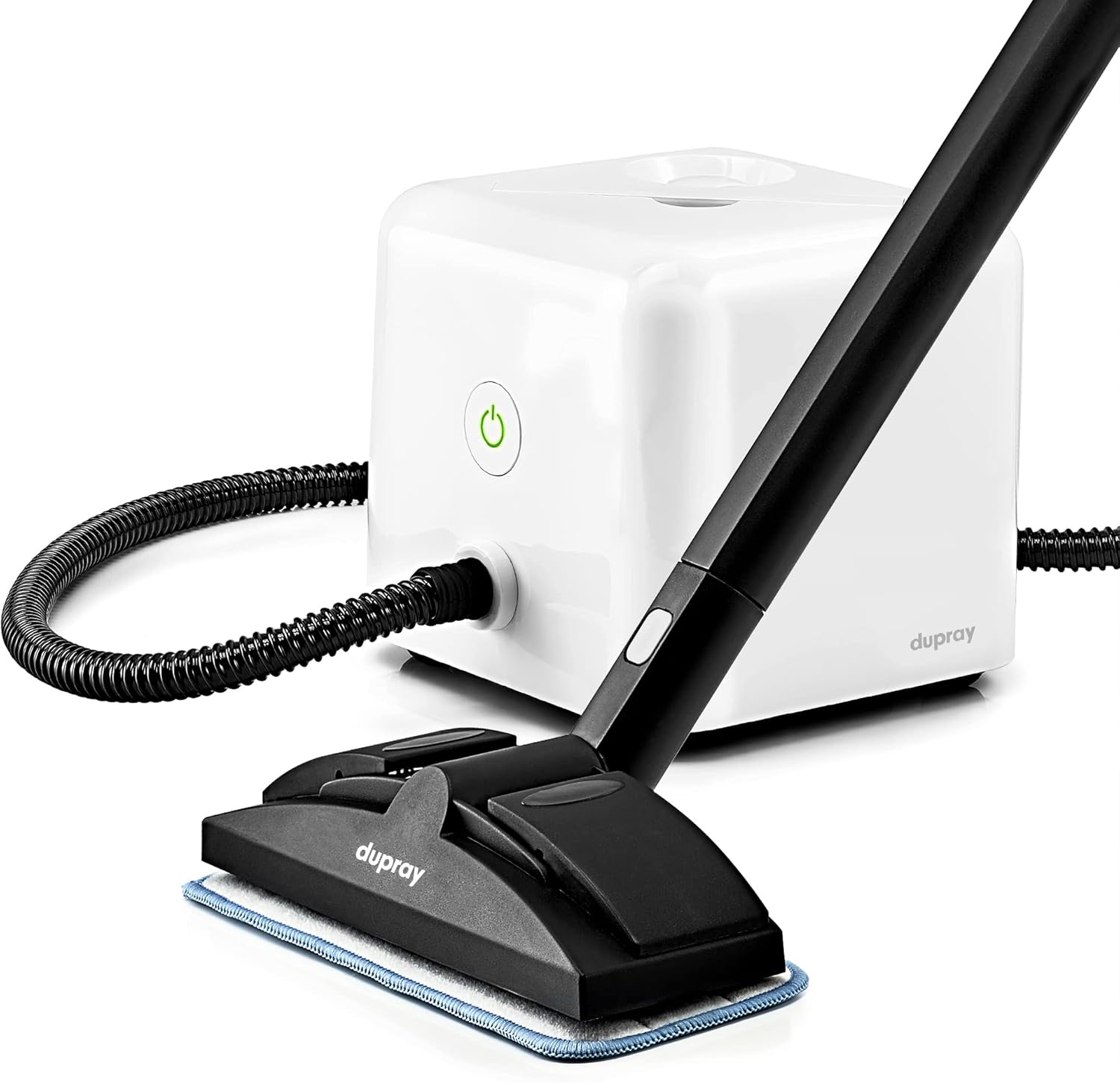
The Dupray Neat Steam Cleaner, a compact and powerful unit, shown with its floor cleaning attachment. This device is designed for versatile, chemical-free cleaning across various surfaces in your home.
Setup
Before first use, ensure all components are present and undamaged. The 17-piece accessory kit provides specialized tools for diverse cleaning tasks.
Unpacking and Component Identification
Carefully remove all items from the packaging. Familiarize yourself with the main unit and the various accessories included in your kit.

An overview of the 17-piece professional accessory kit, showcasing the range of tools provided for comprehensive cleaning. This includes extension tubes, various detail brushes, a precision lance, a window tool, and floor/tile cleaning heads.
Filling the Water Tank
- Ensure the unit is unplugged and cool before filling.
- Unscrew the safety cap located on top of the unit. The unit features an integrated funnel for easy filling.
- Fill the tank with up to 1600 milliliters (approximately 54 ounces) of clean water. For optimal performance and to prevent mineral buildup, it is highly recommended to use distilled water.
- Securely replace the safety cap, ensuring it is tightly sealed.

The compact design of the Dupray Neat Steam Cleaner, highlighting its portability and the convenient integrated funnel for straightforward water refills. The unit measures 10.5 x 9.5 x 10.5 inches and weighs 9 pounds.
Connecting Accessories
Attach the desired cleaning accessory (e.g., extension tube, floor tool, detail brush) to the steam hose handle. Ensure connections are secure to prevent steam leakage during operation.
Once filled and assembled, plug the unit into a suitable power outlet. The power indicator light will illuminate, typically orange, indicating the unit is heating up. The heating time is approximately 8 minutes until the steam reaches its maximum temperature of 135 degrees Celsius (275 degrees Fahrenheit).
Operating Instructions
Once the indicator light turns green, the unit is ready to produce steam. Press the steam trigger on the handle to release steam. The handle also features a lock for continuous steam output, reducing hand fatigue during extended cleaning tasks.

This image illustrates the power of steam in action, showing the nozzle with a cloth bonnet cleaning upholstery. The inset demonstrates how the cloth effectively picks up dirt as you clean, highlighting the efficiency of steam for deep cleaning.
General Cleaning Tips
- Always test a small, inconspicuous area first to ensure compatibility with the surface.
- Move the steam tool slowly over the surface to allow the heat to penetrate and loosen dirt.
- Wipe away loosened dirt and moisture with a clean microfiber cloth or the provided cleaning pads.
- The unit delivers up to 50 minutes of continuous steam per fill, allowing for extended cleaning sessions.
Surface-Specific Applications
The Dupray Neat Steam Cleaner is highly versatile, suitable for:
- Floors and Tiles: Use the floor tool with a microfiber pad or a regular cloth. The clips on the floor head allow for secure attachment of various cloths.
- Grout: Utilize the detail brushes (nylon or brass, depending on surface hardness) with the precision lance to target and clean grout lines.
- Upholstery and Mattresses: Use the garment steamer bonnet or a cloth bonnet over the nozzle to refresh and clean fabrics.
- Kitchen Surfaces and Appliances (e.g., Ovens, Grills): The high temperature steam is effective at breaking down grease and baked-on residue. Use appropriate brushes for stubborn areas.
- Windows and Glass: Use the window cleaning tool for streak-free results.

This image illustrates the flexibility of the floor tool, showing how it can be used with dedicated microfiber pads or adapted to securely hold any suitable regular cloth or towel for effective floor cleaning.

A visual demonstration of the steam cleaner's effectiveness on grout. The 'Before' image shows discolored grout, while the 'After' image reveals significantly cleaner, brighter grout lines, illustrating the deep cleaning capability.

The steam cleaner in action, refreshing and cleaning upholstered furniture. The steam penetrates fabric fibers to loosen dirt and eliminate odors, providing a thorough and chemical-free clean.

A compelling before-and-after view of an oven interior. The 'Before' image shows heavy grease and food residue on the racks and interior, while the 'After' image demonstrates the steam cleaner's ability to effectively remove this grime, leaving the oven significantly cleaner.
Maintenance
Regular maintenance ensures the longevity and optimal performance of your Dupray Neat Steam Cleaner.
Cleaning the Unit
- After each use, ensure the unit is unplugged and completely cool.
- Wipe down the exterior of the unit with a damp cloth.
- Empty any remaining water from the tank once the unit has cooled down.
Descaling (Preventing Calcification)
Mineral buildup (calcification) can occur over time, especially if tap water is used. This can affect steam output and unit performance. To descale:
- Ensure the unit is unplugged and completely cool.
- Mix a solution of equal parts white vinegar and distilled water.
- Pour the solution into the water tank.
- Allow the solution to sit in the tank for several hours or overnight.
- Empty the solution and rinse the tank thoroughly with distilled water.
- Run a tank of plain distilled water through the unit to flush out any remaining vinegar residue.
- Regular descaling, particularly with consistent use of distilled water, is crucial for maintaining optimal performance and preventing blockages.
Accessory Care
- Clean all accessories after each use. Microfiber pads can typically be machine washed.
- Inspect brushes and nozzles for wear and tear. Replace worn accessories as needed to maintain cleaning effectiveness.
Troubleshooting
This section addresses common issues you might encounter with your steam cleaner.
| Problem | Possible Cause | Solution |
|---|---|---|
| No steam output or weak steam |
|
|
| Water leaking from accessories |
|
|
| Unit not turning on |
|
|
Specifications
| Feature | Detail |
|---|---|
| Brand | Dupray |
| Model Name | Dupray Neat Steam Cleaner |
| Special Feature | Portable |
| Surface Recommendation | Floor, Tiles |
| Cable Length | 2 Meters |
| Included Components | Extension Tube, Brass Brush, Garment Steamer Bonnet, Nylon Brush, Cleaning Pad |
| Wattage | 1500 Watts |
| Item Weight | 9 Pounds (approx. 4 kg) |
| Tank Volume | 1600 Milliliters (approx. 54 ounces) |
| Item Display Dimensions | 10.5 x 9.5 x 10.5 inches |
| Form Factor | Canister (with handheld wand) |
| Heat Time | 8 minutes |
| Color | White |
| Power Source | AC/DC |
| Maximum Temperature | 135 Degrees Celsius (275 Degrees Fahrenheit) |
Warranty and Support
Warranty Information
The Dupray Neat Steam Cleaner comes with a 2-year limited warranty. This warranty guarantees protection against defects in materials and workmanship, ensuring reliable performance and peace of mind. Please retain your proof of purchase for warranty claims.
Customer Support
For any questions, technical assistance, or warranty claims, please contact Dupray customer support. Refer to the contact information provided in your product packaging or visit the official Dupray website for the most up-to-date support details.


