
1. Introduction
This manual provides detailed instructions for the installation, operation, and maintenance of your Bazooka 24 Inch G2 Bluetooth Party Bar Speaker System. Designed for rugged outdoor environments, this system delivers powerful audio and vibrant LED illumination for off-road vehicles, golf carts, marine applications, and other outdoor settings. Please read this manual thoroughly before use to ensure proper functionality and safety.
2. Safety Information
Important Safety Warning:
The Party Bar is designed for a 12V power connection. Connecting the Party Bar directly to higher voltage (24V, 36V, or 48V) vehicles will cause damage to the unit. If your vehicle’s battery power and charging system is 24V, 36V, or 48V, you will need a voltage converter with 12V output (e.g., a 48V-to-12V converter) to prevent damage and ensure proper operation.
Always ensure proper wiring and secure mounting to prevent accidents or damage during vehicle operation.
3. Package Contents
- Bazooka 24 Inch G2 Party Bar Speaker System
- Integrated LED Illumination System
- 6ft Fused Power Cord
- Mounting Legs (2)
- Mounting Hardware (bolts, washers, nuts, Allen key)
- Anti-Vibration Pads (2)
- Remote Control
4. Product Features & Overview
The Bazooka G2 Party Bar is an all-in-one audio solution featuring marine-grade components and versatile control options.
Audio Components:
- 8 true marine-grade speakers with end-loaded woofers and front-firing tweeters.
- 450-watt peak power Class D integrated amplifier.
Connectivity:
- Easy-pair integrated Bluetooth with auto-connect.
- Audio Sync feature to connect two Party Bars to one mobile device.
- Waterproof 3.5mm auxiliary inputs for connecting smart devices or MP3 players.
- USB input for device charging and audio playback from a thumb drive.
Illumination:
- Integrated RGB LED illumination system with backlit tweeters, LED rings in the ends, and a dual LED party strip running the full length of the bar.
Control Options:
- On-board manual buttons for direct control.
- Included remote control for audio and LED functions.
- Mobile app for comprehensive control (available for iOS and Android).
- Optional dashboard controller (sold separately).
Mounting:
- Patented, cast aluminum integrated grill mounting system allows for end-mounted woofers and complete 360-degree rotation.
- Two durable cast aluminum legs for securing to roll bars.
- Integrated rail mounting system provides alternative mounting options.
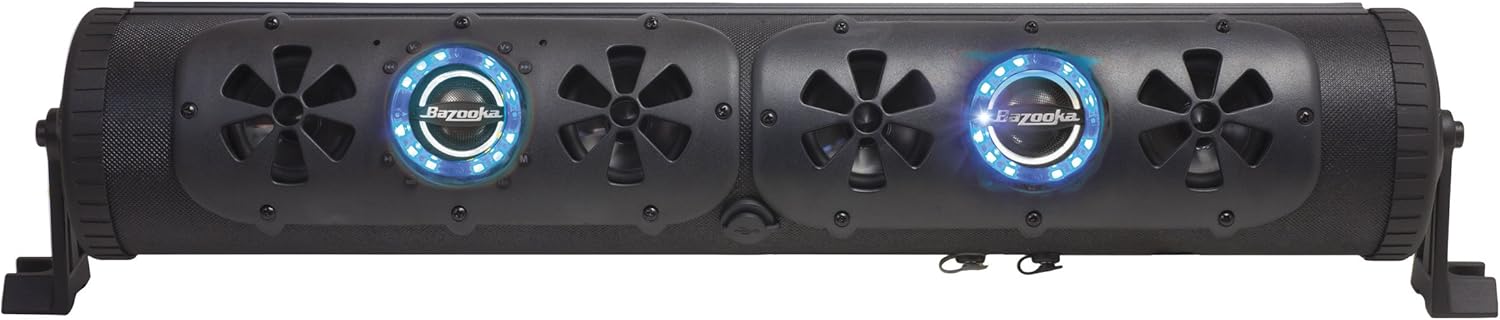
Figure 4.1: Front view of the Bazooka G2 Party Bar with illuminated speakers.
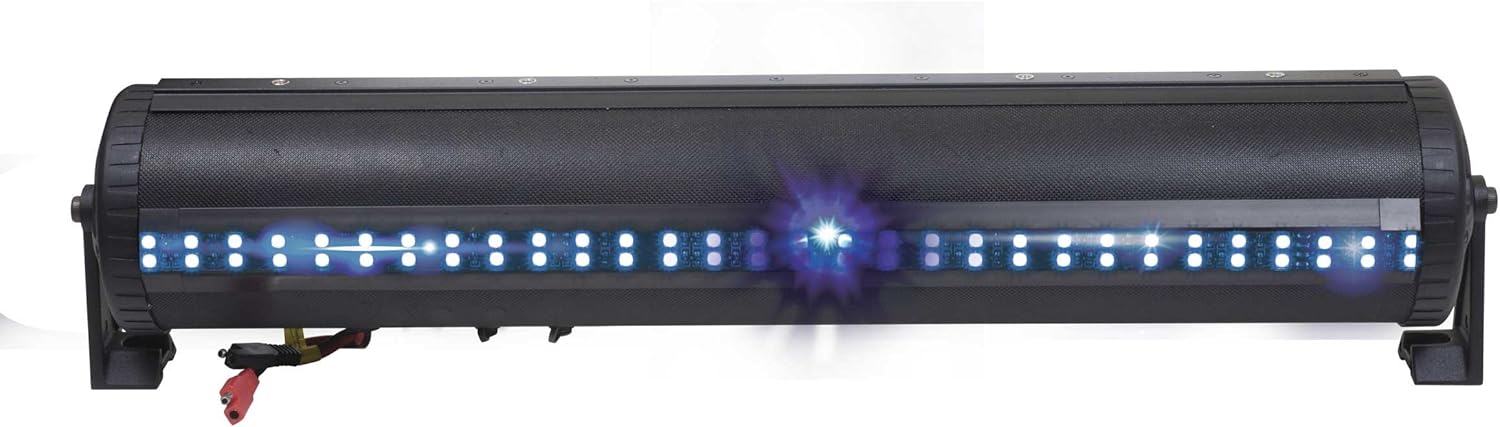
Figure 4.2: Rear view of the Party Bar highlighting the integrated LED strip.

Figure 4.3: Detailed view of the control panel and speaker with LED ring.
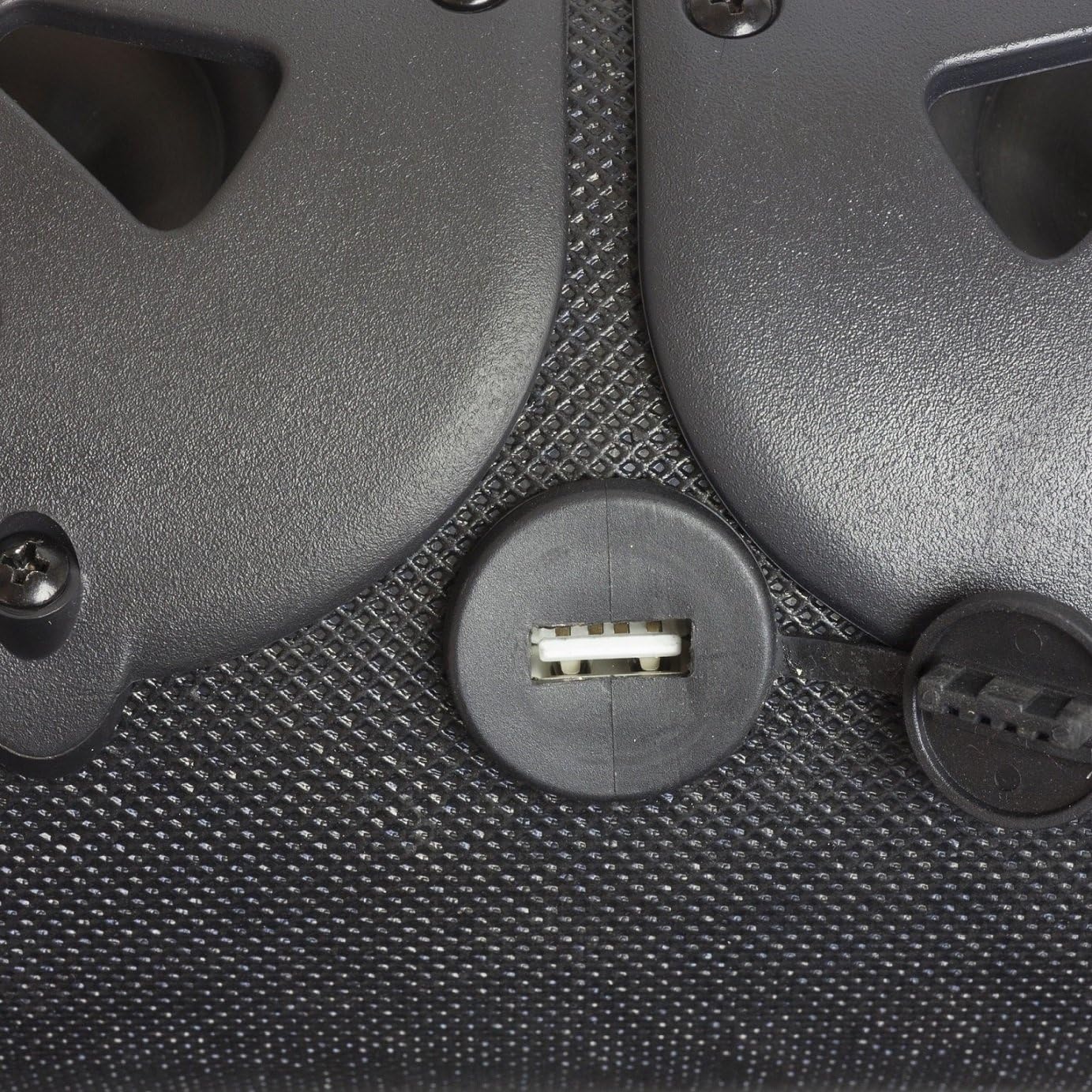
Figure 4.4: Waterproof USB input for charging and audio.
Video 4.1: Overview of the Bazooka G2 Party Bar's features, including end-loaded subwoofers, marine-grade speakers, waterproof inputs, and patented mounting options. This video showcases the product's versatility for various outdoor applications.
Video 4.2: A brief demonstration of the G2 Party Bar's capabilities as an ultimate off-road entertainment system, highlighting its robust design and vibrant LED lights.
5. Installation Guide
Mounting Options:
The Party Bar offers flexible mounting solutions to suit your vehicle or application. The included cast aluminum legs can be used to secure the unit to roll bars, or the integrated rail mounting system provides alternative attachment points.

Figure 5.1: Party Bar with mounting legs attached, ready for installation.

Figure 5.2: Product dimensions for installation planning.
Power Connection:
- Ensure your vehicle's power system is 12V. If not, use a compatible voltage converter.
- Connect the 6ft fused power cord to your vehicle's 12V battery, ensuring correct polarity (red to positive, black to negative).
- Secure all wiring to prevent interference or damage.
6. Operation
Bluetooth Pairing:
- Power on the Party Bar.
- Enable Bluetooth on your mobile device.
- Search for available devices and select "Bazooka G2" to pair.
- The system will auto-connect to previously paired devices when in range.
Audio Sync (for multiple Party Bars):
To connect two Party Bars to a single mobile device for synchronized audio, refer to the detailed instructions in the mobile app or the full product manual for specific pairing steps.
Controlling Audio & LEDs:
Use the on-board buttons, the included remote control, or the Bazooka mobile app to manage audio playback (volume, track skip, mode selection) and customize the RGB LED illumination (color, brightness, patterns).
7. Maintenance
The Bazooka G2 Party Bar features a water-resistant design suitable for outdoor use. To ensure longevity and optimal performance:
- Regularly clean the exterior with a soft, damp cloth. Avoid abrasive cleaners or solvents.
- Ensure all port covers (e.g., USB, auxiliary inputs) are securely closed when not in use to maintain water resistance.
- Inspect wiring and connections periodically for any signs of wear or damage.
8. Troubleshooting
| Problem | Possible Cause | Solution |
|---|---|---|
| No power | Loose power connection; Blown fuse; Incorrect voltage. | Check power connections; Replace fuse (15A); Verify 12V power supply or use voltage converter. |
| No Bluetooth connection | Bluetooth not enabled on device; Party Bar not in pairing mode; Device too far. | Ensure Bluetooth is on; Put Party Bar in pairing mode; Move device closer. |
| Poor sound quality | Volume too low/high; Source device issue; Damaged speaker. | Adjust volume on both Party Bar and source; Test with different source; Contact support if speaker is damaged. |
| LEDs not working | LED function off; Remote battery low. | Check LED settings on unit/remote/app; Replace remote battery. |
9. Technical Specifications
- Model Name: G2 Party Bar
- Speaker Type: Outdoor
- Speaker Size: 24 Inches
- Speaker Maximum Output Power: 450 Watts
- Input Voltage: 12 Volts
- Frequency Response: 40 Hz
- Connectivity Technology: Bluetooth, Auxiliary
- Wireless Communication Technology: Bluetooth
- Bluetooth Range: 10 Meters
- Water Resistance Level: Waterproof
- Product Dimensions: 25.13"D x 4.81"W x 5.19"H
- Item Weight: 0.847 Ounces
- Color: Black
- Included Components: Party bar, LED illumination system, 6ft fused power cord
10. Warranty & Support
For any issues with your Bazooka G2 Party Bar Speaker System or for further assistance, please contact Bazooka directly at info@bazooka.com. Bazooka is committed to ensuring your satisfaction with their products.
The product comes with a Limited Warranty. Please refer to the full warranty documentation provided with your purchase for complete terms and conditions.


