
UPBRIGHT Klipsch R-4B R4B Soundbar 18VDC Power
UpBright 18V AC/DC Adapter Instruction Manual
Model: Klipsch R-4B R4B Soundbar 18VDC Power
1. Product Overview
This manual provides essential information for the safe and effective use of your UpBright 18V AC/DC Adapter. This power supply is specifically designed for compatibility with various Klipsch Reference Bluetooth Wireless Soundbars, including models R-4B, R4B, RSB-6, RSB6, RSB-8, and RSB8. It delivers 18V DC power at 2.8A to 3.5A, suitable for the specified soundbar models.
Important Note: This adapter is only for the soundbar and is not compatible with wireless subwoofers. Please verify your device's power requirements before use.

Image: The UpBright 18V AC/DC Adapter, showing the main power brick, the DC output cable with barrel connector, and the detachable AC input power cord.
2. Safety Information and Precautions
To ensure safe operation and prevent damage, please observe the following precautions:
- Indoor Use Only: This adapter is designed for indoor use in dry locations. Do not expose it to water, moisture, or high humidity.
- Proper Voltage: Ensure the input voltage (100-240VAC, 50/60Hz) matches your local power supply.
- Protection Features: The adapter incorporates OVP (Over Voltage Protection), OCP (Over Current Protection), and SCP (Short Circuit Protection) to safeguard your devices. However, always connect to compatible devices.
- Ventilation: Do not cover the adapter during operation to allow for proper heat dissipation.
- Cable Care: Do not pull on the cord to disconnect. Always grasp the plug. Avoid placing heavy objects on the cord or kinking it.
- Compatibility Check: Crucially, verify the voltage and connector type of your device before connecting. This adapter is specifically for 18V Klipsch soundbars and not for subwoofers or other devices requiring different voltages (e.g., 24V).
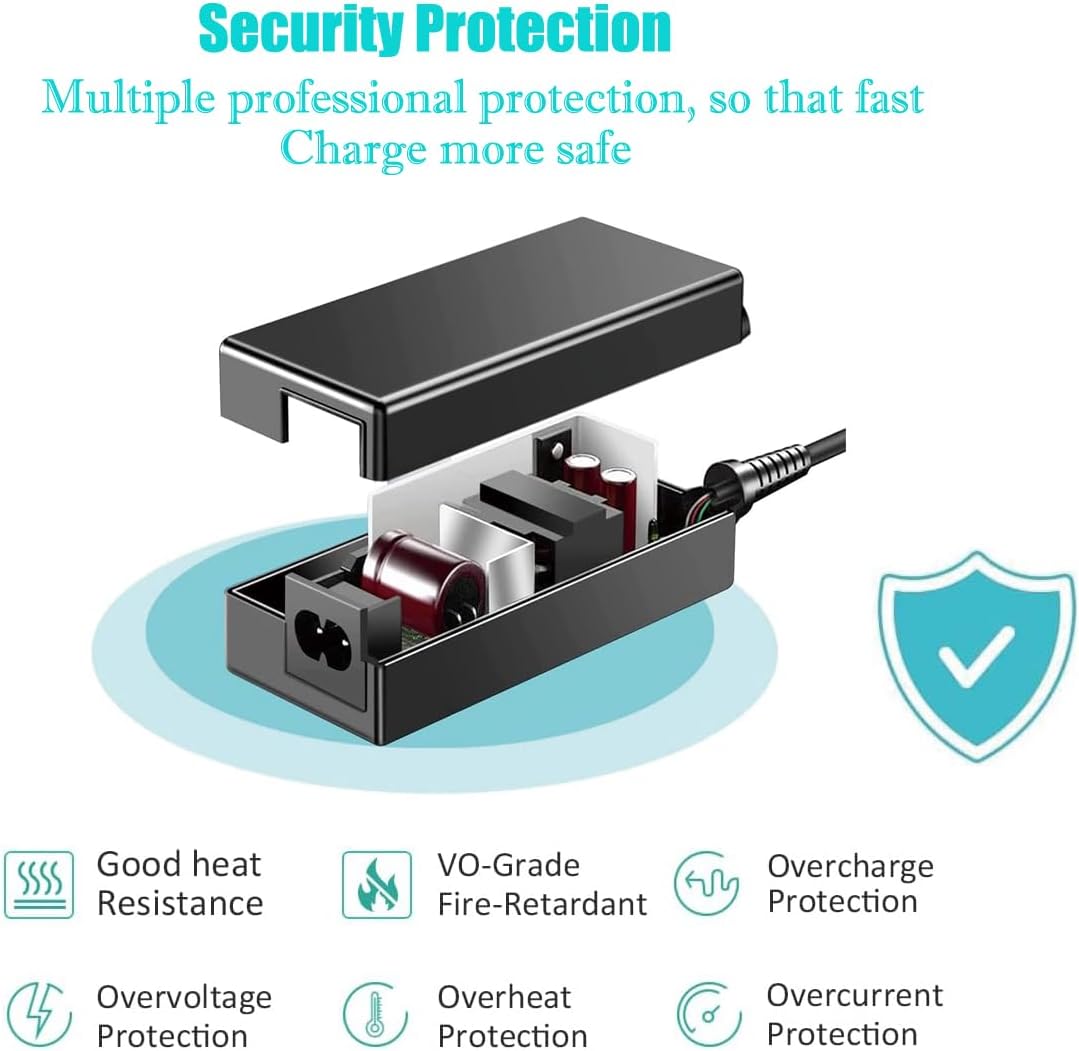
Image: Diagram illustrating the multiple protection features of the adapter, including good heat resistance, VO-Grade fire-retardant material, overcharge, overvoltage, overheat, and overcurrent protection.
3. Package Contents
Upon opening the package, please ensure all the following items are present:
- 1 x UpBright 18V AC/DC Adapter
- 1 x AC Power Cord (suitable for your region)

Image: Examples of different AC power cord plugs (US, EU, UK, AU) that may be included with the adapter, depending on the region of purchase.
4. Setup Instructions
Follow these steps to set up your UpBright AC/DC Adapter:
- Connect AC Power Cord: Take the provided AC power cord and firmly insert its female end into the input port of the UpBright 18V AC/DC Adapter.

Image: The UpBright adapter with the AC power cord connected to its input, ready to be plugged into a wall outlet.
- Connect to Soundbar: Locate the DC input jack on your Klipsch R-4B, R4B, RSB-6, RSB6, RSB-8, or RSB8 Reference Bluetooth Wireless Soundbar. Carefully insert the barrel connector of the adapter's DC output cable into this jack. Ensure a snug fit.
- Plug into Wall Outlet: Insert the male end of the AC power cord into a standard wall electrical outlet (100-240VAC).
- Power On: Once connected, your soundbar should receive power. Refer to your soundbar's manual for specific power-on procedures.
5. Operating the Adapter
The UpBright 18V AC/DC Adapter operates automatically once connected to a power source and a compatible device. It provides a stable 18V DC output to power your Klipsch soundbar.
- Ensure the adapter is placed in a well-ventilated area during operation.
- Disconnect the adapter from the power outlet when not in use for extended periods.
6. Compatibility
This UpBright 18V AC/DC Adapter is specifically designed and tested for compatibility with the following Klipsch soundbar models:
- Klipsch R-4B Soundbar
- Klipsch R4B Soundbar
- Klipsch RSB-6 Soundbar
- Klipsch RSB6 Soundbar
- Klipsch RSB-8 Soundbar
- Klipsch RSB8 Soundbar
CRITICAL COMPATIBILITY NOTE:
This adapter is NOT compatible with Klipsch wireless subwoofers, which typically require a different voltage (e.g., 24V) and/or connector type. Attempting to use this adapter with an incompatible device may cause damage to the adapter or the device.

Image: Visual guide showing a checkmark next to a soundbar (compatible) and an 'X' next to a wireless subwoofer (not compatible) for this adapter.

Image: Comparison showing the 18.0V input port of a compatible soundbar versus a 24.0V input port of an incompatible device, highlighting the importance of matching voltage.
7. Maintenance and Care
To ensure the longevity and optimal performance of your adapter:
- Cleaning: Disconnect the adapter from the power source and device before cleaning. Use a soft, dry cloth to wipe the surface. Do not use liquid cleaners or aerosols.
- Storage: Store the adapter in a cool, dry place away from direct sunlight and extreme temperatures when not in use.
- Avoid Damage: Do not drop, disassemble, or attempt to repair the adapter yourself. This will void the warranty and could be dangerous.
8. Troubleshooting
If you encounter issues with your UpBright AC/DC Adapter, please refer to the following common problems and solutions:
| Problem | Possible Cause | Solution |
|---|---|---|
| No power to soundbar |
|
|
| Adapter feels hot |
|
|
| Soundbar not functioning correctly |
|
|
9. Specifications
Detailed technical specifications for the UpBright 18V AC/DC Adapter:
| Brand | UPBRIGHT |
| Model Number | Klipsch R-4B R4B Soundbar 18VDC Power (Compatible with DYS650-180280W-1, DYS650-180280-16406) |
| Input Voltage | 100-240VAC, 50/60Hz (World Wide Input Voltage) |
| Output Voltage | 18V DC |
| Output Current | 2.8A - 3.5A (2800mA) |
| Wattage | 36W - 50W |
| Connector Type | Barrel Connector (2-Pin) |
| Product Dimensions | 6 x 3 x 1 inches |
| Item Weight | 8.8 ounces |
| Safety Features | OVP (Over Voltage Protection), OCP (Over Current Protection), SCP (Short Circuit Protection) |
| Certifications | CECCCROHS (as per product description) |
10. Warranty and Support
UpBright stands behind the quality of its products.
- Refund Policy: Enjoy a 30-day refund period from the date of purchase.
- Exchange Policy: The product is covered by a 24-month exchange warranty.
For warranty claims, technical assistance, or any inquiries, please contact UpBright customer support through the retailer where the product was purchased or visit the official UpBright store page on Amazon: UpBright Amazon Store.

Image: A representation of the UpBright Limited Warranty Certificate, indicating product support and warranty coverage.
Related documentsKlipsch R-4B R4B Soundbar 18VDC Power

Ask a question about this manual
Ask about setup, troubleshooting, compatibility, parts, safety, or missing instructions. Manuals+ will review the question and use this page’s manual context to help answer it.