
1. Safety Information
Please read all instructions carefully before using your new Magic Chef Mini Fridge. Keep this manual for future reference. Failure to follow these instructions may result in electric shock, fire, or property damage.
General Safety Precautions:
- Ensure the refrigerator is properly grounded.
- Do not use mechanical devices or other means to accelerate the defrosting process, other than those recommended by the manufacturer.
- Do not damage the refrigerant circuit.
- Do not use electrical appliances inside the food storage compartments of the appliance, unless they are of the type recommended by the manufacturer.
- Keep ventilation openings, in the appliance enclosure or in the built-in structure, clear of obstruction.
- Unplug the appliance before cleaning or performing maintenance.
WARNING: California Proposition 65: This product contains chemicals known to the State of California to cause cancer and birth defects or other reproductive harm.
2. Product Overview
The Magic Chef 1.7 cu. ft. Mini Fridge is designed for compact refrigeration needs. This freezerless model offers increased storage capacity for refrigerated items, making it ideal for beverages and fresh food. Its sleek black finish complements various interior decors.
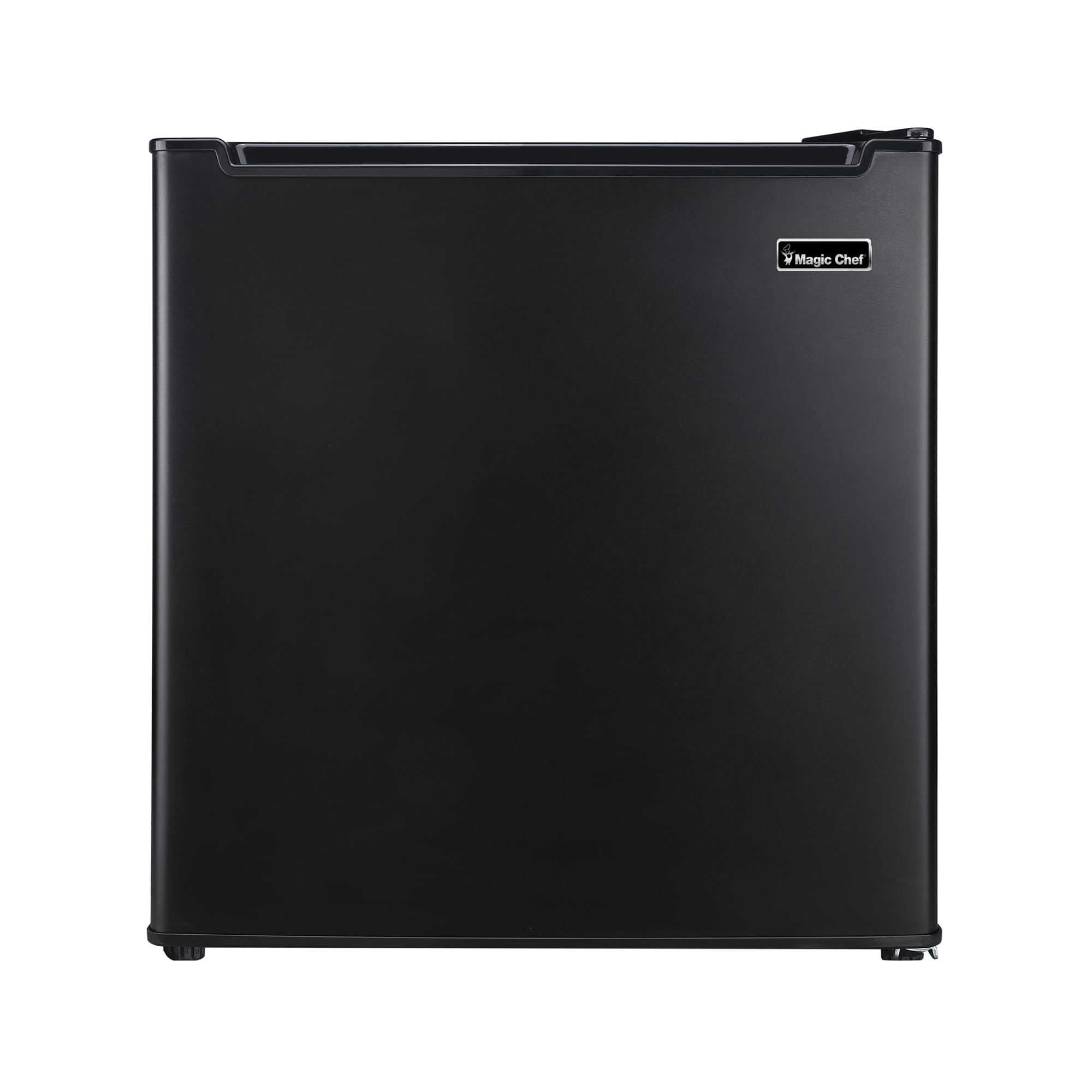
Front view of the Magic Chef 1.7 cu. ft. Mini Fridge, showcasing its compact black design.
Key Features:
- ENERGY STAR qualified for energy efficiency.
- Full-range temperature control dial for customized cooling.
- Durable wire fresh-food shelf for organized storage.
- In-door storage for various beverage sizes.
- 1.7 cu. ft. capacity, exclusively for refrigeration (no freezer).
- Smooth back design for easy installation.
- Reversible door for flexible placement.
- Adjustable leveling legs for stability on uneven surfaces.
Dimensions and Capacity:
This compact refrigerator has a capacity of 1.7 cubic feet. Its external dimensions are approximately 18.9 inches (Depth) x 17.7 inches (Width) x 19.5 inches (Height). The unit weighs 33 pounds.

Diagram showing the dimensions of the Magic Chef Mini Fridge: 18.9 inches deep, 17.3 inches wide, and 19.5 inches high.
3. Setup and Installation
Unpacking:
Carefully remove all packaging materials, including foam and tape. Ensure no parts are missing or damaged. It is recommended to keep the original packaging for potential future transport or service.
Placement:
- Place the refrigerator on a flat, stable surface.
- Adjust the leveling legs at the bottom of the unit to ensure stability and proper door closure.
- Allow adequate space around the unit for proper ventilation (at least 4 inches on the sides and back, and 8 inches on top).
- Avoid placing the refrigerator in direct sunlight or near heat sources.
- The door is reversible, allowing you to change the swing direction to suit your space. Refer to the detailed instructions for reversing the door if needed.

View of the mini fridge interior with the door open, showing the wire shelf and door storage compartments.
4. Operating Your Mini Fridge
Temperature Control:
The refrigerator is equipped with a full-range temperature control dial located inside the unit. To adjust the temperature:
- Locate the temperature control dial inside the refrigerator compartment.
- Turn the dial to your desired setting. Higher numbers (e.g., 7) indicate colder temperatures, while lower numbers (e.g., 1) indicate warmer temperatures. 'OFF' will turn the cooling system off.
- Allow several hours for the temperature to stabilize after making an adjustment.

Detailed view of the internal temperature control dial and the cooling plate at the back of the refrigerator compartment.
5. Care and Maintenance
Cleaning:
- Always unplug the refrigerator before cleaning.
- Clean the interior and exterior surfaces with a soft cloth and a mild detergent solution.
- Wipe down door gaskets regularly to ensure a tight seal.
- Do not use harsh chemicals, abrasive cleaners, or sharp objects, as these can damage the surfaces.
Defrosting:
This Magic Chef Mini Fridge features an automatic defrost system, eliminating the need for manual defrosting. If excessive frost builds up on the cooling plate, it may indicate an issue with the door seal or frequent door opening. Ensure the door is closing properly and the gasket is intact.
6. Troubleshooting
Before contacting customer service, please check the following common issues:
| Problem | Possible Cause | Solution |
|---|---|---|
| Refrigerator does not operate. | Not plugged in; circuit breaker tripped; temperature control set to 'OFF'. | Ensure plug is secure; reset circuit breaker; turn temperature control to a numerical setting. |
| Temperature is not cold enough. | Door opened too frequently; warm food placed inside; poor ventilation; temperature control set too low. | Minimize door openings; allow hot food to cool before placing in fridge; ensure proper clearance; adjust temperature control to a colder setting. |
| Unusual noises. | Unit not level; objects touching the back of the unit; normal operating sounds. | Adjust leveling legs; move objects away from the unit; gurgling or humming sounds are normal. |
| Door does not close properly. | Unit not level; door gasket dirty or damaged; food packages obstructing closure. | Adjust leveling legs; clean or replace gasket; rearrange contents. |
7. Technical Specifications
| Model Number: | MCAR170BE |
| Capacity: | 1.7 Cubic Feet |
| Configuration: | Freezerless |
| Color: | Black |
| Product Dimensions (D x W x H): | 18.9" x 17.7" x 19.5" |
| Item Weight: | 33 Pounds |
| Voltage: | 115 Volts |
| Wattage: | 245 kWh |
| Number of Doors: | 1 |
| Installation Type: | Freestanding |
| Defrost System: | Automatic |
8. Warranty and Customer Support
For warranty information or to obtain customer support, please refer to the warranty card included with your product or visit the official Magic Chef website. Keep your proof of purchase for any warranty claims.


