Introduction
This manual provides essential information for the safe and efficient operation of your Skyworth E-Series 40E2 40-inch 1080P LED TV. Please read it thoroughly before use and retain it for future reference. This television features a 1080P LED display, 60 Hz refresh rate, and DTS Dolby Audio Sound for an enhanced viewing experience.
Safety Information
Observe the following safety precautions to prevent damage and ensure safe operation:
- Power Source: Connect the TV only to an AC 100-240V, 50/60Hz power supply.
- Ventilation: Ensure adequate ventilation around the TV. Do not block ventilation openings.
- Water and Moisture: Do not expose the TV to rain or moisture. Do not place objects filled with liquids, such as vases, on the TV.
- Cleaning: Unplug the TV before cleaning. Use a soft, dry cloth. Do not use liquid cleaners or aerosol sprays.
- Placement: Place the TV on a stable, level surface. Avoid direct sunlight, heat sources, and extreme temperatures.
- Servicing: Do not attempt to service this product yourself. Refer all servicing to qualified service personnel.
What's in the Box
Verify that all components are present upon unpacking:
- Skyworth E-Series 40E2 40-inch LED TV
- Remote Control (requires 2 AAA batteries, not included)
- Power Cord
- TV Stand Bases (2 pieces)
- Screws for Stand Assembly
- User Manual (this document)
Setup
1. Unpacking
Carefully remove the TV and all accessories from the packaging. Place the TV screen-down on a soft, clean, and flat surface to prevent scratches during stand assembly.
2. Stand Assembly
To attach the stand bases:
- Align each stand base with the corresponding mounting holes on the bottom of the TV.
- Insert the provided screws into the holes and tighten them securely with a screwdriver.
- Ensure both stand bases are firmly attached and the TV is stable before placing it upright.

Image: Front view of the Skyworth 40E2 TV with its two stand bases attached, displaying a hockey game.
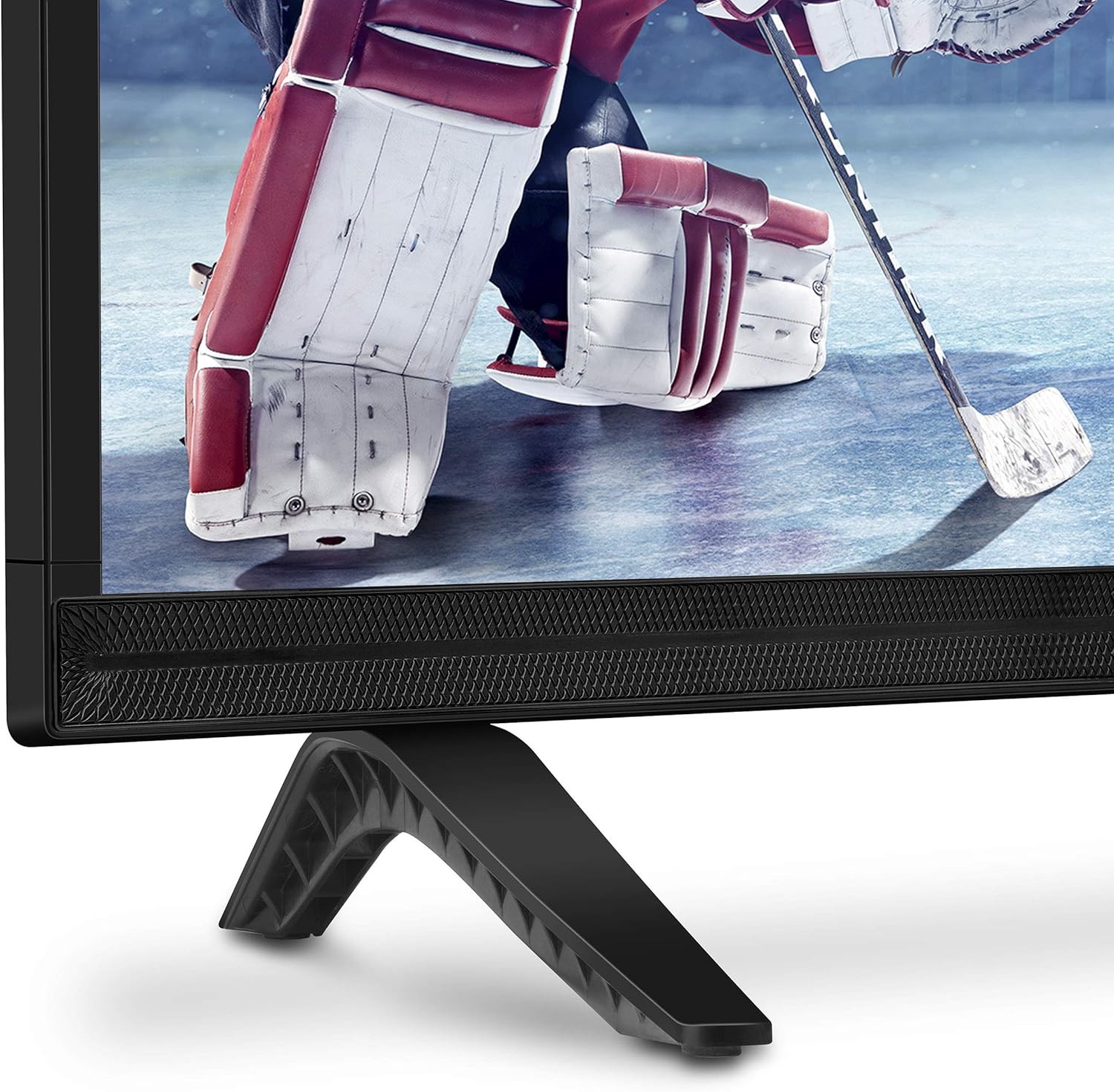
Image: Close-up view of the bottom right corner of the Skyworth 40E2 TV, showing the textured speaker grille and one of the black stand bases.
3. Wall Mounting (Optional)
If you choose to wall mount your TV, ensure you use a VESA-compatible wall mount (sold separately). It is crucial to verify that the wall mounting plate does not obstruct the power port or any other connection ports on the back of the TV. Professional installation is recommended for wall mounting.
4. Connecting Devices
Connect your external devices (e.g., cable box, Blu-ray player, gaming console) to the appropriate ports on the back of the TV. The Skyworth 40E2 features HDMI and USB connectivity.

Image: Rear view of the Skyworth 40E2 TV, showing the various input ports including HDMI and USB on the left side, and the power input on the right.
5. Connecting Power
Plug the power cord into the TV's power input, then plug the other end into a wall outlet.
6. Initial Power On
Press the Power button on the remote control or on the TV. Follow the on-screen instructions for the initial setup, which typically includes language selection, channel scanning, and network configuration (if applicable).
Operating
Remote Control Functions
Familiarize yourself with the remote control buttons:
- Power: Turns the TV on or off.
- Input: Selects the input source (HDMI 1, HDMI 2, USB, etc.).
- Volume +/-: Adjusts the sound level.
- Channel +/-: Changes TV channels.
- Menu: Accesses the main menu for settings.
- Navigation Buttons (Up/Down/Left/Right): Navigates through menu options.
- OK/Enter: Confirms selections.
- Exit/Back: Returns to the previous screen or exits the menu.
Picture Settings
Access the Picture menu to adjust settings for optimal viewing:
- Picture Mode: Select from preset modes like Standard, Dynamic, Movie, or User.
- Brightness: Adjusts the overall lightness or darkness of the image.
- Contrast: Controls the difference between light and dark areas.
- Color: Adjusts the intensity of colors.
- Sharpness: Enhances the edges of objects in the picture.
- Aspect Ratio: Changes the screen display format (e.g., 16:9, 4:3).
Sound Settings
Access the Sound menu to customize audio output:
- Sound Mode: Choose from preset modes like Standard, Music, Movie, or User.
- Equalizer: Manually adjust audio frequencies.
- DTS Dolby Audio: Enable or disable advanced audio processing for enhanced sound quality.
- Balance: Adjust the volume balance between left and right speakers.
Connectivity
The TV supports various connections:
- HDMI: Connect high-definition devices such as Blu-ray players, game consoles, or set-top boxes.
- USB: Play multimedia files (photos, music, videos) from a USB storage device.
Maintenance
Proper care ensures the longevity of your TV:
- Screen Cleaning: Gently wipe the screen with a soft, dry, lint-free cloth. For stubborn marks, lightly dampen the cloth with water (do not spray directly on the screen).
- Cabinet Cleaning: Wipe the TV cabinet with a soft, dry cloth. Avoid using abrasive cleaners or solvents.
- Dusting: Regularly dust the ventilation openings to prevent overheating.
- Power Cord: Periodically check the power cord for any damage. If damaged, replace it immediately.
Troubleshooting
If you encounter issues, refer to the following common problems and solutions:
| Problem | Possible Cause / Solution |
|---|---|
| No power | Ensure the power cord is securely plugged into both the TV and a working electrical outlet. Check if the outlet has power. |
| No picture, but sound is present | Check the input source. Ensure the connected device is powered on and functioning correctly. Try a different HDMI cable. |
| No sound, but picture is present | Check the volume level. Ensure the TV is not muted. Verify audio settings in the menu. Try a different HDMI cable. |
| Remote control not working | Check and replace the batteries (2 AAA). Ensure there are no obstructions between the remote and the TV's IR sensor. |
| Poor picture quality | Adjust picture settings (Brightness, Contrast, Sharpness). Ensure the input source is providing a high-quality signal. |
Specifications
| Feature | Detail |
|---|---|
| Brand | Skyworth |
| Model Number | 40E2 |
| Screen Size | 40 Inches |
| Display Technology | LED |
| Resolution | 1080p (Full HD) |
| Refresh Rate | 60 Hz |
| Aspect Ratio | 16:9 |
| Audio Technology | DTS Dolby Audio Sound |
| Connectivity Technology | HDMI, USB |
| Product Dimensions (with stand) | 35.7 x 8.8 x 22.9 inches (W x D x H) |
| Item Weight (with stand) | 14.5 pounds |
| Remote Control Batteries | 2 AAA batteries (not included) |
Warranty and Support
For warranty information, please refer to the warranty card included with your product at the time of purchase. For technical assistance, product registration, or to download the latest software updates, please visit the official Skyworth website or contact their customer support services. Keep your purchase receipt as proof of purchase for warranty claims.


