
1. Introduction
Thank you for choosing the SYNOKE Digital Sport Watch HJLWT0022. This manual provides detailed instructions on how to set up, operate, and maintain your watch. Designed for versatility, this watch features 50M water resistance, a clear digital display with backlight, and multiple functions including a stopwatch, alarm, and date display. Please read this manual carefully to ensure proper use and longevity of your device.
2. Product Overview
The SYNOKE Digital Sport Watch HJLWT0022 is a lightweight and durable timepiece suitable for various activities. Its design incorporates a high-quality acrylic mirror, an ABS plastic case, and a soft resin strap for comfort.
Key Features:
- 50M Water Resistance: Suitable for swimming and showering (avoid hot water and button operation underwater).
- Multifunction Display: Time (12/24H format), Date, Day of Week, Alarm, Stopwatch.
- EL Backlight: For clear visibility in low-light conditions.
- Durable Construction: Shockproof and scratch-resistant design.
- Long Battery Life: Powered by a CR2025 battery.
Watch Components:
Familiarize yourself with the watch's buttons and display areas:

Image Description: This image displays the SYNOKE Digital Sport Watch with its various buttons and display segments clearly labeled. The labels indicate the 'EL Light Button' (top left), 'MODE Button' (bottom left), 'RESET Button' (bottom right), and 'START/STOP Button' (top right). The digital display shows time, date, and day, with indicators for 'PM', 'Week', 'Alarm', and 'Date'.
- EL Light Button (Top Left): Activates the backlight.
- MODE Button (Bottom Left): Cycles through different modes (Time, Alarm, Stopwatch).
- RESET Button (Bottom Right): Used for resetting values or confirming settings.
- START/STOP Button (Top Right): Used for starting/stopping stopwatch or adjusting settings.
3. Setup
Setting Time and Date:
- From the normal time display, press the MODE button repeatedly until the seconds begin to flash. This indicates you are in time setting mode.
- Press the RESET button to cycle through the settings: seconds, hour, minute, month, date, day of week.
- Use the START/STOP button to adjust the flashing value. Hold the button to change values faster.
- Once all settings are correct, press the MODE button to exit the setting mode and return to the normal time display.
Setting the Alarm:
- From the normal time display, press the MODE button until 'AL' or 'ALARM' appears on the display, indicating alarm mode.
- Press the RESET button to select the hour or minute setting. The value will flash.
- Use the START/STOP button to adjust the flashing hour or minute.
- Press the MODE button to confirm and exit alarm setting.
- To activate/deactivate the alarm, while in alarm mode, press the START/STOP button. An alarm icon will appear/disappear to indicate its status.
4. Operating
Using the Stopwatch:
- From the normal time display, press the MODE button until 'ST' or 'STOPWATCH' appears. The display will show '00:00:00'.
- Press the START/STOP button to start the stopwatch.
- Press the START/STOP button again to pause the stopwatch.
- To resume, press the START/STOP button.
- To reset the stopwatch to '00:00:00', press the RESET button while the stopwatch is paused.
- Press the MODE button to exit stopwatch mode.
Activating the Backlight (EL Light):
Press the EL Light Button (top left) to illuminate the display. The backlight will remain on for a few seconds. This feature is useful for viewing the time in dark environments.

Image Description: This image shows the SYNOKE Digital Sport Watch with its display illuminated by a green backlight, making the time and date clearly visible in low light.
12/24 Hour Format:
While in time setting mode (seconds flashing), press the START/STOP button when the hour is flashing to toggle between 12-hour (with PM indicator) and 24-hour formats.
5. Maintenance
Water Resistance:
The SYNOKE Digital Sport Watch is rated for 50M (5ATM) water resistance. This means it is suitable for everyday use, swimming, and showering. However, to maintain its water resistance:
- DO NOT press any buttons while the watch is submerged in water.
- DO NOT expose the watch to hot water, such as in hot showers, saunas, or hot tubs, as this can compromise the seals.
- After exposure to saltwater, rinse the watch with fresh water and dry it thoroughly.
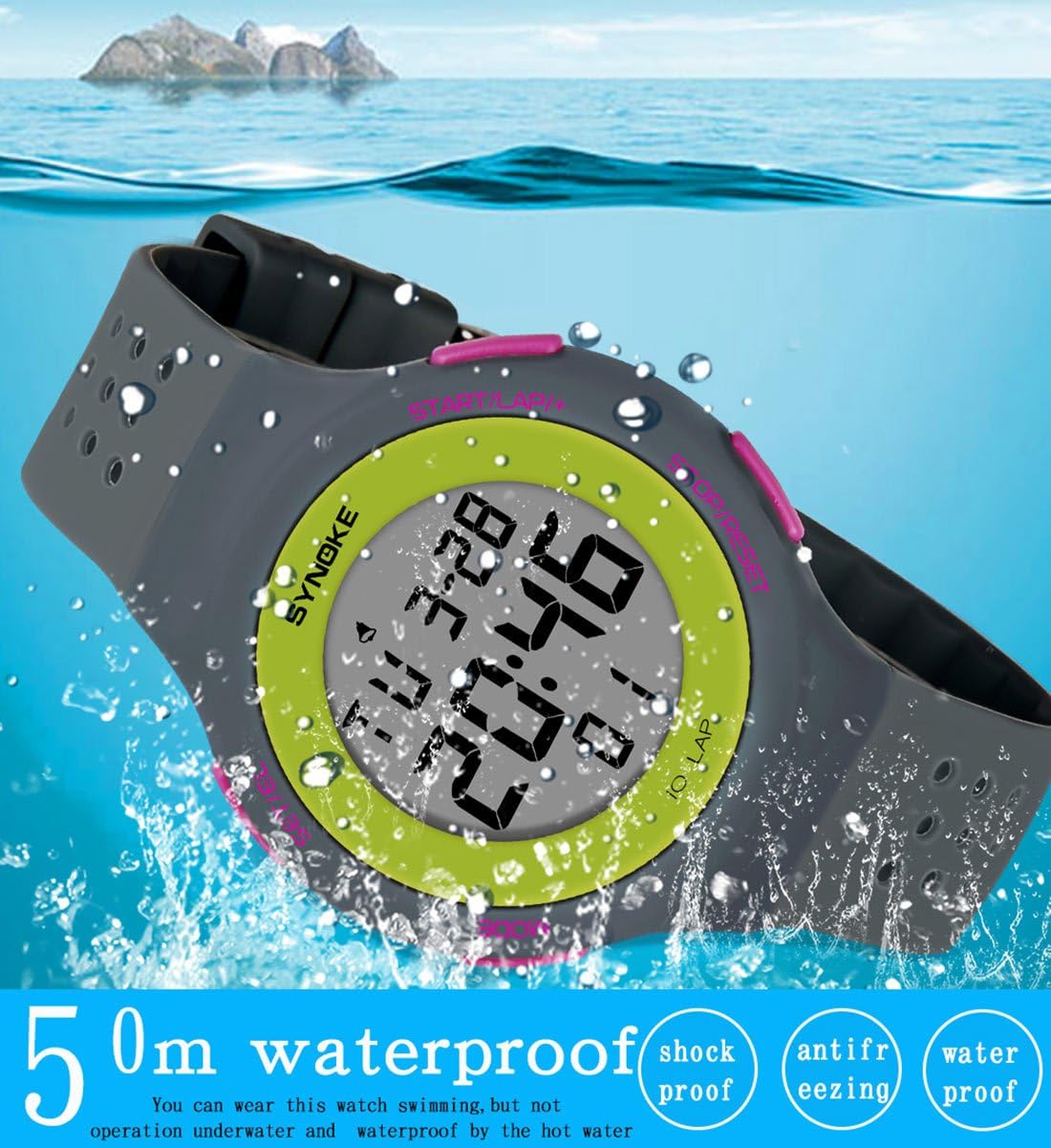
Image Description: This image shows the SYNOKE Digital Sport Watch partially submerged in water, illustrating its 50-meter water resistance. Accompanying text highlights its shockproof, antifreezing, and waterproof properties.
Cleaning:
Wipe the watch case and strap with a soft, damp cloth. Avoid using harsh chemicals or abrasive materials that could damage the watch's finish or seals.
Battery Replacement:
The watch uses a CR2025 battery, designed for long-term use. When the display becomes dim or functions become erratic, it may be time to replace the battery. Battery replacement should ideally be performed by a qualified watch technician to ensure the water resistance seal is properly maintained.
6. Troubleshooting
- Display is blank or dim: Check the battery. If the battery is low, replace it.
- Time is incorrect: Re-enter the time setting mode and adjust the time and date as per the 'Setting Time and Date' section.
- Water inside the watch: If water appears inside the watch, stop using it immediately and take it to a professional for inspection. This may indicate a compromised water resistance seal, possibly due to improper use (e.g., pressing buttons underwater or exposure to hot water).
- Buttons are unresponsive: Ensure the watch is not in a locked mode (if applicable, though this model does not specify one). If issues persist, a battery reset (by removing and reinserting the battery) might resolve minor software glitches.
7. Specifications

Image Description: This image provides a detailed list of product parameters for the SYNOKE watch, including Brand: SYNOKE, Model: 67866 (note: this differs from HJLWT0022, but refers to the same product line), Movement: Digital, Weight: 37.1g, Battery: CR2025, Mirror: Resin mirror, Strap: High Quality plastic, Case: High Quality ABS, Clasp: Stainless steel clasp, Features: Night, alarm, week, chrono, Timekeeping, 12/24 Switch, Waterproof: 50M waterproof. It also shows dimensions like dial width and strap width.
| Feature | Specification |
|---|---|
| Brand | SYNOKE |
| Model Number | HJLWT0022 |
| Movement Type | Digital |
| Water Resistance | 50M (5ATM) - Not for hot water or button operation underwater |
| Case Material | High Quality ABS Plastic |
| Strap Material | Soft Resin / High Quality Plastic |
| Mirror Material | High Quality Acrylic Resin |
| Clasp Type | Stainless Steel Buckle |
| Dial Thickness | 10.14 mm |
| Band Width | 20 mm |
| Watch Weight | 37.1 g |
| Wrist Adjustment Range | 164 mm - 220 mm |
| Battery Type | CR2025 |
| Functions | Time, Date, Day, Alarm, Stopwatch, EL Backlight, 12/24H Format |
8. Warranty and Support
Specific warranty details are not provided with the product information. For any warranty claims, technical support, or inquiries regarding your SYNOKE Digital Sport Watch HJLWT0022, please contact the seller or retailer from whom you purchased the product. They will be able to provide the most accurate and up-to-date information regarding support and service options.


