
1. Introduction & Overview
The FLEXTAILGEAR Portable Air Pump is a compact, lightweight, and powerful solution for all your inflation and deflation needs. Designed for convenience and efficiency, this rechargeable pump is ideal for outdoor activities, camping, and home use, making quick work of inflating air mattresses, pool floats, sleeping pads, and more.

Image: The FLEXTAILGEAR Portable Air Pump, showcasing its compact design when held in a hand.
2. Product Features
- Compact & Travel-Ready Design: Weighing just 5.6 oz with a 2.1"x2.1"x3.1" cube-shaped design, it easily fits into backpacks, eliminating bulk and cord clutter.
- Powerful In/Deflation: Features 300L/min wind speed and 2 kPa air pressure for rapid inflation/deflation. Inflates an air bed in 4-5 minutes, sleeping pad in 40-50 seconds, and a swimming ring in 30 seconds.
- Powerful & Rechargeable Battery: Equipped with a large 3600mAh lithium battery, providing up to 45 minutes of operation after a full charge. One charge can inflate approximately 50 swim rings or 10 air beds. Modern Type-C port for versatile charging.
- 5 Nozzles & Various Use Scenarios: Includes 5 different nozzles compatible with most air mattresses, inflatable beds, pool floats, swim rings, inflatable sofas, sleeping pads, and more.
- Durable & Water-Resistant: Crafted with an ABS shell and well-sealed surface technology, boasting an IPX4 water-resistant rating.

Image: Visual representation of the MAX PUMP PLUS key features including its light weight, air pressure, speed, battery capacity, and nozzle variety.
3. Package Contents
- FLEXTAILGEAR Portable Air Pump (Model: FLEXT)
- 5 x Different Nozzles
- USB Type-C Charging Cable
- Storage Bag
- User Manual
4. Setup & Charging
4.1 Initial Charging
Before first use, fully charge your FLEXTAILGEAR Portable Air Pump. Connect the provided USB Type-C cable to the charging port on the pump and to a compatible USB power source (e.g., wall adapter, power bank, computer USB port). The charging indicator light will provide feedback on the battery status.
- Charging Time: Approximately 45 minutes for a full charge from empty.
- Charging Indicator: Refer to the product diagram for indicator light behavior (e.g., solid light for fully charged, blinking for charging).

Image: Detailed view of the pump's charging indicator and its 3600mAh battery, illustrating battery level feedback.
4.2 Identifying Ports & Controls
Familiarize yourself with the pump's components:
- Inflation Port: Where air is expelled for inflation.
- Deflation Port: Where air is drawn in for deflation.
- Pump Switch: The main control button for operation.
- Charging Indicator: Shows battery status.
- Micro-USB Charging Port: For connecting the charging cable.

Image: An exploded view of the pump, labeling its various ports, switches, and indicators for user reference.
5. Operating Instructions
5.1 Inflation
- Select Nozzle: Choose the appropriate nozzle from the 5 provided attachments that best fits the valve of the item you wish to inflate.
- Attach Nozzle: Firmly insert the selected nozzle into the inflation port of the pump.
- Connect to Item: Insert the nozzle into the valve of your inflatable item.
- Start Inflation: Double-click the pump switch to turn on the pump.
- Inflate: Allow the pump to inflate the item to your desired firmness.
- Stop Inflation: Single-click the pump switch to turn off the pump.
- Remove: Carefully remove the nozzle from the item and the pump.
5.2 Deflation
- Select Nozzle: Choose the appropriate nozzle that fits the valve of the item you wish to deflate.
- Attach Nozzle: Firmly insert the selected nozzle into the deflation port of the pump.
- Connect to Item: Insert the nozzle into the valve of your inflatable item.
- Start Deflation: Double-click the pump switch to turn on the pump.
- Deflate: Allow the pump to deflate the item.
- Stop Deflation: Single-click the pump switch to turn off the pump.
- Remove: Carefully remove the nozzle from the item and the pump.
Video: Demonstrates the inflation and deflation capabilities of the FLEXTAILGEAR pump for various items like vacuum bags, sleeping pads, and swimming rings.
6. Maintenance & Care
- Cleaning: Wipe the pump's exterior with a soft, damp cloth. Do not use harsh chemicals or abrasive cleaners.
- Storage: Store the pump and its accessories in a cool, dry place, away from direct sunlight and extreme temperatures.
- Battery Care: If the pump is not used for an extended period, recharge the battery at least once a month to maintain its activity and prolong battery life.
- Continuous Use: To protect the battery-powered air pump, avoid using it constantly for over 10 minutes. Allow it to cool down before resuming operation.
- Water Resistance: The pump has an IPX4 water-resistant rating, meaning it is protected against splashing water from any direction. Do not immerse the pump in water.
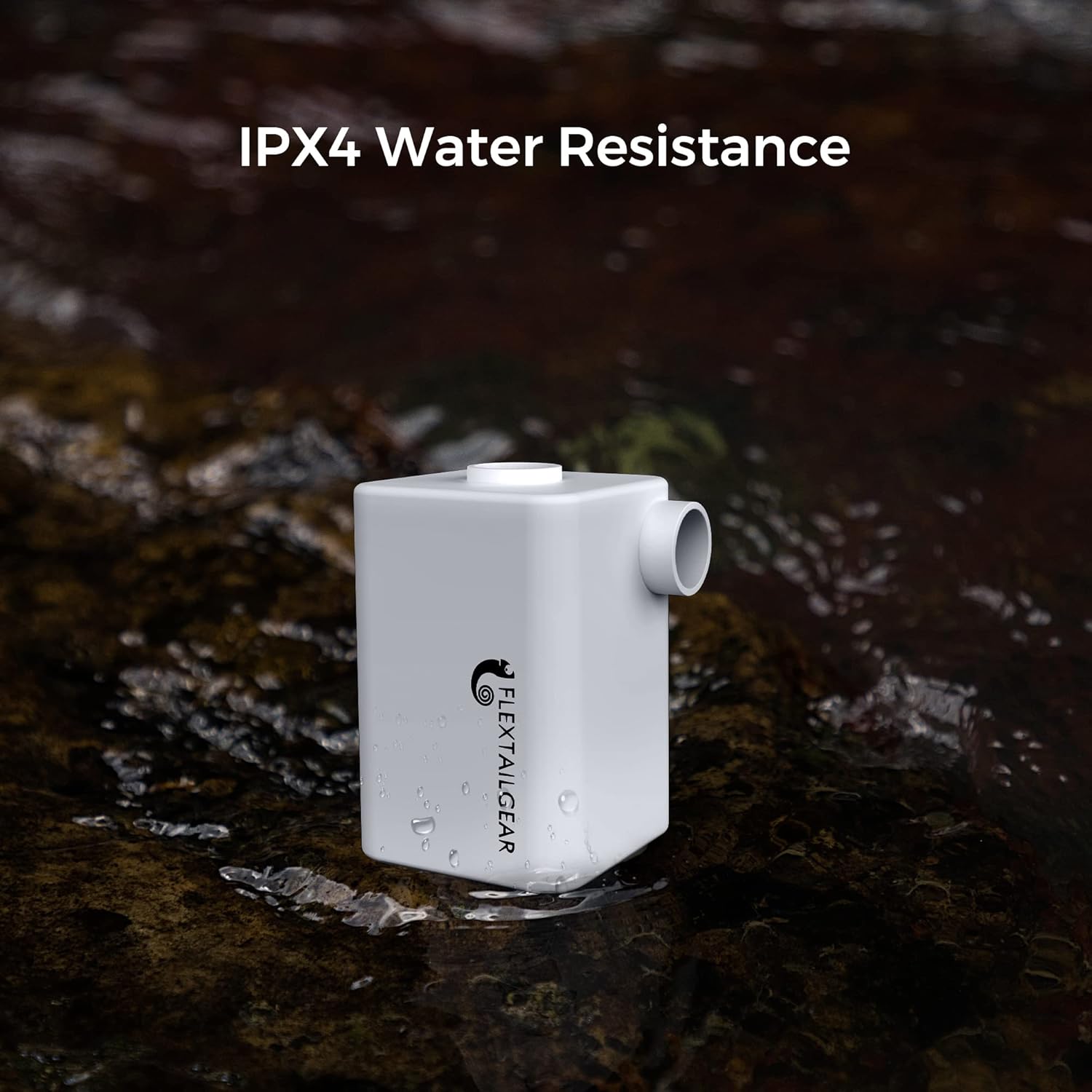
Image: The pump demonstrating its IPX4 water resistance by being near water, indicating splash protection.
7. Troubleshooting
- Pump does not turn on: Ensure the battery is charged. The pump requires a double-click of the power button to turn on for safety.
- Pump stops during operation: The pump may have overheated due to prolonged use. Allow it to cool down for a few minutes before attempting to use it again.
- Slow inflation/deflation: Check that the correct nozzle is securely attached and fully inserted into the item's valve. Ensure there are no leaks in the inflatable item.
- Not suitable for high-pressure items: This pump is designed for low-pressure inflatables. It is not suitable for inflating items like balloons, sports balls, or vehicle tires that require high pressure.
- Can I use the air pump while charging? It is recommended not to use the air pump while it is charging to ensure optimal battery health and longevity.

Image: A visual guide indicating suitable and unsuitable items for inflation with the pump.
8. Specifications
| Brand | FLEXTAILGEAR |
| Model | FLEXT |
| Color | White |
| Material | Acrylonitrile Butadiene Styrene |
| Item Weight | 5.6 ounces (160 Grams) |
| Product Dimensions | 2.1"L x 2.1"W x 3.1"H |
| Power Source | Battery Powered |
| Air Flow Capacity | 300 LPM |
| Maximum Pressure | 2.2 Kilopascal |
| Operation Mode | Automatic |
| Battery Type | 3600mAh Lithium Polymer |
| UPC | 641055647361 |
9. Safety Information
- Keep out of reach of children.
- Do not block the air intake or exhaust ports during operation.
- Do not immerse the pump in water. The IPX4 rating protects against splashes, not submersion.
- Avoid prolonged continuous use (over 10 minutes) to prevent overheating and damage to the battery.
- Use only the provided charging cable and a compatible USB power source.
- Do not attempt to disassemble or repair the pump yourself. Contact qualified personnel for service.
10. Warranty & Support
FLEXTAILGEAR products are designed for durability and performance. For any questions, technical support, or warranty inquiries, please contact FLEXTAILGEAR customer service through their official website or the retailer where the product was purchased. Please have your model number (FLEXT) and purchase information ready.
