
Product Overview
The SHARPER IMAGE Digital Bathroom Smart Scale provides comprehensive health tracking beyond just weight. It connects wirelessly via Bluetooth to a companion app on your iOS or Android device, allowing you to monitor various body metrics and track your progress over time. The scale features a sleek design with tempered glass and stainless steel, an illuminated LED display for easy reading, and advanced precision sensors for accurate measurements.

This smart scale is designed to help you stay on top of your fitness goals by providing detailed insights into your body composition. It can store data for up to 10 individual users, making it suitable for family use.
Setup
1. Battery Installation
The scale requires 4 AAA batteries (not included). To install them:
- Locate the battery compartment on the underside of the scale.
- Open the battery compartment cover.
- Insert 4 AAA batteries, ensuring correct polarity (+/-).
- Close the battery compartment cover securely.

2. App Download and Pairing
To utilize the smart features of your scale, download the free companion app:
- Search for the "Sharper Image Health" app on the Apple App Store (for iOS devices) or Google Play Store (for Android devices).
- Download and install the app on your smartphone or tablet.
- Ensure Bluetooth is enabled on your smart device.
- Open the Sharper Image Health app and follow the on-screen instructions to pair your scale. The app will guide you through the connection process.
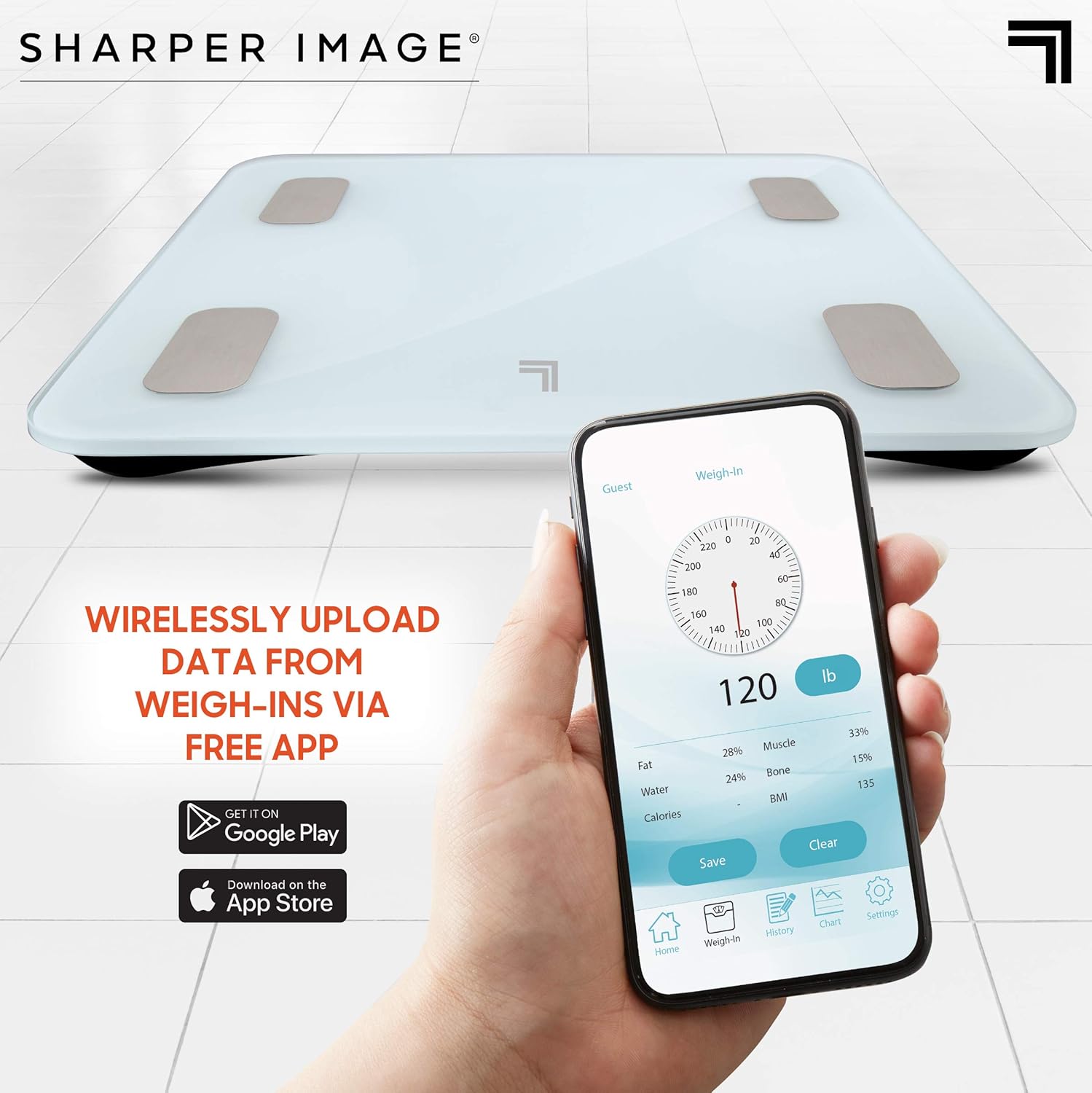
Once paired, the app will seamlessly sync data from your scale to your device, allowing you to track your progress.
Video 1: Overview of the Digital Weight Scale's features and app connectivity. This video demonstrates the ease of use and data synchronization with the companion app.
3. User Profile Setup
The app allows for personalized health tracking for up to 10 individual users:
- Within the app, navigate to the user profile section.
- Create a new profile for each user, entering relevant information such as age, height, and gender.
- Each user's data will be stored separately, allowing for individual progress monitoring.
Operating Instructions
1. Taking a Measurement
To get an accurate reading:
- Place the scale on a hard, flat surface. Avoid carpets or uneven flooring.
- Step onto the scale with bare feet, ensuring your feet are positioned on the metal sensor pads.
- Stand still until your weight and other metrics are displayed on the illuminated LED screen.

2. Understanding Measurements
The scale and companion app provide various health metrics:
- Weight: Your current body weight.
- BMI (Body Mass Index): A measure of body fat based on height and weight.
- Body Fat Percentage: The proportion of fat in your body.
- Muscle Percentage: The proportion of muscle in your body.
- Bone Density: An estimate of bone mineral content.
- Ideal Calorie Intake: Suggested daily calorie consumption based on your metrics.

3. Data Synchronization and Tracking
After each measurement, the data will automatically sync to the Sharper Image Health app if your device is within Bluetooth range and the app is open or running in the background. The app provides:
- Historical data charts to visualize trends over time.
- Detailed breakdowns of each metric.
- Ability to switch between user profiles to view individual data.
Maintenance
1. Cleaning
To clean your scale:
- Wipe the surface with a soft, damp cloth.
- Do not use abrasive cleaners or immerse the scale in water.
- Ensure the scale is dry before storage or next use.
2. Battery Replacement
When the display indicates low battery or the scale does not power on, replace the batteries as described in the Setup section. Always replace all 4 AAA batteries at the same time with new ones.
3. Storage
Store the scale in a cool, dry place away from direct sunlight and extreme temperatures. Avoid placing heavy objects on the scale when not in use.
Troubleshooting
| Problem | Possible Cause | Solution |
|---|---|---|
| Scale does not turn on. | Batteries are dead or incorrectly installed. | Check battery polarity or replace with new AAA batteries. |
| Inaccurate readings. | Scale on uneven surface; scale not calibrated; user not standing still. | Place scale on a hard, flat surface. Step on and off the scale quickly to calibrate to zero before weighing. Stand still during measurement. |
| App not connecting via Bluetooth. | Bluetooth is off; app not open; scale not in pairing mode; interference. | Ensure Bluetooth is enabled on your device. Open the Sharper Image Health app. Restart both the scale and your device. Move closer to the scale. |
| Data not syncing to app. | App not open; Bluetooth connection lost; app permissions. | Ensure the app is open during weighing. Re-establish Bluetooth connection. Check app permissions for Bluetooth access in your device settings. |
If you encounter issues not listed here or if the problem persists, please refer to the Warranty and Support section for further assistance.
Specifications
- Brand: Sharper Image
- Model Number: 1007486
- Display Type: LED
- Material: Tempered Glass
- Color: Digital Scale - White
- Power Source: 4 AAA batteries (required)
- Package Dimensions: 13.86 x 13.11 x 2.83 inches
- Item Weight: 4.28 Pounds
- User Profiles: Up to 10 unique profiles
- Connectivity: Wireless Bluetooth
- Compatible Devices: Android & iOS smartphones/tablets
Warranty and Support
Specific warranty information for this product is not available in the provided details. For warranty claims or technical support, please contact Sharper Image customer service directly.
You can visit the official Sharper Image store on Amazon for more information and contact options: Sharper Image Amazon Store
Please have your model number (1007486) and purchase details ready when contacting support.