
BLACK+DECKER BESTE625-QS
BLACK+DECKER String Trimmer User Manual
Model: BESTE625-QS
1. Introduction
Thank you for choosing the BLACK+DECKER 450W 25cm PowerCommand String Trimmer. This manual provides essential information for the safe and efficient operation, maintenance, and troubleshooting of your new tool. Please read this manual thoroughly before use and keep it for future reference.
2. Safety Information
WARNING: Read all safety warnings and all instructions. Failure to follow the warnings and instructions may result in electric shock, fire and/or serious injury.
General Safety Rules:
- Always wear eye protection and sturdy footwear when operating the trimmer.
- Do not operate the trimmer in wet conditions or rain.
- Keep children, bystanders, and pets at a safe distance (at least 10 meters) from the operating area.
- Inspect the area for debris, rocks, or other objects that could be thrown by the cutting line.
- Disconnect the power supply before cleaning, servicing, or when not in use.
- Use only BLACK+DECKER recommended replacement parts and accessories.
- Ensure the power cord is not damaged and is kept clear of the cutting area.
3. Product Components
Familiarize yourself with the main parts of your string trimmer:
- Main Handle: Ergonomic grip for control.
- Auxiliary Handle: Adjustable for comfortable two-hand operation.
- Telescopic Shaft: Allows for height adjustment.
- Motor Housing: Contains the motor and cutting mechanism.
- Guard: Protects against thrown debris.
- Spool and Cutting Line: The consumable part that cuts grass.
- Edging Guide: For precise trimming along edges.
- Power Switch: Activates the motor.
- PowerCommand Button: For controlled line feed.

Figure 3.1: Overall view of the BLACK+DECKER String Trimmer.

Figure 3.2: Side view of the string trimmer, highlighting the adjustable handle and shaft.
4. Setup and Assembly
Follow these steps to assemble your string trimmer before first use:
- Attach the Guard: Slide the guard onto the motor housing until it clicks securely into place. Ensure it is firmly attached.
- Install the Auxiliary Handle: Loosen the knob on the auxiliary handle, position it for comfortable use, and tighten the knob.
- Adjust the Telescopic Shaft: Press the shaft adjustment button and extend or retract the shaft to your desired length. Release the button to lock.
- Connect Power: Plug the trimmer into a suitable power outlet. Ensure the power cord is routed safely away from the cutting path.

Figure 4.1: Proper adjustment of the trimmer for user comfort.
5. Operating Instructions
Starting and Stopping:
- To start, press the safety lock-off button and then squeeze the power switch.
- To stop, release the power switch.
Trimming Operation:
- Hold the trimmer firmly with both hands.
- Swing the trimmer from side to side, cutting small amounts of grass with each pass.
- Keep the cutting head parallel to the ground for an even cut.
- The PowerCommand technology allows for controlled line feed. Press the PowerCommand button to advance the line as needed.
Edging Function:
- To switch to edging mode, rotate the head of the trimmer 90 degrees.
- Use the edging guide wheel to maintain a consistent distance from the edge.
- Walk slowly along the edge, allowing the cutting line to create a clean border.
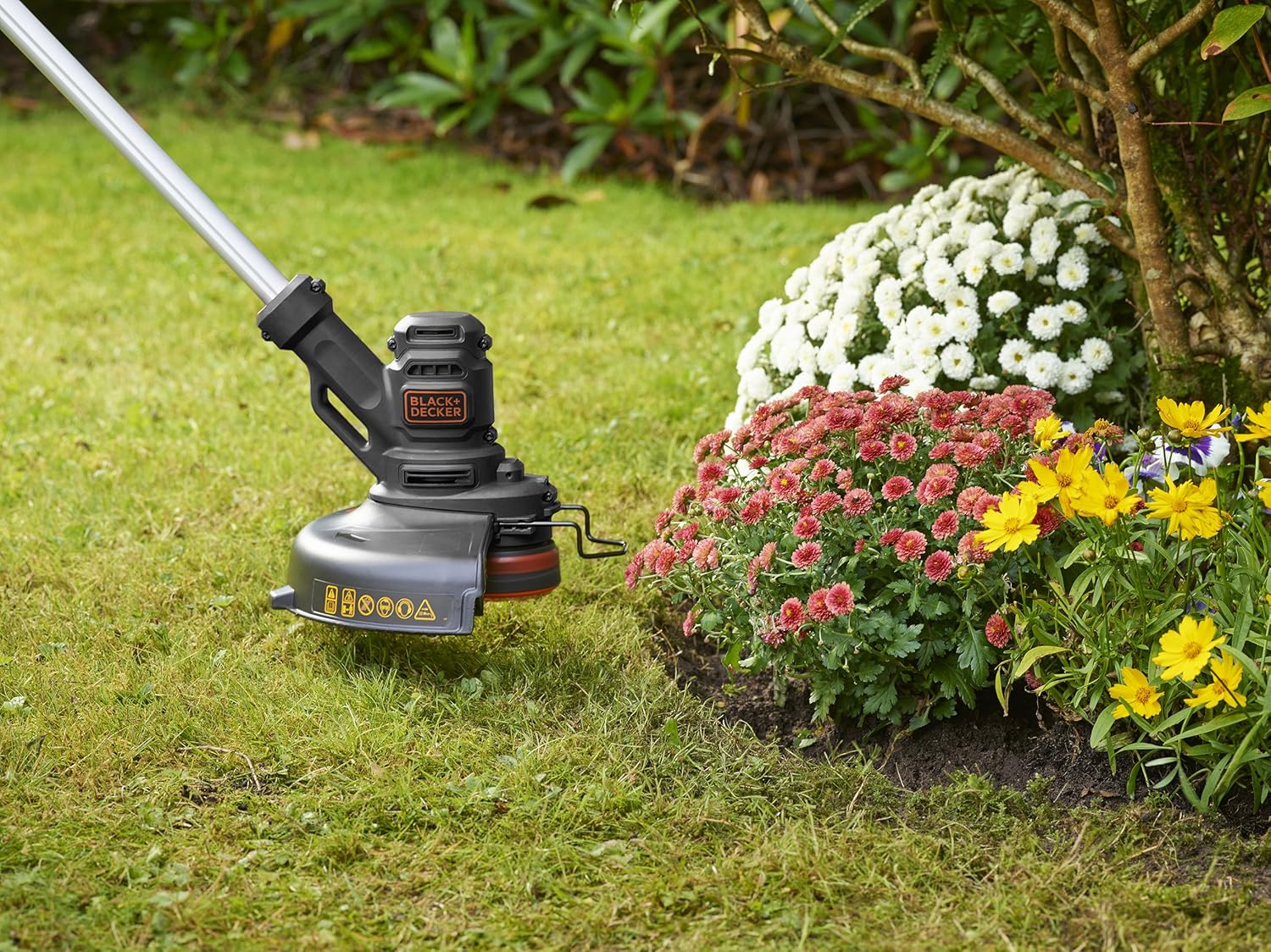
Figure 5.1: Using the trimmer for precise edging along a flower bed.

Figure 5.2: Detail of the PowerCommand button for line advancement.
6. Maintenance
Regular maintenance ensures optimal performance and extends the life of your trimmer.
Cleaning:
- Always disconnect the power before cleaning.
- Clean the trimmer housing with a damp cloth. Do not use harsh chemicals or abrasive cleaners.
- Remove any grass clippings or debris from the guard and cutting head.
Line Replacement:
- When the cutting line runs out, replace the spool with a new BLACK+DECKER A6481-XJ replacement spool.
- Refer to the diagrams on the spool packaging for specific replacement instructions.
Storage:
- Store the trimmer in a dry, secure place, out of reach of children.
- Coil the power cord neatly to prevent damage.
7. Troubleshooting
If you encounter issues with your trimmer, consult the table below:
| Problem | Possible Cause | Solution |
|---|---|---|
| Trimmer does not start. | No power supply. Power switch not fully engaged. | Check power cord and outlet. Ensure safety lock-off button is pressed before squeezing the power switch. |
| Cutting line does not advance. | Line is tangled or jammed. Spool is empty. | Disconnect power, clear any obstructions. Replace the spool. |
| Motor runs but line does not spin. | Spool not correctly installed. Drive mechanism damaged. | Disconnect power, re-install spool correctly. Contact customer service for repair. |
8. Specifications
| Feature | Detail |
|---|---|
| Model Number | BESTE625-QS |
| Power | 450 W |
| Cutting Width | 25 cm |
| Voltage | 230 Volt |
| Speed | 11000 Revolutions per minute |
| Weight | 2.5 kg |
| Material | PVC, Metal |
| Compatible Spool | A6481-XJ |
9. Warranty and Support
BLACK+DECKER products are manufactured to high quality standards. This product comes with a standard manufacturer's warranty. For detailed warranty information, please refer to the warranty card included with your purchase or visit the official BLACK+DECKER website.
For technical assistance, spare parts, or repair services, please contact BLACK+DECKER customer support. You can find contact information on the official website or in your product packaging.
Official Website: www.blackanddecker.com
Related documentsBESTE625-QS


Ask a question about this manual
Ask about setup, troubleshooting, compatibility, parts, safety, or missing instructions. Manuals+ will review the question and use this page’s manual context to help answer it.