
Our Generation BD67040Z
Our Generation by Battat Retro Hot Dog Cart
Instruction Manual - Model BD67040Z
Introduction
This manual provides instructions for the assembly, operation, and maintenance of your Our Generation Retro Hot Dog Cart. Designed for 18-inch dolls, this playset offers an engaging experience with numerous accessories.
Recommended Age: 3 years and up (due to small parts).
Battery Information: The cart requires 3 AAA batteries (included) for certain features. Please ensure proper installation as described in the 'Setup' section.

Image: The Our Generation Retro Hot Dog Cart, showcasing its complete assembly with the umbrella, grill, condiment station, and various food accessories.
Setup
- Unpacking: Carefully remove all components from the packaging. Verify that all 60 pieces are present, including the hot dog cart, umbrella, hot dogs, buns, condiments, napkins, play money, soda bottles, pretzels, tongs, and ice cubes.
- Battery Installation: Locate the battery compartment, typically on the underside or rear of the cart. Insert 3 AAA batteries, ensuring correct polarity (+/-). Secure the battery compartment cover.
- Umbrella Assembly: Insert the umbrella pole into the designated slot on the cart's countertop. Ensure it is securely seated.
- Accessory Placement: Arrange the condiment holders, napkin dispenser, and pretzel display on the cart's countertop. Place the hot dogs on the grill and in the buns. Organize the play money and coins in the cash drawer.

Image: A comprehensive view of the Our Generation Retro Hot Dog Cart with all its included accessories, such as hot dogs, buns, pretzels, soda bottles, condiments, play money, and ice cubes, laid out for inspection.
Operating the Hot Dog Cart
- Chalkboard: Use the included chalk to write daily specials or prices on the side chalkboard. This feature allows for customization and imaginative play.
- Grill Area: Place the hot dog accessories on the grill section of the cart. Use the tongs to simulate cooking and serving.
- Condiment Station: The cart includes miniature mustard and ketchup bottles, along with a napkin dispenser. These can be used to add realistic details to the hot dogs.
- Cooler Compartment: Open the door on the side of the cart to access the cooler. This area can store the included ice cubes and other small accessories.
- Cash Drawer: Pull out the drawer located on the front of the cart. It features compartments for organizing the play money and coins.
- Serving: Use the small trays to serve hot dogs and pretzels to customers.

Image: A detailed view of the cart's chalkboard, displaying example prices for hot dogs, chili dogs, and soda pop, ready for daily specials.
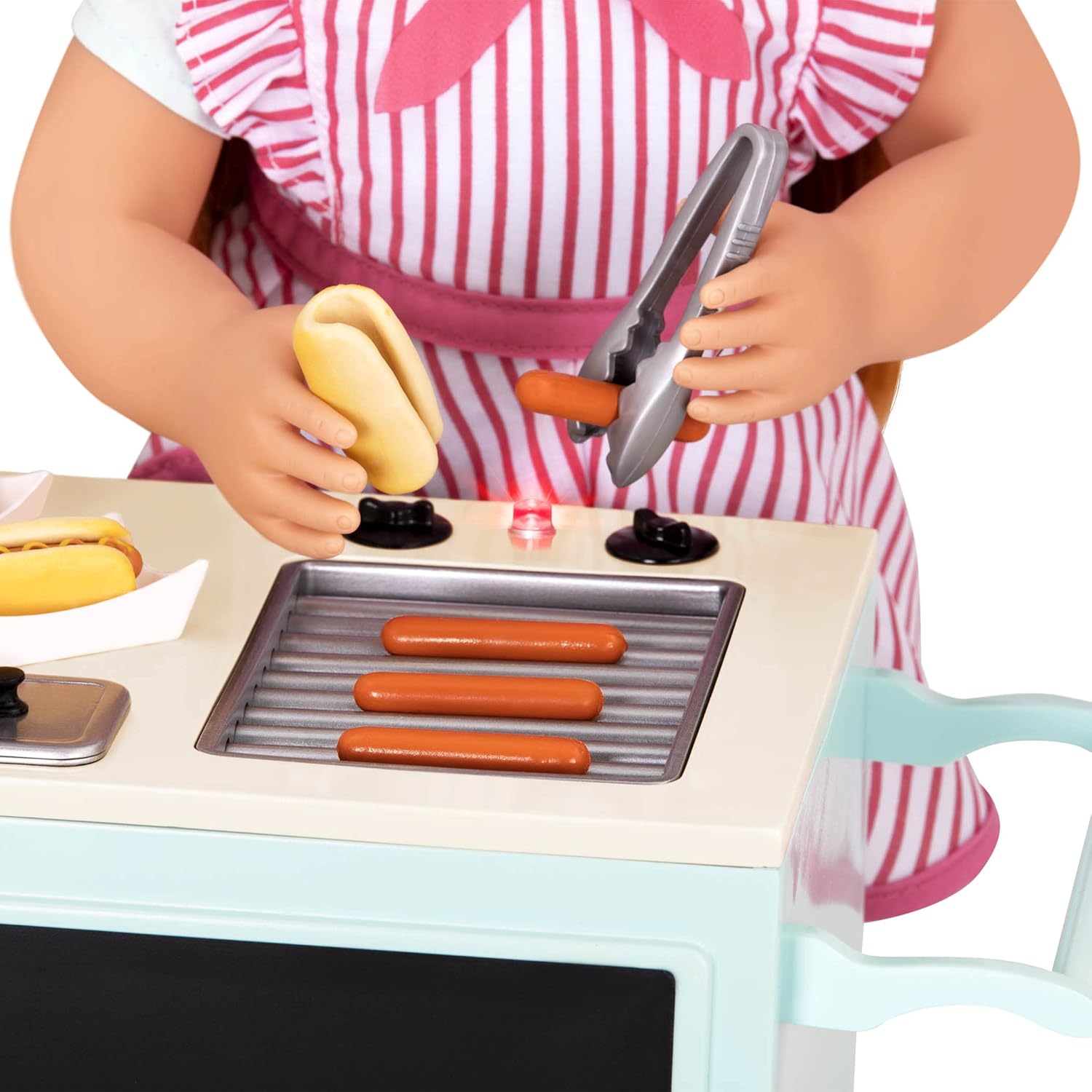
Image: A close-up shot showing a doll's hands using miniature tongs to place a hot dog onto the grill surface of the cart, illustrating the interactive play feature.

Image: A doll is positioned beside the hot dog cart, with the cooler compartment door open, revealing storage containers inside.

Image: A detailed view of the cart's cash drawer pulled open, showing neatly organized play banknotes and coins within its compartments.
Maintenance
- Cleaning: To clean the hot dog cart and its accessories, wipe them gently with a damp cloth. Avoid using harsh chemicals or abrasive cleaners, as these may damage the finish.
- Storage: Store the cart and all accessories in a clean, dry place away from direct sunlight when not in use. Ensure all small parts are kept together to prevent loss.
Troubleshooting
- Missing Parts: If any parts are missing upon unpacking, please refer to the 'Support' section for contact information.
- Non-functional Features: If any battery-operated features (e.g., lights, sounds, if applicable) are not working, ensure that the batteries are correctly installed with the proper polarity and are not depleted. Replace batteries if necessary.
- Chalkboard Not Erasing: If chalk marks are difficult to remove, use a slightly damp cloth to wipe the surface clean.
Specifications
| Feature | Detail |
|---|---|
| Product Dimensions | 14.5 x 7.5 x 14.5 inches |
| Item Weight | 4.63 pounds |
| Model Number | BD67040Z |
| Recommended Age | 36 months - 12 years |
| Batteries Required | 3 AAA batteries (included) |
| Manufacturer | Branford Ltd. |
Warranty and Support
For warranty information or product support, please contact the manufacturer, Branford Ltd., directly. Contact details can typically be found on the product packaging or their official website. Please retain your proof of purchase for any warranty claims.
Ask a question about this manual
Ask about setup, troubleshooting, compatibility, parts, safety, or missing instructions. Manuals+ will review the question and use this page’s manual context to help answer it.