

Introduction
The Nuvo Recorder+ (Model N320RDBPK) is a soprano recorder designed for ease of use and a warm, mellow tone. Its unique silicone key system helps beginners progress quickly by simplifying finger placement, reducing common issues like squeaking often associated with traditional recorders. This instrument is 100% waterproof, making it easy to clean and maintain.
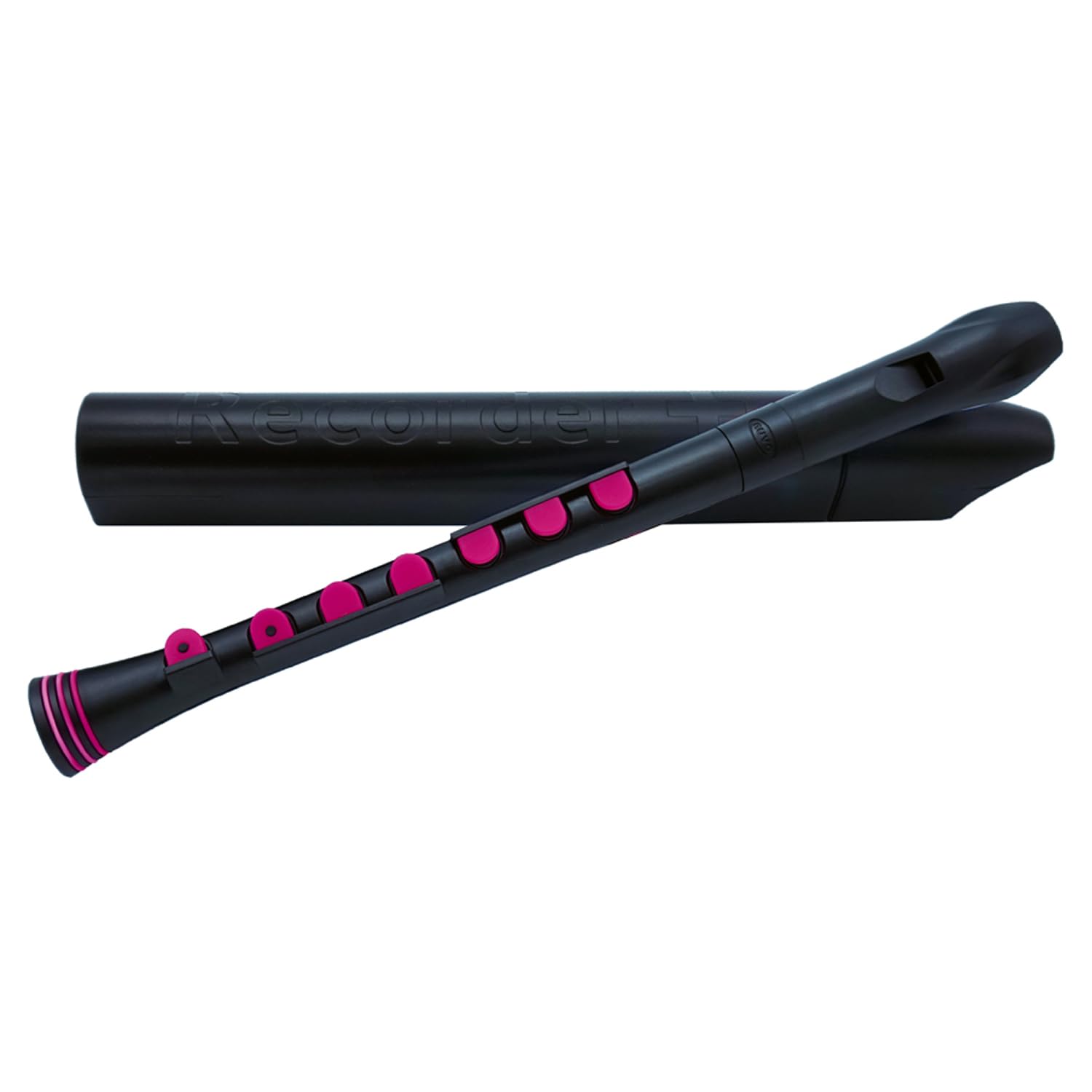
Image: Nuvo Recorder N320RDBPK, black body with blue silicone keys. Note: Product color is Black/Pink, image shows Black/Blue variant.
Features
- Unique Silicone Key System: Facilitates easier covering of tone holes, ideal for smaller hands and beginners.
- Larger Tone Holes: Contributes to a mellow sound and reduces the likelihood of squeaking.
- Adjustable Thumb Rest: Provides comfort and proper hand positioning for players.
- 100% Waterproof: Allows for easy and thorough cleaning with hot, soapy water.
- Standard Recorder Fingering: Compatible with any standard recorder method book or media.
- Full Chromatic Range: Plays two octaves in both Baroque or German fingering.

Image: A line of Nuvo Recorders in different color combinations (black with green/blue/pink keys, white with blue/green/pink keys), highlighting the silicone key system.
Setup
- Unpacking: Carefully remove the recorder from its protective case. The recorder may come in two or three sections.
- Assembly: If your recorder is in multiple sections, gently twist the sections together. Align the tone holes and the mouthpiece so they are comfortable for playing. Do not force the pieces together; a slight twisting motion should suffice.
- Thumb Rest Adjustment: The Nuvo Recorder+ features an adjustable thumb rest. Position it to provide comfortable support for your right hand, allowing your fingers to naturally reach the keys.
- Initial Cleaning: Before first use, it is recommended to clean the recorder. As it is 100% waterproof, you can wash it with warm, soapy water. Rinse thoroughly and allow it to air dry completely.
Operating Instructions (Playing)
The Nuvo Recorder+ uses standard recorder fingering. The silicone key system makes it easier to achieve a clear sound, especially for beginners.
- Holding the Recorder: Hold the recorder with your left hand at the top and your right hand at the bottom. Your left thumb should cover the back thumb hole.
- Finger Placement: Place your fingers gently on the silicone keys. Unlike traditional recorders, you do not need to perfectly seal an open hole with your fingertip; the keys provide the seal. Press the keys firmly but not excessively.
- Embouchure (Mouth Position): Place the mouthpiece gently between your lips, forming a soft seal. Do not bite the mouthpiece.
- Breathing: Take a relaxed breath and blow gently into the mouthpiece. Aim for a steady, even airflow. Avoid blowing too hard, which can cause a harsh or squeaky sound.
- Producing Notes: Refer to a standard recorder fingering chart (often included with the product or available online) to learn how to produce different notes by pressing various combinations of keys.
Video: NUVO Recorder+ Demo Video. This video demonstrates the sound and playability of the Nuvo Recorder+.
Maintenance
The Nuvo Recorder+ is designed for easy maintenance due to its 100% waterproof construction.
- Regular Cleaning: After each use, it is recommended to rinse the recorder with warm water to remove any moisture or debris.
- Thorough Cleaning: For a more thorough cleaning, the recorder can be washed with warm, soapy water. You may disassemble the sections for easier cleaning. Use a soft brush or cloth to clean the interior and exterior surfaces.
- Drying: After washing, rinse all parts thoroughly with clean water. Shake off excess water and allow the recorder to air dry completely before reassembling and storing it in its case. Ensure no water remains inside the instrument, especially in the windway.
- Storage: Store the recorder in its provided hard plastic case to protect it from dust and damage when not in use.
Troubleshooting
- Squeaky Sound:
- Ensure you are blowing gently and with a steady breath. Blowing too hard can cause squeaking.
- Check that all silicone keys are fully pressed down and creating a complete seal over their respective tone holes.
- Moisture in the windway can cause squeaking. Try gently tapping the mouthpiece against your palm to dislodge any water droplets, or clean the instrument.
- No Sound or Weak Sound:
- Verify that all keys are properly closed for the desired note.
- Check for any obstructions in the windway or tone holes.
- Ensure the recorder sections are correctly assembled and tightly fitted.
- Difficulty with Finger Placement:
- Adjust the thumb rest for optimal comfort and reach.
- Practice finger exercises slowly to build muscle memory and coordination. The silicone keys are designed to be forgiving, so consistent pressure is key.
Specifications
| Model Number | N320RDBPK |
| Instrument Key | C |
| Color | Black/Pink |
| Body Material | Silicone |
| Product Dimensions | 14 x 4 x 5 inches |
| Item Weight | 4 ounces |
Warranty and Support
For detailed warranty information and customer support, please refer to the official Nuvo Musical Instruments website or contact their customer service directly. Keep your purchase receipt as proof of purchase for any warranty claims.

