
1. Introduction
This manual provides essential information for the setup, operation, and maintenance of your Accutime Sonic The Hedgehog Kids' Digital Watch, model SNC4020. Designed for young fans, this watch features a digital display, a protective cover with Sonic characters, and an interactive spinning top with multi-colored LED lights.
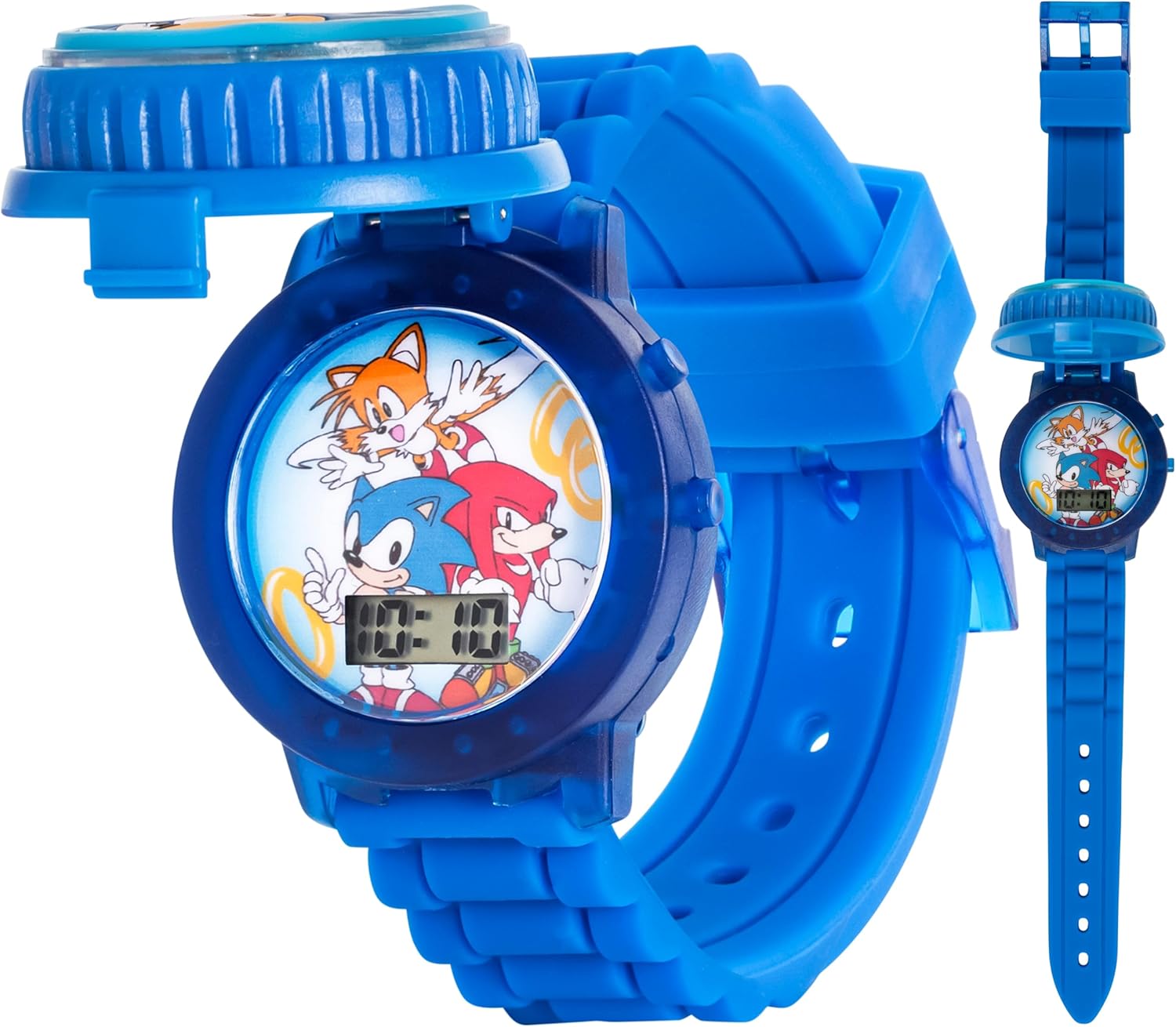
Image 1.1: Front view of the Accutime Sonic The Hedgehog Kids' Digital Watch with the protective cover open, revealing the digital time display and characters Sonic, Tails, and Knuckles.
2. Setup
2.1 Unboxing and Initial Inspection
Carefully remove the watch from its packaging. Inspect the watch for any visible damage. Ensure all components, including the watch and any included documentation, are present.

Image 2.1: The Accutime Sonic The Hedgehog Kids' Digital Watch presented in its themed tin box, ready for unboxing.
2.2 Battery Activation
The watch comes with a pre-installed battery (1 x LR41, 1.5V). If the display is not active, check for a small plastic tab protruding from the side of the watch case. Gently pull and remove this tab to activate the battery. If no tab is present and the watch is not functioning, refer to the Troubleshooting section.
2.3 Setting the Time
To set the time on your digital watch:
- Locate the small buttons on the side of the watch case. Typically, there are two buttons: one for 'Mode' and one for 'Set' or 'Adjust'.
- Press the 'Mode' button repeatedly until the hour digits begin to flash.
- Use the 'Set' or 'Adjust' button to change the hour. Pressing it once will advance the hour by one.
- Press the 'Mode' button again to move to the minute digits.
- Use the 'Set' or 'Adjust' button to change the minutes.
- Press the 'Mode' button one last time to confirm the time and exit the setting mode. The digits will stop flashing.
3. Operating Instructions
3.1 Reading the Digital Display
The watch features a clear digital display that shows the time in a standard format (e.g., HH:MM).
3.2 Activating the Spinning LED Lights
The watch includes an interactive spinning top feature with multi-colored LED lights. To activate this feature:
- Ensure the protective cover is closed.
- Press down on the center of the protective cover. The top will spin, and the LED lights will illuminate in various colors.

Image 3.1: The watch face illuminated with multi-colored LED lights, demonstrating the spinning top feature.
Video 3.1: An official product video demonstrating the spinning LED light feature of the Accutime Sonic The Hedgehog Kids' Digital Watch.
4. Maintenance
4.1 Cleaning
To clean your watch, wipe it gently with a soft, dry cloth. Avoid using harsh chemicals or abrasive materials, as these can damage the watch's finish or display.
4.2 Water Resistance
IMPORTANT: This watch is NOT water resistant. Avoid exposing the watch to water, including showering, swimming, or heavy rain, to prevent damage to the internal components.
4.3 Battery Replacement
The watch uses 1 x LR41 (1.5V) product-specific battery. When the display dims or the lights stop functioning, it may be time to replace the battery. Battery replacement should ideally be performed by a qualified technician to ensure proper sealing and function. If replacing yourself, ensure the correct battery type and polarity are used.
5. Troubleshooting
- Display is blank or dim: The battery may be low or depleted. Replace the battery as described in Section 4.3. Ensure the battery activation tab (if any) has been fully removed.
- LED lights are not flashing: Check the battery level. Ensure you are pressing the center of the protective cover firmly to activate the spinning mechanism and lights.
- Time is incorrect: Reset the time using the instructions in Section 2.3.
- Watch cover does not close properly: Inspect the hinge mechanism for any obstructions or damage. Avoid forcing the cover.
6. Specifications
| Feature | Detail |
|---|---|
| Model Number | SNC4020 |
| Brand | Accutime |
| Movement | Quartz |
| Case Diameter | 36.5mm |
| Material | Plastic |
| Battery Type | 1 x LR41 (1.5V) (included) |
| Water Resistance | Not water resistant |
| Recommended Age | 6 years and up |
| Manufacturer | Accutime Watch Corp. |

Image 6.1: Rear view of the watch, displaying the 'Sonic The Hedgehog' logo, Accutime Watch Corp. manufacturer details, and model number SNC4020.
7. Warranty and Support
For warranty information or technical support, please contact Accutime Watch Corp. directly. Refer to the product packaging or the manufacturer's official website for the most current contact details.

