
1. Introduction
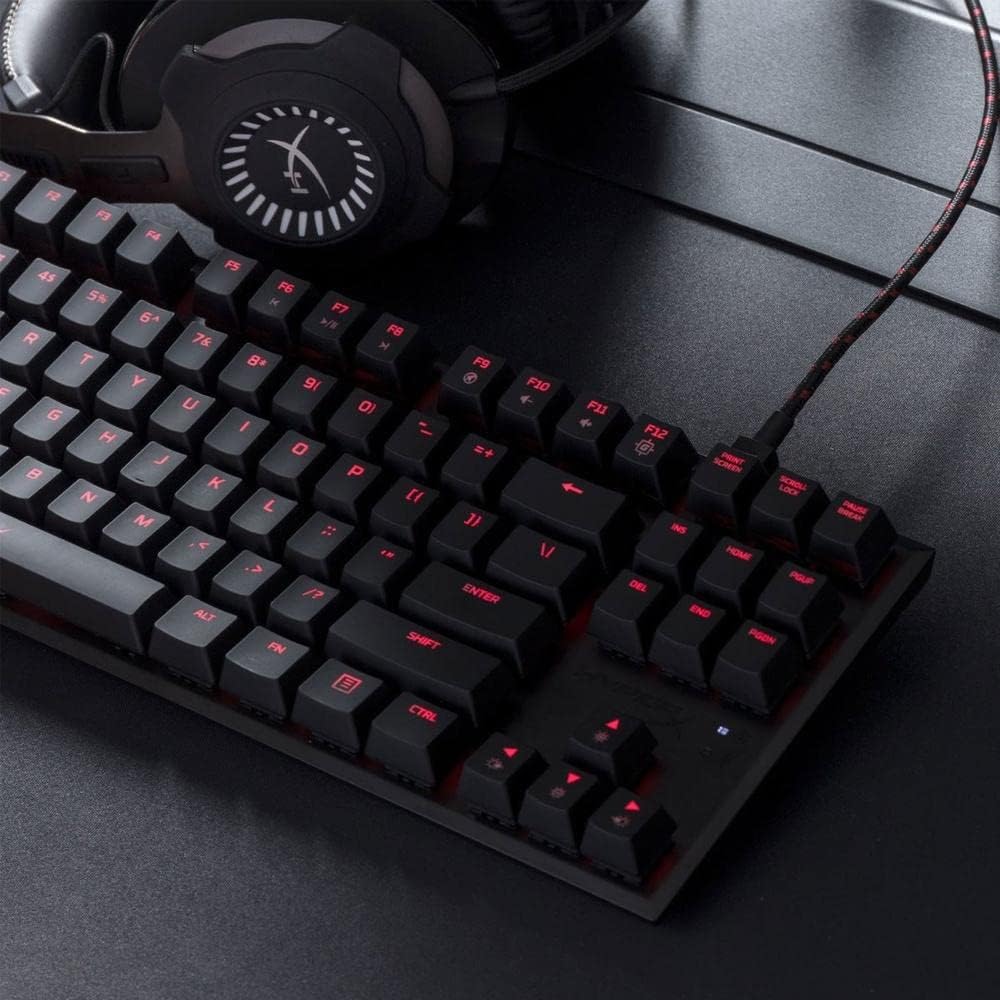
The HyperX Alloy FPS Pro is an ultra-minimalistic, tenkeyless (TKL) mechanical gaming keyboard designed for durability, reliability, and accuracy. Featuring 87 keys with Cherry MX Blue mechanical switches and red LED backlighting, this keyboard is built to withstand intense gaming sessions. Its compact design and detachable braided cable enhance portability, making it ideal for gamers on the go.
2. Package Contents
- 1 x HyperX Alloy FPS Pro Mechanical Gaming Keyboard
- 1 x Detachable USB 2.0 Cable
- 1 x Quick Start Guide

The package includes the HyperX Alloy FPS Pro mechanical gaming keyboard and its detachable USB 2.0 cable, along with a quick start guide for initial setup.
3. Setup
- Connect the USB Cable: Plug the detachable USB 2.0 cable into the keyboard's USB port and then into an available USB port on your computer.
- Driver Installation: The keyboard is plug-and-play. Your operating system (Windows 10, 8.1, 8, 7) will automatically detect and install the necessary drivers.
- Adjust Keyboard Angle: Utilize the adjustable feet on the underside of the keyboard to set your preferred typing angle. The keyboard offers 3mm, 7mm, and 11mm adjustment levels.
4. Operating Instructions
4.1. Key Switches
The HyperX Alloy FPS Pro features highly responsive and precise Cherry MX Blue mechanical key switches. These switches provide tactile feedback and an audible click, ideal for gaming and typing that requires quick reflexes and accurate key presses.

4.2. LED Backlighting
The keyboard features single-color red LED backlighting with 6 LED modes and 5 brightness levels. You can customize these effects to match your style or gaming environment.
4.3. Game Mode
Activate Game Mode to disable the Windows key, preventing accidental interruptions during gameplay. This feature ensures uninterrupted focus on your game.
4.4. Anti-Ghosting and N-Key Rollover
The keyboard supports 100% anti-ghosting and full N-key rollover, ensuring that every key press is registered accurately, even during rapid, simultaneous inputs.
5. Maintenance
To maintain optimal performance and longevity of your HyperX Alloy FPS Pro keyboard, regular cleaning is recommended. Use a soft, dry cloth to wipe down the keycaps and frame. For deeper cleaning, you may use a can of compressed air to remove dust and debris from between the keys.
6. Troubleshooting
- Keyboard Not Responding: Try moving the keyboard to multiple USB ports to isolate possible host computer connectivity issues.
- Reset Keyboard: If the keyboard is unresponsive or experiencing issues, you can reset it by pressing and holding the FN and ESC keys simultaneously for 3 seconds until the keyboard backlight blinks.
- Volume Adjustment: This keyboard is not intended for use on PS4 or other gaming consoles for direct volume adjustment. Volume control is typically managed through your operating system or game settings.
7. Specifications
| Feature | Specification |
|---|---|
| Brand | HyperX |
| Model Number | HX-KB4BL1-US/WW |
| Switch Type | Cherry MX Blue Mechanical |
| Backlight | Single color, Red LED (6 modes, 5 brightness levels) |
| Connection Type | USB 2.0 (detachable, braided cable) |
| Polling Rate | 1000Hz |
| Anti-Ghosting | 100% Anti-Ghosting |
| Key Rollover | N-Key Mode |
| Media Controls | Yes |
| Game Mode | Yes |
| OS Compatibility | Windows 10, 8.1, 8, 7 |
| Dimensions (LxWxH) | 14.1 x 5.1 x 1.4 inches (359.00mm x 130.00mm x 35.56mm) |
| Item Weight | 1.8 pounds (0.82 kg) |
| Frame | Solid Steel |
8. Warranty and Support
For warranty information and technical support, please refer to the official HyperX website or contact their customer service. Keep your purchase receipt for warranty claims.


