
Introduction
Thank you for choosing the Zerodis 3-in-1 Digital TDS EC Temperature Water Quality Tester. This device is designed to accurately measure Total Dissolved Solids (TDS), Electrical Conductivity (EC), and temperature of water. It is suitable for various applications including drinking water, hydroponics, aquariums, and swimming pools. Please read this manual carefully before use to ensure proper operation and maintenance.
Safety Information
- Keep the device out of reach of children to prevent accidental ingestion or choking hazards.
- Do not immerse the entire device in water; only the probe section is waterproof.
- Avoid exposing the device to extreme temperatures or direct sunlight for prolonged periods.
- Ensure the battery compartment is sealed properly to prevent water ingress.

Image: Safety warning regarding keeping the product away from children.
Product Overview
Components
- LCD Display
- ON/OFF Button
- SHIFT Button (Mode Switch)
- HOLD Button (Data Lock)
- Measurement Probe
- Protective Cap
- Battery Compartment
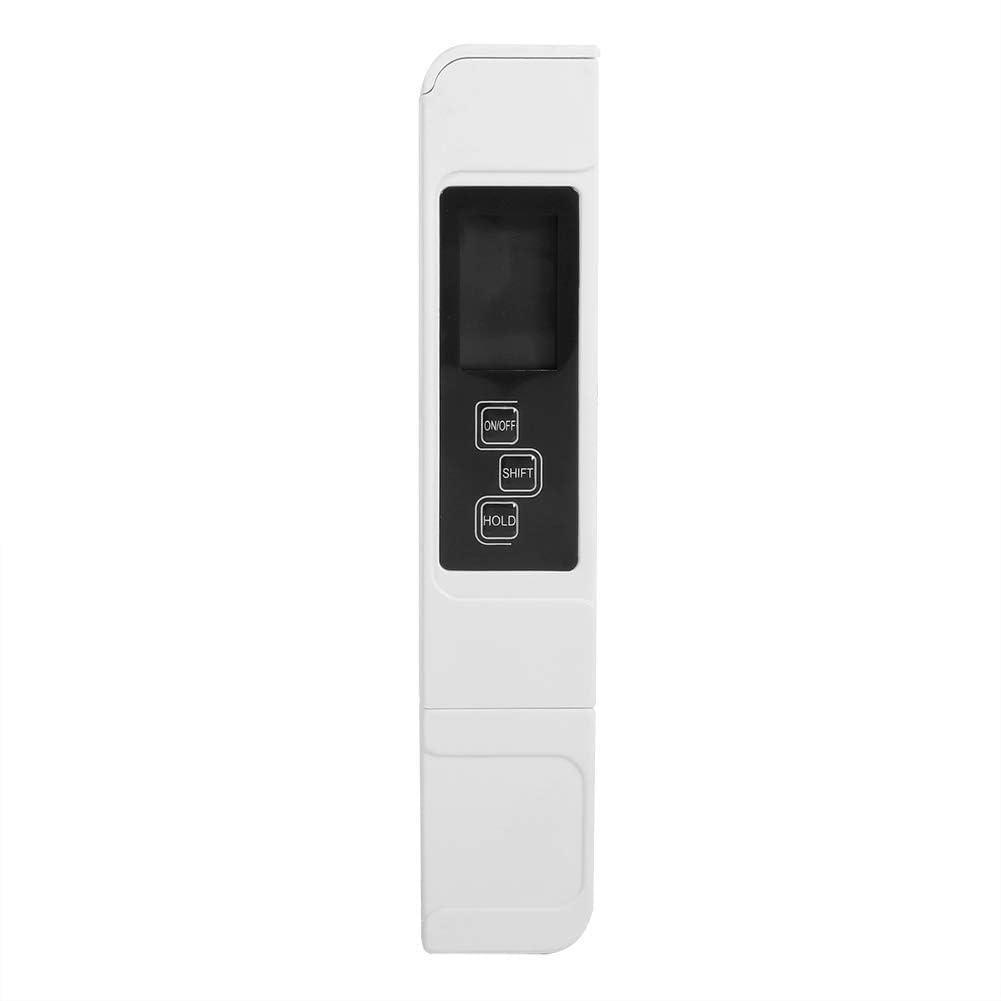
Image: The water quality tester showing its overall dimensions (15.5cm length, 3cm width, 1.4cm thickness).

Image: Detailed view of the tester, indicating the protective cap, LCD screen, and measurement electrodes.
Setup
Battery Installation
- Locate the battery compartment cover on the back of the device.
- Open the cover.
- Insert one CR2032 3V battery, ensuring correct polarity (+/-).
- Close the battery compartment cover securely.
Note: The battery is not included with the product.
Operating Instructions
Taking a Measurement
- Remove the protective cap from the probe.
- Press the ON/OFF button to turn on the meter.
- Immerse the meter's electrode into the water solution up to the immersion line.
- Gently stir the meter to remove any air bubbles and wait for the reading to stabilize.
- Press the HOLD button to lock the displayed reading. Press again to release.
- After use, press the ON/OFF button to turn off the meter. The device also features an automatic shut-off after 5 minutes of inactivity.
- Clean the electrode with distilled water and replace the protective cap.

Image: A hand holding the water quality tester, demonstrating how to grip the device.

Image: The water quality tester with its probe submerged in a glass of water for measurement.
Switching Measurement Modes
- To switch between TDS and EC readings, press the SHIFT button.
- To switch between Celsius (℃) and Fahrenheit (℉) temperature units, press and hold the SHIFT button twice.
The device features automatic temperature compensation, ensuring accurate readings regardless of water temperature fluctuations.
Maintenance
Cleaning the Electrode
After each use, rinse the electrode with distilled water to remove any residue. Do not use tap water or other cleaning agents, as this may affect accuracy.
Storage
Always replace the protective cap after use. Store the meter in a cool, dry place away from direct sunlight and extreme temperatures. If the device will not be used for an extended period, it is recommended to remove the battery.
Troubleshooting
- No Display/Device Not Turning On: Check if the battery is installed correctly and has sufficient charge. Replace the battery if necessary.
- Inaccurate Readings: Ensure the electrode is clean. Recalibrate the device if readings are consistently off (refer to calibration section if applicable, though no specific calibration steps are provided in product data).
- Reading Fluctuates: Ensure the electrode is fully immersed and there are no air bubbles. Allow sufficient time for the reading to stabilize.
Specifications
| Parameter | Value |
|---|---|
| Type | Portable Water Quality Tester |
| Accuracy | ± 2% |
| Test Elements | TDS, EC, Temperature |
| TDS Range | 0 ~ 9990 PPm |
| EC Range | 0 ~ 9990 µs/cm |
| Temperature Range | 0.1 ~ 80.0 ℃ (32.0 ~ 176.0 ℉) |
| Power Supply | 1 x CR2032 (3V) Battery (not included) |
| Dimensions | Approx. 3cm x 15.5cm x 1.4cm (1.1" x 6.1" x 0.5") |
| Weight | Approx. 60g |
| Model Number | Zerodis7iyub0ds84 |
| Country of Origin | China |
Warranty and Support
For warranty information or technical support, please refer to the retailer where the product was purchased or contact Zerodis customer service. Keep your purchase receipt as proof of purchase.