
1. Introduction
This manual provides comprehensive instructions for the installation, operation, and maintenance of your Wolf-Guard WT4R-K2 4G WiFi Dual-Network Smart Home Security Alarm System. Please read this manual thoroughly before using the system to ensure proper functionality and safety.
The Wolf-Guard WT4R-K2 is a versatile security system designed to protect your home or office. It features dual-network connectivity (4G and WiFi), allowing for reliable communication and alerts. The system supports various wireless sensors, remote controls, and RFID tags, all managed through a user-friendly mobile application.
2. Package Contents
Carefully unpack the box and verify that all items listed below are present and undamaged. If any items are missing or damaged, please contact your retailer.
- 1 x Wolf-Guard WM2GR Host (Main Panel) - SIM card not included
- 1 x IPC-316AX Camera
- 1 x SOS Button
- 4 x HW-03D PIR Motion Detectors
- 2 x YK-11 Remote Controls
- 4 x MC-07C Door/Window Sensors
- 1 x JD-05 Wired Siren
- 4 x RFID Cards
- 1 x Power Adapter
- 1 x Mounting Bracket
- 1 x Screw Package
- 1 x User Manual

Image 2.1: Overview of the Wolf-Guard WT4R-K2 security alarm system components, including the main panel, camera, sensors, remote controls, and RFID tags.
3. Product Overview
3.1 Main Control Panel (Host)
The main control panel is the central unit of the alarm system. It features a display screen, touch keypad, microphone, and an RFID card area for quick arming/disarming. It connects to sensors wirelessly and communicates alerts via WiFi and 4G networks.

Image 3.1: Front view of the Wolf-Guard WT4R-K2 main control panel, highlighting the microphone, display screen, touch keypad area, and RFID card area, along with its dimensions (181mm height, 135mm width, 35mm depth).
3.2 PIR Motion Detector (HW-03D)
The Passive Infrared (PIR) motion detector senses movement within its detection range. It is designed for indoor use and triggers an alarm when motion is detected in an armed state.

Image 3.2: Side view of the Wolf-Guard HW-03D PIR motion detector, showing its compact design and sensor lens.
3.3 Door/Window Sensor (MC-07C)
These sensors consist of two parts: a main unit and a magnet. When the two parts are separated (e.g., a door or window opens), the sensor sends a signal to the main panel, triggering an alarm if the system is armed.

Image 3.3: Wolf-Guard MC-07C door/window sensor installed on a door frame, demonstrating its function in detecting unauthorized entry.
3.4 Remote Control (YK-11)
The remote control allows for convenient arming, disarming, and SOS activation from a distance. Each button has a specific function for quick system management.

Image 3.4: The Wolf-Guard YK-11 remote control, showing buttons for arming, disarming, and SOS functions.
3.5 Security Camera (IPC-316AX)
The included security camera provides visual monitoring with 1080p Full HD resolution, night vision, two-way audio, and motion detection. It integrates with the system to provide visual verification of events.

Image 3.5: The Wolf-Guard IPC-316AX security camera, highlighting its features such as 1080p FHD, night vision, 2-way audio, cloud service compatibility, motion detection, and Alexa integration.
4. Setup and Installation
4.1 App Download and Registration
The Wolf-Guard WT4R-K2 system is managed via the Tuya Smartlife application. Download the app from your device's app store or scan the QR code below.
- Scan the QR code or visit http://e.tuya.com/smartlife to download the "Smart Life" app.
- Register a new account or log in with an existing one.
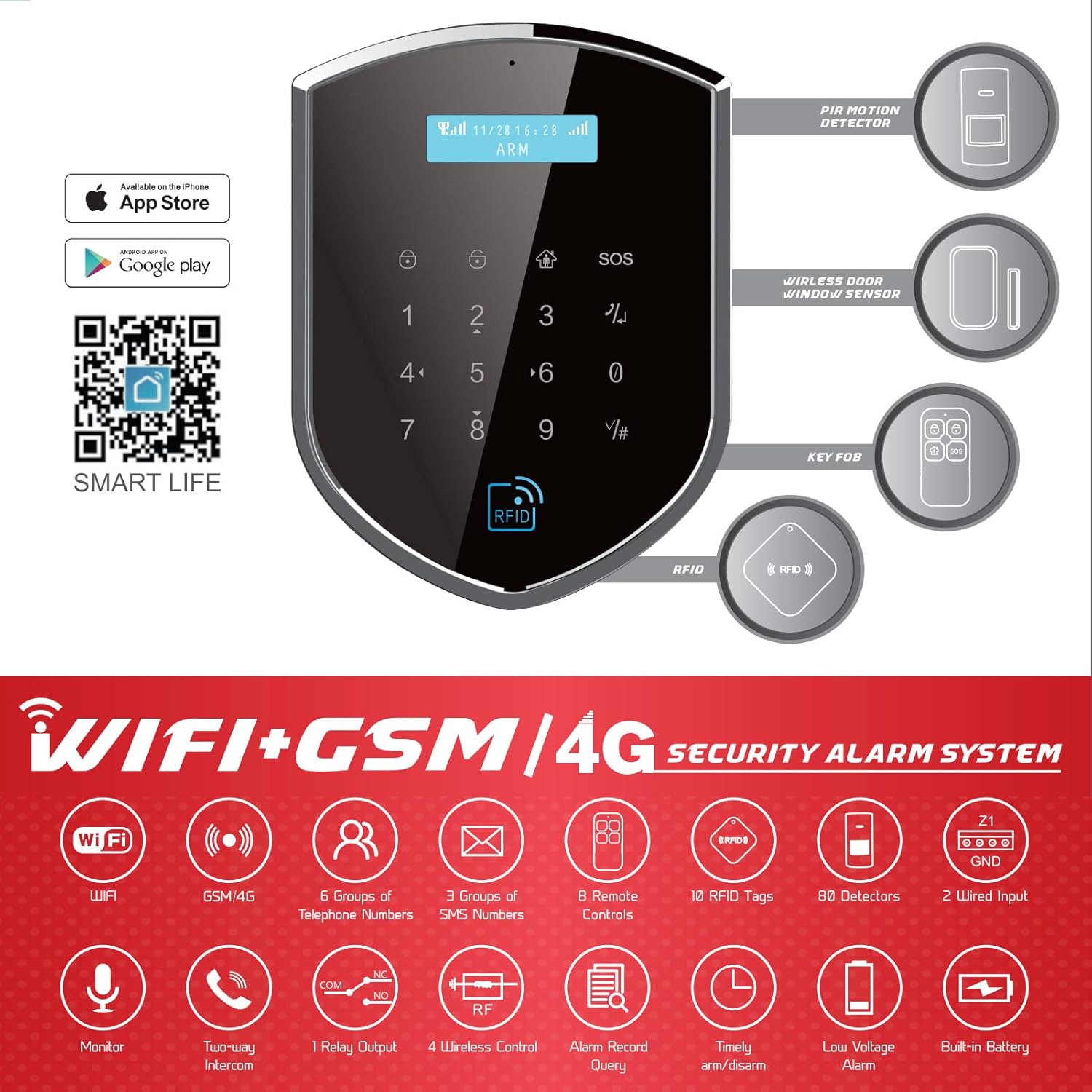
Image 4.1: Screenshot showing the Tuya Smart Life app icon and QR code for easy download, compatible with both Apple App Store and Google Play.
4.2 SIM Card Installation (for 4G Connectivity)
If you intend to use the 4G backup feature, install a compatible SIM card into the designated slot on the main control panel. Ensure the SIM card is active and has sufficient credit/data.
4.3 Powering On the Main Panel
Connect the power adapter to the main panel and plug it into a power outlet. The panel will power on automatically. The built-in battery provides backup power during outages.
4.4 Adding Devices (Sensors, Remotes, RFID)
Follow the in-app instructions to add your wireless sensors, remote controls, and RFID cards to the system. This typically involves putting the main panel into pairing mode and activating each device.
- PIR Motion Detectors: Mount in areas where intruders are likely to pass. Avoid direct sunlight or heat sources.
- Door/Window Sensors: Install on the frame of doors and windows, ensuring the main unit and magnet are aligned and close when closed.
- SOS Button: Place in an easily accessible location for emergencies.
5. Operating Instructions
5.1 Arming and Disarming the System
The system can be armed or disarmed using multiple methods:
- Via Keypad: Enter your user code on the main panel's touch keypad and press the arm/disarm button.
- Via Remote Control: Press the arm or disarm button on your YK-11 remote control.
- Via Mobile App: Use the "Smart Life" app to remotely arm or disarm the system.
- Via RFID Card: Tap an enrolled RFID card on the RFID card area of the main panel to disarm the system.

Image 5.1: Illustration of four methods to arm or disarm the alarm system: using the keypad, remote control, mobile application, and RFID card.

Image 5.2: A hand interacting with the mobile application to disarm the Wolf-Guard alarm system, shown next to the main panel.
5.2 SOS Function
In an emergency, press the SOS button on the main panel, remote control, or the dedicated SOS button accessory. This will immediately trigger the alarm and send alerts to pre-programmed emergency contacts.
5.3 Two-Way Intercom
The main panel supports two-way audio communication. You can use the mobile app to listen in on the protected area or speak through the panel's speaker.
6. Maintenance
- Battery Replacement: Sensors and remote controls are battery-powered. Replace batteries when the low battery indicator appears on the main panel or app. Refer to individual sensor manuals for specific battery types.
- Cleaning: Use a soft, dry cloth to clean the main panel and sensors. Avoid abrasive cleaners or solvents.
- System Test: Periodically test your alarm system by triggering a sensor while armed to ensure all components are functioning correctly.
7. Troubleshooting
| Problem | Possible Cause | Solution |
|---|---|---|
| System does not arm/disarm. | Incorrect user code; remote control battery low; system not powered. | Verify user code. Replace remote control batteries. Check power connection to main panel. |
| Sensor not triggering alarm. | Sensor battery low; sensor out of range; sensor not paired; system disarmed. | Replace sensor battery. Relocate sensor closer to main panel. Re-pair sensor. Ensure system is armed. |
| App cannot connect to the system. | WiFi network issue; incorrect WiFi password; main panel offline; app not updated. | Check WiFi router and internet connection. Verify WiFi password on main panel. Restart main panel. Update "Smart Life" app. |
| 4G backup not working. | SIM card not installed or active; no 4G signal; insufficient SIM credit. | Ensure SIM card is correctly inserted and active. Check 4G signal strength. Recharge SIM card if necessary. |
| Door sensor adhesive not holding. | Surface not clean; adhesive quality. | Clean surface thoroughly before application. Use screws for mounting or alternative strong adhesive if needed. |
8. Specifications
| Feature | Detail |
|---|---|
| Model Number | WT4R-K2 (Reference: WM2GR-100) |
| Connectivity | WiFi, 4G (GSM) |
| Control Method | Application, Keypad, Remote Control, RFID |
| Compatible Devices | Smartphone, Tablet |
| Power Source | AC/DC Adapter, Built-in Lithium Metal Battery (backup) |
| Main Panel Dimensions (L x W x H) | 11.6 x 4.5 x 2.3 cm (4.57 x 1.77 x 0.91 inches) |
| Weight | 2.09 kg (for entire package) |
| Material | ABS |
| Sound Level (Siren) | 110 dB |
| Installation Type | Wall Mount |
| Camera Video Resolution | 1080p |
9. Warranty and Support
Wolf-Guard products are designed for reliability and performance. For warranty information, please refer to the documentation provided with your purchase or contact your retailer. For technical support or assistance with your alarm system, please contact Wolf-Guard customer service through their official website or the contact information provided in your purchase details.
Please note that availability of spare parts information is not provided by the manufacturer.

