
Introduction
This manual provides essential instructions for the safe and effective use of your Philips Series 3000 Hair Clipper HC3530/15. Please read it thoroughly before first use and keep it for future reference.
Product Features
- Stainless steel blades for durability and precise cutting.
- 13 length settings for versatile styling, from 1mm to 23mm.
- Cordless operation for up to 75 minutes after an 8-hour charge.
- Features Trim-n-Flow technology to prevent hair clogging during use.
- Easy-to-clean design with a detachable head.
- Adjustable comb with 12 length settings, offering 2mm precision between lengths.
- Achieve a 0.5mm precise trim by removing the comb attachment.
Important Safety Information
To ensure safe operation and prevent injury, always adhere to the following guidelines:
- Always disconnect the trimmer from the power source before cleaning.
- Do not immerse the trimmer in water.
- Allow the trimmer to cool down before handling after use.
- Keep the trimmer away from water sources and do not use it near bathtubs, showers, basins, or other vessels containing water.
- Do not use the trimmer on infants or children without adult supervision.
- Always keep the trimmer out of reach of children when not in use.
- Follow recommended cleaning and maintenance procedures to ensure optimal performance and safety.
Setup
Unpacking
Carefully remove all components from the packaging. Ensure all parts are present: the hair clipper, adjustable comb, and charging cable.
Charging
Before first use, fully charge the hair clipper for 8 hours. Connect the charging cable to the clipper and plug it into a suitable power outlet. The charging indicator light will illuminate to confirm charging is in progress.
Attaching the Comb
To attach the adjustable comb, align the comb with the clipper head and slide it on until it clicks securely into place.

Image: The Philips Series 3000 Hair Clipper with its adjustable comb attachment. The comb slides onto the blade head for various cutting lengths.
Operating Instructions
Selecting Length Settings
The clipper offers 13 length settings. Use the zoom wheel or slider on the clipper body to select your desired length, ranging from 1mm to 23mm. The selected length will be clearly displayed. For a 0.5mm trim, remove the comb attachment entirely.
Image: A close-up view of the clipper's body, showing the length setting dial with numbers from 1 to 23, allowing precise adjustment of cutting length.
Hair Clipping
- Ensure hair is clean and dry before clipping.
- Turn on the clipper by pressing the power button.
- Start clipping from the back of the head, moving upwards against the direction of hair growth.
- Use smooth, even strokes for a consistent cut.
- For a uniform cut, ensure the comb attachment remains flat against the scalp.
- Regularly tap or brush off accumulated hair from the comb and blades during use to prevent clogging.
Cordless Use
The clipper provides up to 75 minutes of cordless operation on a full charge. If the battery runs low during use, the clipper can also be used while plugged into a power outlet.
Maintenance and Cleaning
Cleaning the Blades and Comb
After each use, turn off and unplug the clipper. Detach the comb attachment and rinse it thoroughly under running water. To clean the blades, press the release button to open the head and rinse the blades under running water. Ensure all hair residues are removed.
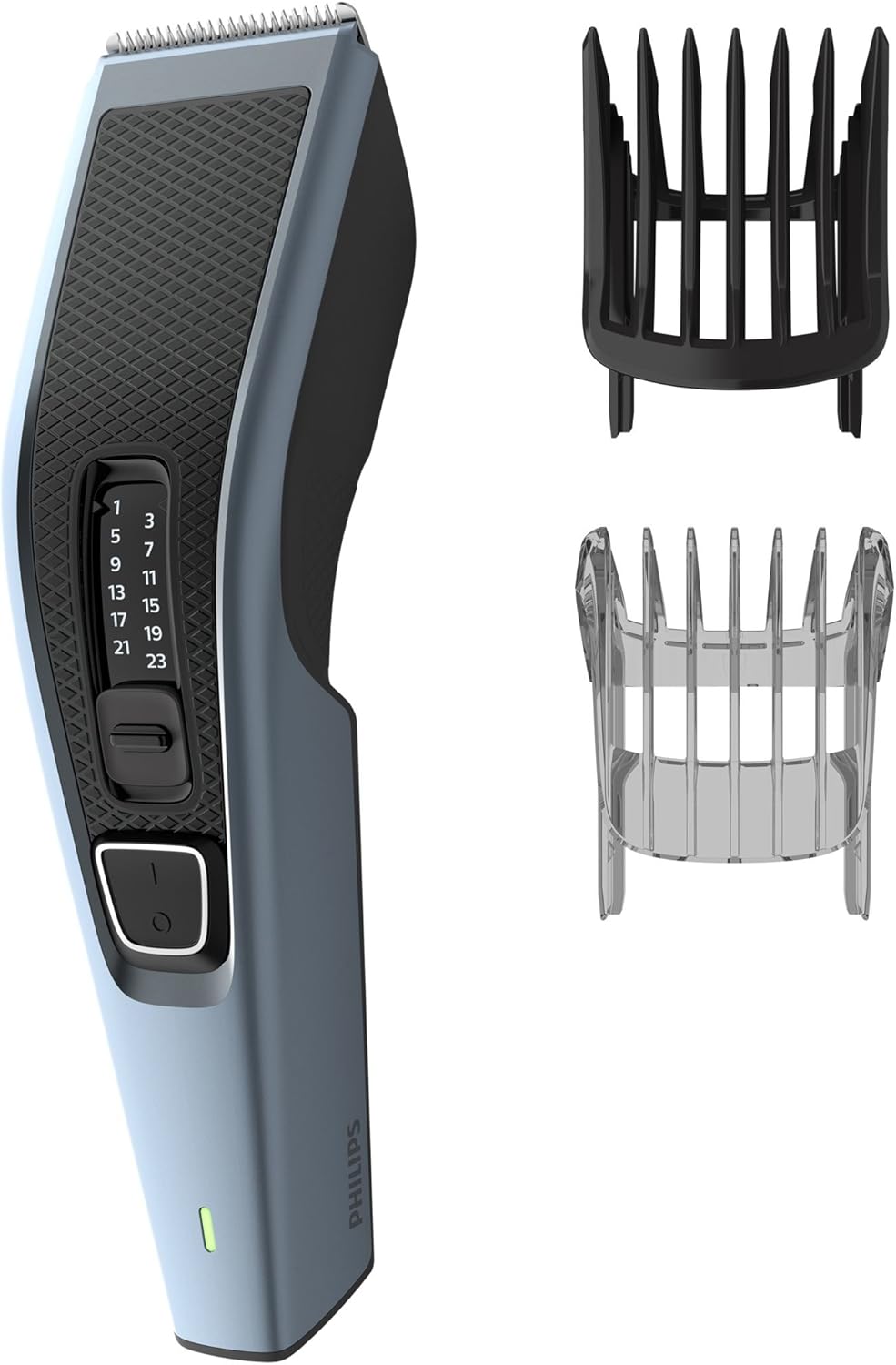
Image: The Philips Series 3000 Hair Clipper disassembled, showing the main unit, the black comb, and the transparent comb, highlighting the detachable components for easy cleaning.
Drying
Allow all parts to air dry completely before reassembling or storing the clipper. Do not use cloths or abrasive materials on the blades, as this may damage them.
Lubrication
Periodically apply a small drop of light machine oil (not included) to the blades to maintain optimal cutting performance and prolong blade life.
Storage
Store the clipper in a dry, safe place, away from children, and protected from dust and extreme temperatures.
Troubleshooting
| Problem | Possible Cause | Solution |
|---|---|---|
| Clipper does not turn on. | Battery is discharged or not properly charged. | Charge the clipper for 8 hours. Ensure the charging cable is securely connected to both the clipper and the power outlet. |
| Poor cutting performance. | Blades are dirty, dull, or not lubricated. | Clean the blades thoroughly. Apply a drop of oil to the blades. If performance does not improve, consider replacing the blade unit. |
| Hair gets stuck in the comb. | Excessive hair accumulation in the comb or blade area. | Regularly tap or brush off hair from the comb during use. Clean the comb and blades after each section of hair, especially when cutting thicker hair. |
Specifications
- Model: HC3530/15
- Blade Material: Stainless Steel
- Length Settings: 13 (1mm to 23mm, 0.5mm without comb)
- Precision: 2mm steps
- Power Source: Battery operated
- Cordless Use Time: Up to 75 minutes
- Charging Time: 8 hours
- Special Features: Detachable head, Easy to clean, Cordless, Trim-n-Flow technology
- Dimensions (LxWxH): 18 x 5 x 19 cm
- Weight: 400 grams
- Color: Black and Blue
Warranty and Support
This Philips product comes with a standard manufacturer's warranty. For detailed warranty information, please refer to the warranty card included in your product packaging or visit the official Philips website.
For technical support, spare parts, or service, please contact Philips customer support. Contact details can be found in your product documentation or on the Philips website.
You can visit the Philips store for more information: Philips Store


