Introduction
Welcome to your new Sangean HDR-14 HD Radio portable receiver. This manual provides comprehensive instructions for setting up, operating, and maintaining your device. The HDR-14 offers digital and analog AM/FM stereo reception, allowing access to additional content and improved sound quality where available.
Key Features
- HD Radio digital & analog AM/FM-stereo reception
- 40 memory presets (20 FM, 20 AM)
- PAD (Program Associated Data) service
- Supports emergency alerts function
- Automatic multicast reconfiguration
- Battery Powered or AC Adapter
Package Contents
- Sangean HDR-14 HD Radio
- AC Adapter
- Owner's Manual (this document)
Product Overview
Front Panel Controls and Display
The front panel features the speaker, LCD display, and control buttons.

This image shows the front of the Sangean HDR-14 HD Radio, highlighting the speaker grille on the left, the LCD display in the center, and various control buttons below and to the right of the display. Buttons include "BAND", "INFO/MENU", "HD SEEK/APS", "PAGE", and numbered preset buttons (1-5), along with up/down tuning buttons and a power button.
Rear Panel and Connections
The rear panel includes the battery compartment, antenna, and power input.

This image displays the rear of the Sangean HDR-14 HD Radio, showing the extendable telescopic antenna at the top, the battery compartment cover in the middle, and the DC 5V power input jack at the bottom right. Frequency range and battery specifications are printed on the back.
Dimensions
The compact design of the HDR-14 makes it highly portable.
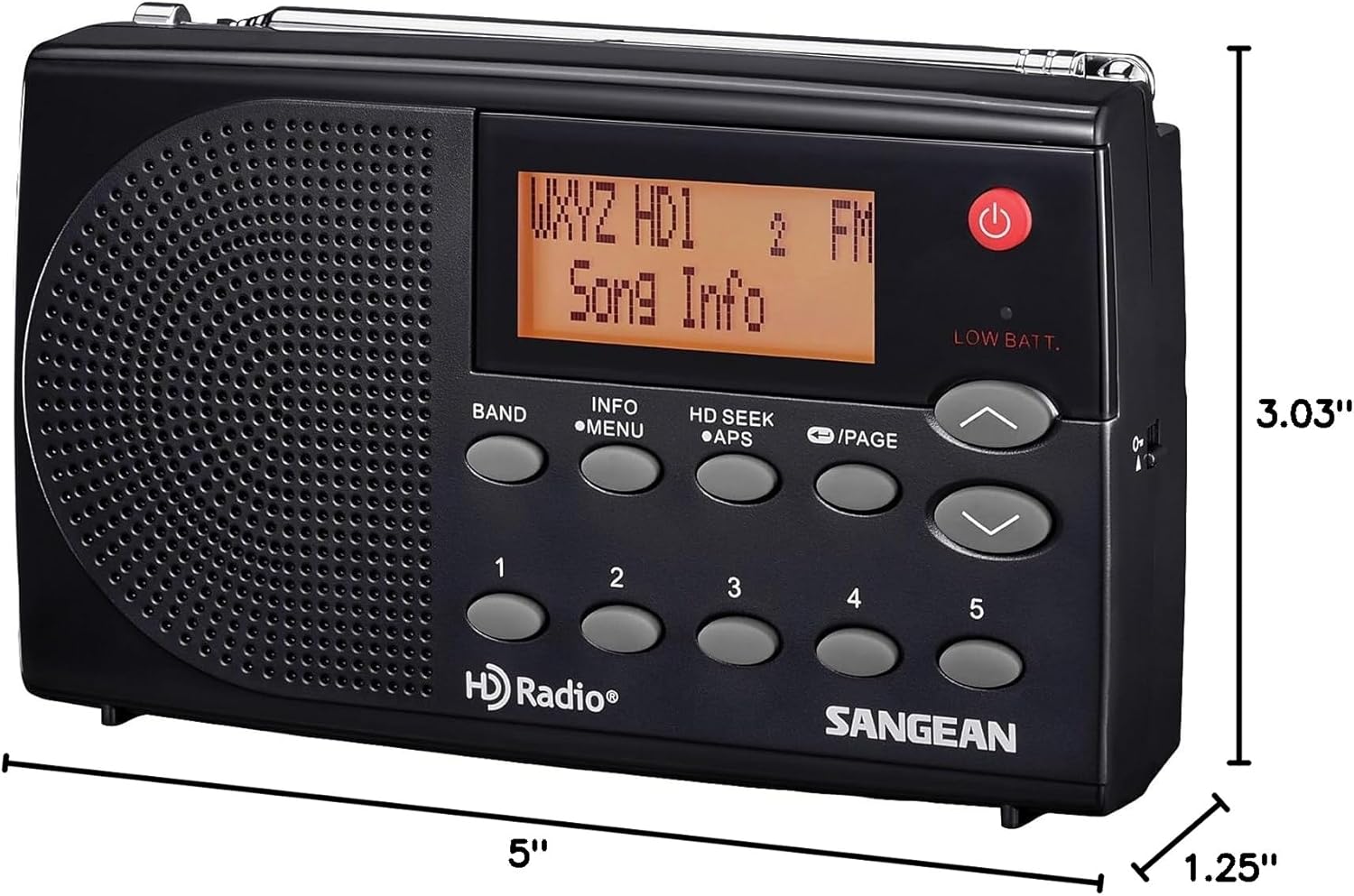
This image illustrates the dimensions of the Sangean HDR-14 HD Radio, indicating a length of 5 inches, a width of 1.25 inches, and a height of 3.03 inches.
Setup
Powering the Radio
The HDR-14 can be powered by batteries or the included AC adapter.
Battery Installation
- Open the battery compartment cover on the rear of the radio.
- Insert 3 x 1.5V AA/UM-3/R6 batteries, ensuring correct polarity (+/-).
- Close the battery compartment cover securely.
AC Adapter Connection
- Connect the AC adapter to the DC 5V input jack on the rear of the radio.
- Plug the AC adapter into a standard wall outlet.
Antenna Adjustment
For optimal FM and HD Radio reception, fully extend the telescopic antenna. For AM reception, the radio has a built-in AM antenna; rotate the radio for best reception.
Operating Instructions
Turning On/Off
Press the POWER button (red button) to turn the radio on or off.
Selecting Band (AM/FM/HD)
Press the BAND button to switch between FM and AM bands. When an HD Radio signal is detected on FM, the display will indicate "HD1" or "HD2" for sub-channels.
Tuning to Stations
Use the UP and DOWN arrow buttons to manually tune to frequencies.
HD Seek Tuning
Press the HD SEEK/APS button to automatically scan for the next available HD Radio station.
Storing and Recalling Presets
The radio supports 40 memory presets (20 FM, 20 AM).
Storing a Preset
- Tune to the desired station.
- Press and hold one of the numbered preset buttons (1-5) until the display confirms the station is saved.
- To access additional preset pages, press the PAGE button, then select a numbered preset.
Recalling a Preset
Briefly press one of the numbered preset buttons (1-5) to recall a saved station. Use the PAGE button to cycle through preset pages.
Program Associated Data (PAD)
When tuned to an HD Radio station, the display may show Program Associated Data (PAD) such as song title, artist, and station information. Press the INFO/MENU button to cycle through available information.
Maintenance
Cleaning
Wipe the radio with a soft, damp cloth. Do not use abrasive cleaners or solvents.
Battery Care
Remove batteries if the radio will not be used for an extended period to prevent leakage.
Troubleshooting
| Problem | Solution |
|---|---|
| No power | Check battery installation or AC adapter connection. Ensure batteries are not depleted. |
| Poor reception (FM/HD) | Fully extend the telescopic antenna. Try repositioning the radio. |
| Poor reception (AM) | Rotate the radio for best reception. AM signals are directional. |
| No HD signal | HD Radio signals may not be available in all areas or for all stations. Ensure you are within range of an HD broadcast. |
Specifications
- Product Dimensions: 5"L x 1.25"W x 3.03"H
- Item Weight: 6.7 ounces
- Tuner Technology: HD AM/FM
- Power Source: Battery (3 x AA) / Corded Electric (AC Adapter)
- Radio Bands Supported: 2-Band (AM/FM)
- Manufacturer: Sangean America, Inc.
- Color: Black
Warranty and Support
For warranty information or technical support, please contact Sangean America, Inc. directly. Refer to the official Sangean website or the packaging for contact details.
Important Safety Information
WARNING: This product contains chemicals known to the State of California to cause cancer and birth defects or other reproductive harm.


