
1. Introduction
Thank you for choosing the Superer 45W AC Charger. This power adapter is designed to provide a reliable and efficient charging solution for compatible Dell Inspiron laptops. Please read this manual carefully before use to ensure proper operation and safety.
2. Package Contents
- 1 x Superer 45W AC Power Adapter
- 1 x Power Cord
Ensure all components are present and in good condition upon unboxing.
3. Safety Information
This Superer AC charger is manufactured to high safety standards, ensuring protection for both the device and the user. It incorporates multiple safety features and holds recognized certifications.
- Overcharge Protection: Prevents damage from excessive charging.
- Overheating Protection: Automatically shuts down if temperatures exceed safe limits.
- Overvoltage Protection: Safeguards against voltage spikes.
- Overcurrent Protection: Protects against excessive current flow.
- Electrostatic Protection: Minimizes risk from static discharge.
The product is certified to nationally recognized standards for high-level electronic safety, including UL Listed, FCC approved, and CE marking.

Image: UL Certified and Listed safety certifications for the Superer charger, indicating compliance with high electronic safety standards.
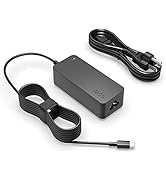
Image: Icons representing Overheating Protection, Electrostatic Protection, Overvoltage Protection, and Overcurrent Protection.
4. Compatibility
This 45W AC charger is specifically designed for various Dell Inspiron laptop models. To ensure compatibility, verify your laptop's required voltage, amperage, wattage, and connector type.
Compatible Dell Inspiron Models:
- P25T, P24T, P20T, P58F, P51F, P28E, P69G, P57G, P66F, P75F, P47F, P30E, P83G, P60G, P70F, P54G, P32E, P55F, P75F, P29G, P89G, P35E, P63F, P76G, P93G, P91G
Connector Type:
This charger features a round connector tip. Please ensure your laptop's charging port matches this type.

Image: Comparison of a round tip connector (compatible) and a USB-C connector (incompatible) for charging ports.

Image: A compatibility chart showing that 19.5V 2.31A 45W is compatible, while higher wattage options like 65W and 90W are not for this specific charger.
5. Setup
Follow these steps to set up your Superer AC charger:
- Connect the Power Cord: Take the included power cord and connect its female end into the input port of the AC power adapter.
- Plug into Wall Outlet: Insert the male end of the power cord into a standard AC wall outlet (100-240V).
- Connect to Laptop: Carefully insert the round connector tip of the power adapter into your Dell Inspiron laptop's charging port.
Ensure all connections are secure before use.

Image: The Superer AC charger plugged into a wall outlet and connected to a laptop, demonstrating a typical setup.
6. Operating Instructions
Once connected, the charger will automatically begin supplying power to your laptop and charging its battery. The charging indicator light on your laptop (if present) should illuminate.
- Charging: The charger provides a consistent and stable power supply for efficient charging.
- Powering Laptop: You can use your laptop while it is connected to the charger.
- Disconnection: To disconnect, first remove the charger tip from the laptop, then unplug the power cord from the wall outlet.

Image: The Superer charger connected to a laptop, illustrating its function in providing consistent power.
7. Maintenance
Proper care and maintenance will extend the life of your charger:
- Storage: When not in use, store the charger in a cool, dry place. Avoid extreme temperatures.
- Cable Management: Do not bend or crimp the cables sharply. Use the included cable strap for neat storage.
- Cleaning: Wipe the charger and cables with a soft, dry cloth. Do not use liquid cleaners.
- Avoid Physical Damage: Protect the adapter and cables from drops, impacts, and excessive pulling.

Image: A cable management strap used to keep the charger cable neatly coiled, promoting longevity.
8. Troubleshooting
If you encounter issues with your charger, try the following solutions:
| Problem | Possible Solution |
|---|---|
| Laptop not charging |
|
| Charger feels hot |
|
| Loose connection at laptop port |
|
9. Specifications
| Feature | Detail |
|---|---|
| Model Number | ADP195231D |
| Input Voltage | 100-240V ~ 1.5A, 50/60Hz |
| Output Voltage | 19.5V |
| Output Amperage | 2.31A |
| Output Wattage | 45W |
| Connector Type | Round Connector |
| Product Dimensions | 3.71 x 1.57 x 1.13 inches |
| Item Weight | 9.9 ounces |
| Color | Black |
| Safety Features | Overcharge Protection, Overheating Protection, Overvoltage Protection, Overcurrent Protection, Electrostatic Protection |
| Certifications | UL Listed, FCC, CE |
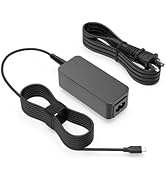
Image: The physical dimensions of the Superer 45W AC charger, showing its length, width, and height.
10. Warranty and Support
Superer stands behind the quality of its products.
- Manufacturer Warranty: This product comes with a 12-month manufacturer warranty from the date of purchase.
- Return Policy: You are eligible for a refund within 30 days of purchase.
- Replacement Service: A replacement service is available within 12 months of purchase for qualifying issues.
For any questions, concerns, or warranty claims, please contact Superer customer support. Provide your product model number (ADP195231D) and purchase details for faster service.

Image: Information regarding Superer's customer support, highlighting a 12-month replacement service and a 30-day refund policy.