
Introduction
Thank you for choosing the Allocacoc PowerCube Original USB. This compact and versatile power solution is designed to expand your power access without clutter, offering multiple AC outlets and USB charging ports. Please read this manual carefully before use to ensure safe and optimal operation.
Safety Information
- Do not exceed the maximum load of 125V, 15A, 1875W.
- This device is for indoor use only.
- Keep away from water and high humidity environments.
- Do not disassemble or modify the device.
- Ensure the device is properly plugged into a grounded outlet.
- The PowerCube features childproof sockets. Do not force objects into the outlets.
Product Overview
The Allocacoc PowerCube Original USB is a cubic multi-socket extender featuring 4 standard AC outlets and 2 USB charging ports. Its unique design prevents plug blockage, allowing all outlets to be used simultaneously.

Figure 1: Allocacoc PowerCube Original USB with key features highlighted.

Figure 2: PowerCube plugged into a wall outlet, illustrating no plug blockage.
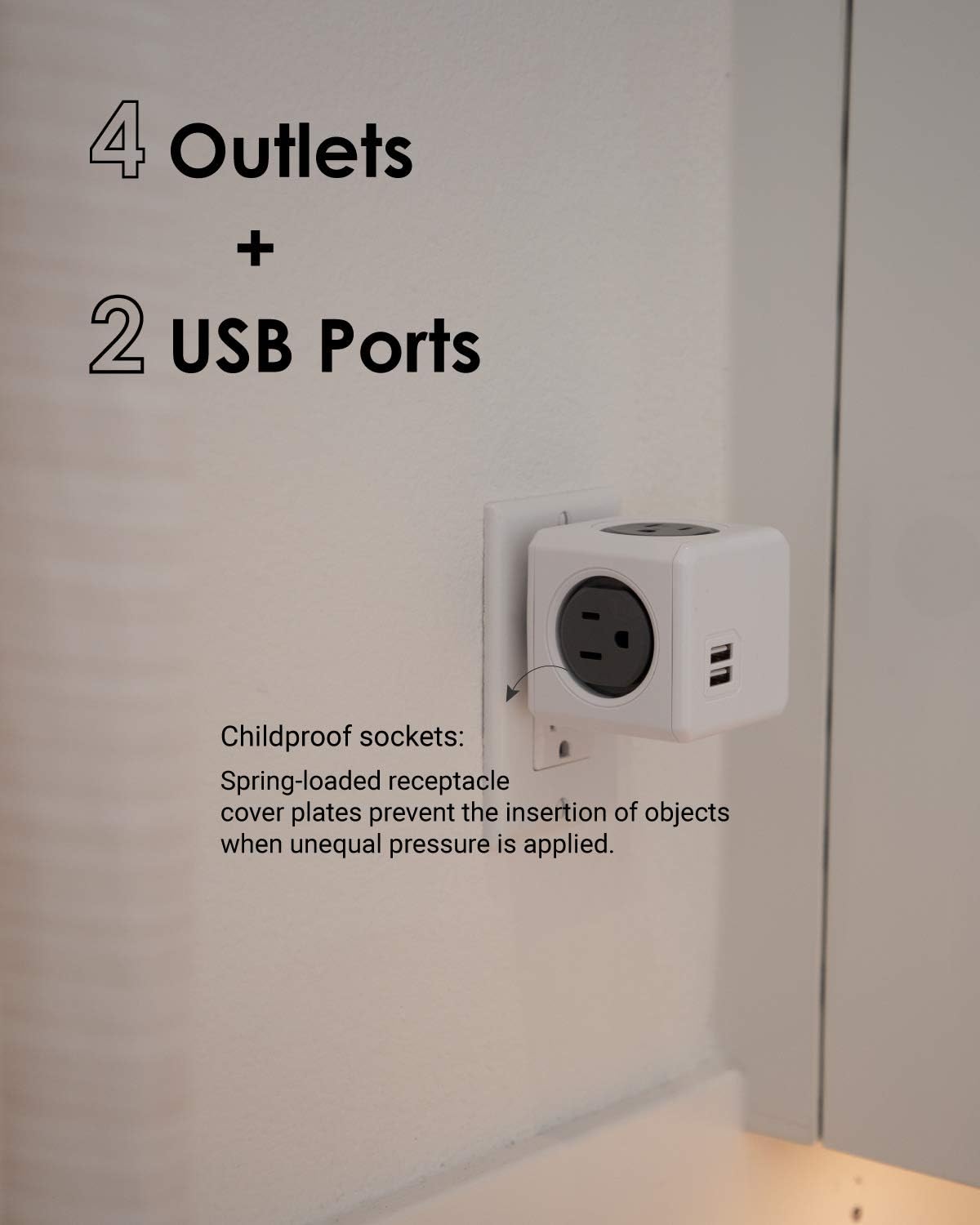
Figure 3: Close-up view of the 4 AC outlets and 2 USB ports.
Video 1: An introductory video showcasing the Allocacoc PowerCube, highlighting its features and design.
Setup
- Unpack: Carefully remove the PowerCube from its packaging.
- Inspect: Check the device for any visible damage. Do not use if damaged.
- Plug In: Insert the PowerCube directly into a standard 3-prong wall outlet. Ensure it is firmly seated.
- Placement: The cubic design allows for flexible placement without obstructing other outlets.
Operating Instructions
- Using AC Outlets: Plug your devices directly into any of the four available AC outlets. The unique orientation ensures that bulky adapters do not block adjacent sockets.
- Using USB Ports: Connect your USB-powered devices (e.g., smartphones, tablets) to the two USB ports for charging. The USB ports provide a total output of 5V 2A.
- Surge Protection: The PowerCube includes an integrated surge protector to safeguard your connected devices from power fluctuations.
- Resettable Fuse: In case of an overload, the resettable fuse will trip to protect the PowerCube and connected devices. To reset, unplug all devices, wait a few moments, and then plug them back in.
Maintenance
- Cleaning: Disconnect the PowerCube from the wall outlet before cleaning. Use a dry, soft cloth to wipe the exterior. Do not use liquid cleaners or aerosols.
- Storage: Store the PowerCube in a cool, dry place when not in use.
- Inspection: Periodically inspect the PowerCube for any signs of wear or damage, especially the prongs and outlets.
Troubleshooting
- No Power to Devices:
- Ensure the PowerCube is firmly plugged into a working wall outlet.
- Check if the resettable fuse has tripped due to overload. Unplug devices and reset.
- Verify that the connected device is functioning correctly by plugging it directly into a wall outlet.
- Slow USB Charging:
- Ensure your device's charging cable is not damaged.
- The USB ports provide a total of 2A. If multiple devices are connected, charging speed may be reduced.
- PowerCube Feels Warm:
- It is normal for the PowerCube to feel slightly warm during operation. If it becomes excessively hot, disconnect it immediately and reduce the number of connected devices.
Specifications
| Feature | Detail |
|---|---|
| Model Number | 4200/USOUPC |
| Product Dimensions | 2.52 x 2.52 x 3.94 inches |
| Item Weight | 7.2 ounces |
| Total Power Outlets | 4 AC Outlets |
| USB Ports | 2 USB-A Ports (5V 2A total) |
| Voltage | 125V |
| Current | 15A |
| Max Power | 1875W |
| Special Features | Surge Protection, Resettable Fuse, Childproof Sockets, No Blockage Design |
Warranty and Support
Allocacoc products are designed for reliability and performance. For warranty information, technical support, or customer service inquiries, please refer to the contact details provided on the product packaging or visit the official Allocacoc website. Keep your purchase receipt as proof of purchase for warranty claims.