
1. Introduction
The Zoomer Hungry Bunnies Chewy is an interactive robotic rabbit designed for children aged 5 and up. This toy simulates the experience of feeding a pet by "eating" paper treats and responding to interaction. This manual provides essential information for setting up, operating, maintaining, and troubleshooting your Chewy robotic rabbit.
2. What's Included
Carefully unpack all contents and ensure you have received the following items:
- Zoomer Hungry Bunnies Chewy Robotic Rabbit
- 4 Snack Sheets (containing over 80 paper treats)
- Treat Tracer
- Snack Basket
- Instruction Booklet (this manual)
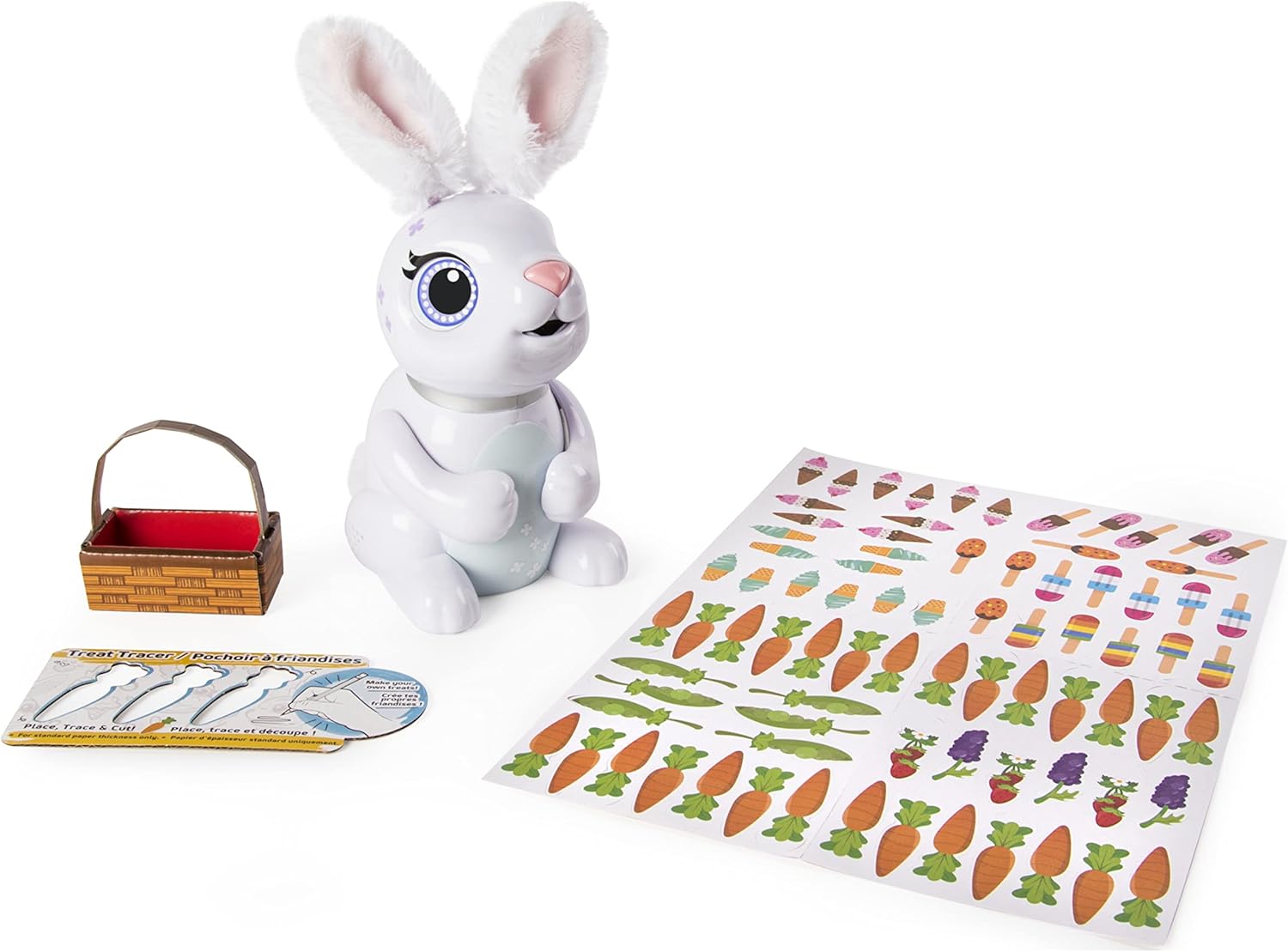
Figure 2.1: All items included in the Zoomer Hungry Bunnies Chewy package.
3. Setup
3.1 Battery Installation
The Zoomer Hungry Bunnies Chewy requires 3 AA batteries (not included) for operation.
- Locate the battery compartment on the underside of the bunny.
- Using a Phillips head screwdriver, unscrew the battery compartment cover.
- Insert 3 new AA batteries, ensuring correct polarity (+/-) as indicated inside the compartment.
- Replace the battery compartment cover and secure it with the screw.
Note: Always use fresh batteries for optimal performance. Do not mix old and new batteries, or different types of batteries.
4. Operating Your Hungry Bunny
4.1 Powering On/Off
Locate the power switch on the bunny's body. Slide the switch to the "ON" position to activate the bunny. Slide it to "OFF" when not in use to conserve battery life.
4.2 Feeding Your Bunny
Your Hungry Bunny loves to eat! Use the included paper treats or custom-made treats.
- Select a paper treat from the snack sheets or your snack basket.
- Hold the treat up to your bunny's mouth.
- The bunny will begin to nibble and "eat" the treat. It will make munching sounds as it consumes the paper.

Figure 4.1: Feeding a paper treat to the Hungry Bunny.
4.3 Confetti Surprise
After your bunny has eaten several treats, it will "poop" a colorful confetti surprise. This is the shredded paper from the treats it has consumed.
- Lift your bunny slightly to observe the confetti release from its rear.
- Ensure to clean up the shredded paper after each feeding session to maintain a tidy play area.

Figure 4.2: The Hungry Bunny releasing shredded paper confetti.
4.4 Interactive Play
- Music Game: Your bunny can play a magical music game. Follow the instructions provided by the bunny's sounds and lights to play along.
- Tickling: Gently tickle your bunny's stomach to hear cute giggles and other playful sounds.
- Petting: Petting your bunny's head may elicit happy sounds and movements.

Figure 4.3: Petting the Hungry Bunny.
4.5 Making Custom Treats
You can create your own paper treats using the included Treat Tracer and a sheet of paper.
- Place the Treat Tracer onto a sheet of paper.
- Use a pencil to trace the outline of the desired treat shape.
- Carefully cut out the traced treat shape.
- These custom treats can then be fed to your Hungry Bunny.

Figure 4.4: Using the Treat Tracer to create custom paper treats.
4.6 Official Product Video
Video 4.1: An official product video demonstrating the interactive features of the Zoomer Hungry Bunnies, including feeding and playful responses. This video is 16 seconds long.
5. Maintenance
- Cleaning: The bunny's "eating" mechanism shreds paper, which is then expelled as confetti. Regularly clean up the shredded paper from the play area to prevent accumulation. A small vacuum or brush can be used.
- General Care:
- Avoid exposing the bunny to water or excessive moisture.
- Do not carry the bunny by its ears or tail.
- Turn off the bunny when not in use to preserve battery life.
- Only insert paper treats into the bunny's mouth. Do not insert fingers or other objects.
- Battery Replacement: Replace batteries when the bunny's responses become sluggish or sounds are distorted. Refer to Section 3.1 for battery installation instructions.
6. Troubleshooting
| Problem | Possible Cause | Solution |
|---|---|---|
| Bunny is not turning on or responding. | Batteries are dead or incorrectly installed. | Ensure the power switch is in the "ON" position. Replace batteries with new AA batteries, checking polarity. |
| Bunny is not "eating" treats. | Treat not inserted correctly or mechanism is jammed. | Ensure the paper treat is fully inserted into the mouth opening. Do not force treats. Check for any obstructions in the mouth area (with the bunny turned off). |
| Bunny is making unusual sounds or movements. | Low battery power. | Replace batteries. |
| Confetti is not coming out. | Insufficient treats eaten or internal blockage. | Feed more treats. Gently shake the bunny. If blockage is suspected, ensure the bunny is off and carefully inspect the confetti exit point. |
7. Specifications
- Model Number: 6045856
- Product Dimensions: 6.5 x 5.25 x 7.88 inches
- Item Weight: 1.06 pounds
- Batteries: 3 x AA batteries (not included)
- Manufacturer Recommended Age: 5 - 7 years
- Manufacturer: Spin Master
- Release Date: July 27, 2018
8. Warranty and Support
This product is covered by the Spin Master Care Commitment. For detailed warranty information, product support, or to contact customer service, please refer to the official Spin Master website or the contact information provided on the product packaging.
For additional assistance, you may visit the product page on Amazon.