1. Introduction
The Power Acoustik DVALT is a comprehensive driver assistance system designed to enhance road safety. This device integrates a Lane Departure Warning System (LDWS), a Forward Collision Warning System (FCWS), and a Digital Video Recorder (DVR) to provide real-time alerts and incident recording.
The system aims to assist drivers by monitoring road conditions and providing timely warnings, contributing to a safer driving experience. The integrated DVR function records video and audio, serving as a valuable record in case of an incident.
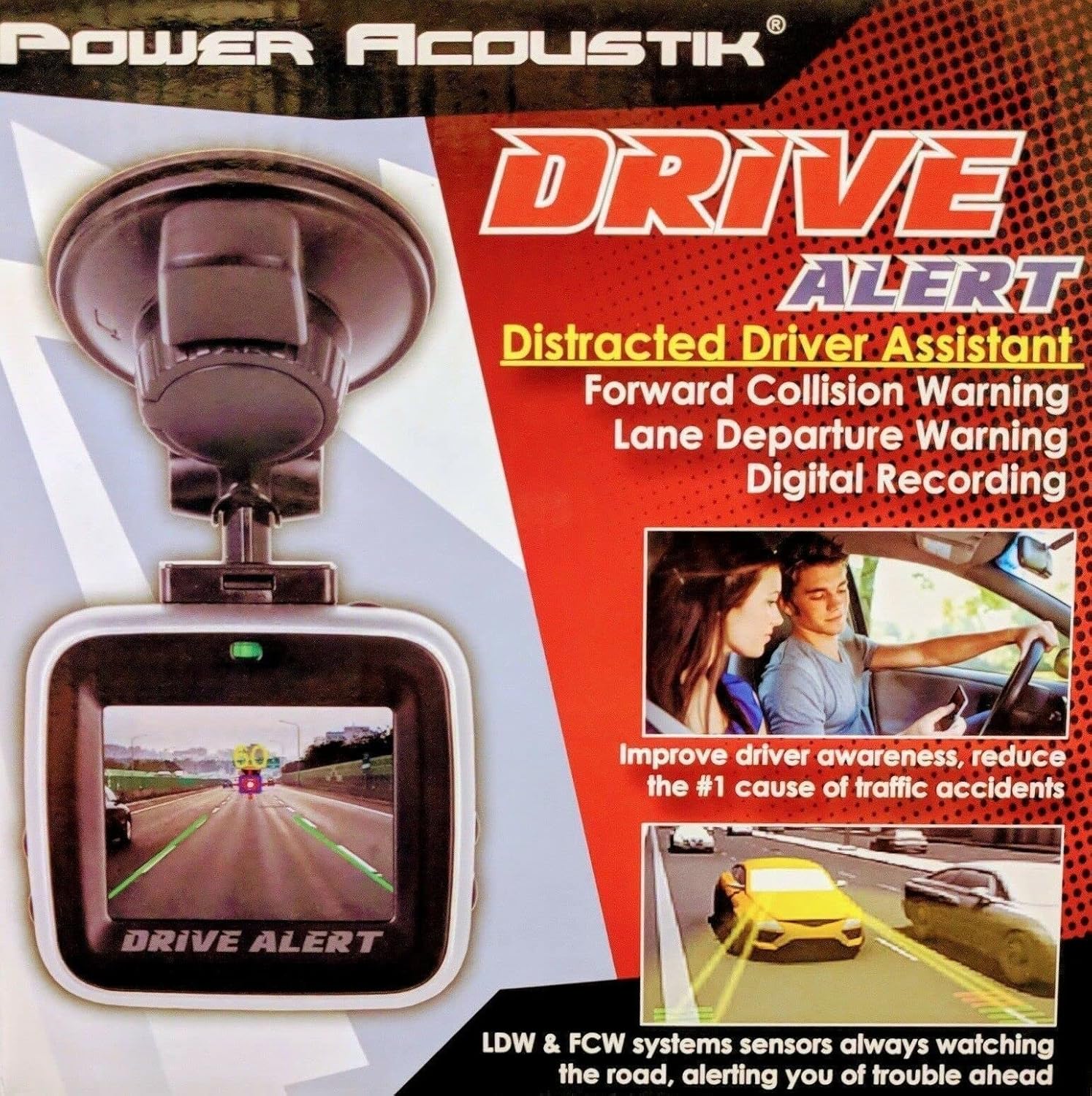
Image: The Power Acoustik DVALT device, illustrating its compact design, suction cup mount, and on-screen display of active warning systems.
2. Package Contents
Please verify that all items listed below are present in your package:
- Power Acoustik DVALT System
- Window Mount Bracket
- Cigarette Lighter Power Adapter
- USB Cable
3. Setup and Installation
- Mounting the Device:
Attach the window mount bracket to the Power Acoustik DVALT System. Select a suitable location on your vehicle's windshield that does not obstruct your view of the road. Ensure the camera has a clear, unobstructed view forward. Securely attach the suction cup mount to the windshield.
- Power Connection:
Connect the cigarette lighter power adapter to the DVALT system and then plug it into your vehicle's 12V power outlet. Ensure the connection is secure. The device requires continuous power for operation and to retain settings.
- Initial Power On and Settings:
Upon first power-on, the device may prompt you to set the date and time. Navigate through the on-screen menu using the device controls to adjust these settings. It is crucial to set the correct date and time for accurate recording timestamps.
- MicroSD Card Installation (Sold Separately):
Insert a compatible microSD card (Class 10 or higher, maximum capacity specified in specifications) into the designated slot on the device. The device will use this card for video and audio recording. Format the card through the device's menu before first use.
4. Operating Instructions
4.1. Lane Departure Warning System (LDWS)
The LDWS monitors lane markings on the road. If the vehicle begins to drift out of its lane without the turn signal activated, the system will issue an audible and/or visual warning. This feature is designed to prevent accidents caused by driver fatigue or distraction.
- Activation: The LDWS typically activates automatically when the vehicle speed exceeds a certain threshold (e.g., 30 mph or 50 km/h).
- Sensitivity: Check the device settings for options to adjust LDWS sensitivity. Higher sensitivity may result in more frequent warnings, especially on narrow or winding roads.
4.2. Forward Collision Warning System (FCWS)
The FCWS detects the distance and closing speed to vehicles ahead. If the system determines that a collision is imminent, it will provide an alert to the driver, allowing time to react. This system is particularly useful in reducing the risk of rear-end collisions.
- Activation: FCWS operates continuously while the vehicle is in motion.
- Warning Types: Warnings may include audible beeps and visual indicators on the device screen.
4.3. Digital Video Recorder (DVR)
The integrated DVR continuously records video footage of the road ahead. In the event of an impact or sudden braking, the device's G-sensor will automatically lock the current recording, preventing it from being overwritten. This ensures critical footage is preserved.
- Loop Recording: The DVR records in continuous loops, overwriting the oldest unprotected files when the memory card is full.
- Event Recording: G-sensor activated recordings are stored in a separate, protected folder.
- Audio Recording: The device also records in-cabin audio. This feature can usually be toggled on or off in the settings menu.
- Playback: Recorded footage can be reviewed directly on the device's screen or by removing the microSD card and viewing it on a computer.
4.4. Menu Navigation
Use the physical buttons on the device to navigate through the on-screen menu. Typically, there are buttons for 'Menu', 'Up', 'Down', and 'OK'/'Confirm'. While the device supports voice control, primary menu navigation is performed via physical buttons.
5. Maintenance
- Cleaning: Use a soft, dry cloth to clean the device's screen and lens. Avoid abrasive cleaners or solvents that could damage the surfaces.
- Temperature: Do not expose the device to extreme temperatures for extended periods. High heat can damage internal components and the battery.
- Firmware Updates: Periodically check the manufacturer's website for any available firmware updates. Updates can improve performance and add new features.
- MicroSD Card: Regularly format the microSD card (e.g., once a month) to maintain optimal recording performance and prevent data corruption. Back up any important files before formatting.
6. Troubleshooting
| Problem | Possible Cause / Solution |
|---|---|
| Device does not power on. |
|
| Settings reset after turning off the vehicle. |
|
| Frequent false alarms from LDWS/FCWS. |
|
| Poor video quality or recording issues. |
|
7. Specifications
| Feature | Detail |
|---|---|
| Model Number | DVALT |
| Product Dimensions | 5.25 x 10.25 x 7.5 inches |
| Item Weight | 13.2 ounces |
| Screen Size | 2 Inches |
| Display Technology | LCD |
| Video Capture Resolution | 1080p |
| Connectivity Technology | USB |
| Mounting Type | Window Mount Bracket (Suction Cup) |
| Control Method | Voice |
| Auto Part Position | Front |
8. Warranty and Support
For warranty information, technical support, or service inquiries, please refer to the documentation included with your purchase or visit the official Power Acoustik website. Keep your proof of purchase for warranty claims.
Manufacturer: Power Acoustik
Date First Available: March 21, 2018


