
1. Introduction
This manual provides comprehensive instructions for the installation, operation, and maintenance of the FAAC E600 (D600) Electronic Board Remote Control. Please read this manual carefully before using the product to ensure safe and efficient operation. Keep this manual for future reference.
2. Safety Information
Always observe the following safety precautions to prevent injury or damage to the product:
- Ensure the power supply is disconnected before any installation or maintenance procedures.
- Only qualified personnel should perform installation and repairs.
- Do not expose the device to extreme temperatures, humidity, or direct sunlight.
- Keep the device away from children and pets.
- Use only original FAAC spare parts and accessories.
3. Package Contents
Verify that all items are present in the package:
- FAAC E600 (D600) Electronic Board Remote Control
- User Manual (this document)
- Mounting hardware (if applicable)
4. Product Overview
The FAAC E600 (D600) is an electronic board remote control designed for reliable operation of compatible FAAC systems. It features a robust design and ergonomic handling.
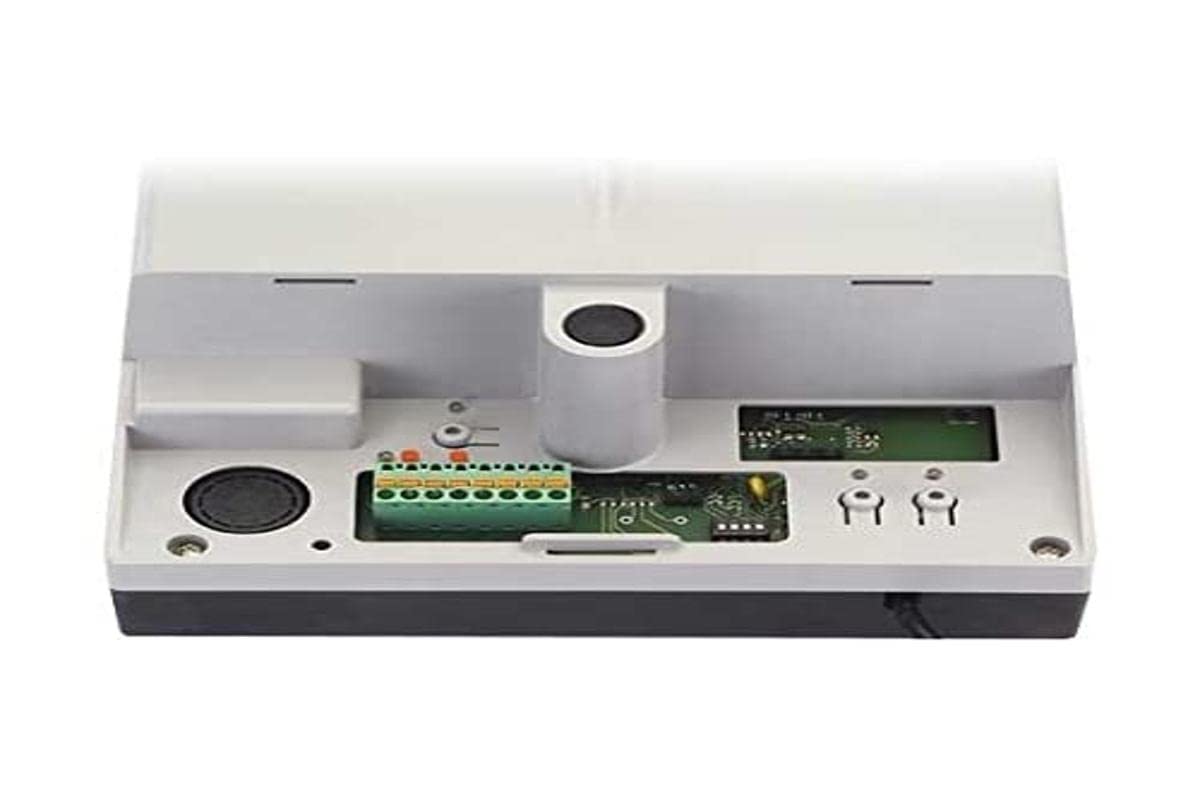
Image 1: FAAC E600 (D600) Electronic Board Remote Control. This image shows the compact design of the remote control unit.
Key features include:
- Ergonomic Design: Comfortable to hold and use.
- Connectivity: Radio frequency and Infrared technology for versatile control.
- Number of Buttons: 1 button for simple operation.
5. Setup and Installation
Follow these steps to set up your FAAC E600 (D600) remote control:
- Battery Installation:
Open the battery compartment on the back of the remote control. Insert the required batteries, ensuring correct polarity (+/-). Close the compartment securely.
- Pairing with Receiver:
Refer to the manual of your FAAC receiver unit (e.g., gate opener, barrier system) for specific pairing instructions. Typically, this involves pressing a programming button on the receiver and then pressing the button on the E600 (D600) remote control within a short timeframe.
- Testing:
After successful pairing, test the remote control's functionality by operating the connected device from a safe distance.
6. Operating Instructions
The FAAC E600 (D600) remote control is designed for simple, single-button operation.
- To Activate: Press and hold the single button on the remote control. The connected FAAC device will respond according to its programmed function (e.g., open/close gate, activate barrier).
- Range: Ensure you are within the operational range of the receiver for reliable communication. Obstacles can reduce the effective range.
7. Maintenance
To ensure the longevity and optimal performance of your remote control, follow these maintenance guidelines:
- Cleaning: Wipe the remote control with a soft, dry cloth. Do not use abrasive cleaners or solvents.
- Battery Replacement: Replace batteries when the operational range decreases or the indicator light (if present) signals low power. Dispose of old batteries responsibly.
- Storage: Store the remote control in a dry place, away from direct sunlight and extreme temperatures, when not in use for extended periods.
8. Troubleshooting
If you encounter issues with your FAAC E600 (D600) remote control, refer to the following table:
| Problem | Possible Cause | Solution |
|---|---|---|
| Remote control not working. | Dead batteries. | Replace batteries. |
| Remote control has short range. | Low batteries; Obstruction between remote and receiver. | Replace batteries; Ensure clear line of sight or reduce distance. |
| Device not responding after battery change. | Remote control lost pairing with receiver. | Re-pair the remote control with the receiver (refer to Section 5). |
If the problem persists, contact FAAC customer support or a qualified technician.
9. Specifications
| Feature | Detail |
|---|---|
| Brand | FAAC |
| Model Name | E600 (D600) |
| Special Feature | Ergonomic |
| Compatible Devices | FAAC Camera Systems (and other compatible FAAC devices) |
| Connectivity Technology | Radio Frequency, Infrared |
| Number of Buttons | 1 |
| Controller Type | Button Control |
| Item Weight | 100 Grams |
| International Article Code (EAN) | 08055195014853 |
10. Warranty and Support
For warranty information and technical support, please refer to the official FAAC website or contact your authorized FAAC dealer. Keep your proof of purchase for warranty claims.


