
1. Introduction
The BLACK+DECKER BXUP250PCE is a compact and lightweight submersible pump designed for efficient removal of clear water. This pump is ideal for draining flooded areas such as basements, garages, wells, cisterns, and swimming pools. Its integrated float switch ensures automatic operation, activating and deactivating the pump based on water levels. The pump is capable of reducing water levels to a residual 5mm, making it highly effective for various clear water applications.
This manual provides essential information for the safe and effective use, installation, maintenance, and troubleshooting of your BXUP250PCE submersible pump. Please read it thoroughly before operating the device.
2. Safety Instructions
Always observe the following safety precautions to reduce the risk of injury or damage:
- Read the Manual: Familiarize yourself with all instructions and warnings before operating the pump.
- Electrical Safety: Ensure the power supply matches the pump's specifications (230V). Always connect the pump to a properly grounded outlet protected by a Residual Current Device (RCD) with a tripping current not exceeding 30mA. Never operate the pump with a damaged power cable or plug.
- Water Type: This pump is designed exclusively for clear water. Do not use it for pumping corrosive, flammable, explosive, or abrasive liquids, or water containing particles larger than 5mm.
- Immersion Depth: Do not exceed the maximum immersion depth of 7 meters.
- Temperature: Do not pump liquids hotter than 35°C (95°F).
- Children and Bystanders: Keep children and unauthorized persons away from the operating area.
- Maintenance: Always disconnect the pump from the power supply before performing any maintenance, cleaning, or when moving the pump.
- Handling: Never lift or carry the pump by its power cable. Use the integrated handle.
- Float Switch: Ensure the float switch can move freely and is not obstructed.
3. Package Contents and Components
3.1 Package Contents
- 1x BLACK+DECKER BXUP250PCE Submersible Pump
- 1x Universal connector with 90° angle
- Instruction Manual
Note: A discharge hose is not included and must be purchased separately. Compatible hose sizes are 25mm (1"), 32mm (1 ¼"), or 38mm (1 ½").
3.2 Key Components
- Pump Body
- Integrated Handle
- Power Cable
- Float Switch
- Water Intake (Base of pump)
- Discharge Outlet
- Universal Connector (90° angle)

Image: Overview of the BXUP250PCE pump with dimensions (16.5cm L x 15.8cm W x 30.2cm H).
4. Setup and Installation
Follow these steps to prepare your pump for operation:
- Attach Discharge Hose: Securely attach a suitable discharge hose (25mm, 32mm, or 38mm) to the universal connector. Ensure the connection is tight to prevent leaks.
- Position the Pump: Place the pump on a stable, flat surface at the lowest point of the area to be drained. Ensure the pump is fully immersed in water before starting, if possible, to prevent dry running.
- Float Switch Placement: Position the float switch so it can move freely and is not obstructed by walls, pipes, or other objects. The float switch determines the automatic ON/OFF levels of the pump.
- Power Connection: Connect the pump's power cable to a properly grounded electrical outlet (230V) that is protected by an RCD.

Image: The BXUP250PCE pump set up in a flooded basement, ready to drain water.
5. Operation
The BLACK+DECKER BXUP250PCE pump operates automatically via its integrated float switch.
- Automatic Start: Once connected to power and immersed in water, the pump will automatically start when the water level rises sufficiently to lift the float switch.
- Pumping Action: The pump will begin to draw water through its intake and discharge it through the connected hose.
- Automatic Stop: The pump will automatically stop when the water level drops to approximately 5mm, causing the float switch to fall to its lower position.
- Monitoring: Periodically check the pump's operation and ensure the discharge hose is free of kinks or blockages. Ensure the water being pumped is clear and does not contain particles larger than 5mm to prevent damage.

Image: The BXUP250PCE pump in action, draining water from a garage.

Image: The BXUP250PCE pump being used to drain a swimming pool.
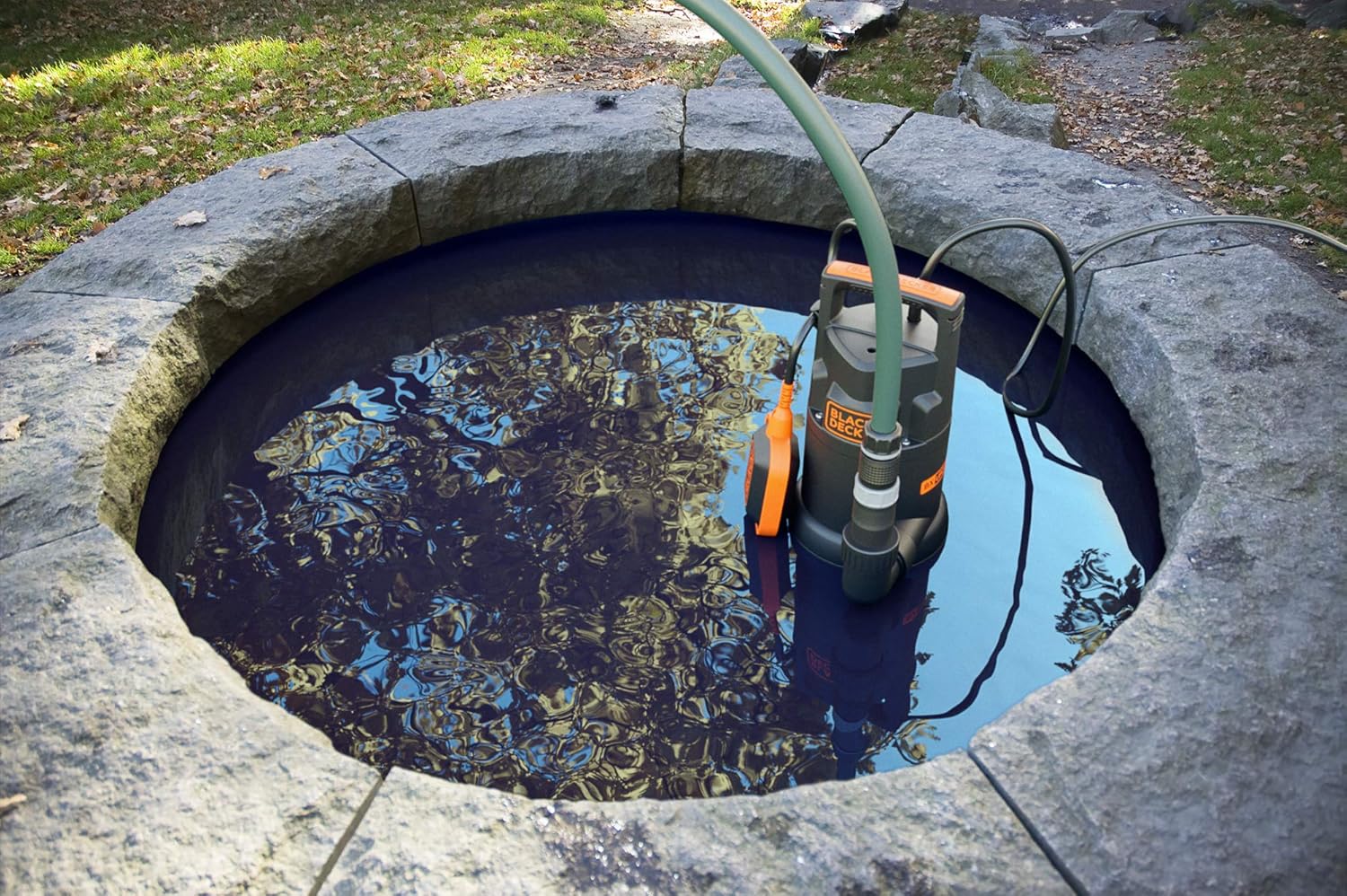
Image: The BXUP250PCE pump effectively draining water from a well.
6. Maintenance and Storage
Regular maintenance ensures the longevity and optimal performance of your pump.
6.1 Cleaning
- Disconnect Power: Always unplug the pump from the power supply before cleaning.
- Rinse: After each use, especially if pumping slightly dirty clear water, rinse the pump thoroughly with clean water.
- Check Intake: Inspect the water intake area at the base of the pump for any debris, leaves, or small particles that may have accumulated. Remove any blockages carefully.
- Float Switch: Ensure the float switch mechanism is clean and moves freely.
6.2 Storage
- Drain Water: Ensure all water is drained from the pump and hose before storage to prevent freezing damage.
- Clean: Clean the pump as described above.
- Store Safely: Store the pump in a dry, frost-free location, away from direct sunlight and out of reach of children.
7. Troubleshooting
If you encounter issues with your pump, refer to the following table for common problems and solutions:
| Problem | Possible Cause | Solution |
|---|---|---|
| Pump does not start | No power supply Float switch not activated Motor overload protection triggered Impeller blocked | Check power connection and RCD Ensure water level is high enough to lift float switch Disconnect power, wait 15 minutes, reconnect Disconnect power, clear blockage from intake |
| Pump runs but no water is discharged or flow is low | Discharge hose kinked or blocked Water intake blocked Air lock in pump Pumping height too high | Check and clear hose Disconnect power, clear intake Tilt pump slightly to release air, restart Ensure pumping height is within specifications (max 6m) |
| Pump runs continuously | Float switch obstructed or stuck in 'ON' position Water level not dropping below stop level | Disconnect power, check float switch for obstructions Ensure pump is placed at the lowest point and can reach 5mm residual level |
| Pump stops unexpectedly | Motor overload protection triggered Power interruption Water level dropped below stop level | Disconnect power, wait 15 minutes, reconnect Check power supply This is normal operation if water level is low |
If the problem persists after attempting these solutions, please contact customer support.
8. Technical Specifications
| Feature | Specification |
|---|---|
| Model Number | BXUP250PCE |
| Power | 250 W |
| Voltage | 230 V |
| Max Flow Rate | 6000 Litres per hour |
| Max Delivery Height | 6 Metres |
| Max Immersion Depth | 7 Metres |
| Residual Water Level | 5 mm |
| Max Particle Size | 5 mm |
| Material | Plastic |
| Dimensions (L x W x H) | 16.5 x 15.8 x 30.2 cm |
| Weight | 4.4 Kilograms |
| Protection Class | IPX8 |
9. Warranty Information
BLACK+DECKER products are manufactured to high-quality standards and are guaranteed against manufacturing defects. Please refer to the warranty card included with your purchase or visit the official BLACK+DECKER website for detailed warranty terms and conditions applicable in your region. Keep your proof of purchase for warranty claims.
10. Customer Support
For technical assistance, spare parts, or warranty claims, please contact BLACK+DECKER customer service. Contact details can typically be found on the official BLACK+DECKER website or on the product packaging. When contacting support, please have your product model number (BXUP250PCE) and proof of purchase readily available.


