
Smartby AA59-00790A
Smartby AA59-00790A Remote Control User Manual
Replacement Remote for Samsung Smart 3D LCD LED HDTV TV
1. Introduction
This manual provides essential information for the proper setup, operation, and maintenance of your Smartby AA59-00790A Remote Control. This replacement remote is designed for seamless compatibility with various Samsung Smart 3D LCD LED HDTV TV models, requiring no programming or pairing.

This image displays the front of the Smartby AA59-00790A remote control, highlighting its full button layout including power, number pad, volume, channel, menu, and smart TV functions. The model number AA59-00790A is visible at the bottom.
2. Setup
The Smartby AA59-00790A remote control is designed for immediate use upon battery installation. No complex programming or pairing procedures are required.
Battery Installation:
- Locate the battery compartment on the back of the remote control.
- Open the battery compartment cover.
- Insert two AAA batteries (not included), ensuring correct polarity (+ and −).
- Close the battery compartment cover securely.
- The remote is now ready for operation.
3. Operating Instructions
Once batteries are installed, the Smartby AA59-00790A remote control is ready to operate your compatible Samsung TV. Simply point the remote at your television and press the desired function button.
Compatible Models:
This remote is compatible with a wide range of Samsung TV models, including but not limited to: UE75F6300, UE32F6200, UE40F6200, UE46F6200, UE50F6200 5 Series UE32F5300, UE40F5300, UE42F5300, UE46F5300, UE39F5300, UE22F5400, UE22F5410, UE40F6320, UE46F6320, UE22F5400AK, UE22F5400AKXXU, UE22F5400AW, UE22F5470SS, UE32F4000AW, UE32F4500AK, UE32F4500AW, UE32F4570SS, UE32F4580SS, UE32F5000AW, UE32F5070SS, UE32F5300AK, UE32F5300AW, UE32F5370SS, UE32F5500AK, UE32F5500AW, UE32F5570SS, UE32F5700AW, UE32F6200AK, UE32F6270SS, UE39F5070SS, UE39F5300AK, UE39F5300AW, UE39F5370SS, UE39F5500AK, UE39F5500AKXXU, UE39F5500AW, UE39F5570SS, UE39F5700AW, UE40F6200AK, UE40F6200AKXXU, UE40F6270SS, UE42F5000AW, UE42F5300AW, UE42F5500AKXXU, UE42F5500AW, UE42F5700AW, UE46F5000AW, UE46F5070SS, UE46F5300AK, UE46F5300AW, UE46F5370SS, UE46F5500AK, UE46F5500AKXXU, UE46F5500AW, UE46F5570SS, UE46F6200AK, UE46F6200AKXXU, UE46F6200AW, UE46F6270SS, UE50F5500AK, UE50F5500AKXXU, UE50F5500AW, UE50F5570SS, UE50F6200, UE50F6200AKXXU, UE60F6300AK, UE60F6300AW, UE60F6370SS.
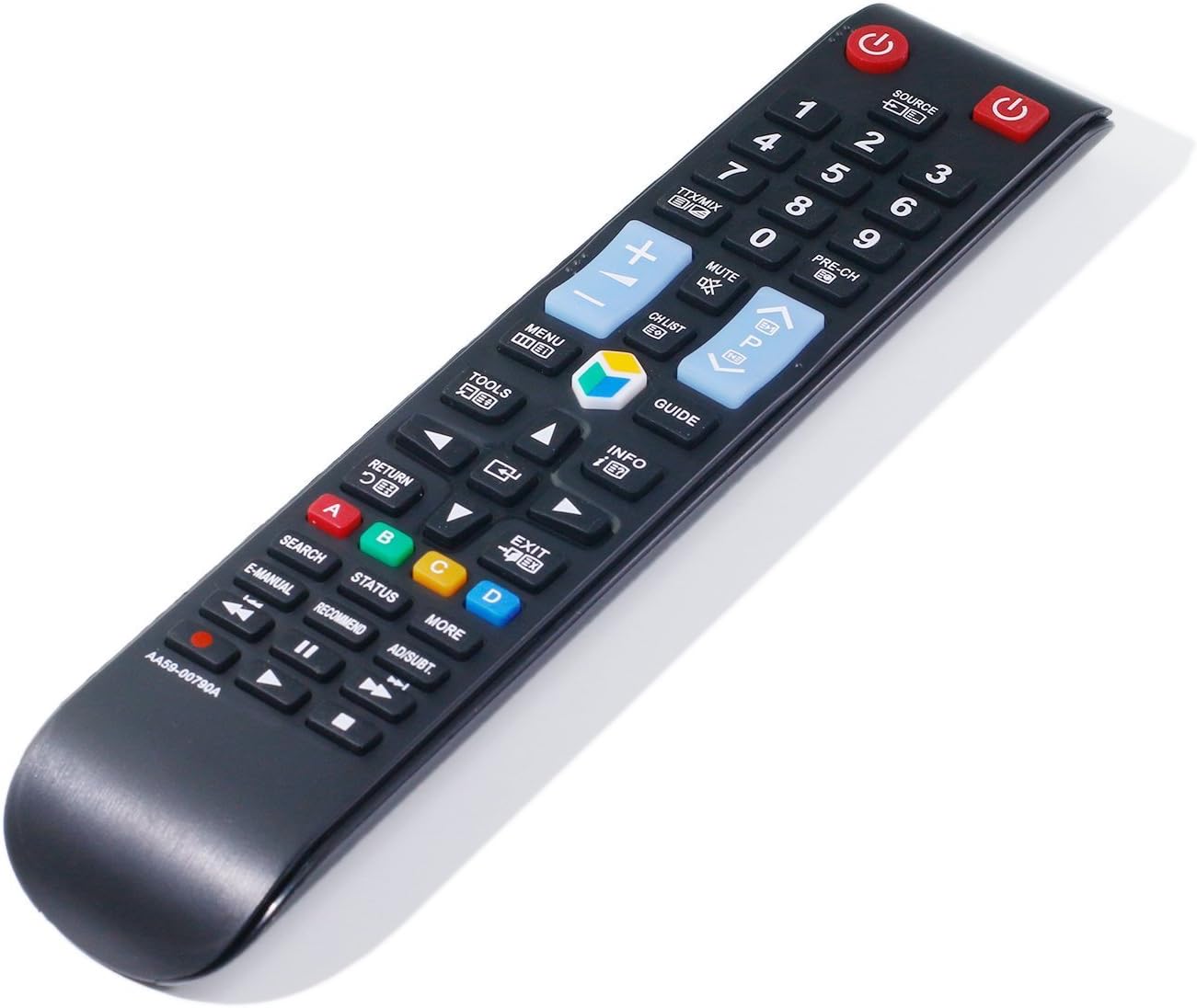
This image provides an angled perspective of the Smartby AA59-00790A remote control, emphasizing its ergonomic shape and sleek black finish. The button layout is partially visible, indicating its compact and user-friendly design.
4. Maintenance
To ensure the longevity and optimal performance of your remote control, follow these maintenance guidelines:
- Cleaning: Use a soft, dry cloth to clean the remote's surface. Avoid using liquid cleaners or abrasive materials.
- Battery Replacement: Replace batteries promptly when the remote's performance degrades. Always replace both batteries at the same time with new ones of the same type.
- Storage: Store the remote in a cool, dry place away from direct sunlight and extreme temperatures when not in use for extended periods.
- Handling: Avoid dropping the remote or exposing it to excessive force, as this can damage internal components.
5. Troubleshooting
If you encounter issues with your Smartby AA59-00790A remote control, refer to the following troubleshooting steps:
| Problem | Solution |
|---|---|
| Remote is not responding or TV does not react to commands. |
|
| Some buttons are not working. |
|
| Remote works intermittently. |
|
6. Specifications
Detailed specifications for the Smartby AA59-00790A Remote Control:
| Product Dimensions | 8 x 1.8 x 0.8 inches |
| Item Weight | 3 ounces |
| Model Number | AA59-00790A |
| Brand | Smartby |
| Manufacturer | Smartby Factory |
| Special Feature | Ergonomic |
| Max Number of Supported Devices | 1 |
| Compatible Devices | Television |
| Connectivity Technology | Infrared |
| Date First Available | February 27, 2018 |
7. Warranty and Support
For any questions or support regarding your Smartby AA59-00790A Remote Control, please refer to the retailer or manufacturer's support channels. Specific warranty information may vary by region and retailer.
Manufacturer: Smartby Factory
Brand: Smartby
Ask a question about this manual
Ask about setup, troubleshooting, compatibility, parts, safety, or missing instructions. Manuals+ will review the question and use this page’s manual context to help answer it.