
Waterdrop WD-F45
Contents
Waterdrop WD-F45 DA97-17376B Refrigerator Water Filter Instruction Manual
Model: WD-F45
1. Introduction
This manual provides detailed instructions for the installation, operation, and maintenance of your Waterdrop WD-F45 refrigerator water filter. This filter is designed to provide clean, filtered water by reducing various impurities. Please read these instructions carefully before installation and keep them for future reference.
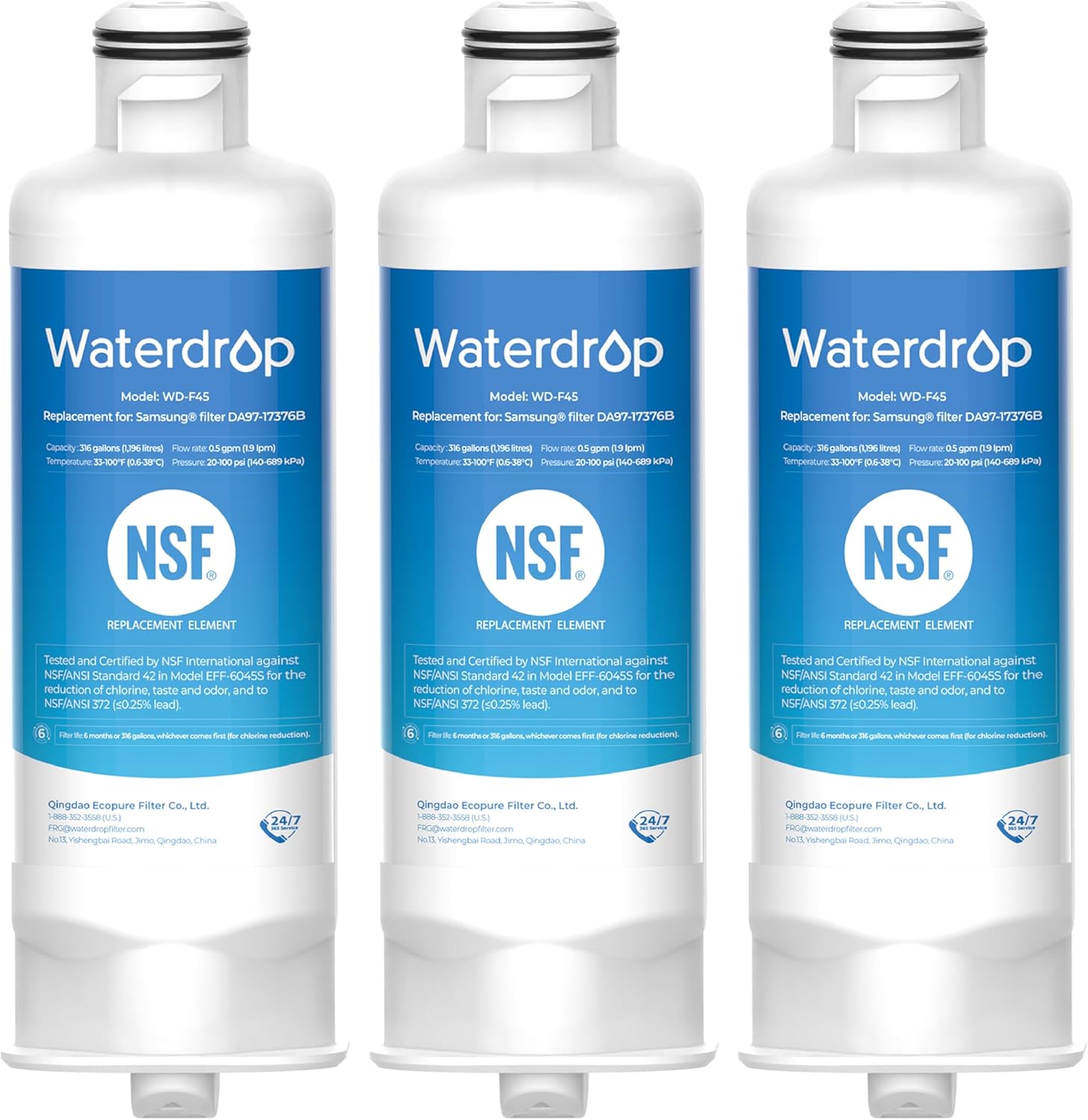
Image 1.1: Waterdrop WD-F45 Refrigerator Water Filters (3-pack).
2. Product Compatibility
The Waterdrop WD-F45 filter is a replacement for specific Samsung refrigerator filter models. It is crucial to confirm your refrigerator's existing filter model to ensure proper fit and function.
2.1 Compatible Filter Models:
- Samsung DA97-17376B
- Samsung DA97-08006C
- Samsung HAF-QIN
- Samsung HAF-QIN/EXP
- GF-841, CF-17, AQF-FF45, WS645A, FL-RF45, MB-F45, RWF4200A, PP-RWF4200A-S
2.2 Compatible Refrigerator Models:
- RF28R7351SG, RF28R7201SR, RS27T5200SR, RF23M8070SR, RF27T5201SR, RF28T5001SR, RF28R7201SG, RF28R7351SR, RF23R6201SR, RF28R6201SR, RF27T5241SR, RF22R7351SG, RF22R7351SR, RF24R7201SR, RS27T5200SG, RF28R6301SR, RF23M8090SG, RF28R6241SR, RF27T5201SG, RF29A9671SR
- Samsung RF220NCTASG, RF220NCTASR, RF22K9381SR, RF22KREDBSR, RF22N9781SG, RF22N9781SR, RF22NPEDBSG, RF23HCEDBWW, RF23J9011SG, RF23J9011SR, RF25HMEDBSG, RF25HMEDBSR, RF25HMEDBWW, RF25HMIDBSG, RF25HMIDBSR, RF260BEAESG, RF260BEAESR, RF261BEAESR, RF262BEAESR, RF263BEAESG, RF263BEAESR, RF263TEAESG, RF265BEAESG, RF265BEAESR, RF26J7500SR, RF28HDEDBSG, RF28HDEDBSR, RF28HFEDBSG, RF28HFEDBSR, RF28HFEDTSG, RF28HFEDTSR, RF28HMEDBSG, RF28HMEDBSR, RF28HMEDBWW, RF28JBEDBSG, RF28JBEDBSR, RF28K9070SG, RF28K9070SR, RF28K9380SR, RF28N9780SG, RF28N9780SR, RF30KMEDBSG, RF30KMEDBSR, RH22H9010SG, RH22H9010SR, RQ48T9432T1, RS22HDHPNSR, RS22HDHPNWW, RS25J500DSR, RS25J500DWW

Image 2.1: Visual guide to choosing the correct filter model. Ensure your existing filter matches the DA97-17376B (HAF-QIN) type.

Image 2.2: Confirming the correct Waterdrop model. The WD-F45 is designed for DA97-17376B replacements.
3. Key Features and Filtration Process
The Waterdrop WD-F45 filter is engineered for effective water purification, utilizing advanced materials and certified performance.
3.1 Filtration Technology
This filter incorporates a 100% Sri Lankan selected coconut shell carbon block. This material offers a large surface area and numerous micropores, enhancing its filtration capabilities compared to traditional charcoal filters.

Image 3.1: Internal view of the filter highlighting the Sri Lankan coconut shell activated carbon and material safety.
3.2 Certified Performance
The Waterdrop WD-F45 is certified by NSF 42 and NSF 372. NSF 42 certification confirms the reduction of chlorine, taste, and odor. NSF 372 certification verifies the use of lead-free materials. These certifications ensure the filter meets high standards for water quality and material safety.

Image 3.2: NSF/ANSI Certification details for the Waterdrop WD-F45 filter.
3.3 Impurity Reduction
The filter effectively reduces various impurities, including:
- Chlorine
- Unpleasant taste and odor
- PFOA (Perfluorooctanoic acid)
- PFOS (Perfluorooctanesulfonic acid)
- Large particles
- Suspended solids
- Sediment
While harmful impurities are reduced, beneficial minerals in the water are retained.
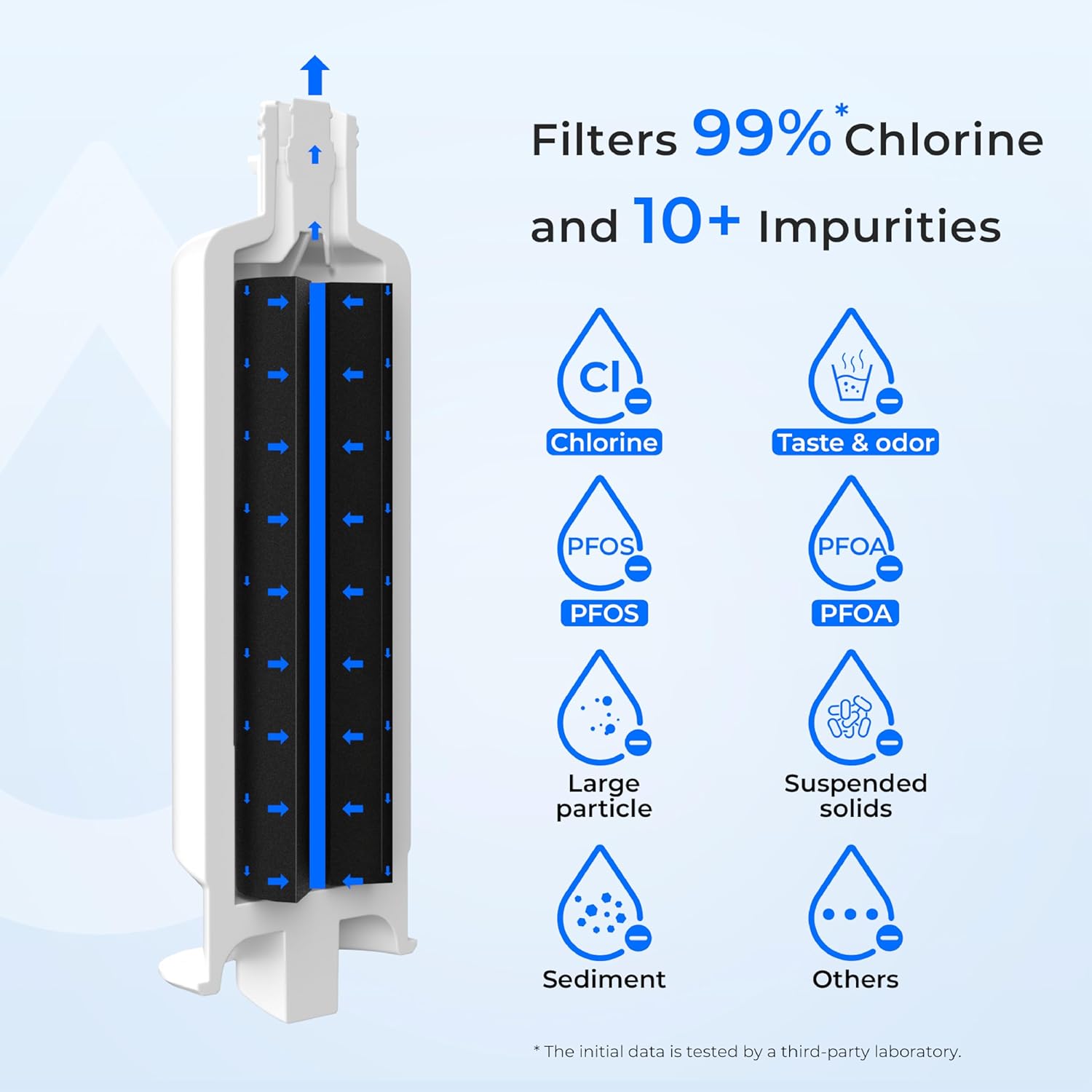
Image 3.3: Visual representation of the impurities reduced by the filter.
4. Installation Instructions
No tools are required for the installation of the Waterdrop WD-F45 filter. Follow these steps for a proper and leak-free installation.
- Turn off Water Supply: Locate the water shut-off valve for your refrigerator and turn it off. This prevents water leakage during the filter replacement process.
- Locate Old Filter: The filter is typically located inside the refrigerator compartment or in the grille at the bottom of the refrigerator.
- Remove Old Filter: Twist the old filter counter-clockwise until it unlocks and pull it straight out. Some residual water may drip, so have a towel ready.
- Prepare New Filter: Remove the new Waterdrop WD-F45 filter from its packaging. Remove the protective cap from the O-rings.
- Insert New Filter: Align the new filter with the filter housing. Push the filter firmly into the housing until it stops.
- Lock New Filter: Twist the filter clockwise until it locks into place. You may feel a slight click or resistance. Ensure it is securely seated to prevent leaks.
- Turn on Water Supply: Restore the water supply to your refrigerator.
- Check for Leaks: Visually inspect the filter area for any signs of water leakage. If leaks occur, re-check the installation and ensure the filter is properly seated and locked.

Image 4.1: The Waterdrop WD-F45 filter is designed for an ideal, leak-free fit.
5. Operating Instructions
After installing the new filter, it is important to flush the system to ensure optimal performance.
- Flush the System: Dispense approximately 2-3 gallons of water through the refrigerator's water dispenser. This flushes out air from the system and any loose carbon particles from the new filter. The water may appear cloudy or discolored initially; this is normal.
- Reset Filter Indicator: Most refrigerators have a filter indicator light. Refer to your refrigerator's user manual for specific instructions on how to reset the filter indicator. Typically, this involves pressing and holding a 'Filter' or 'Reset' button for a few seconds.
6. Maintenance
Regular filter replacement is essential for maintaining water quality and refrigerator performance.
6.1 Filter Replacement Schedule
Replace your Waterdrop WD-F45 filter every 6 months or after filtering 316 gallons of water, whichever comes first. Filter life may vary depending on local water quality and usage.

Image 6.1: Recommended filter lifespan and environmental benefit.
6.2 Tracking Filter Life
The product includes complimentary month install stickers. Apply a sticker to your filter or refrigerator door, marking the installation date and the next replacement date, to easily track its service life.
7. Troubleshooting
If you encounter any issues after installing your new filter, refer to the following common troubleshooting tips:
- Water Leakage: Ensure the filter is fully inserted and twisted clockwise until it locks securely. If the issue persists, remove and re-install the filter, ensuring the O-rings are properly seated and not damaged.
- Slow Water Flow: This can occur if air is trapped in the system. Flush an additional 1-2 gallons of water through the dispenser. If the flow remains slow, the filter might be clogged due to high sediment in your water supply, or it may be nearing the end of its service life.
- Cloudy or Discolored Water: This is common immediately after installation due to trapped air or loose carbon particles. Continue flushing the system until the water runs clear. If discoloration persists after several gallons, contact customer support.
- Filter Indicator Light Remains On: Ensure you have correctly reset the filter indicator according to your refrigerator's specific instructions. Refer to your refrigerator's user manual for the exact procedure.
8. Specifications
| Attribute | Detail |
|---|---|
| Model Number | WD-F45 |
| Material | LEAD-FREE Material, Sri Lankan Coconut Shell Carbon Block |
| Product Dimensions (D x W x H) | 7.28" x 2.55" x 7.95" |
| Item Weight | 1.96 Pounds |
| External Testing Certification | NSF 42 & 372 |
| Product Benefits | Reduces Chloramine, Chlorine, Taste & Odor, PFOA, PFOS, Particles, Sediment |
| Filter Capacity | 316 Gallons |
| Flow Rate | 0.5 GPM (1.9 LPM) |
| Temperature Range | 38-100 Degrees Fahrenheit |
| Lifespan | 6 Months |
9. Warranty and Support
9.1 Warranty Information
Waterdrop provides a Product Lifetime Warranty. This includes a 6-Month Return Policy for any filter confirmed with defects in material, workmanship, or any filter malfunction.
9.2 Customer Support
For further assistance, troubleshooting, or warranty claims, please contact Waterdrop customer support. Refer to the product packaging or the official Waterdrop website for current contact information.
Documents and downloads
Ask a question about this manual
Ask about setup, troubleshooting, compatibility, parts, safety, or missing instructions. Manuals+ will review the question and use this page’s manual context to help answer it.