1. Introduction
Thank you for choosing Blaupunkt GTX680 6x8-inch 4-Way Coaxial Car Audio Speakers. These speakers are designed to deliver clear and powerful audio performance in your vehicle. This manual provides essential information for proper installation, operation, and maintenance to ensure optimal performance and longevity of your speakers.
Please read this manual thoroughly before installation and keep it for future reference.
2. Safety Information
- Always disconnect the vehicle's battery before beginning any electrical installation to prevent short circuits.
- Ensure all wiring is properly insulated and secured to prevent damage and interference.
- Do not install speakers in locations that obstruct the driver's view or interfere with vehicle safety features (e.g., airbags).
- Wear appropriate safety gear, including eye protection, during installation.
- If you are unsure about any part of the installation process, consult a qualified car audio professional.
- Avoid exposing speakers to excessive moisture or extreme temperatures. The speakers are waterproof, but prolonged submersion or direct high-pressure water exposure should be avoided.
3. Package Contents
Verify that all items are present in the package:
- Two (2) Blaupunkt GTX680 6x8-Inch 4-Way Coaxial Car Audio Speakers
- Speaker Grilles (2)
- Mounting Hardware/Accessories (Speaker Surround Kit)
4. Product Features
The Blaupunkt GTX680 speakers incorporate advanced design and materials for superior sound reproduction:
- High-Quality Polypropylene Woofer Cone: Engineered for clear and accurate sound reproduction.
- Butyl Rubber Surround: Provides durability and improved bass response.
- Mylar Dome Tweeter: Delivers crisp and detailed high frequencies.
- 1-Inch High-Temperature Aluminum Voice Coil: Ensures stable performance under high power.
- Ceramic Magnet: Contributes to efficient power handling and sound quality.
- 4-Way Coaxial Design: Integrates multiple drivers for a full-range audio experience.
- Waterproof Construction: Designed to withstand moisture, enhancing durability in automotive environments.
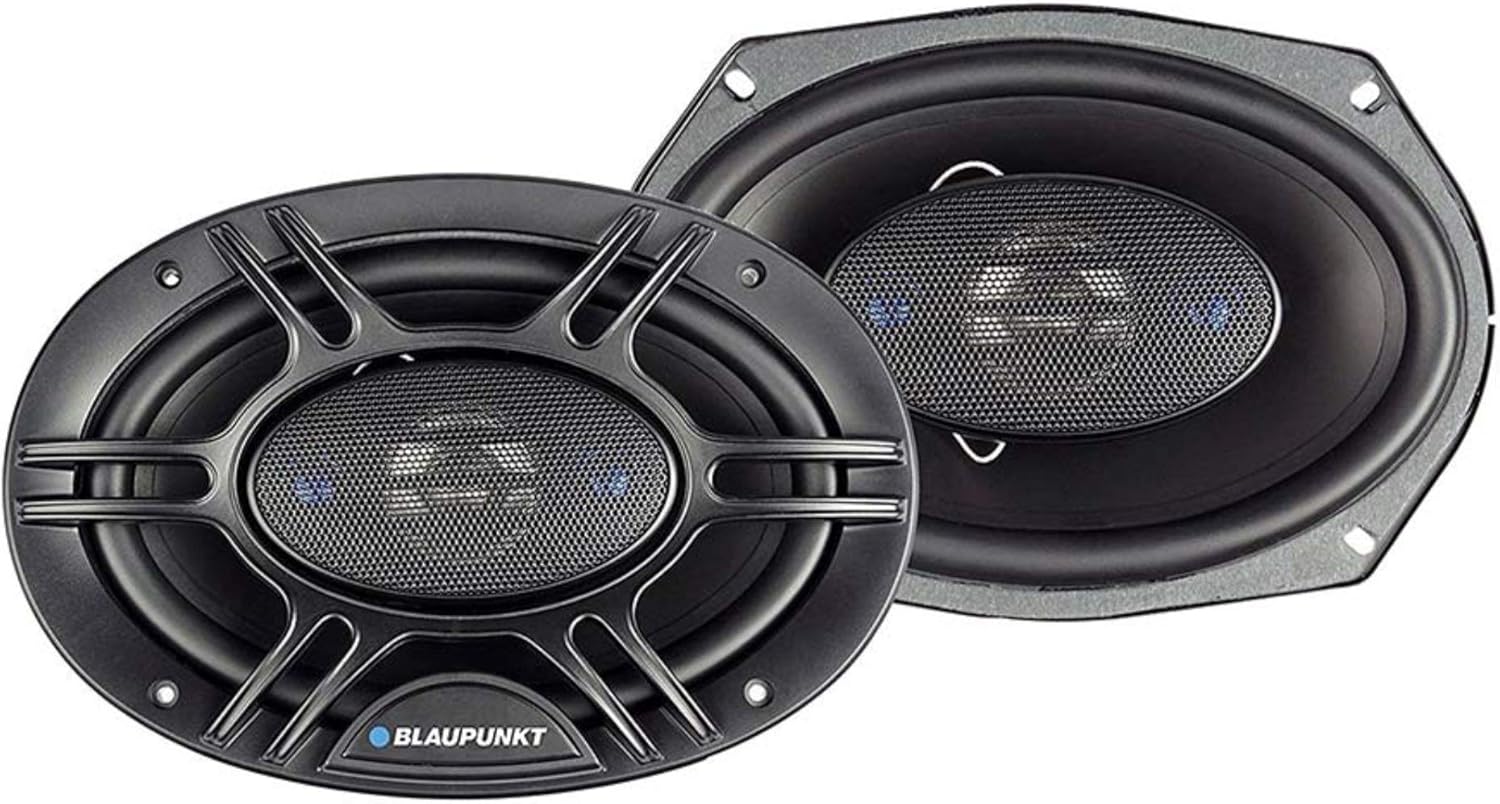
Image 1: Front view of the Blaupunkt GTX680 6x8-inch coaxial car audio speakers, showing the woofer cone, tweeter, and grille.
5. Setup and Installation
Proper installation is crucial for optimal sound quality and speaker longevity. It is recommended to have these speakers installed by a professional car audio technician if you are not familiar with car audio wiring and vehicle disassembly.
5.1. Pre-Installation Checks
- Compatibility: Ensure the 6x8-inch speaker size is compatible with your vehicle's speaker openings.
- Power Requirements: Confirm your car's head unit or amplifier can provide adequate power (120W RMS / 300W Peak) without exceeding the speaker's limits.
- Tools: Gather necessary tools such as screwdrivers, wire strippers, crimpers, and a multimeter.
5.2. Installation Steps (General Guide)
- Disconnect Battery: Disconnect the negative terminal of your vehicle's battery.
- Remove Old Speakers: Carefully remove door panels or speaker grilles to access the existing speakers. Disconnect their wiring.
- Mount New Speakers: Place the Blaupunkt GTX680 speakers into the openings. Use the provided mounting hardware to secure them firmly. Ensure a snug fit to prevent vibrations.
- Wire Speakers: Connect the speaker wires from your head unit or amplifier to the terminals on the Blaupunkt speakers. Pay attention to polarity (+ to + and - to -) to ensure correct phase and sound quality.
- Test Connection: Before reassembling, temporarily reconnect the battery and test the speakers with low volume to ensure they are working correctly.
- Reassemble: Once confirmed, disconnect the battery again, secure all wiring, and reassemble the vehicle's panels and grilles. Reconnect the battery.
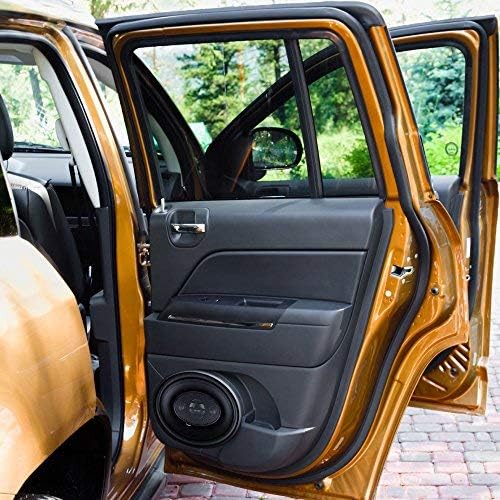
Image 2: A Blaupunkt GTX680 speaker visibly installed in the lower section of a car door panel, demonstrating a typical installation location.
6. Operating Instructions
Once installed, your Blaupunkt GTX680 speakers will operate in conjunction with your car's audio system (head unit/amplifier).
- Initial Playback: Start with a low volume setting on your head unit. Gradually increase the volume to ensure all speakers are functioning and sound is clear.
- Audio Settings: Adjust the bass, treble, balance, and fader settings on your head unit to achieve your preferred sound profile. Avoid excessive bass or treble boost that can lead to distortion.
- Volume Levels: While these speakers can handle up to 300W peak power, prolonged listening at extremely high volumes can cause hearing damage and speaker fatigue. Listen at comfortable levels.
7. Maintenance
Minimal maintenance is required to keep your Blaupunkt GTX680 speakers in excellent condition:
- Cleaning: Gently wipe the speaker grilles and surrounds with a soft, damp cloth to remove dust and dirt. Avoid using harsh chemicals or abrasive cleaners.
- Inspection: Periodically check the speaker cones and surrounds for any signs of damage or wear. Ensure all mounting screws remain tight.
- Environmental Protection: While waterproof, it is best to protect the speakers from direct, prolonged exposure to extreme weather conditions when possible.
8. Troubleshooting
If you encounter issues with your speakers, refer to the following common troubleshooting steps:
| Problem | Possible Cause | Solution |
|---|---|---|
| No sound from speakers |
|
|
| Distorted or unclear sound |
|
|
| Intermittent sound |
|
|
If the problem persists after attempting these solutions, contact Blaupunkt customer support or a certified car audio technician.
9. Specifications
Detailed technical specifications for the Blaupunkt GTX680 speakers:
| Feature | Specification |
|---|---|
| Model Name | GTX680 |
| Speaker Type | Coaxial, 4-Way |
| Speaker Size | 6 x 8 Inches |
| Woofer Diameter | 6 Inches |
| Material | Polypropylene (Cone), Butyl Rubber (Surround), Mylar (Tweeter) |
| MAX Power Handling | 300 Watts (Peak) |
| RMS Power Handling | 120 Watts |
| Impedance | 4 Ohms |
| Frequency Response | 50Hz-20kHz |
| Sensitivity | 90dB |
| Voice Coil | 1-Inch High-Temperature Aluminum |
| Magnet Type | Ceramic |
| Product Dimensions | 8"D x 12"W x 3.5"H (Approximate) |
| Item Weight | 3.5 Pounds (per speaker, approximate) |
| Water Resistance Level | Waterproof |
| UPC | 815592021971 |
10. Warranty and Support
Blaupunkt GTX680 speakers come with a Limited Warranty. Please refer to the warranty card included with your product for specific terms and conditions, including coverage duration and claim procedures.
For technical assistance, troubleshooting beyond this manual, or warranty inquiries, please contact Blaupunkt customer support through their official website or the contact information provided with your purchase.
Online Support: Visit the official Blaupunkt Store for additional product information and support resources.


