
Introduction
Thank you for purchasing the JVD HS12.3 Quartz Wooden Mantel Clock. This manual provides detailed instructions for the proper setup, operation, and maintenance of your new clock. Please read this manual thoroughly before use and retain it for future reference.
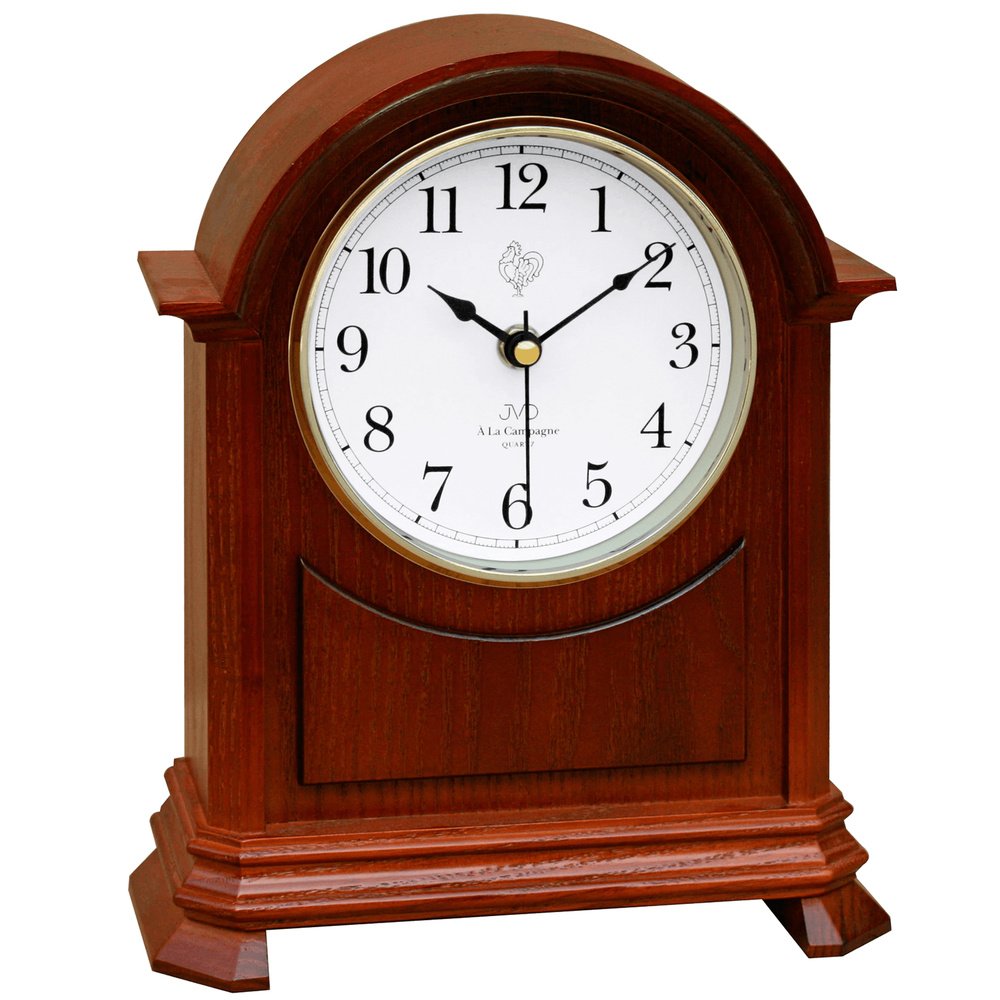
Figure 1: Front view of the JVD HS12.3 Quartz Wooden Mantel Clock. This image shows the clock's classic design with a white analog dial and black Arabic numerals, housed in a cherry-finished wooden casing.
Important Safety Information
Please observe the following safety precautions:
- Do not expose the clock to extreme temperatures, direct sunlight, or high humidity.
- Avoid placing the clock near strong magnetic fields.
- Do not attempt to disassemble or repair the clock yourself. Refer to qualified service personnel.
- Keep batteries out of reach of children. Dispose of used batteries properly.
Package Contents
Ensure all items are present upon unpacking:
- JVD HS12.3 Quartz Wooden Mantel Clock (1 unit)
- Instruction Manual (this document)
Note: 3 x AA batteries are required for operation and are not included in the package.
Setup
1. Battery Installation
- Locate the battery compartment cover on the back of the clock.
- Remove the cover by sliding or unlatching it.
- Insert three (3) AA batteries, ensuring the correct polarity (+ and -) as indicated inside the compartment.
- Replace the battery compartment cover securely.
2. Setting the Time
- Locate the time setting knob on the back of the clock, usually near the center of the movement.
- Gently turn the knob clockwise to advance the hands to the correct time.
- Ensure the minute hand aligns precisely with the minute markers for accurate timekeeping.
3. Placement
Place the clock on a stable, flat surface, such as a mantelpiece, shelf, or desk. Ensure it is away from direct sunlight, heat sources, and areas with high humidity to prevent damage to the wooden casing and internal components.
Operation
Timekeeping
Once batteries are installed and the time is set, the quartz movement will begin accurate timekeeping. The clock displays hours, minutes, and seconds via its analog hands.
Chime Function
The JVD HS12.3 clock features a chime function with Westminster melody and an hourly strike. It also includes an automatic night shut-off feature.
- Westminster Chime: Plays a melody every hour.
- Hourly Strike: After the Westminster chime, the clock will strike the hour (e.g., 3 strikes for 3 o'clock).
- Automatic Night Shut-off: The chime function automatically deactivates between 10 PM (22:00) and 5 AM (05:00) to ensure quiet during sleeping hours. It will resume automatically after 5 AM.
Adjusting Chime Settings (if applicable)
Some models may have controls for chime volume or to disable the chime. Refer to any specific markings or additional knobs/switches on the back of your clock. If no such controls are present, the chime operates as described above.
Maintenance
Cleaning
- Casing: Wipe the wooden casing with a soft, dry, lint-free cloth. For stubborn marks, a slightly damp cloth followed by immediate drying is acceptable. Avoid abrasive cleaners or chemical sprays, which can damage the wood finish.
- Glass: Clean the glass face with a soft cloth and a non-ammonia glass cleaner, sprayed onto the cloth first, not directly onto the clock.
Battery Replacement
When the clock hands begin to slow down or the chime becomes weak or stops, it is time to replace the batteries. Replace all three AA batteries simultaneously with new ones to ensure optimal performance. Follow the battery installation steps in the "Setup" section.
Storage
If storing the clock for an extended period, remove the batteries to prevent leakage and potential damage to the movement.
Troubleshooting
| Problem | Possible Cause | Solution |
|---|---|---|
| Clock not running | Dead or incorrectly installed batteries | Check battery polarity; replace with fresh AA batteries. |
| Chime not working |
|
|
| Incorrect time displayed | Time not set correctly; hands stuck | Reset the time using the setting knob. Ensure hands move freely. |
Specifications
| Feature | Detail |
|---|---|
| Model: | HS12.3 |
| Brand: | JVD |
| Movement: | Quartz |
| Display Type: | Analog |
| Dimensions (H x W x D): | 27 cm x 21 cm x 8.5 cm (approx. 10.6 in x 8.3 in x 3.3 in) |
| Casing Material: | Wood (Mahogany finish) |
| Dial Color: | White with black Arabic numerals |
| Power Source: | 3 x AA batteries (not included) |
| Special Features: | Westminster Chime, Hourly Strike, Automatic Night Shut-off (22:00 - 05:00) |
| Usage: | Indoor use only |
Warranty Information
JVD products are manufactured to high-quality standards. For specific warranty terms and conditions, please refer to the warranty card included with your purchase or visit the official JVD website. Typically, warranty covers manufacturing defects under normal use. Damage resulting from misuse, accidents, or unauthorized repairs is not covered.
Customer Support
If you encounter any issues not covered in this manual or require further assistance, please contact your retailer or the official JVD customer support. Contact details can usually be found on the product packaging or the JVD official website.
When contacting support, please have your model number (HS12.3) and purchase date available.