
1. Introduction
The Chicco Next2Dreams Baby Mobile is an electronic 3-in-1 device designed to soothe and entertain infants from birth. It features classical music, white noise, a soft night light, and rotating pendants. This mobile is compatible with Chicco Next2Me cots and most standard wooden cots. The electronic panel is removable for versatile use.
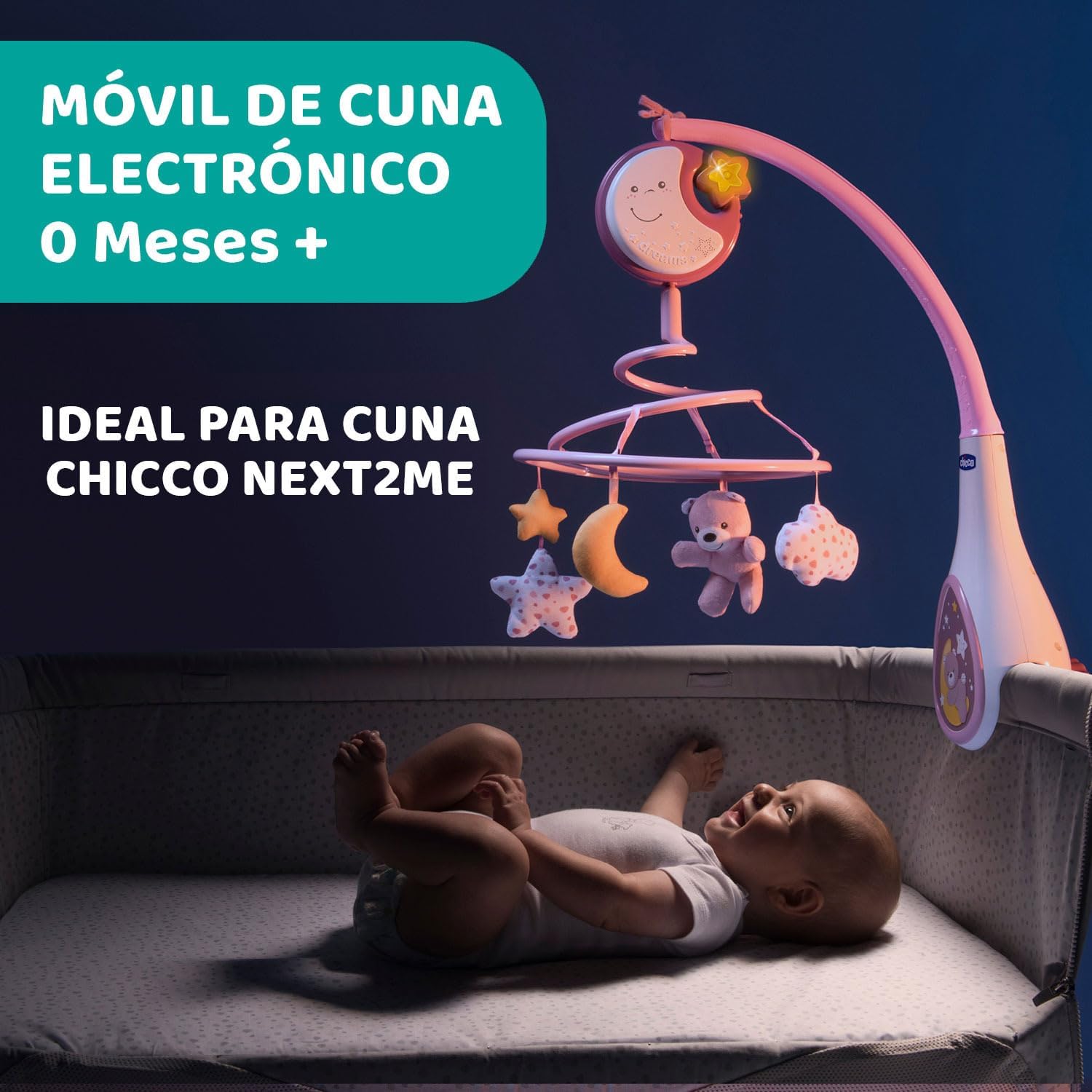
Figure 1: Chicco Next2Dreams Baby Mobile installed on a cot, ideal for babies from 0 months.
2. Safety Information
Please read and retain these instructions for future reference. Ensure the mobile is securely attached to the cot according to the installation guidelines. Always supervise your child when the mobile is in use. This product is intended for infants from 0+ months. Discontinue use when the child begins to push up on hands and knees or reaches 5 months of age, whichever comes first, to prevent entanglement. Keep all packaging materials away from children.
Important Note on Volume: In accordance with safety recommendations to protect infant hearing, the mobile's volume is set to a maximum of 75 decibels. This volume level is appropriate for babies but may sound low or distorted to adult ears.
3. Package Contents
- Chicco Next2Dreams Mobile Unit (main arm and hanger)
- Electronic Music Box Panel
- 4 Hypoallergenic Fabric Pendants (e.g., bear, stars, moon)
- Instruction Manual
4. Setup and Installation
The Next2Dreams mobile is designed for easy installation on most cots, including Chicco Next2Me models and standard wooden cots with a maximum rail thickness of 38 mm.
- Attach the Main Arm: Position the mobile's main arm securely onto the cot rail. Ensure the clamping mechanism is tightened firmly to prevent movement.
- Install the Electronic Panel: Slide the electronic music box panel onto the designated slot on the main arm. Ensure it clicks into place.
- Hang the Pendants: Attach the four hypoallergenic fabric pendants to the spiral hanger.
- Insert Batteries: Open the battery compartment on the electronic panel (usually located on the back or bottom). Insert the required batteries (type and quantity specified in the compartment) ensuring correct polarity. Close the compartment securely.
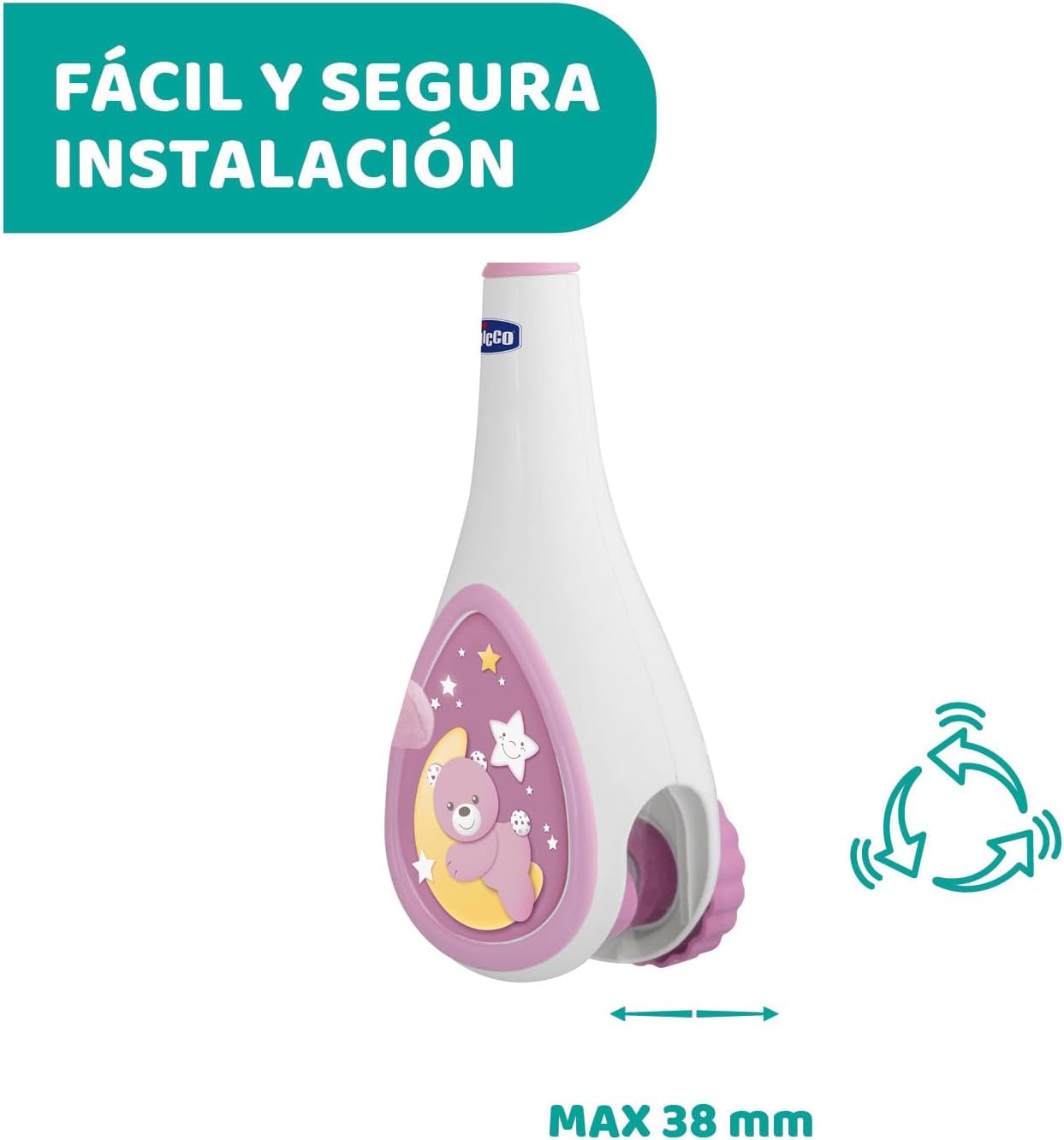
Figure 2: Secure and easy installation mechanism, compatible with cot rails up to 38 mm thick.
5. Operating Instructions
The Chicco Next2Dreams mobile offers multiple features to create a calming environment for your baby.
5.1 Music and Sound Effects
The electronic music box plays up to 20 minutes of classical music from composers like Chopin, Schumann, and Offenbach. It also features relaxing white noise sounds, including a heartbeat simulation, designed to mimic sounds heard in the womb.
- Press the music button (often indicated by a musical note icon) to cycle through classical melodies and white noise.
- Press and hold the button to adjust volume if available, or to turn off the sound.

Figure 3: Electronic music box panel offering 20 minutes of classical music and soothing white noise.
5.2 Soft Night Light
A gentle night light is integrated into the electronic panel to create a soft, dreamy atmosphere in the baby's room.
- Press the light button (often indicated by a star or light bulb icon) to activate or deactivate the night light.

Figure 4: Soft night light feature on the mobile's electronic panel.
5.3 Rotating Pendants
The four cute, hypoallergenic fabric pendants gently rotate, providing visual stimulation and helping to lull your baby to sleep.
- The rotation typically activates automatically when music or sounds are played.

Figure 5: Spiral rotation of the four plush pendants.
5.4 Removable Electronic Panel
The electronic music box panel can be detached from the mobile unit and used independently. This allows you to attach it to other locations, such as a pushchair or pram, for continued soothing on the go.
- To remove, gently slide the panel upwards or press the release button (if present) and lift it off the main arm.
- To attach to a pushchair, use the integrated hooking system.

Figure 6: Removable music box panel for versatile use on a cot side.

Figure 7: Portable music box panel attached to a stroller for on-the-go use.
6. Maintenance
- Cleaning: Wipe the plastic parts of the mobile with a damp cloth. Do not immerse the electronic panel in water. The hypoallergenic fabric pendants can be hand-washed with mild soap and air-dried.
- Battery Replacement: When the sounds or lights become faint, or the rotation slows, it is time to replace the batteries. Always use the recommended battery type and ensure correct polarity. Dispose of old batteries responsibly.
- Storage: When not in use for extended periods, remove the batteries to prevent leakage and store the mobile in a clean, dry place.
7. Troubleshooting
| Problem | Possible Cause | Solution |
|---|---|---|
| Mobile not turning / No sound / No light |
|
|
| Sound is too low or distorted |
|
|
| Mobile detaches from cot |
|
|
8. Specifications
- Brand: Chicco
- Model Number: 00007627100000
- Mounting Type: Crib Mount
- Material: Plastic (main unit), Hypoallergenic Fabric (pendants)
- Theme: Baby, Classical Music
- Color: Pink
- Global Trade Identification Number (GTIN): 08058664089789
- Item Dimensions: 15.75 x 4.72 x 13.78 inches (40 x 12 x 35 cm approx.)
- Item Weight: 0.85 Kilograms (approx. 1.87 lbs)
- Additional Features: Hypoallergenic pendants, Removable electronic panel
- Power Source: Batteries (not included, type usually AA or AAA)
9. Warranty and Support
For warranty information, product support, or to purchase replacement parts, please contact Chicco customer service. Refer to the official Chicco website or your purchase documentation for specific contact details and warranty terms applicable to your region.
Chicco Official Website: www.chicco.com


