
1. Introduction
Thank you for choosing the Omron HJ322U-E Walking Style Pro 2.0 Pedometer. This device is designed to accurately measure your daily steps and aerobic steps, helping you monitor your physical activity and achieve your fitness goals. Please read this manual thoroughly before using the device to ensure proper operation and to maintain its longevity.

Figure 1: Front view of the Omron HJ322U-E Walking Style Pro 2.0 Pedometer, showing the display and control buttons.
2. Product Overview
The Omron HJ322U-E is a compact and portable pedometer featuring a clear digital display and intuitive controls. It is equipped with a highly accurate sensor to track your steps throughout the day. The device is designed for ease of use and portability, making it an ideal companion for daily walks and fitness tracking.
Key Features:
- Step Counting: Accurately tracks total steps taken.
- Aerobic Steps: Identifies and counts steps taken during moderate to intense activity.
- Portable Sensor: Designed for convenient wear.
- Memory Function: Stores daily activity data.
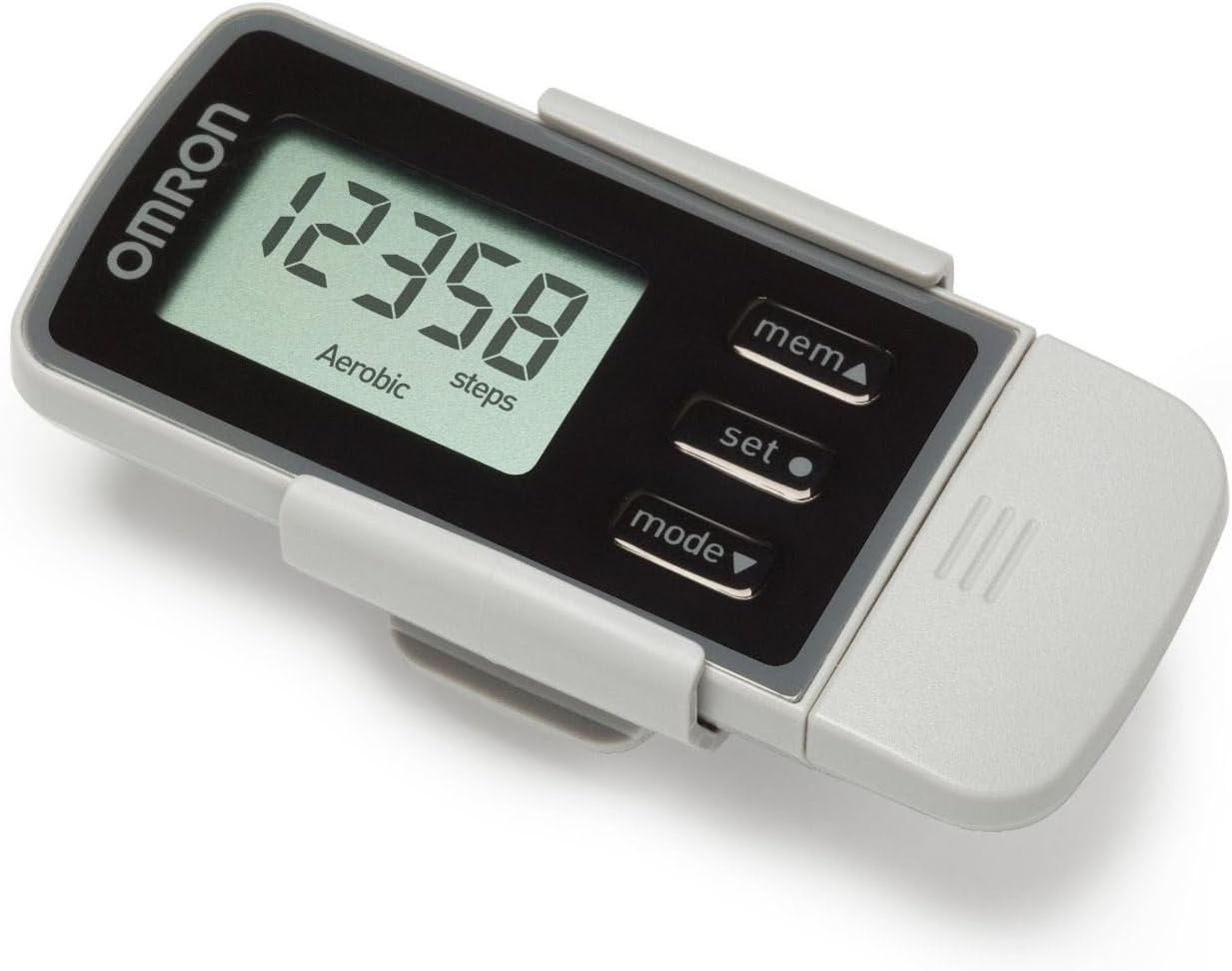
Figure 2: Angled view of the Omron HJ322U-E Pedometer, showing its compact design and integrated clip for attachment.
3. Setup
3.1 Battery Installation
The Omron HJ322U-E Pedometer requires one CR2 Lithium-ion battery (not included). Follow these steps to install the battery:
- Locate the battery compartment cover on the back of the device.
- Use a small coin or screwdriver to gently open the battery cover.
- Insert one CR2 battery, ensuring the positive (+) and negative (-) terminals are aligned correctly as indicated inside the compartment.
- Replace the battery cover and secure it firmly.
3.2 Initial Settings
Upon first use or after battery replacement, you may need to set the time, date, and personal stride length for accurate measurements. Refer to the on-screen prompts and use the 'set' and 'mode' buttons to navigate and confirm your selections.
4. Operation
4.1 Wearing the Pedometer
For optimal accuracy, wear the Omron HJ322U-E Pedometer securely on your waistband or belt, positioned vertically above your hip. The integrated clip allows for easy attachment. Ensure it is not loose or swinging, as this may affect step counting accuracy.
4.2 Basic Functions
- Power On/Off: The device typically powers on automatically when motion is detected or a button is pressed. It may enter a low-power sleep mode when inactive.
- Viewing Steps: The main display shows your current step count.
- Aerobic Steps: The display will indicate when aerobic steps are being counted, usually below the main step count.
- Mode Button (mode▼): Press to cycle through different display modes, such as total steps, aerobic steps, distance, calories burned, or time.
- Set Button (set●): Used to enter settings mode or confirm selections during setup.
- Memory Button (mem▲): Press to view historical data, such as previous day's step counts.
5. Data Transfer
The Omron HJ322U-E Pedometer supports data transfer to a computer for detailed activity tracking and analysis. This typically requires a compatible USB dongle (sold separately) and Omron's health management software.
- Install the Omron health management software on your computer.
- Insert the USB dongle into an available USB port on your computer.
- Follow the software instructions to pair your pedometer and initiate data transfer.

Figure 3: The Omron HJ322U-E Pedometer connected to a laptop, illustrating the data transfer capability via a USB dongle.
6. Maintenance
6.1 Cleaning
To clean your pedometer, wipe it gently with a soft, dry cloth. Do not use abrasive cleaners, solvents, or immerse the device in water. Keep the device dry.
6.2 Storage
Store the pedometer in a cool, dry place away from direct sunlight, extreme temperatures, and humidity. If storing for an extended period, remove the battery to prevent leakage.
7. Troubleshooting
Common Issues and Solutions:
- Device not turning on: Check battery installation. Ensure the battery is new and correctly inserted.
- Inaccurate step count: Ensure the pedometer is worn securely and vertically on your waistband or belt. Avoid loose clothing covering the device. Verify your stride length setting is accurate.
- Display is blank or dim: Replace the battery. If the issue persists, contact customer support.
- Data transfer issues: Ensure the USB dongle is properly connected and the Omron software is correctly installed and running. Refer to the software's help section.
8. Specifications
| Feature | Specification |
|---|---|
| Model Number | HJ322UE |
| Color | Black |
| Material | Plastic |
| Item Weight | 50 Grams |
| Sensor Type | Pedometer |
| Compatible Devices | Smartphones (via data transfer software/accessories) |
| Battery Type | 1 x CR2 Lithium-ion battery (not included) |
| Package Dimensions | 14.5 x 8.2 x 3.8 cm |
9. Warranty and Support
For information regarding warranty coverage, product registration, or technical support, please refer to the warranty card included with your product or visit the official Omron Healthcare website. You can also visit the OMRON Store on Amazon for additional product information and support resources.
Please retain your purchase receipt as proof of purchase for warranty claims.