
Hatchimals 6044086
Hatchimals HatchiBabies Chipadee Instruction Manual
Model: 6044086
Introduction
The Hatchimals HatchiBabies Chipadee is an interactive toy designed to simulate the hatching and care of a baby creature. This manual provides detailed instructions for setup, hatching, interaction, and maintenance to ensure optimal enjoyment and functionality of your HatchiBaby.
What's Included

Figure 1: Hatchimals HatchiBabies Chipadee product packaging.
- 1 Hatchimals HatchiBaby Egg (contains one interactive HatchiBaby)
- 1 Official Hatchibirth Certificate
- 5 Accessories (rattle, hairbrush, bottle, cuddle buddy, interactive acorn)
- Instruction Booklet
- Cheat Sheet
- 2 AA batteries (pre-installed)
Setup
Your HatchiBaby comes with pre-installed batteries. No initial setup is required beyond removing the product from its packaging. Ensure the egg is placed on a flat, stable surface for optimal interaction.
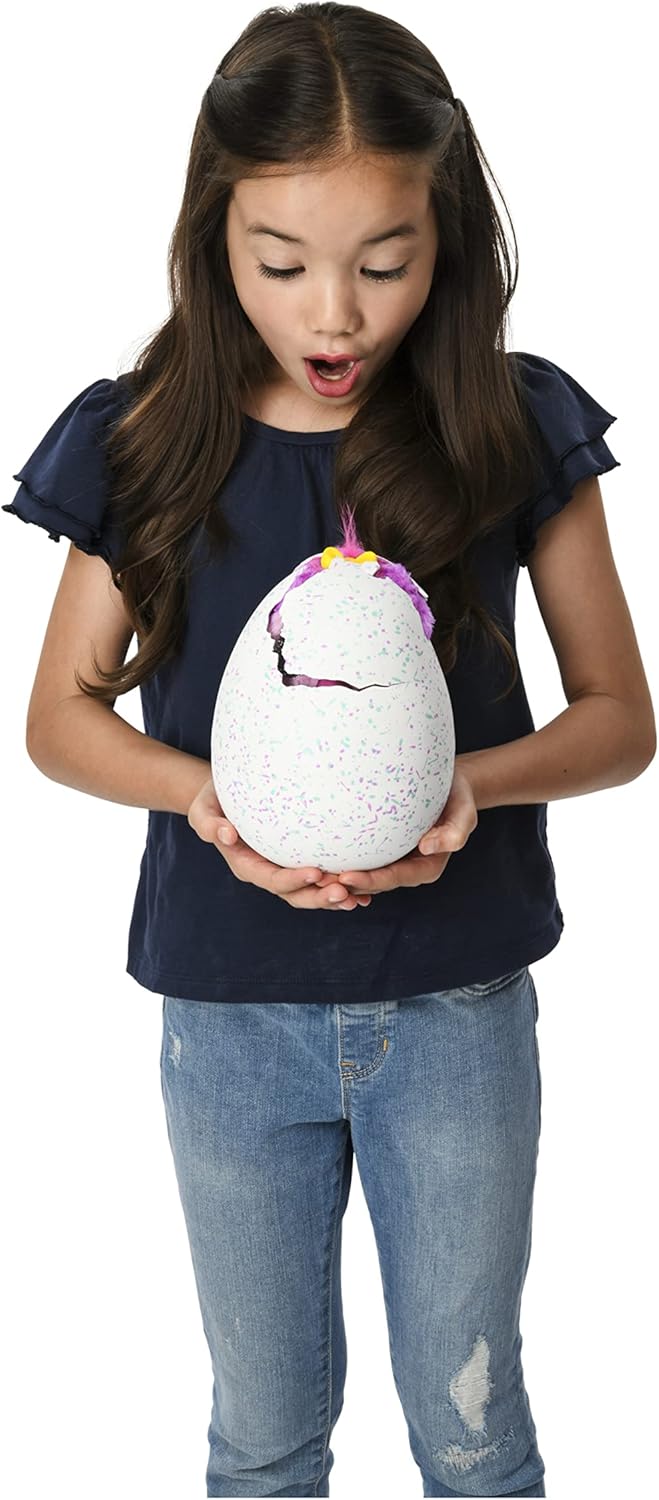
Figure 2: Interacting with the HatchiBaby egg before hatching.
Hatching Instructions
To begin the hatching process, interact with your HatchiBaby egg. This involves hugging, tapping, and patting the egg. The HatchiBaby inside will respond with sounds. The more you interact, the more excited it becomes.
- Encourage Hatching: Gently rub the egg. The egg may rock back and forth on its own as the HatchiBaby gets ready.
- Observe Eye Color: When rainbow-colored eyes shine through the shell, your HatchiBaby is ready to hatch.
- Assist Hatching: Rub the egg to encourage the HatchiBaby to break through. You may need to gently peel back parts of the shell to assist.
- Discover Gender: After hatching, locate the secret message inside the egg to determine if you have hatched a Hatchiboy or Hatchigirl.
- Complete Birth Certificate: Fill out the included Hatchibirth Certificate with your HatchiBaby's details.

Figure 3: Official Hatchibirth Certificate.
Interacting with your HatchiBaby
Your HatchiBaby comes to life with color-changing eyes, moving beak, and rocking body. Its eye color indicates its mood or needs. Refer to the included cheat sheet for a full guide to eye colors and corresponding actions.

Figure 4: A hatched HatchiBaby in its highchair.
The more you play and interact with your HatchiBaby, the more responses and tricks you will unlock. You can teach your HatchiBaby to talk and play various games.
Key Interactions:
- Feeding: Use the bottle accessory to feed your HatchiBaby.
- Burping: Gently pat its back after feeding.
- Tickling: Tickle its tummy to hear giggles.
- Snuggling: Hold and cuddle your HatchiBaby for comforting sounds.
- Talking: Speak to your HatchiBaby, and it may chatter back to you.
- Peek-a-boo: Cover and uncover its eyes to play peek-a-boo.
Accessories and Play
After hatching, reach into the egg to find a highchair and four hidden accessories: a rattle, hairbrush, bottle, and cuddle buddy. These accessories enhance interaction with your HatchiBaby.

Figure 5: Hatched HatchiBaby with all included accessories.
- Rattle: Shake the rattle near your HatchiBaby to elicit responses.
- Hairbrush: Gently brush your HatchiBaby's fur.
- Bottle: Use the bottle for feeding interactions.
- Cuddle Buddy: Offer the cuddle buddy for comfort.
- Interactive Acorn: The exclusive interactive acorn can unlock the "Chipadee Chatter" game. Talk to your Chipadee, and it will chatter back, simulating a conversation.

Figure 6: Two HatchiBabies with their accessories, demonstrating variety.
Official How-To Video
Video 1: Official Hatchibabies Unboxing and How-To Guide from Spin Master. This video provides a visual walkthrough of the hatching process and various interactions with your HatchiBaby.
Specifications
| Feature | Detail |
|---|---|
| Brand Name | Hatchimals |
| Model Name | Hatchimals |
| Model Number | 6044086 |
| Character | Chipadee (Hatchimal) |
| Toy Figure Type | Interactive Gaming Figure |
| Manufacturer | Spin Master |
| Minimum Age | 60 months (5 years) |
| Maximum Age | 1188 months (99 years) |
| Power Source | Battery powered |
| Batteries Required | 2 AA batteries (included) |
| Material Type | Plastic, Plush |
| Item Dimensions (L x W x H) | 8"L x 7"W x 10"H |
| Item Weight | 1.4 pounds |
| GTIN / UPC | 778988542507 |
Troubleshooting
- HatchiBaby not responding: Ensure batteries are correctly installed and not depleted. Replace batteries if necessary.
- Hatching process is slow: Continue to interact with the egg by rubbing, tapping, and patting. Patience is key as the HatchiBaby prepares to emerge.
- HatchiBaby not moving/making sounds: Check the on/off switch located on the bottom of the HatchiBaby to ensure it is in the "on" position.
- Difficulty understanding eye colors: Refer to the included cheat sheet for a quick reference guide to all eye color meanings and corresponding actions.
Care and Maintenance
- Cleaning: Wipe the HatchiBaby with a soft, damp cloth. Do not immerse in water.
- Storage: Store the HatchiBaby and its accessories in a clean, dry place away from direct sunlight and extreme temperatures.
- Battery Replacement: When replacing batteries, use 2 new AA alkaline batteries. Ensure correct polarity.
- Disposal: Dispose of batteries and the product responsibly according to local regulations.
Warranty and Support
This product is covered by the Spin Master Care Commitment. For detailed warranty information, product support, or to contact customer service, please refer to the manufacturer's official website or the contact information provided in the product packaging.
Related documents6044086


Ask a question about this manual
Ask about setup, troubleshooting, compatibility, parts, safety, or missing instructions. Manuals+ will review the question and use this page’s manual context to help answer it.