
TecTake 400162
TecTake Professional Ice Maker User Manual
Model: 400162
1. Important Safety Instructions
Please read all instructions carefully before operating the appliance and retain them for future reference. Failure to follow these instructions may result in electric shock, fire, or serious injury.
- Electrical Safety: Ensure the power supply matches the voltage specified on the appliance. Do not operate with a damaged power cord or plug. Do not immerse the appliance, cord, or plug in water or other liquids.
- Placement: Place the ice maker on a stable, level surface away from direct sunlight, heat sources, and corrosive gases. Ensure adequate ventilation around the unit.
- Water Quality: Use only potable water. Do not fill with carbonated beverages or other liquids.
- Children and Pets: Keep the appliance out of reach of children and pets. Supervision is necessary when the appliance is used near children.
- Maintenance: Unplug the appliance before cleaning or performing any maintenance. Do not attempt to repair the appliance yourself; contact qualified service personnel.
- Usage: This appliance is intended for household and similar applications only. Do not use outdoors.
2. Package Contents
Verify that all items listed below are included in your package. If any items are missing or damaged, please contact customer support.
- TecTake Professional Ice Maker Unit
- Ice Bucket
- Ice Scoop
- User Manual (this document)

Image: The TecTake Ice Maker with its lid open, revealing the removable ice bucket and the included ice scoop.
3. Product Overview
Familiarize yourself with the main components of your TecTake Professional Ice Maker.

Image: Front view of the TecTake Professional Ice Maker, showcasing its sleek silver design and control panel.
Control Panel
The intuitive control panel provides status indicators and operation control.
- ADD WATER Indicator (Red): Illuminates when the water reservoir needs refilling.
- FULL ICE Indicator (Red): Illuminates when the ice basket is full.
- ON/OFF Button (Green LED): Press to turn the ice maker on or off. The green LED indicates power is on.

Image: A detailed view of the control panel, showing the 'ADD WATER' and 'FULL ICE' indicator lights, and the 'ON/OFF' button.
4. Setup
4.1 Unpacking
- Carefully remove the ice maker from its packaging.
- Remove all packing materials, tapes, and labels.
- Inspect the appliance for any damage. Do not operate if damaged.
4.2 Placement
- Place the ice maker on a flat, stable, and heat-resistant surface.
- Ensure there is at least 10 cm (4 inches) of space around the unit for proper ventilation.
- Avoid placing the unit near heat sources (e.g., ovens, radiators) or in direct sunlight, as this can affect ice production efficiency.
4.3 First Use & Initial Cleaning
- Before first use, clean the interior of the ice maker. Remove the ice basket and wash it with warm water and a mild detergent. Rinse thoroughly.
- Wipe the interior with a soft cloth.
- Fill the water reservoir with potable water up to the MAX fill line. Do not overfill.
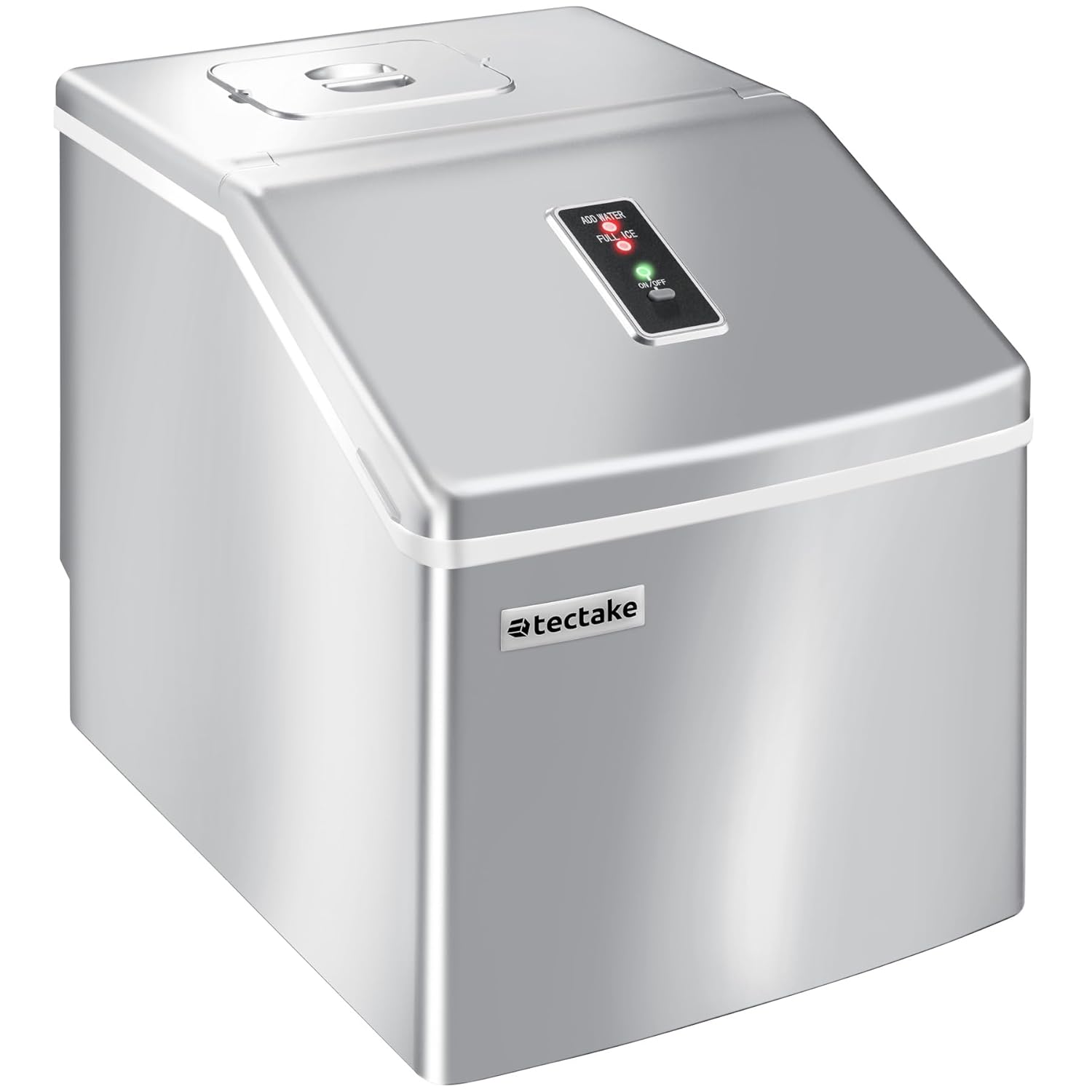
Image: Illustrates the process of filling the water reservoir of the ice maker with a bottle of water.
- Plug the power cord into a grounded electrical outlet.
- Press the ON/OFF button to start the ice maker.
- Allow the unit to run for 3-4 cycles, discarding the first few batches of ice to ensure cleanliness.
- Drain the water from the reservoir (refer to Maintenance section for draining instructions) and refill with fresh water before regular use.
5. Operating Instructions
5.1 Starting Ice Production
- Ensure the water reservoir is filled with potable water.
- Plug the ice maker into a suitable power outlet.
- Press the ON/OFF button. The green LED will illuminate, and the ice production cycle will begin.
5.2 Ice Production Cycle
The ice maker will automatically draw water from the reservoir into the ice-making tray. Ice cubes are formed on the freezing rods. Once formed, the ice cubes are released into the ice basket. Each cycle takes approximately 15 to 30 minutes, depending on ambient temperature and water temperature.

Image: A close-up view of freshly made clear ice cubes collected in the ice basket, ready for use.
5.3 Control Panel Indicators
- If the ADD WATER indicator lights up red, the water level in the reservoir is too low. Refill the reservoir with water. The ice maker will automatically resume operation once water is added.
- If the FULL ICE indicator lights up red, the ice basket is full. Remove ice from the basket. The ice maker will automatically resume operation once space is cleared.
5.4 Harvesting Ice
Use the provided ice scoop to remove ice cubes from the basket. For best results, transfer unused ice to a freezer for long-term storage, as the ice maker is not a freezer and ice may melt over time.
6. Maintenance
Regular cleaning and maintenance will ensure optimal performance and extend the lifespan of your ice maker.
6.1 Regular Cleaning
- Unplug the ice maker from the power outlet before cleaning.
- Remove the ice basket.
- Clean the interior liner, water reservoir, and ice basket with a soft cloth dampened with warm water and a mild, non-abrasive detergent.
- Rinse all surfaces thoroughly with clean water.
- Wipe dry with a clean, soft cloth.
- For stubborn stains, a solution of water and vinegar (1:1 ratio) can be used. Rinse thoroughly afterwards.
6.2 Draining Water
To drain the water from the reservoir, locate the drain plug at the bottom of the unit. Place a container underneath and remove the plug to allow water to drain completely. Reinsert the plug firmly after draining.

Image: Shows the drain plug on the underside of the ice maker, indicating where to release water from the reservoir.
6.3 Storage
If the ice maker will not be used for an extended period, drain all water, clean the unit thoroughly, and ensure it is completely dry before storing. Store in a cool, dry place.
7. Troubleshooting
Before contacting customer support, please refer to the following table for common issues and their solutions.
| Problem | Possible Cause | Solution |
|---|---|---|
| Ice maker does not turn on. | No power supply. | Check if the power cord is securely plugged into a working outlet. Check circuit breaker. |
| ADD WATER indicator is on. | Water reservoir is empty or low. | Fill the water reservoir with potable water up to the MAX line. |
| FULL ICE indicator is on. | Ice basket is full. | Remove ice from the basket. |
| Ice cubes are small or cloudy. | Water temperature is too high; ambient temperature is too high. | Use colder water. Ensure the unit is in a cool, well-ventilated area. |
| Ice production is slow. | High ambient temperature; poor ventilation. | Ensure adequate space around the unit for ventilation. Avoid direct sunlight or heat sources. |
| Unit makes unusual noise. | Normal operation sounds (compressor, water pump) or unit not level. | Ensure the unit is on a stable, level surface. If noise is excessive or unusual, contact support. |
8. Specifications
Technical specifications for the TecTake Professional Ice Maker.
| Feature | Specification |
|---|---|
| Brand | TecTake |
| Model Number | 400162 |
| Dimensions (L x W x H) | 37 x 29 x 35.5 cm (14.57 x 11.42 x 13.98 inches) |
| Water Tank Capacity | 2.2 Litres |
| Ice Production Capacity | Approx. 13 kg per 24 hours |
| Ice Cubes per Cycle | 24 |
| Cycle Time | Approx. 15-30 minutes |
| Voltage | 240 Volts |
| Refrigerant | R600a |
| Material | Plastic |
| Certification | Intertek GS certified (Certificate No. 22SHH0265-01) |

Image: The rear of the ice maker, displaying the product label with technical specifications and the cooling fan.
9. Warranty and Support
TecTake products are manufactured with high-quality materials and undergo strict quality control. This product is covered by a standard manufacturer's warranty against defects in materials and workmanship from the date of purchase. Please refer to your purchase documentation for specific warranty terms and duration.
For technical support, troubleshooting assistance, or warranty claims, please contact TecTake customer service. Have your model number (400162) and purchase receipt ready when contacting support.
Online Support: Visit the official TecTake website for FAQs and support resources.
Contact Information: Refer to the contact details provided with your purchase or on the official TecTake website.
Related documents400162

Ask a question about this manual
Ask about setup, troubleshooting, compatibility, parts, safety, or missing instructions. Manuals+ will review the question and use this page’s manual context to help answer it.