
Introduction
This manual provides detailed instructions for the proper use, care, and maintenance of your Sigma 14-24mm F2.8 DG HSM Art Lens for Canon. Please read this manual thoroughly before using the lens to ensure optimal performance and longevity.
The Sigma 14-24mm F2.8 DG HSM Art lens is an ultra-wide-angle zoom lens designed for full-frame DSLR cameras. It features a fast F2.8 constant aperture, making it suitable for various shooting conditions, including low light and landscape photography. This lens is part of Sigma's esteemed Art line, known for its high optical performance.
Package Contents
Upon opening the package, please verify that all items listed below are present and in good condition:
- Sigma 14-24mm F2.8 DG HSM Art Lens (Canon Fit)
- Lens Cap (Front)
- Rear Cap
- Lens Case
- Instruction Manual (this document)
- Warranty Card

Image: The included padded lens case, designed for safe transport and storage of the Sigma 14-24mm F2.8 DG HSM lens.
Setup
Attaching the Lens
- Ensure both the camera and the lens are powered off.
- Remove the rear lens cap from the Sigma 14-24mm F2.8 DG HSM lens and the body cap from your Canon camera.
- Align the red mounting index mark on the lens barrel with the corresponding red index mark on your camera's lens mount.
- Insert the lens into the camera mount and rotate it clockwise until it clicks securely into place. Do not force the lens.
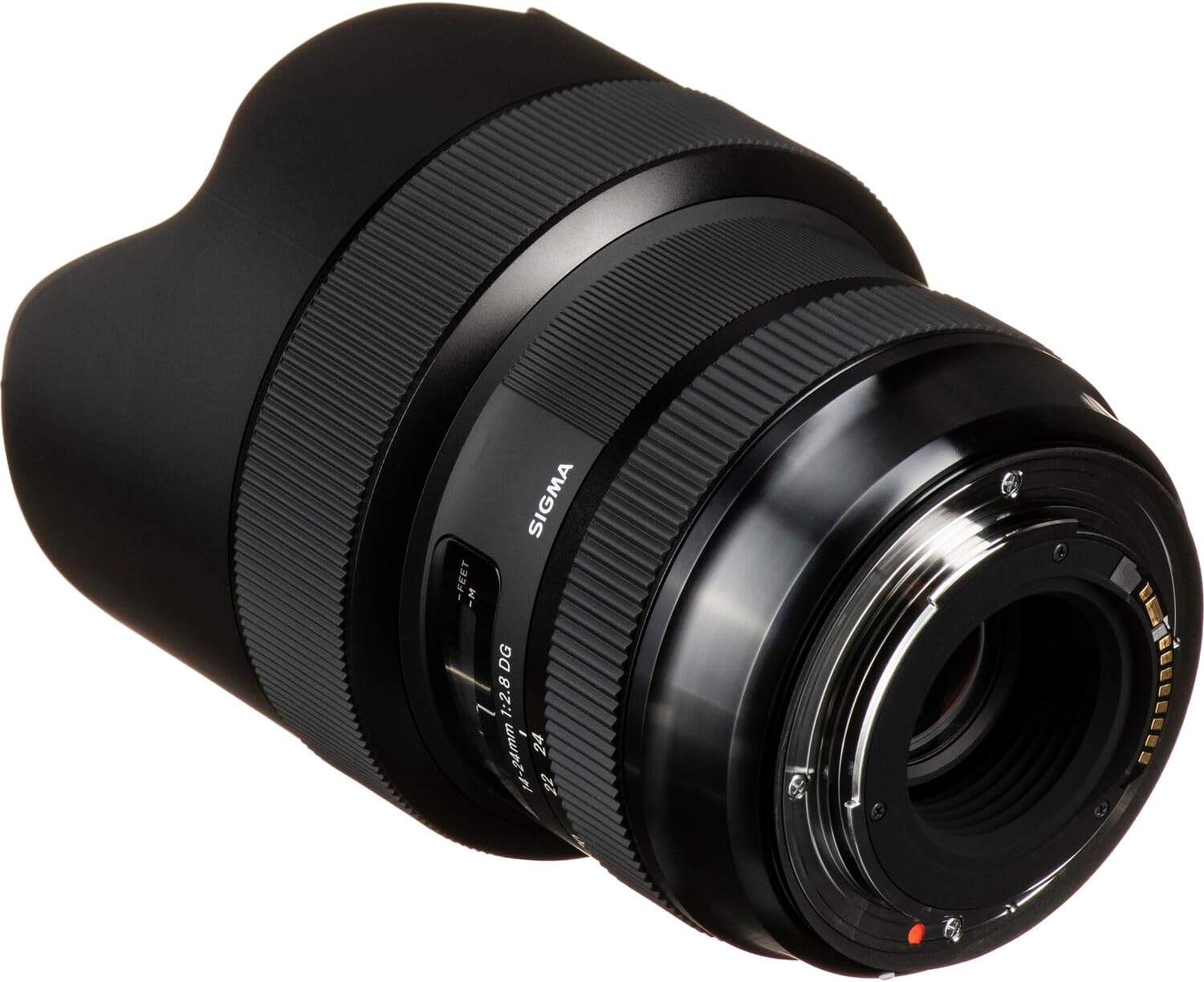
Image: The rear of the Sigma 14-24mm F2.8 DG HSM lens, highlighting the lens mount for attachment to a Canon camera body.
Removing the Lens
- Power off the camera.
- While pressing the lens release button on the camera body, rotate the lens counter-clockwise until it detaches from the mount.
- Immediately attach the rear lens cap to the lens and the body cap to the camera to protect the sensors and lens elements from dust.
Operating the Lens
Focus Mode Switch
The lens features an AF/MF switch on its barrel. This switch allows you to select between Autofocus (AF) and Manual Focus (MF) modes.
- AF (Autofocus): The camera will automatically focus on the subject. This is the standard mode for most shooting situations.
- MF (Manual Focus): You can manually adjust the focus by rotating the focus ring on the lens. This mode is useful for precise focusing or when autofocus struggles in very low light or with low-contrast subjects.

Image: The Sigma 14-24mm F2.8 DG HSM lens, showcasing its wide-angle design and the focus distance scale.
Zooming
To change the focal length, rotate the zoom ring on the lens barrel. The lens offers a versatile range from 14mm (ultra-wide) to 24mm (wide-angle), suitable for landscapes, architecture, and general wide-angle photography.

Image: A side profile of the Sigma 14-24mm F2.8 DG HSM lens, illustrating the textured rings for zoom and focus adjustments.
Using the Lens Hood
The Sigma 14-24mm F2.8 DG HSM lens features a built-in petal-shaped lens hood. This hood is designed to block stray light from entering the lens, which can cause flare and ghosting, thereby improving image contrast and color saturation. The hood also provides some physical protection to the front element.

Image: An example of a wide-angle landscape photograph captured with the Sigma 14-24mm F2.8 DG HSM lens, demonstrating its ability to render expansive scenes with clarity.
Maintenance and Care
- Cleaning the Lens: Use a soft, lint-free cloth specifically designed for optical surfaces to clean the lens elements. For stubborn smudges, use a small amount of lens cleaning fluid applied to the cloth, not directly to the lens.
- Dust Removal: Use a blower brush to remove dust from the lens surface before wiping. Avoid using compressed air, which can damage coatings.
- Storage: When not in use, store the lens with both front and rear caps attached in its protective case, away from direct sunlight, high humidity, and extreme temperatures.
- Handling: Always handle the lens by its barrel, not by the front element or lens hood. Avoid dropping or subjecting the lens to strong impacts.
Troubleshooting
| Problem | Possible Cause | Solution |
|---|---|---|
| Lens not attaching to camera | Incorrect alignment; debris on mount | Ensure red index marks align; clean mount; do not force. |
| Autofocus not working | Lens switch set to MF; poor lighting; low contrast subject | Set switch to AF; use manual focus; ensure adequate light/contrast. |
| Images are blurry | Incorrect focus; camera shake; dirty lens element | Check focus; use faster shutter speed or tripod; clean lens. |
| Lens not recognized by camera | Improper attachment; firmware issue | Re-attach lens; check camera/lens firmware updates. |
Specifications
- Model: 212954
- Focal Length: 14-24mm
- Maximum Aperture: F2.8
- Lens Type: Ultra-Wide-Angle Zoom
- Compatible Mounts: Canon EF
- Dimensions (Product): 5.32 x 3.8 x 3.8 inches
- Item Weight: 2.5 pounds
- Manufacturer: Sigma Corporation of America
Warranty and Support
This Sigma lens comes with a manufacturer's warranty. Please refer to the included Warranty Card for specific terms, conditions, and registration information. For technical support, service, or warranty claims, please contact Sigma Corporation of America directly or visit their official website.
Sigma Corporation of America: www.sigmaphoto.com


