
Fujifilm MKX18-55mmT2.9 Lens
Fujinon MKX18-55mmT2.9 Lens Instruction Manual
Model: MKX18-55mmT2.9 Lens
1. Introduction
This manual provides essential information for the safe and effective use of your Fujinon MKX18-55mmT2.9 cinema lens. The MKX18-55mmT2.9 lens is designed for professional video shooting, offering high optical performance and comfortable operability. It is compatible with Fujifilm X Series interchangeable lens cameras.
The lens covers a focal distance equivalent to 27mm to 84mm in the 35mm format, and features a constant T2.9 aperture across its entire zoom range, enabling beautiful bokeh effects with shallow depth-of-field. Its design minimizes focus shift during zooming, ensuring consistent focus throughout your shots.
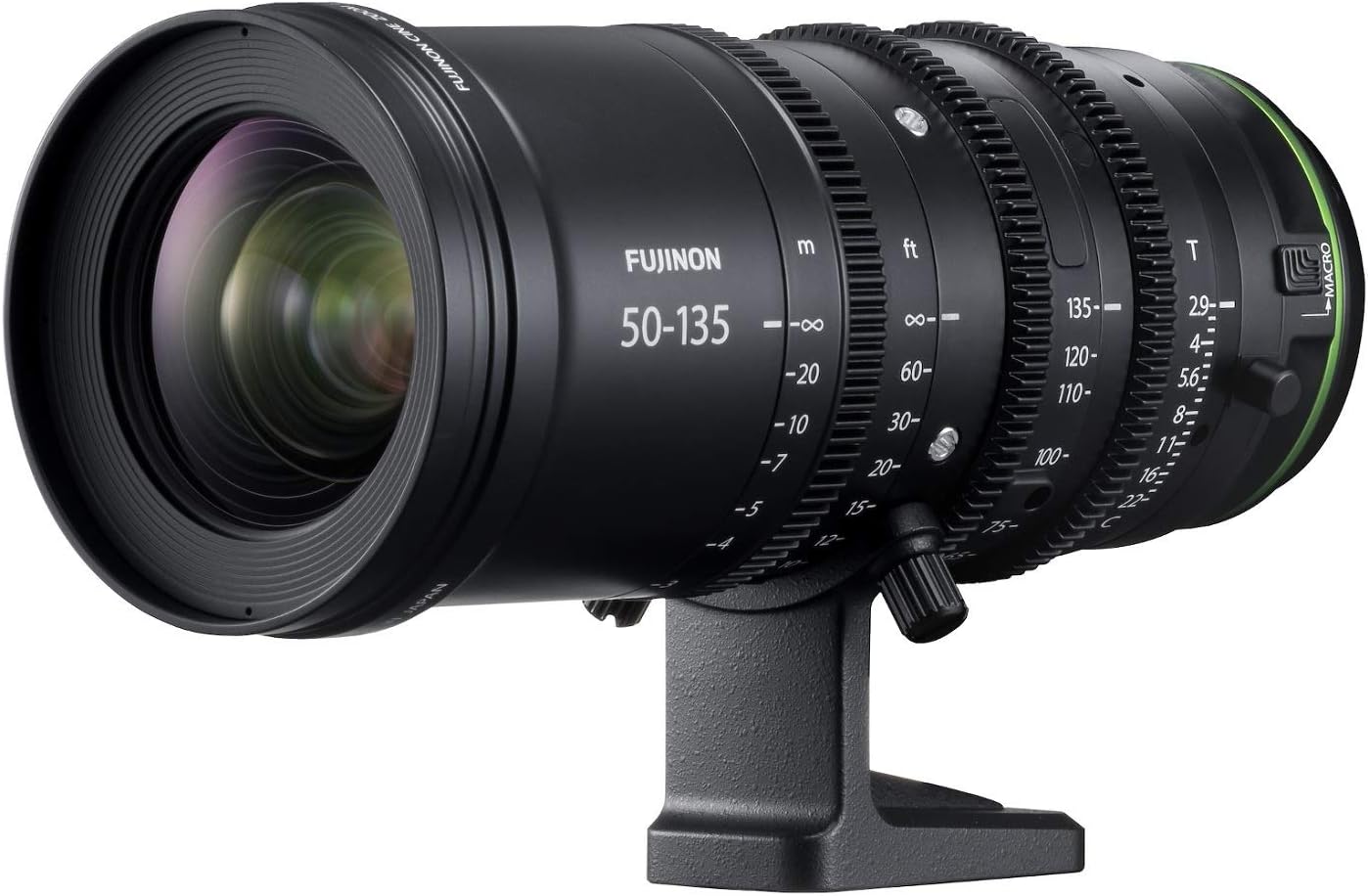
Figure 1.1: The Fujinon MKX18-55mmT2.9 lens, a high-performance cinema lens for Fujifilm X-mount cameras.
2. What's in the Box
Please verify that all the following items are included in your package:
- Fujinon MKX18-55mmT2.9 Lens
- Tripod collar foot
- Support foot
- Zoom lever
- Lens cap (front)
- Lens rear cap
- Lens hood
- Lens pouch
- Instruction Manual (this document)
- USA Warranty information
3. Setup
3.1 Attaching the Lens to the Camera
- Ensure both the camera and lens are powered off.
- Remove the rear lens cap from the lens and the body cap from the camera.
- Align the mounting index marks on the lens with those on the camera body.
- Insert the lens into the camera mount and rotate it clockwise until it clicks into place. Do not force the lens.
3.2 Attaching the Tripod Collar Foot and Support Foot
The tripod collar foot provides stable support when mounting the camera and lens assembly on a tripod. The support foot offers additional stability, especially for heavier setups.
- Attach the tripod collar foot to the designated mounting points on the lens barrel. Secure it firmly using the tightening knob.
- If using, attach the support foot to the appropriate slot, typically near the front of the lens, to provide extra stability and reduce strain on the camera mount.
3.3 Attaching the Zoom Lever
The zoom lever can be attached to the zoom ring for smoother and more precise zoom adjustments during operation.
- Locate the small screw hole on the zoom ring.
- Insert the zoom lever into the hole and tighten the screw to secure it.
3.4 Attaching the Lens Hood
The lens hood helps to prevent stray light from entering the lens and causing flare or ghosting, improving image contrast.
- Align the lens hood with the front of the lens.
- Rotate the hood until it locks into place.
4. Operating the Lens
4.1 Manual Focusing
The MKX18-55mmT2.9 lens features a fully manual focus ring designed for precise control, essential for professional video production.
- Rotate the focus ring to adjust the focus. The ring has a generous 200-degree rotation, allowing for extremely fine adjustments and accurate focus pulls.
- Utilize your camera's focus assist features (e.g., focus peaking, magnification) for critical focus, especially when shooting at shallow depth-of-field.

Figure 4.1.1: Detail of the focus ring with distance markings. The large rotation angle and clear markings facilitate precise manual focusing.
4.2 Zooming
The zoom ring allows you to smoothly change the focal length from 18mm to 55mm. A key feature of this lens is its ability to suppress focus shift while zooming, which means you do not need to re-focus after adjusting the zoom.
- Rotate the zoom ring (or use the attached zoom lever for added control) to achieve your desired focal length.
- The lens maintains its constant T2.9 aperture throughout the entire zoom range, ensuring consistent exposure and depth of field.
4.3 Aperture Control
The aperture ring allows you to control the depth of field and exposure. The T-stop markings provide a precise measure of light transmission.
- Rotate the aperture ring to select your desired T-stop. The constant T2.9 aperture is particularly beneficial for maintaining consistent lighting and achieving a pleasing bokeh effect across different focal lengths.
4.4 Using with Accessories (Matte Box, Filters)
The Fujinon MKX lenses are designed for seamless integration with professional cinema accessories, enhancing your production workflow.
- The lens features an 85mm front diameter, which is a common standard for direct attachment of many professional matte boxes.
- For screw-in filters, the lens has an 82mm filter thread, allowing for a wide range of creative filter options.
5. Maintenance
5.1 Cleaning the Lens
- Lens Elements: Use a soft, lint-free microfiber cloth specifically designed for optics. For stubborn smudges, use a small amount of lens cleaning fluid applied to the cloth, not directly to the lens. Gently wipe in a circular motion from the center outwards.
- Lens Body: Wipe the lens barrel with a clean, dry cloth. For dirt, a slightly damp cloth can be used, followed by a dry cloth.
- Avoid: Do not use abrasive materials, solvents, or excessive pressure when cleaning.
5.2 Storage
- Always attach the front and rear lens caps when the lens is not in use to protect the optical elements.
- Store the lens in a cool, dry place, away from direct sunlight, high humidity, and extreme temperatures.
- If storing for extended periods, consider using the provided lens pouch or a padded camera bag to protect against dust and physical damage.
6. Troubleshooting
6.1 Common Issues and Solutions
| Problem | Possible Cause | Solution |
|---|---|---|
| Lens not attaching securely to camera. | Misalignment of mounting marks; obstruction on mount. | Ensure marks are aligned and rotate until it clicks. Check for debris on camera or lens mount. |
| Image appears blurry or out of focus. | Incorrect manual focus; dirty lens elements. | Adjust focus ring carefully. Clean front and rear lens elements. |
| Dust or spots visible in images. | Dust on lens elements or camera sensor. | Clean lens elements. If spots persist, clean camera sensor (refer to camera manual or professional service). |
| Zoom ring or focus ring feels stiff. | Accumulated dirt or debris. | Gently clean around the rings. Do not apply lubricants. If problem persists, contact service. |
If you encounter issues not listed here or if the suggested solutions do not resolve the problem, please contact Fujifilm customer support or an authorized service center for further assistance.
7. Specifications
| Feature | Detail |
|---|---|
| Model Number | MKX18-55mmT2.9 Lens |
| Focal Length | 18-55mm (27-84mm equivalent in 35mm format) |
| Maximum Aperture | T2.9 (constant across zoom range) |
| Lens Construction | 22 glass elements in 17 groups (including 6 Super ED, 2 ED elements) |
| Focus Ring Rotation | 200 degrees |
| Gear Pitch (Focus, Zoom, Aperture) | 0.8M |
| Front Diameter | 85mm (for matte box) |
| Filter Thread Size | 82mm |
| Compatible Mountings | Fujifilm X-Mount |
| Product Dimensions | 7.4 x 15.3 x 7.5 inches |
| Item Weight | 4.4 pounds |
| Date First Available | February 15, 2018 |
| Manufacturer | Fujifilm |
8. Warranty and Support
Your Fujinon MKX18-55mmT2.9 lens comes with a USA Warranty. Please refer to the warranty information included in your product packaging for specific terms and conditions, including coverage period and what is covered.
For technical support, service, or warranty claims, please contact Fujifilm customer support. You can find contact information on the official Fujifilm website or through the documentation provided with your lens.
Important: Keep your proof of purchase (receipt or invoice) as it may be required for warranty service.
Related documentsMKX18-55mmT2.9 Lens


Ask a question about this manual
Ask about setup, troubleshooting, compatibility, parts, safety, or missing instructions. Manuals+ will review the question and use this page’s manual context to help answer it.