
Introduction
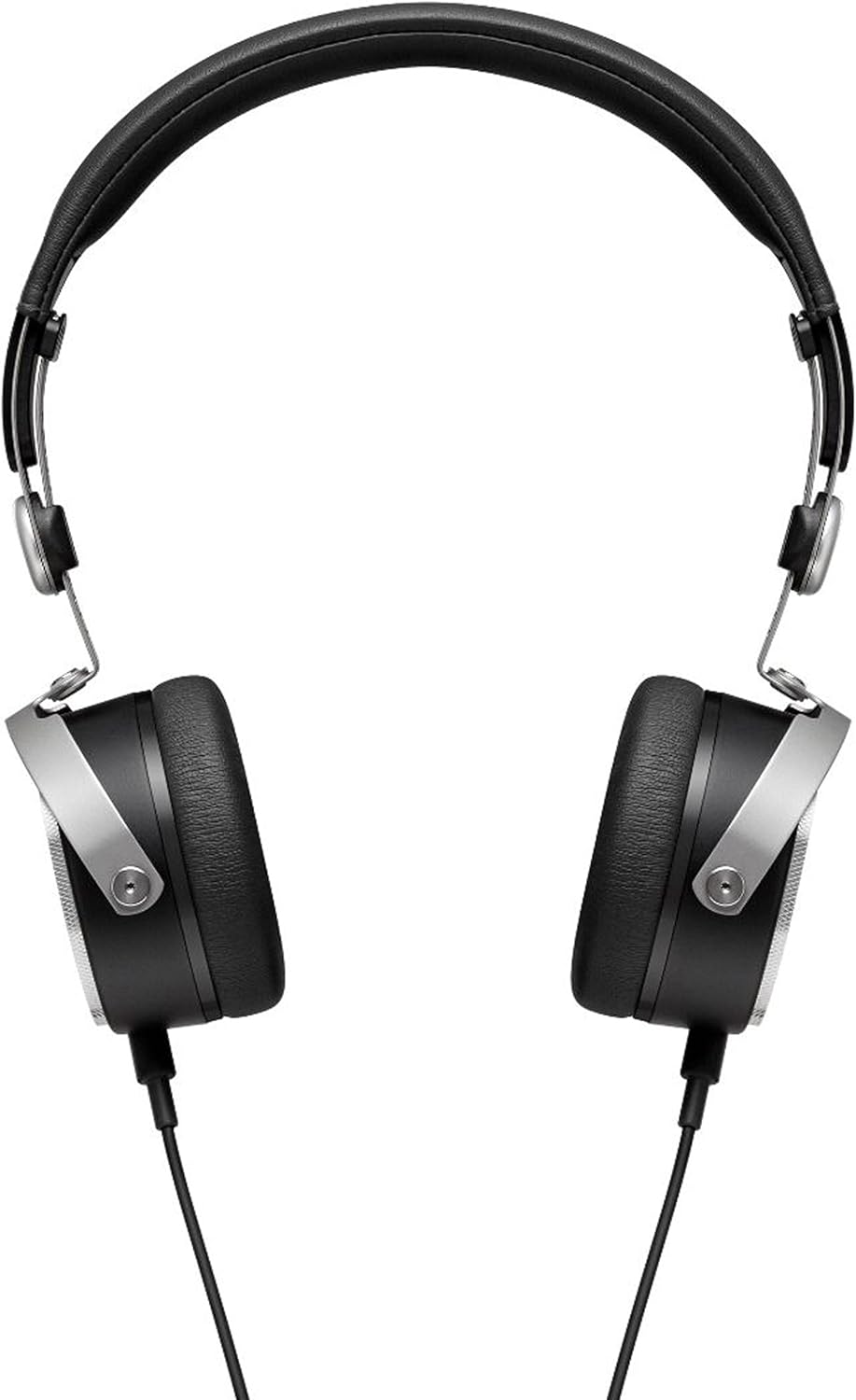
The beyerdynamic Aventho Wired headphones are designed to deliver an exceptional audio experience, allowing users to perceive every detail and nuance in their music. Featuring advanced Tesla technology, these high-end mobile headphones combine superior sound quality with practical design for on-the-go use.

Key Features
- Tesla Technology: Ensures optimum sound quality and unique richness of detail.
- Three-Button Remote Control: Provides flexible control of media playback and calls.
- High-Quality Hands-Free Microphone: Integrated into the detachable cable for clear communication.
- Compact and Portable Design: Features swiveling ear cups and soft ear pads, ideal for mobile use.
- Premium Materials and Craftsmanship: Stylish design with high-quality materials, made in Germany.
- Wide Frequency Response: Covers 20 - 25,000 Hz for a full audio spectrum.

Official product video showcasing the beyerdynamic Aventho Wired Headphones and their key features.
Package Contents
Upon unboxing your beyerdynamic Aventho Wired headphones, you should find the following items:
- beyerdynamic Aventho Wired Headphones
- Detachable Audio Cable with Remote and Microphone
- Soft Carry Bag
Setup
Connecting the Headphones
- Locate the 3.5 mm audio jack on your audio source (e.g., smartphone, tablet, computer).
- Insert the 3.5 mm plug of the detachable audio cable into the audio source's jack.
- Connect the other end of the cable to the input port on the left ear cup of the headphones. Ensure a secure connection.
Wearing the Headphones
- Gently extend the headband to fit comfortably over your head.
- Position the ear cups so that they fully cover your ears, ensuring the soft ear pads rest comfortably.
- Adjust the headband length on both sides until the headphones fit securely without excessive pressure.
Operating Instructions
Audio Playback
Once connected, your headphones will play audio from your source device. Adjust the volume directly on your device or using the in-line remote control.
Using the Remote Control
The three-button remote control on the cable allows for convenient management of media and calls:
- Center Button: Press once to play/pause music or answer/end calls. Press twice to skip to the next track. Press three times to go to the previous track.
- '+' Button: Press to increase volume.
- '-' Button: Press to decrease volume.
Maintenance
Cleaning
To maintain the condition of your headphones:
- Wipe the ear cups and headband with a soft, dry cloth.
- For stubborn dirt, slightly dampen the cloth with water. Avoid using harsh chemicals or abrasive cleaners.
- Do not immerse the headphones in water or any liquid.
Storage
When not in use, store your headphones in the provided soft carry bag. The swiveling ear cups allow for a more compact storage, protecting them from dust and damage.
Troubleshooting
No Sound
- Ensure the audio cable is securely connected to both the headphones and the audio source.
- Check the volume level on your audio source and on the headphone's remote control.
- Test the headphones with a different audio source to rule out device issues.
Microphone Not Working
- Verify the cable is fully inserted into the headphone jack.
- Check your device's audio input settings to ensure the correct microphone is selected.
- Ensure the microphone is not muted on your device or application.
Specifications
| Feature | Value |
|---|---|
| Brand | beyerdynamic |
| Model Name | beyerdynamic Aventho wired mobile Tesla high-end headphones - Black |
| Connectivity Technology | Wired |
| Headphones Jack | 3.5 mm Jack |
| Frequency Response | 20 - 25,000 Hz |
| Impedance | 32 Ohm |
| Item Weight | 7.04 ounces (approx. 199.6 grams) |
| Product Dimensions | 5.7 x 2.75 x 7.1 inches |
| Material | Cotton (for carry bag) |
| Control Type | Remote |
| Ear Placement | On Ear |
| Audio Driver Type | Planar Magnetic Driver |
Warranty and Support
Your beyerdynamic Aventho Wired headphones are covered by the manufacturer's warranty. For detailed warranty information, product registration, or technical support, please refer to the official beyerdynamic website or contact their customer service directly. Keep your proof of purchase for warranty claims.


