
1. Introduction
The TRUE METRIX Self Monitoring Blood Glucose Test Strips are designed for quantitative measurement of glucose in fresh capillary whole blood samples. These test strips are intended for use with TRUE METRIX, TRUE METRIX AIR, and TRUE METRIX GO Self Monitoring Blood Glucose Meters. They are for in vitro diagnostic use only.

Image 1.1: Packaging for TRUE METRIX Self Monitoring Blood Glucose Test Strips.
Key Features:
- Advanced Technologies: Designed to detect, analyze, and correct for variables in the blood sample, providing reliable results.
- Tiny Sample, Fast Results: Requires only a 0.5-microliter blood sample with results in as fast as 4 seconds.
- User-Friendly: Easy to use with no coding needed. Compatible with TRUE METRIX, TRUE METRIX AIR, and TRUE METRIX GO meters.
- Audible Fill Detection: When used with TRUE METRIX and TRUE METRIX AIR meters, this feature indicates when enough blood is applied, reducing potential errors.
Video 1.1: Informational video about TRUE METRIX Test Strips, demonstrating their features and ease of use.
2. Important Safety Information
Please read all instructions carefully before using the test strips. Failure to follow instructions may result in inaccurate readings.
- For in vitro diagnostic use only. Do not ingest.
- Do not reuse test strips. Test strips are for single use only.
- Keep test strips and all testing supplies out of reach of children.
- Consult your healthcare professional before making any medical decisions based on test results.
- Statements regarding dietary supplements have not been evaluated by the FDA and are not intended to diagnose, treat, cure, or prevent any disease or health condition.
- Do not use test strips past their expiration date printed on the vial.
- Store test strips in their original vial only. Do not transfer to other containers.
3. Setup and Compatibility
TRUE METRIX Test Strips are designed to work exclusively with TRUE METRIX, TRUE METRIX AIR, and TRUE METRIX GO blood glucose meters.

Image 3.1: TRUE METRIX Test Strips are compatible with TRUE METRIX, TRUE METRIX AIR, and TRUE METRIX GO meters.
Preparing for a Test:
- Wash your hands thoroughly with soap and warm water. Dry them completely.
- Gather all necessary supplies: your TRUE METRIX meter, a TRUE METRIX test strip, a lancing device, and a new lancet.
- Remove one test strip from the vial. Immediately close the vial tightly to protect the remaining strips from moisture.
- Insert the test strip into the test strip port of your TRUE METRIX meter. The meter will turn on automatically.
4. Operating Instructions (Performing a Blood Glucose Test)
Follow these steps to perform a blood glucose test using your TRUE METRIX Test Strips and compatible meter:
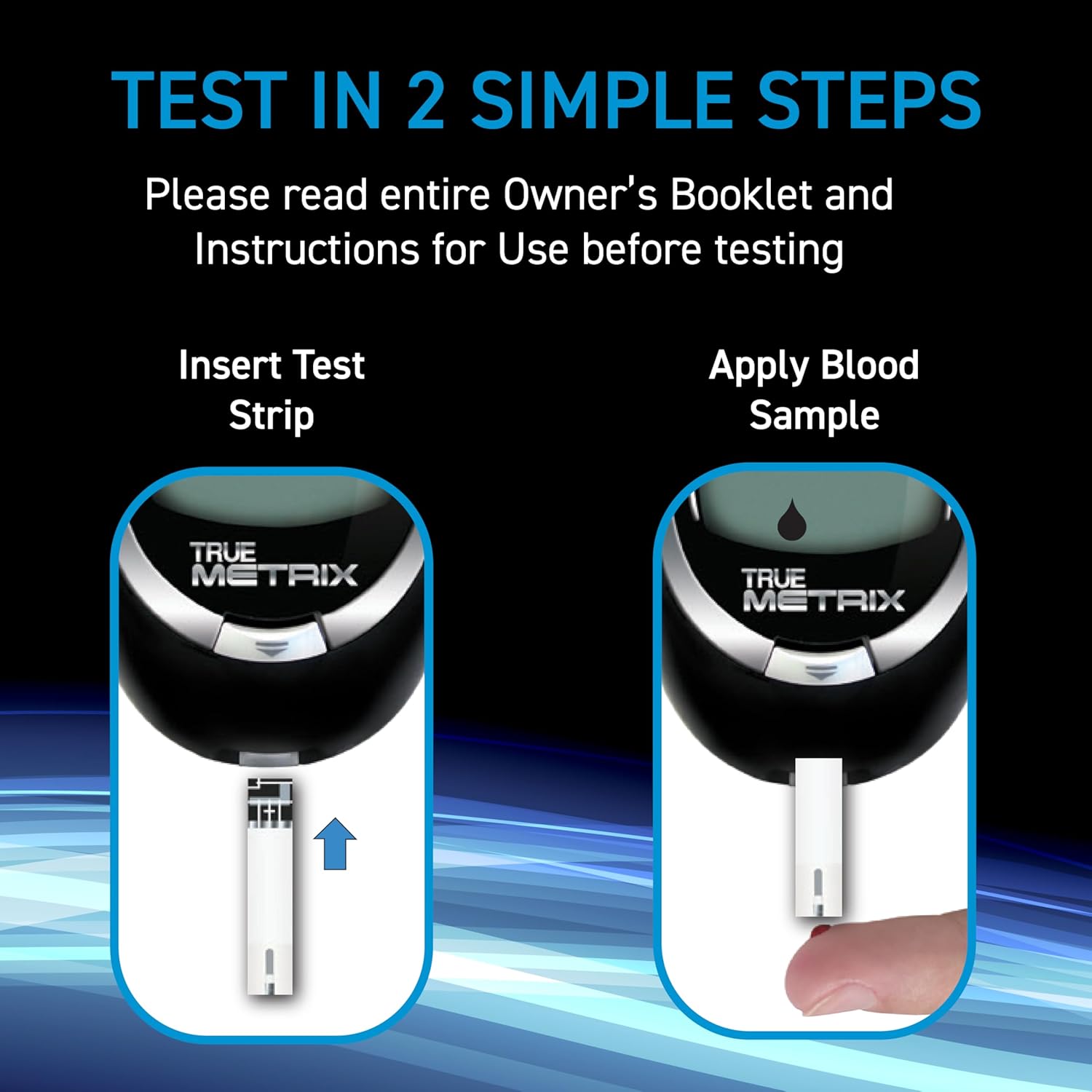
Image 4.1: Testing in two simple steps: insert test strip and apply blood sample.
- Prepare Lancing Device: Load a new lancet into your lancing device according to its instructions.
- Obtain Blood Sample: Prick the side of your fingertip with the lancing device to get a drop of blood. Gently squeeze your finger until a small, round drop of blood forms.
- Apply Blood Sample: Touch the tip of the test strip to the blood drop. The blood will be drawn into the strip automatically. The meter will beep (if audible fill detection is on) when enough blood has been applied. Do not apply blood to the top of the strip.
- Read Results: The meter will display your blood glucose result in as fast as 4 seconds.
- Record Results: It is recommended to record your results in a logbook or a diabetes management app.
- Dispose of Used Materials: Carefully remove the used test strip from the meter and dispose of it properly. Dispose of the used lancet in a sharps container.
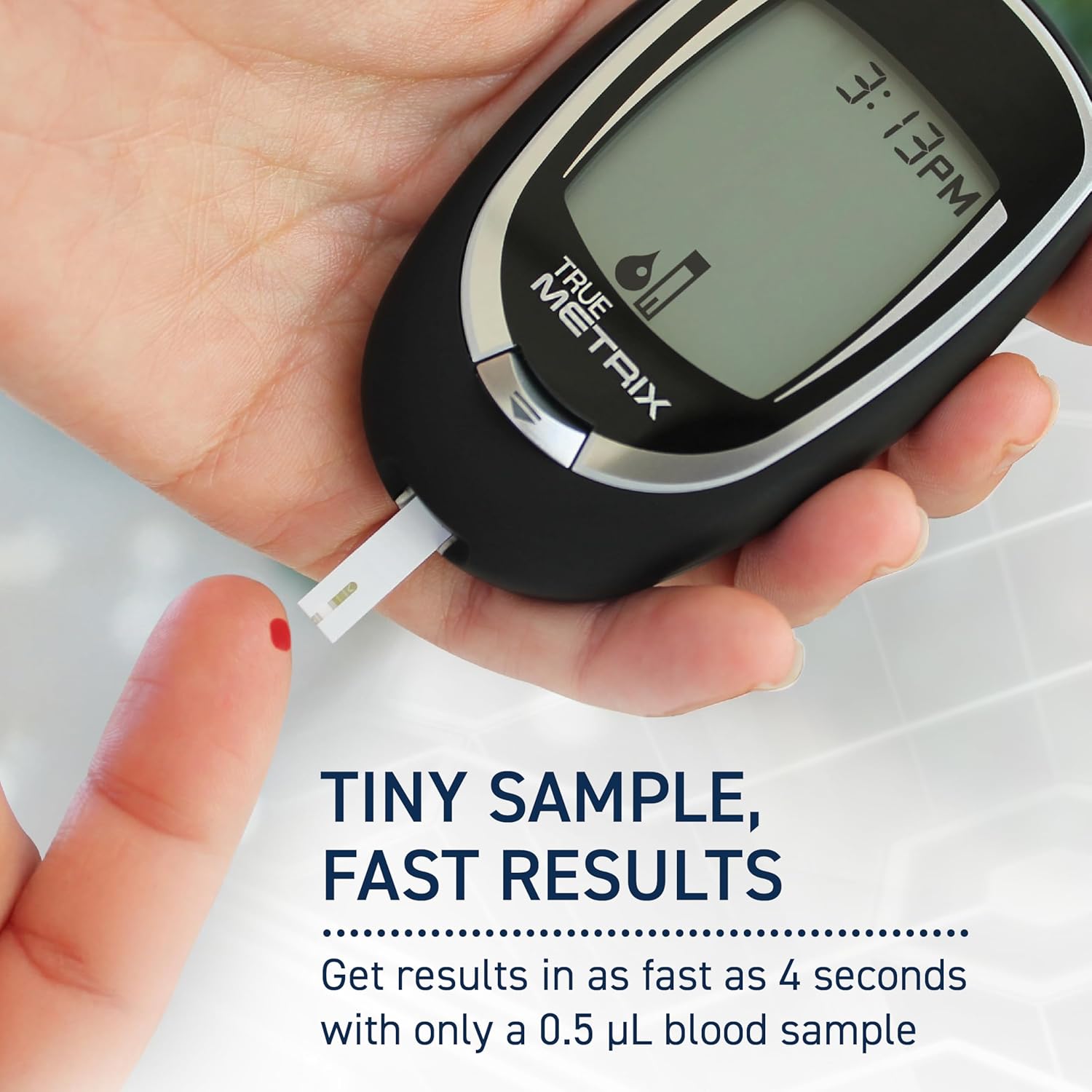
Image 4.2: Tiny sample, fast results: a 0.5 µL blood sample yields results in 4 seconds.
5. Maintenance and Storage
Proper Storage of Test Strips:
- Store TRUE METRIX Test Strips in their original vial only.
- Keep the vial tightly closed at all times, especially after removing a test strip.
- Store the test strip vial in a cool, dry place between 40°F and 86°F (4°C and 30°C).
- Do not refrigerate or freeze test strips.
- Avoid direct sunlight, heat, and moisture.
- Do not use test strips beyond the expiration date printed on the vial.
- Use test strips within 6 months after first opening the vial. Write the discard date on the vial label.
Handling Test Strips:
- Handle test strips with clean, dry hands.
- Do not bend, cut, or alter the test strips in any way.
- Do not touch the test area of the strip.
6. Troubleshooting
If you encounter issues during testing, consider the following:
| Problem | Possible Cause | Solution |
|---|---|---|
| Meter does not turn on when strip is inserted | Strip inserted incorrectly; Meter battery low; Damaged strip | Reinsert strip correctly; Replace meter batteries; Use a new strip |
| Error message on meter | Insufficient blood sample; Strip expired; Strip damaged; Meter issue | Apply more blood (if meter allows); Use new strip; Refer to meter manual for specific error codes |
| Inaccurate or unexpected results | Expired strip; Improper storage; Contaminated sample; Incorrect technique | Check expiration date; Ensure proper storage; Re-test with new strip and proper technique; Consult healthcare professional |
| Blood does not fill strip | Insufficient blood drop; Strip not touching blood correctly | Ensure adequate blood drop; Touch strip tip to blood drop gently |
For detailed troubleshooting specific to your meter, please refer to your TRUE METRIX Blood Glucose Meter Owner's Booklet. If problems persist, contact customer support.
7. Specifications
- Sample Volume: 0.5 microliters
- Test Time: As fast as 4 seconds
- Compatibility: TRUE METRIX, TRUE METRIX AIR, TRUE METRIX GO Self Monitoring Blood Glucose Meters
- Storage Temperature: 40°F - 86°F (4°C - 30°C)
- Manufacturer: Trividia Health
- Model Name: TRUE METRIX Blood Glucose Test Strips
- UPC: 810057410222
- Manufacturer Part Number: TSZ_TRUEMETRIX_100
- Package Dimensions: 5.91 x 3.78 x 3.11 inches; 6.38 ounces (for 250 count pack)

Image 7.1: Triple Sense Technology automatically detects, analyzes, and corrects variables in each blood sample.
8. Warranty and Support
For specific warranty information regarding TRUE METRIX products, please refer to the documentation included with your TRUE METRIX Blood Glucose Meter or visit the official TRUE METRIX website. Test strips are consumable items and typically do not carry a separate warranty.
Customer Support:
If you have any questions, concerns, or require assistance with your TRUE METRIX Self Monitoring Blood Glucose Test Strips or meter, please contact Trividia Health customer service. Contact information can usually be found on the product packaging or their official website.
Manufacturer: Trividia Health
Website: www.trividiahealth.com (Please check for the most current contact information)