1. Introduction
Thank you for choosing the BenQ Trevolo 2 Wireless Bluetooth Portable Electrostatic Speaker. This manual provides essential information for setting up, operating, maintaining, and troubleshooting your device. Please read this manual thoroughly before use to ensure optimal performance and longevity of your speaker.
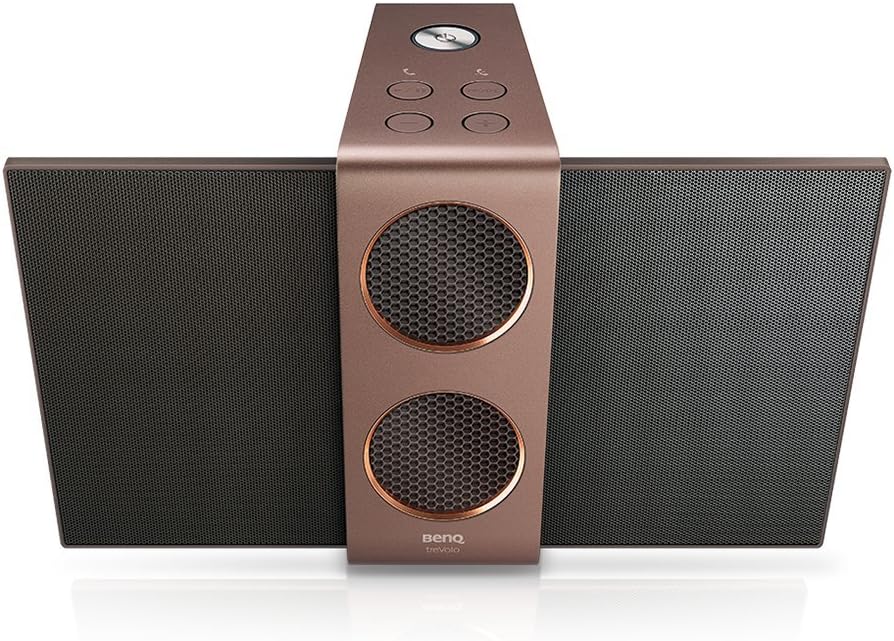
Image 1.1: BenQ Trevolo 2 speaker with its electrostatic wings extended, showcasing its unique design from a top-down perspective.
2. Safety Information
To prevent fire, electric shock, or product damage, please observe the following safety precautions:
- Do not expose the speaker to rain or moisture.
- Do not place objects filled with liquids, such as vases, on the speaker.
- Do not block any ventilation openings. Install in accordance with the manufacturer's instructions.
- Do not install near any heat sources such as radiators, heat registers, stoves, or other apparatus (including amplifiers) that produce heat.
- Protect the power cord from being walked on or pinched, particularly at plugs, convenience receptacles, and the point where they exit from the speaker.
- Only use attachments/accessories specified by the manufacturer.
- Unplug this speaker during lightning storms or when unused for long periods of time.
3. Package Contents
Ensure all items are present in the package:
- BenQ Trevolo 2 Electrostatic Speaker
- Power Adapter
- USB Cable
- Quick Start Guide
4. Product Overview
4.1. Speaker Components
The BenQ Trevolo 2 features a unique design with foldable electrostatic wings and integrated woofers.
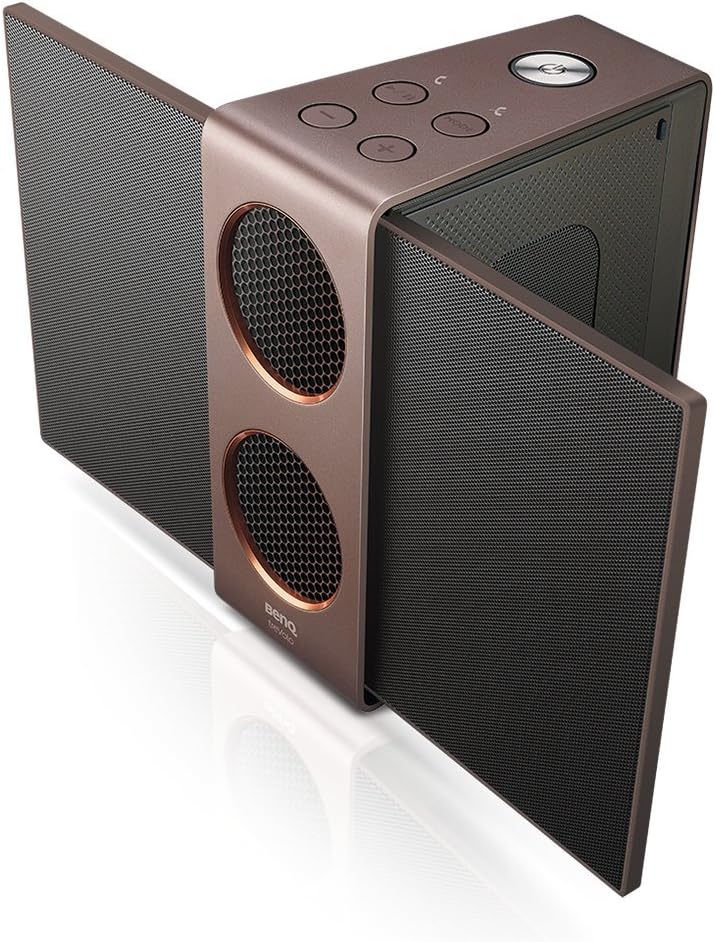
Image 4.1: The BenQ Trevolo 2 speaker with its side electrostatic panels fully extended, viewed from an angle to show its open configuration.

Image 4.2: The BenQ Trevolo 2 speaker with its electrostatic panels folded inwards, demonstrating its compact, closed configuration.
4.2. Controls and Indicators
Familiarize yourself with the buttons and indicators on the top panel of the speaker.
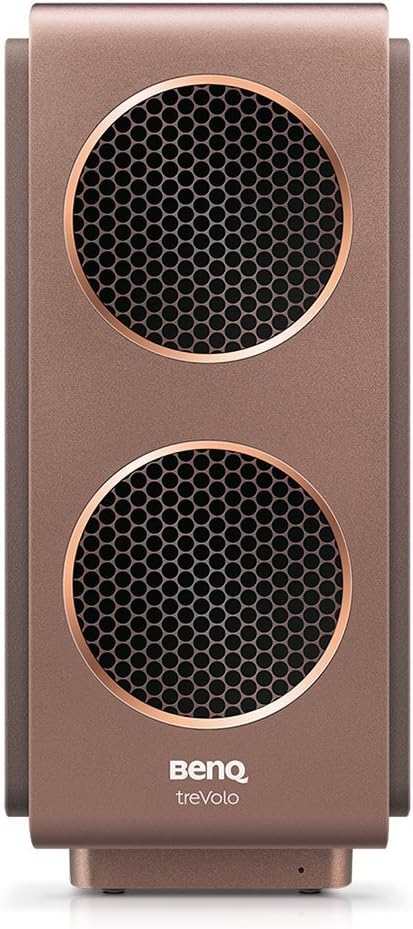
Image 4.3: A close-up view of the top panel of the BenQ Trevolo 2 speaker, highlighting the various control buttons and indicators.
- Power Button: Press and hold to turn on/off.
- Volume Up/Down: Adjusts playback volume.
- Play/Pause: Controls audio playback.
- Mode Button: Switches between audio modes (e.g., Stereo, Party).
- Bluetooth Button: Initiates Bluetooth pairing.
4.3. Connectivity Ports
The rear of the speaker houses various ports for wired connections.

Image 4.4: The rear panel of the BenQ Trevolo 2 speaker, displaying its various input and output ports for connectivity.
- USB Port: For audio input and charging.
- Line-In (3.5mm AUX): For connecting external audio devices.
- Line-Out (3.5mm AUX): For connecting to other audio systems.
- DC In: Power input for charging.
5. Setup
5.1. Charging the Speaker
Before first use, fully charge the speaker. Connect the power adapter to the DC In port and plug it into a power outlet. The charging indicator will show the charging status.
5.2. Powering On/Off
- To Power On: Press and hold the Power button until the indicator light illuminates.
- To Power Off: Press and hold the Power button until the indicator light turns off.
5.3. Bluetooth Pairing
- Ensure the speaker is powered on.
- Press the Bluetooth button on the speaker. The Bluetooth indicator will blink, indicating it's in pairing mode.
- On your device (smartphone, tablet, etc.), enable Bluetooth and search for available devices.
- Select "BenQ Trevolo 2" from the list.
- Once connected, the Bluetooth indicator will glow solid.
5.4. Wired Connections
- USB Audio: Connect your computer to the speaker's USB port using the provided USB cable. The speaker will be recognized as an audio output device.
- Line-In (AUX): Connect an audio source (e.g., MP3 player) to the speaker's Line-In port using a 3.5mm audio cable.
5.5. Duo Mode Setup (for two Trevolo 2 speakers)
To achieve a wider soundstage or party mode, you can pair two Trevolo 2 speakers together.

Image 5.1: A visual representation of the Duo Mode, showing how two Trevolo 2 speakers can be configured for Stereo Mode (left and right channels) or Party Mode (both playing full range).
- Ensure both Trevolo 2 speakers are powered on and not connected to any other Bluetooth device.
- On one speaker (Master), press and hold the Mode button until it enters Duo Mode pairing.
- On the second speaker (Slave), press the Mode button briefly to connect to the Master.
- Once connected, the Master speaker will indicate successful pairing. You can then connect your device to the Master speaker via Bluetooth.
- Use the BenQ Audio app to switch between Stereo Mode (left/right channel separation) and Party Mode (both speakers playing full range).
6. Operating Instructions
6.1. Basic Playback
- Volume Control: Use the Volume Up (+) and Volume Down (-) buttons to adjust the sound level.
- Play/Pause: Press the Play/Pause button to start or pause audio playback.
- Skipping Tracks: (If supported by connected device) Double-press Play/Pause for next track, triple-press for previous track.
6.2. Audio Modes
The Trevolo 2 offers optimized audio modes for different listening experiences. Press the Mode button to cycle through available modes (e.g., Vocal, Treble, Bass, Flat).
6.3. Electrostatic Technology
The Trevolo 2 utilizes electrostatic technology for clear and detailed high-frequency sound reproduction. The side panels, when opened, reveal these electrostatic drivers, enhancing the soundstage.

Image 6.1: An exploded diagram illustrating the internal components of an electrostatic speaker system, highlighting the diaphragm and stators.
7. Maintenance
7.1. Cleaning
- Wipe the speaker's exterior with a soft, dry cloth.
- Do not use liquid cleaners or aerosol sprays.
7.2. Storage
When not in use for extended periods, store the speaker in a cool, dry place, away from direct sunlight and extreme temperatures. It is recommended to fold the electrostatic wings for compact storage and protection.
8. Troubleshooting
| Problem | Possible Cause | Solution |
|---|---|---|
| No power | Battery drained; Power adapter not connected. | Charge the speaker; Ensure power adapter is securely connected. |
| Cannot pair via Bluetooth | Speaker not in pairing mode; Device Bluetooth off; Speaker already connected to another device. | Press Bluetooth button to enter pairing mode; Enable Bluetooth on your device; Disconnect from other devices. |
| No sound | Volume too low; Incorrect input source; Muted on source device. | Increase volume; Check input connection (Bluetooth, USB, AUX); Unmute source device. |
| Duo Mode not working | Speakers not properly paired; Too far apart. | Repeat Duo Mode pairing steps; Ensure speakers are within range. |
9. Specifications
| Feature | Detail |
|---|---|
| Model Name | TreVolo 2 |
| Dimensions (L x W x H) | 3.1 x 6.9 x 5.3 inches (7.87 x 17.53 x 13.46 cm) |
| Item Weight | 3.34 pounds (1.51 kg) |
| Connectivity Technology | Bluetooth, USB |
| Wireless Communication Technology | Bluetooth |
| Bluetooth Range | 10 Meters (33 feet) |
| Audio Driver Type | Electrostatic Driver, Dual Woofers |
| Battery Life | Up to 12 Hours |
| Power Source | Battery Powered |
| Color | Bronze |
| Included Components | Speaker, Power Adapter, USB Cable |
10. Warranty and Support
BenQ provides a limited warranty for this product. For detailed warranty terms and conditions, please refer to the warranty card included in your package or visit the official BenQ website. For technical support, product registration, or service inquiries, please contact BenQ customer support through their official channels.
Online Support: Visit the BenQ support page for FAQs, driver downloads, and contact information.
Contact Information: Refer to your product packaging or the BenQ website for regional contact details.


