
Important Safeguards
When using electrical appliances, basic safety precautions should always be followed to reduce the risk of fire, electric shock, and injury to persons, including the following:
- Read all instructions before operating the appliance.
- Do not touch hot surfaces. Use handles or knobs.
- To protect against electrical shock, do not immerse cord, plugs, or the appliance base in water or other liquid.
- Close supervision is necessary when any appliance is used by or near children.
- Unplug from outlet when not in use and before cleaning. Allow to cool before putting on or taking off parts, and before cleaning the appliance.
- Do not operate any appliance with a damaged cord or plug, or after the appliance malfunctions or has been damaged in any manner. Contact customer support for assistance.
- The use of accessory attachments not recommended by the appliance manufacturer may cause injuries.
- Do not use outdoors.
- Do not let cord hang over edge of table or counter, or touch hot surfaces.
- Do not place on or near a hot gas or electric burner, or in a heated oven.
- Always attach plug to appliance first, then plug cord into the wall outlet. To disconnect, turn any control to “OFF”, then remove plug from wall outlet.
- Do not use appliance for other than intended use.
Parts Identification
Familiarize yourself with the components of your Brentwood PC-490R Popcorn Maker:
- Main Unit Base: Contains the heating element and motor.
- Popping Chamber: Where the popcorn kernels are placed for popping.
- Clear Top Cover: Directs popped corn into a serving bowl and helps contain heat.
- Measuring Cup/Butter Melting Tray: Sits on top of the clear cover, used for measuring kernels and melting butter.
- Power Switch: Located on the front of the base to turn the unit ON/OFF.
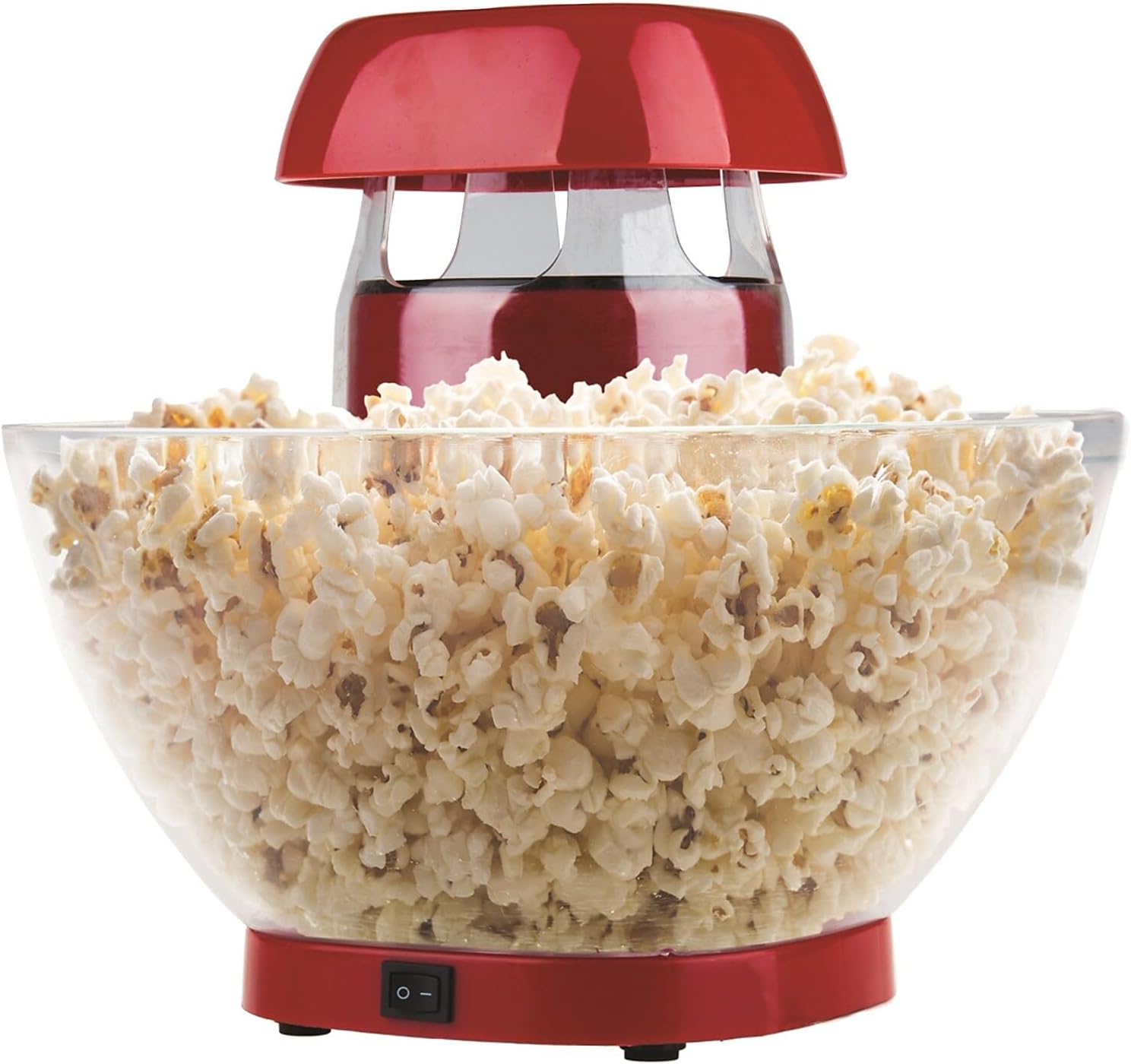
Image: The Brentwood PC-490R Jumbo Hot Air Popcorn Maker in red, shown with a clear bowl full of freshly popped popcorn.
Before First Use
Before using your popcorn maker for the first time, please follow these steps:
- Carefully unpack the popcorn maker and remove all packaging materials.
- Wipe the exterior of the main unit base with a damp cloth. Do not immerse the base in water.
- Wash the clear top cover and the measuring cup in warm, soapy water. Rinse thoroughly and dry completely.
- Ensure all parts are dry before assembly and use.
Setup
Proper setup ensures safe and efficient operation:
- Place the popcorn maker on a flat, stable, and heat-resistant surface. Ensure there is adequate space around the unit for ventilation.
- Make sure the power switch on the front of the unit is in the "OFF" (O) position.
- Plug the power cord into a standard 120V AC electrical outlet.
Operating Instructions
Follow these steps to make delicious hot air popcorn:
- Remove the clear top cover and the measuring cup from the unit.
- Using the provided measuring cup, add up to 1/2 cup of unpopped popcorn kernels into the popping chamber. Do not add oil, butter, or any other ingredients to the popping chamber.
- Place the clear top cover back onto the main unit, ensuring it is securely seated.
- Place the measuring cup on top of the clear cover. If desired, add butter to the measuring cup to melt during the popping cycle.
- Position a large, heat-resistant serving bowl directly under the popcorn chute to collect the popped corn.
- Turn the power switch to the "ON" (I) position. The unit will begin to heat up and pop the kernels.
- Popcorn will begin to pop and dispense into your bowl within approximately 3 minutes.
- Once the popping sound stops and no more popcorn is being dispensed, turn the power switch to the "OFF" (O) position and unplug the unit from the wall outlet.
- Carefully remove the clear top cover and measuring cup (they will be hot).
- Add any melted butter from the measuring cup and your preferred seasonings to the popcorn.

Image: A close-up view of a clear bowl filled with freshly popped popcorn, with the red top of the popcorn maker visible in the background.
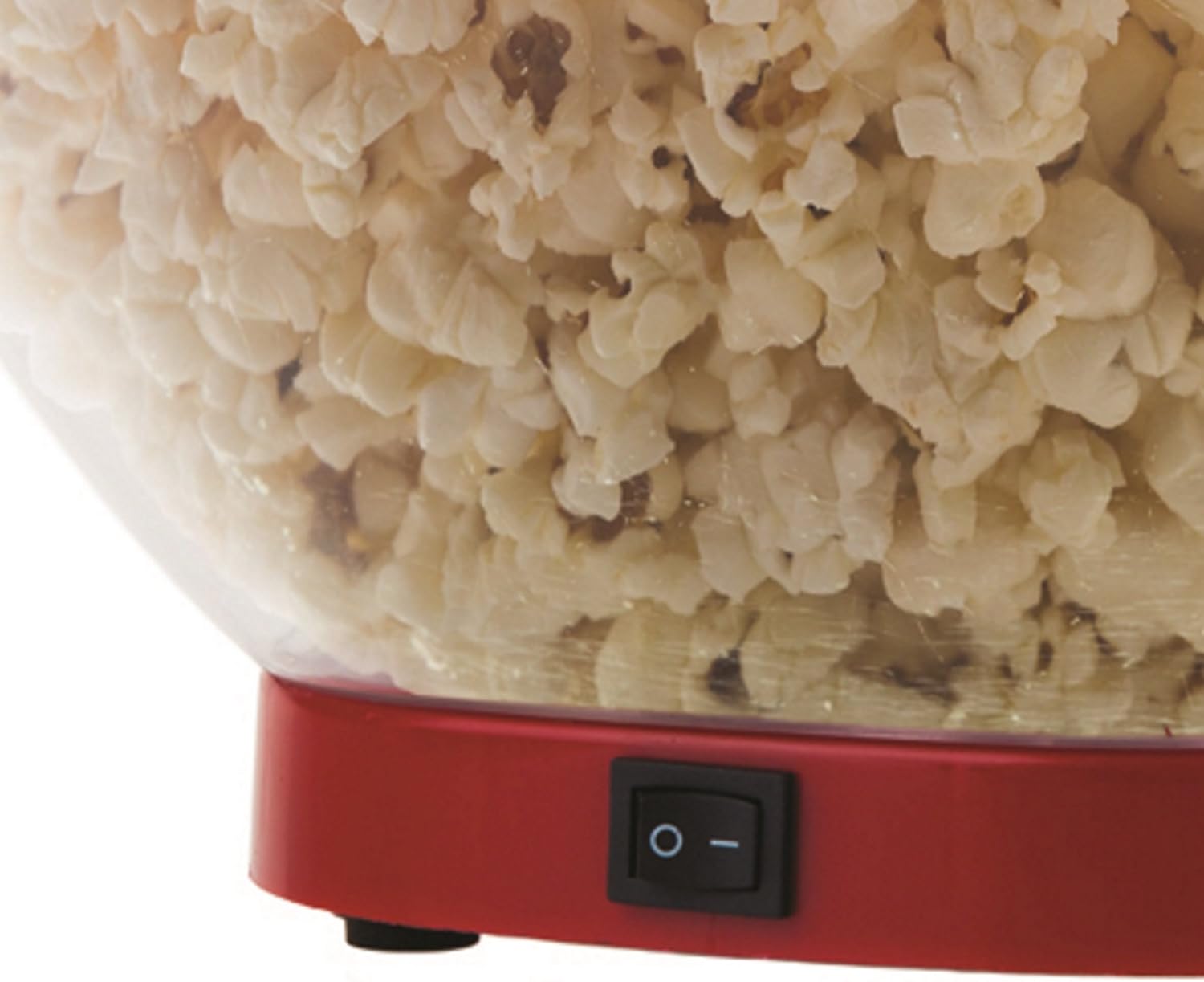
Image: A detailed view of the black power switch (ON/OFF) located on the red base of the Brentwood PC-490R Popcorn Maker.
Maintenance and Cleaning
Regular cleaning will help maintain your popcorn maker's performance and longevity:
- Always ensure the appliance is unplugged from the power outlet and has cooled completely before cleaning.
- Wipe the exterior of the main unit base with a soft, damp cloth. Do not use abrasive cleaners or scouring pads, as they may scratch the surface.
- The clear top cover and measuring cup can be washed in warm, soapy water. Rinse thoroughly and dry completely before storing or next use.
- Do not immerse the main unit base in water or any other liquid.
Troubleshooting
If you encounter issues with your popcorn maker, refer to the following common problems and solutions:
| Problem | Possible Cause / Solution |
|---|---|
| Popcorn not popping or many unpopped kernels. | Ensure the unit is plugged in and the power switch is ON. Check that kernels are fresh; old or dry kernels may not pop efficiently. Do not overfill the popping chamber (max 1/2 cup). |
| Popcorn shoots out too fast or creates a mess. | Ensure a large enough serving bowl is positioned correctly and snugly under the popcorn chute to catch all popped corn. |
| Unit does not turn on. | Verify the power cord is securely plugged into a working electrical outlet. Check the power switch is in the "ON" (I) position. |
| Smoke or unusual odor during operation. | This may occur during initial use as manufacturing residues burn off. If it persists or is excessive, unplug the unit immediately and contact customer support. Ensure no foreign objects are in the popping chamber. |
Specifications
- Brand: Brentwood
- Model: PC-490R
- Power: 1200 Watts
- Capacity: Up to 24 cups (popped popcorn)
- Material: Durable Plastic
- Dimensions: 11.5 x 17.25 x 7 inches
- Item Weight: 3.75 pounds
Warranty and Support
This Brentwood PC-490R Jumbo Hot Air Popcorn Maker is covered by a 1 Year Manufacturer Warranty.
For warranty claims, technical assistance, or product support, please refer to the contact information provided with your original purchase documentation or visit the official Brentwood Appliances website for the most current support details.


