
1. Product Overview
The Basesailor USB to USB C Adapter (Model: USB-CF-AM) is a compact and durable accessory designed to bridge the gap between older USB-A ports and newer USB-C devices. This adapter allows you to convert any standard USB-A port into a USB-C input, enabling charging and data transfer for your USB-C compatible devices using existing USB-A power sources and ports.
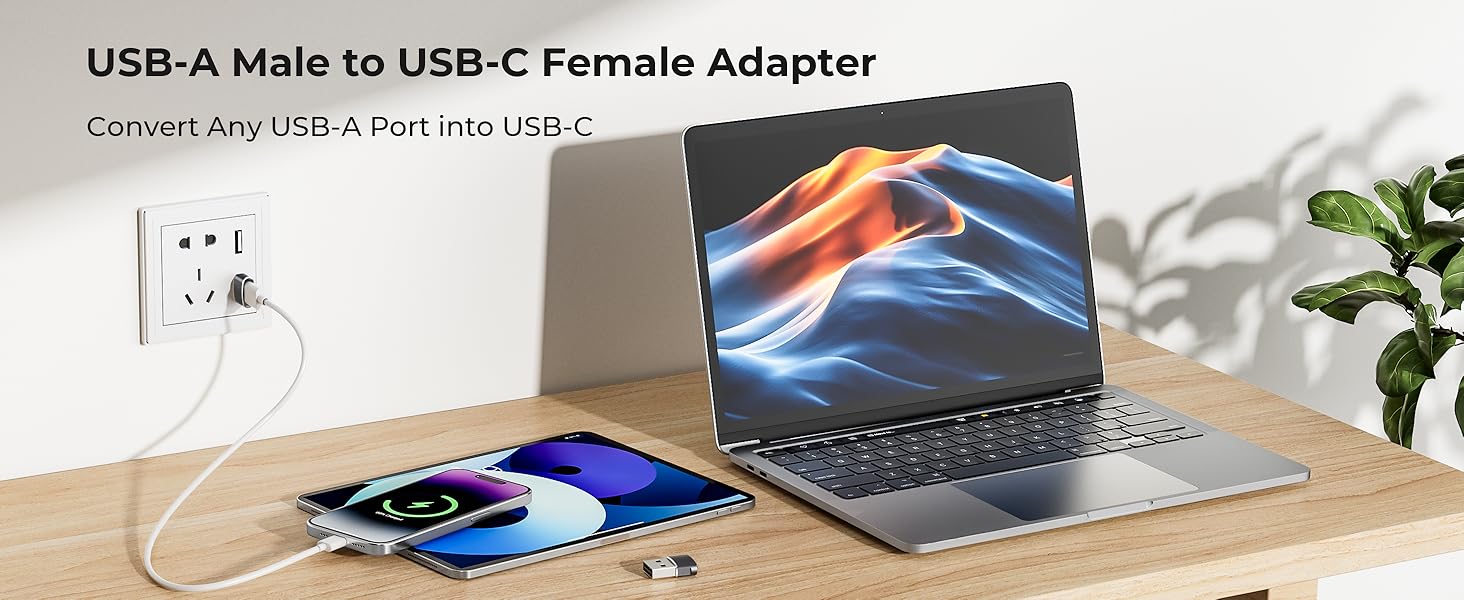
Image 1.1: The Basesailor USB-A Male to USB-C Female Adapter, illustrating its function to convert a USB-A port into a USB-C port.
Crafted with a durable aluminum alloy housing, this adapter is built for longevity and efficient heat dissipation. Its low-profile and lightweight design ensures it can remain plugged into your devices without obstruction, making it ideal for everyday carry and reducing wear from constant plugging and unplugging.

Image 1.2: Two Basesailor adapters shown next to a smartphone and laptop, emphasizing their compact size and suitability for travel.
2. Setup & Operation
Using the Basesailor USB to USB C Adapter is straightforward. It is designed for simple plug-and-play functionality with no additional drivers or software required.
2.1 Connecting the Adapter
- Locate an available USB-A port on your laptop, wall charger, car charger, USB hub, or power bank.
- Insert the USB-A male end of the Basesailor adapter into the USB-A port. Ensure it is fully seated.
- Connect your USB-C cable (not included) into the USB-C female port of the Basesailor adapter.
- Connect the other end of your USB-C cable to your USB-C compatible device (e.g., smartphone, tablet, earphones).

Image 2.1: The adapter in use, converting a USB-A port on a power strip to charge a USB-C device.
2.2 Charging and Data Transfer
Once connected, the adapter facilitates both charging and data transfer for your USB-C devices.
- Charging: The adapter supports charging up to 5V/2A, depending on the power output of your USB-A source.
- Data Transfer: It supports USB 2.0 data transfer speeds up to 480 Mbps. This is suitable for syncing files, photos, and other data between your devices.

Image 2.2: Illustration of data transfer capabilities between a laptop and a smartphone using the adapter.

Image 2.3: A smartphone receiving charge through the Basesailor adapter connected to a wall charger.
Important Note: This adapter is not designed for video output (HDMI, DisplayPort, VGA, or any other type of video signal). It also does not support high-power USB-C fast-charging protocols such as Power Delivery (PD) or Programmable Power Supply (PPS).
3. Compatibility
The Basesailor USB to USB C Adapter offers broad compatibility with a variety of devices and accessories, allowing you to utilize your existing USB-A infrastructure with newer USB-C technology.
3.1 Compatible USB-A Sources
- Laptops with USB-A ports
- Wall chargers with USB-A ports
- Car chargers with USB-A ports
- USB hubs with USB-A ports
- Power banks with USB-A ports
3.2 Compatible USB-C Devices & Accessories
- USB-C cables
- Smartphones (e.g., Apple iPhone 17/16/15 series, Samsung Galaxy S series, Google Pixel)
- Tablets (e.g., iPad Pro/Air/Mini, Samsung Galaxy Tab)
- Earphones with USB-C connectors (e.g., AirPods Pro)
- Flash drives with USB-C connectors
- Card readers with USB-C connectors
- Wireless adapters with USB-C connectors
- Other low-power USB-C accessories

Image 3.1: Visual representation of the adapter's universal compatibility with different USB-A sources and USB-C devices.
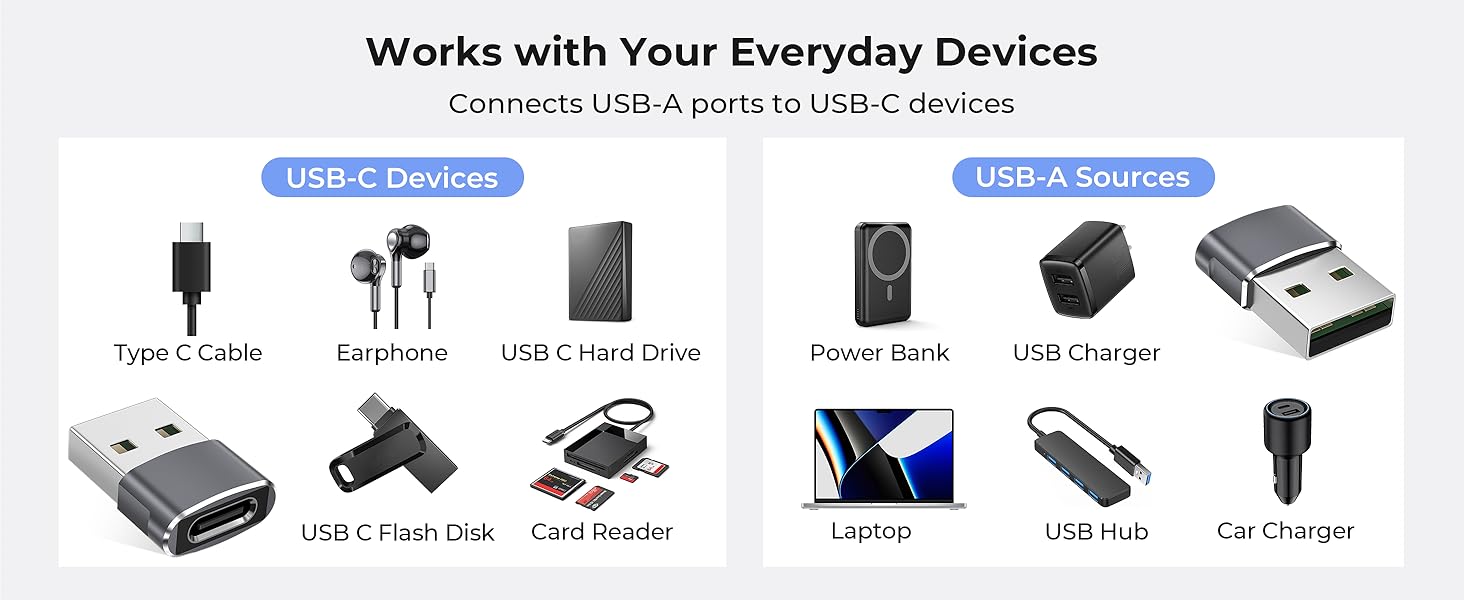
Image 3.2: An infographic illustrating the range of everyday devices that work with the Basesailor USB to USB C adapter.
4. Maintenance
To ensure the longevity and optimal performance of your Basesailor USB to USB C Adapter, follow these simple maintenance guidelines:
- Cleaning: Gently wipe the adapter with a dry, soft cloth to remove dust or debris. Avoid using liquid cleaners or abrasive materials.
- Storage: Store the adapter in a cool, dry place away from direct sunlight and extreme temperatures. Its compact size makes it easy to store in a small pouch or compartment.
- Handling: Avoid excessive force when plugging or unplugging the adapter or connected cables. Do not bend or twist the adapter.
5. Troubleshooting
If you encounter issues with your Basesailor USB to USB C Adapter, please refer to the following common troubleshooting steps:
- Device Not Charging/Connecting:
- Ensure both the USB-A end of the adapter and the USB-C cable are fully and securely plugged into their respective ports.
- Try using a different USB-A port or power source.
- Test the USB-C cable directly with a native USB-C port (if available) to confirm the cable is functional.
- Verify that your USB-A power source provides sufficient power for your device.
- Slow Data Transfer:
- The adapter supports USB 2.0 speeds (up to 480 Mbps). If you expect faster speeds (e.g., USB 3.0/3.1/3.2), this adapter will not provide them.
- Ensure your connected devices and cables are not bottlenecking the transfer speed.
- No Video Output:
- This adapter does not support video output (HDMI, DisplayPort, VGA). This is a design limitation, not a malfunction.
- Fast Charging Not Working:
- The adapter does not support high-power USB-C fast-charging protocols (PD/PPS). It provides standard USB 2.0 charging up to 5V/2A.
If the issue persists after trying these steps, please contact Basesailor customer support for further assistance.
6. Specifications
Below are the technical specifications for the Basesailor USB to USB C Adapter (Model: USB-CF-AM):

Image 6.1: Detailed dimensions of the compact Basesailor USB to USB C adapter.
| Feature | Detail |
|---|---|
| Model Number | USB-CF-AM |
| Connector Type | USB Type C Female to USB Type A Male |
| Data Transfer Speed | Up to 480 Mbps (USB 2.0) |
| Charging Output | Up to 5V/2A (dependent on USB-A source) |
| Material | Aluminum Alloy Housing |
| Product Dimensions | 3.94 x 0.39 x 1.97 inches |
| Item Weight | 0.32 ounces |
| Color | Gray |
| Manufacturer | Basesailor |
| Date First Available | July 21, 2017 |
Note: Specifications are subject to change without prior notice.
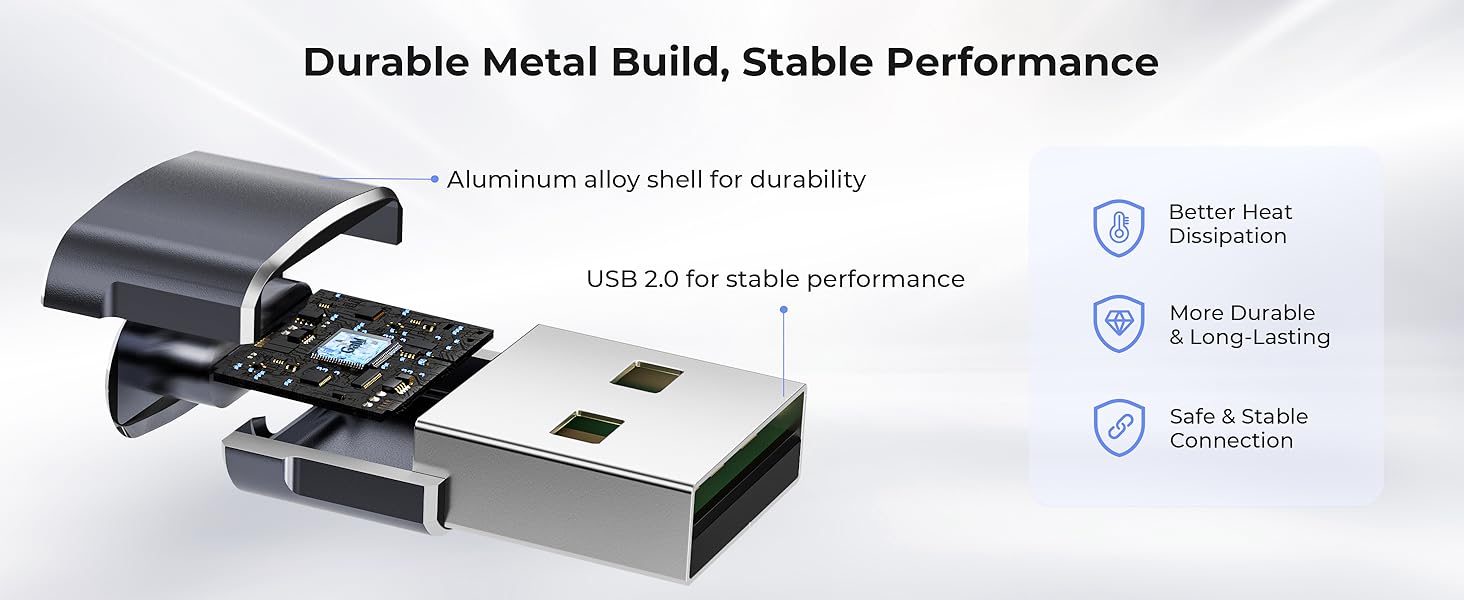
Image 6.2: An internal view highlighting the durable aluminum alloy construction and USB 2.0 components for stable performance.
7. Warranty & Support
Basesailor products are designed for reliability and performance. For specific warranty information, please refer to the product packaging or the official Basesailor website. If you require technical support or have any questions regarding your adapter, please contact Basesailor customer service through the following channels:
- Online Support: Visit the Basesailor official website for FAQs, support articles, and contact forms.
- Email Support: Refer to your product documentation for the customer support email address.
Please have your product model number (USB-CF-AM) and purchase details ready when contacting support.