
Introduction
This manual provides detailed instructions for the installation, operation, and maintenance of your Moen Essie MotionSense Wave Touchless Kitchen Faucet. Designed for convenience and efficiency, this faucet combines hands-free activation with a traditional lever handle, a powerful pulldown sprayer, and a matching soap dispenser.
Please read this manual thoroughly before installation and use to ensure proper function and longevity of your faucet.
Included Components
- Moen Essie Kitchen Faucet
- Matching Soap Dispenser
- Control Box
- Deck Plate (for 3 or 4-hole installations)
- Flexible Supply Lines with 3/8" Compression Fittings
- 6 AA Batteries
- Instruction Manual
Setup and Installation
The Moen Essie faucet is designed for straightforward installation, featuring the Duralock Quick Connect system. It can be installed in 1, 3, or 4-hole configurations using the included deck plate as needed.
Pre-Installation Checklist:
- Ensure all included components are present.
- Turn off the main water supply to your kitchen.
- Clear the area under the sink for easy access.
Installation Steps:
- Prepare the Sink: If replacing an existing faucet, remove it and clean the sink surface. Install the deck plate if your sink requires 3 or 4 holes.
- Mount the Faucet: Insert the faucet body through the center hole. Secure it from underneath the sink using the provided mounting hardware.
- Connect Water Lines: Attach the flexible supply lines to your hot and cold water stops. Use the Duralock Quick Connect system for the sprayer hose and control box connections. This system allows for tool-free, secure connections.
- Install Control Box: Mount the control box in an accessible location under the sink. Connect the faucet's data cable and the pulldown hose to the control box.
- Install Batteries: Insert the 6 AA batteries into the battery pack and connect it to the control box. An optional AC power adapter is available (sold separately) if you prefer not to use batteries.
- Install Soap Dispenser: Insert the soap dispenser through its designated hole (if applicable) and secure it from underneath. Fill the dispenser from the top.
- Test Faucet: Turn on the main water supply and check for leaks. Test both manual and MotionSense Wave operations.

Figure 1: The Duralock Quick Connect system simplifies hose connections during installation.
Operating Instructions
Your Moen Essie MotionSense Wave faucet offers both touchless and manual operation for ultimate convenience.
MotionSense Wave Touchless Activation:
- To activate water flow, simply wave your hand over the sensor located on the front of the faucet body.
- Wave your hand over the sensor again to turn off the water.
- The water will automatically shut off after a period of inactivity to conserve water.
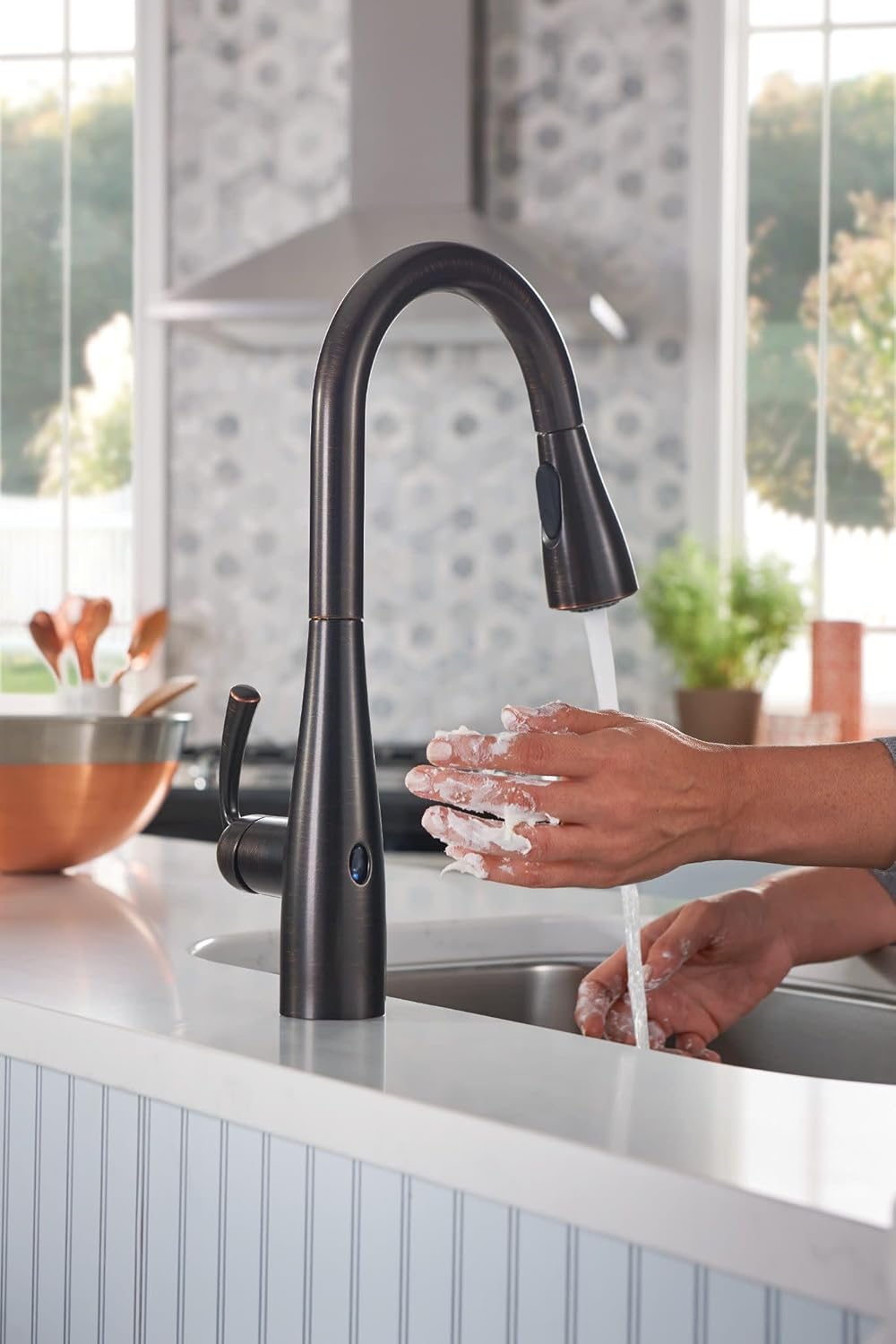
Figure 2: Hands-free operation with MotionSense Wave technology.
Manual Lever Operation:
- The traditional lever handle allows for precise control over water temperature and flow.
- Lift the handle to turn on the water and adjust its position left for hot water or right for cold water.
- Push the handle down to turn off the water.
Pulldown Sprayer Functions:
- Reflex System: The pulldown spray head features the Reflex system, ensuring smooth operation, easy movement, and secure docking back into the spout. The 68-inch braided hose provides extended reach.
- Power Clean Technology: Engage the Power Clean spray for 50% more spray power compared to standard faucets, ideal for tackling tough messes.
- Multiple Spray Modes: Toggle between aerated stream and powerful spray modes using the button on the spray head.
- Pause Function: Press and hold the button on the spray head to temporarily pause water flow, useful when moving the spray head outside the sink.
- 360-Degree Swivel: The faucet spout swivels 360 degrees, providing versatile maneuverability for various kitchen tasks.
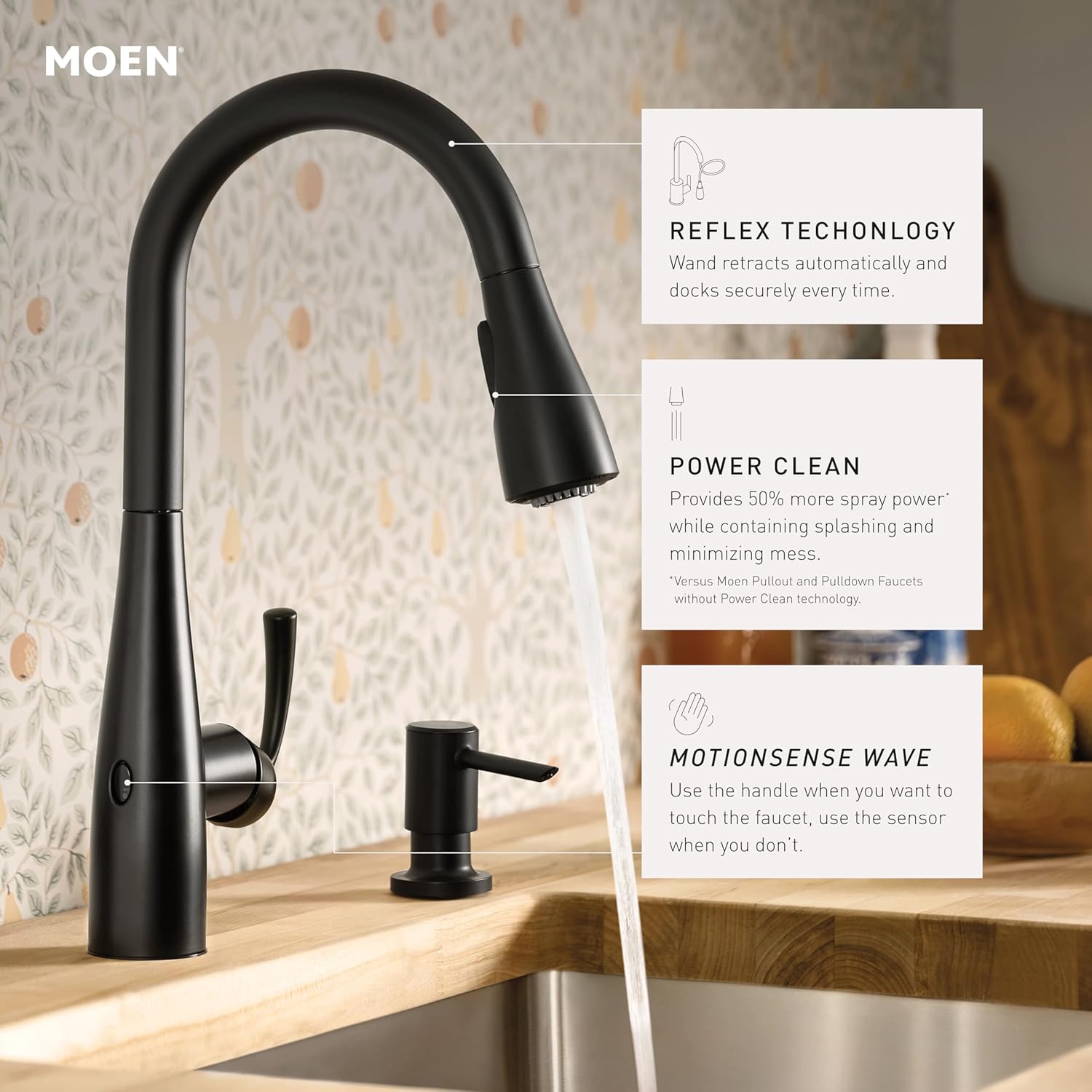
Figure 3: Key features including Reflex Technology for smooth retraction, Power Clean for enhanced spray, and MotionSense Wave for touchless control.

Figure 4: The high arc design and pulldown sprayer provide ample clearance for filling large pots.
Maintenance
Regular maintenance will ensure your Moen Essie faucet continues to perform optimally and maintain its Mediterranean Bronze finish.
Cleaning the Faucet:
- Clean the faucet regularly with a soft, damp cloth and mild soap.
- Avoid abrasive cleaners, harsh chemicals, or scouring pads, as these can damage the finish.
- The Mediterranean Bronze finish is designed to resist fingerprints and water spots, making cleaning easier.
Battery Replacement:
- The faucet operates on 6 AA batteries (included). When the batteries are low, the sensor light may flash or the touchless function may become intermittent.
- To replace, locate the battery pack under the sink, disconnect it, and replace all 6 AA batteries. Reconnect the pack.
Soap Dispenser Refill:
- To refill the matching soap dispenser, simply lift the pump head from the top of the dispenser.
- Pour liquid soap directly into the reservoir. Replace the pump head.
Troubleshooting
If you encounter any issues with your Moen Essie faucet, refer to the following common solutions:
- No Water Flow (Touchless): Check if the batteries are properly installed and charged. If the issue persists, try disconnecting the control box and battery pack, waiting 10 minutes, and then reconnecting them.
- Intermittent Sensor Response: Ensure the sensor area is clean and free from obstructions. Low batteries can also cause inconsistent sensor performance.
- Low Water Pressure: Verify that the hot and cold water supply valves under the sink are fully open. Check for kinks in the supply lines.
- Leaking: Ensure all Duralock Quick Connect fittings are securely attached. Check all threaded connections for tightness.
- Sprayer Not Retracting: Check the weight on the pulldown hose under the sink to ensure it is positioned correctly and not obstructed.
For further assistance, please contact Moen Customer Support.
Specifications
| Feature | Detail |
|---|---|
| Brand | Moen |
| Model Name | Essie MotionSense Wave |
| Model Number | 87014EWBRB |
| Color | Mediterranean Bronze |
| Material | Metal |
| Finish Type | Bronzed |
| Mounting Type | Deck Mount |
| Hole Count | 4 (Deck Plate included for 3 or 4-hole installation) |
| Number of Handles | 1 |
| Special Features | MotionSense Wave Touchless, Power Clean Technology, Pulldown Sprayer |
| Maximum Flow Rate | 1.5 Gallons Per Minute |
| Hose Length | 68 Inches |
| Spout Height | 15.86 Inches |
| Spout Reach | 7.84 Inches |
| Power Source | 6 AA Batteries (included), Optional AC Power available |
| Certifications | Federal Safe Drinking Water Act, NSF 61 Standards, ADA Compliant |
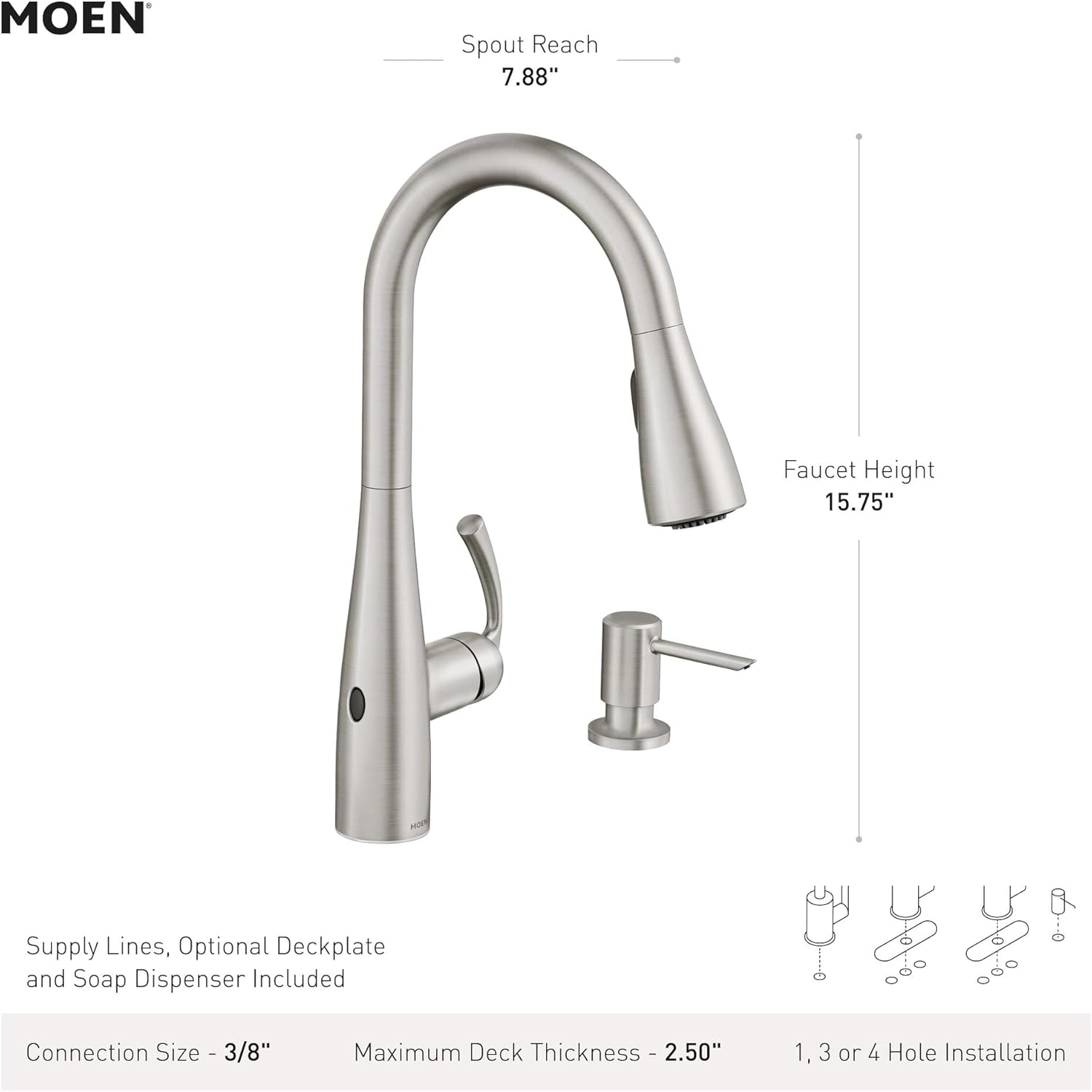
Figure 5: Key dimensions and installation details for the Moen Essie faucet.

Figure 6: Moen faucets are certified to meet U.S. water safety standards, ensuring clean drinking water.
Warranty and Support
Moen stands behind the quality of its products. Your Essie MotionSense Wave faucet is covered by the following warranties:
- Digital Components: 5-year warranty.
- Trim: Limited lifetime warranty.
For warranty claims, replacement parts, or technical support, please visit the official Moen website or contact their customer service department. Ensure you have your model number (87014EWBRB) and proof of purchase available.


