
UPBRIGHT Hyper Tough 7046 lumen light 9V Power
UpBright 9V AC/DC Adapter Instruction Manual
For Hyper Tough 7046 Series Work Lights
1. Product Overview
The UpBright 9V AC/DC Adapter is a high-quality power supply designed to provide reliable and efficient charging for your compatible Hyper Tough 2500-Lumen Li-Ion LED Lithium-Ion Rechargeable Battery Work Light. This adapter ensures your device receives the correct power specifications for optimal performance and longevity.

Image 1.1: UpBright 9V AC/DC Adapter.
2. Safety Information
Please read and understand all safety instructions before using this product. Failure to follow these instructions may result in electric shock, fire, or serious injury.
- Use only with compatible devices as specified in this manual.
- Do not expose the adapter to water, rain, or excessive moisture.
- Avoid dropping or subjecting the adapter to strong impacts.
- Do not disassemble or modify the adapter. Refer all servicing to qualified personnel.
- Ensure the power outlet is easily accessible and unplug the adapter when not in use for extended periods.
- This adapter features Over Voltage Output Protection (OVP), Over Current Output Protection (OCP), and Short Circuit Output Protection (SCP) for enhanced safety.

Image 2.1: Internal protection features of the UpBright adapter.
3. Package Contents
Verify that all items are present upon opening the package:
- 1 x UpBright 9V AC/DC Adapter
Note: Some international orders may include a suitable outlet adapter for your country/area.

Image 3.1: Example of international plug adapters that may be included.
4. Setup
To set up your UpBright AC/DC Adapter with your Hyper Tough work light:
- Locate the charging port on your Hyper Tough 7046 series work light. This is typically a small circular port.
- Connect the barrel round connector of the UpBright AC/DC Adapter into the charging port of the work light. Ensure a snug fit.
- Plug the AC prongs of the adapter into a standard wall outlet (100-240VAC, 50/60Hz).
- The work light should indicate that it is charging (e.g., an LED indicator light).
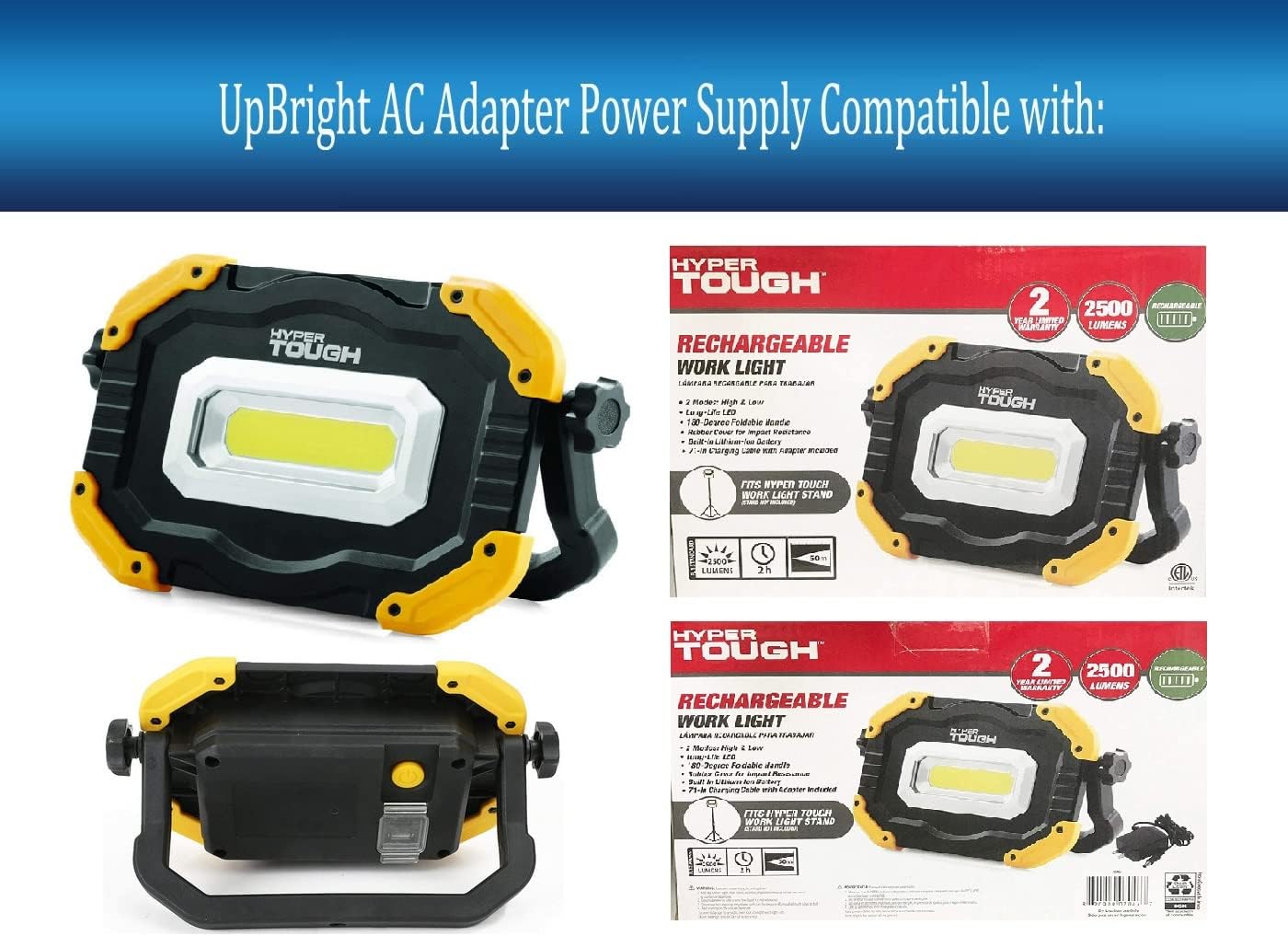
Image 4.1: UpBright adapter connected to a compatible Hyper Tough work light.
5. Operating Instructions
Once connected, the adapter will begin charging the internal lithium-ion battery of your Hyper Tough work light. The charging process is automatic. Disconnect the adapter once the work light is fully charged or when not in use.
6. Maintenance
To ensure the longevity and proper functioning of your UpBright AC/DC Adapter:
- Keep the adapter clean and free from dust and debris. Use a dry, soft cloth for cleaning.
- Store the adapter in a cool, dry place when not in use.
- Avoid bending or crimping the power cord excessively.
- Regularly inspect the adapter and its cable for any signs of damage. If damage is found, discontinue use and replace the adapter.
7. Troubleshooting
Work Light Not Charging:
- Check Connections: Ensure the adapter is securely plugged into both the wall outlet and the work light's charging port.
- Verify Power Outlet: Test the wall outlet with another device to confirm it is supplying power.
- Inspect Adapter and Cable: Look for any visible damage to the adapter or its cable. If damaged, do not use.
- Battery Condition: Rechargeable batteries have a limited lifespan (typically 1 to 3 years). If the work light's battery is old or faulty, it may not accept a charge, which is not an issue with the charger itself. Consider replacing the work light's battery if it is old and not holding a charge.
8. Specifications
| Feature | Detail |
|---|---|
| Brand | UPBRIGHT |
| Model Number | Hyper Tough 7046 lumen light 9V Power |
| Input Voltage | 100-240VAC 50/60Hz (Worldwide) |
| Output Voltage | 9V DC |
| Output Current | 1A |
| Connector Type | Barrel Round Connector |
| Protection Features | OVP (Over Voltage Protection), OCP (Over Current Protection), SCP (Short Circuit Protection) |
| Product Dimensions | 3 x 3 x 1 inches |
| Item Weight | 2.08 ounces |
| Color | Black |
9. Warranty and Support
UpBright stands behind the quality of its products. This adapter comes with:
- 30 Days Refund Policy
- 24 Months Exchange Warranty
For any inquiries or support, please visit the official UPBRIGHT Store on Amazon or contact customer service through your purchase platform.
Related documentsHyper Tough 7046 lumen light 9V Power

Ask a question about this manual
Ask about setup, troubleshooting, compatibility, parts, safety, or missing instructions. Manuals+ will review the question and use this page’s manual context to help answer it.