
1. Introduction
Thank you for choosing the Yootech Wireless Charger F500. This device provides convenient and efficient wireless charging for compatible smartphones and accessories. This manual will guide you through the setup, operation, and maintenance of your new wireless charger.
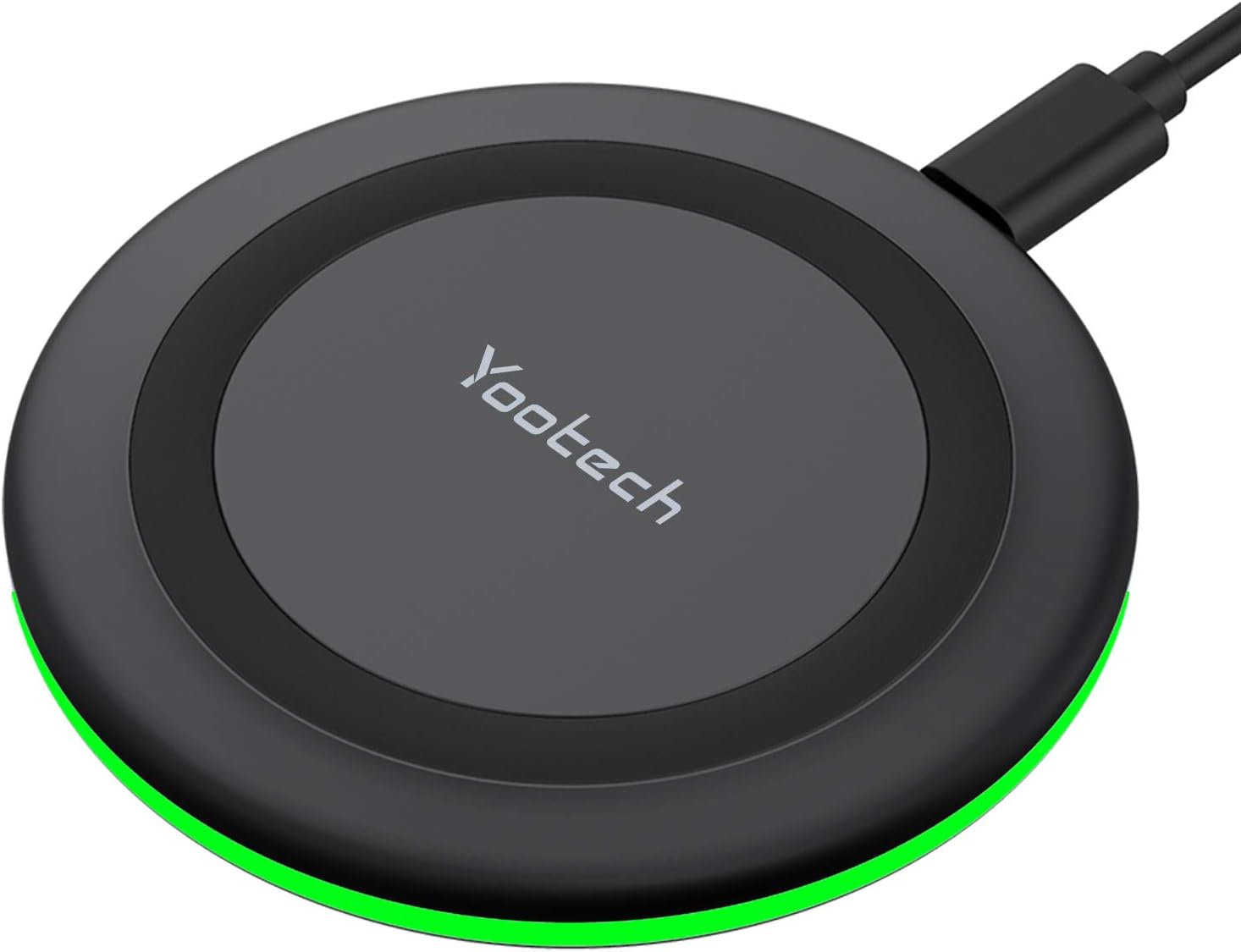
Image 1: Yootech Wireless Charging Pad
2. Setup
- Connect the provided 3.3ft USB Type-C cable to the wireless charging pad.
- Connect the other end of the USB Type-C cable to a compatible power adapter. A QC 2.0/3.0 adapter is highly recommended for optimal performance (adapter not included).
- Place the charging pad on a flat, stable surface.
3. Operating Instructions
To charge your device, simply place it centrally on the wireless charging pad. The charger will automatically detect and begin charging compatible devices.
LED Indicator Behavior:
- When the power source is connected, the GREEN LED indicator will flash for 3 seconds.
- If your phone is recognized and charging begins, the light will turn off after 16 seconds to ensure a sleep-friendly environment.

Image 2: Sleep-Friendly Design with LED Indicator Off During Charging
Demonstration Video:
Video 1: Showcasing the Yootech Wireless Charging Pad in operation.
4. Compatibility
The Yootech Wireless Charger supports multiple charging modes to accommodate various devices:
- 10W Charging Mode: Compatible with Samsung Galaxy S25/S24/S23/S22/S22 Ultra/S21/S20/Note 10/S10/S10E and similar devices.
- 7.5W Charging Mode: Designed for iPhone 17/17 Pro/17 Pro Max/Air/16/15/14/14 Plus/14 Pro/14 Pro Max/13/13 Pro/13 Mini/13 Pro Max/12/SE 2020/11/XS/XR/X/8 with the latest iOS System.
- 5W Charging Mode: Works with any Qi-enabled devices, including Google Pixel 3/3XL/4XL and AirPods (with wireless charging case) and AirPods Pro.

Image 3: Overview of 4 Charging Modes

Image 4: Unique Design for AirPods/AirPods Pro
5. Safety Features
The Yootech Wireless Charger incorporates exclusive Multifunctional Intelligent Protect Technology to ensure safe and reliable charging. This includes:
- Temperature control
- Surge protection
- Short-circuit prevention
Constructed from fire-resistant ABS Material and holding a UL Certificate, the charger provides double guarantee and dual safety for your peace of mind.
Product Overview Video:
Video 2: A brief overview of the product's features and design.
6. Maintenance
- Keep the charging pad clean and free from dust and debris.
- Avoid exposing the device to liquids or extreme temperatures.
- Do not disassemble or attempt to repair the charger yourself.
7. Troubleshooting
- Device not charging: Ensure your device is placed centrally on the charging pad. Verify that the power adapter is a QC 2.0/3.0 type and is properly connected. Remove any metal objects or thick cases from your device.
- Charging through cases: The charger is designed to work with phone cases up to 4mm thick. However, cases containing magnets, metal, grips, stands, or credit cards may interfere with charging. For best results, remove such cases.

Image 5: Case Compatibility Guidelines
Case Compatibility Video:
Video 3: Addressing compatibility with phone cases during charging.
8. Specifications
| Brand | yootech |
| Model Number | F500 |
| Product Dimensions | 3.72 x 0.48 x 3.72 inches |
| Item Weight | 2.12 ounces |
| Connectivity Technology | Wireless |
| Special Features | Fast Charging |
| Input Voltage | 9 Volts |
| Amperage | 2.67 Amps |
| Compatible Devices | AirPods, Google Pixel, LG, Samsung Galaxy, iPhone |
9. What's in the Box
- 1 x Yootech Wireless Charging Pad
- 1 x 3.3ft USB Type-C Cable
- 1 x User Manual

Image 6: Contents of the Package
10. Warranty & Support
Yootech provides reliable 12-hour response service for customer inquiries and support. Please refer to the contact information provided with your product for assistance.


