
Invision GT1200
Invision GT1200 Mobile TV Stand Instruction Manual
Model: GT1200 | Brand: Invision
1. Product Overview
The Invision GT1200 Mobile TV Stand is a professional-grade, ultra-stable solution designed for securely mounting and easily relocating TV screens ranging from 32 to 75 inches. Constructed from reinforced carbon steel, it features an innovative anti-tilt design and smooth-rolling, non-marking swivel wheels, making it ideal for both home and office environments.

Figure 1.1: Invision GT1200 Mobile TV Stand with a mounted television.
2. Key Features
- Simple Maneuverability: Equipped with highly resistant multi-directional and non-slip swivel wheels for easy movement across various surfaces. Each wheel includes a foot-push brake for secure positioning.
- Optimal Stability: Features an innovative anti-tilt trapezoidal base design that ensures exceptional stability whether stationary or in motion, aligning the screen with its natural center of gravity.
- Durable Construction: Expertly designed and built to last from cold-rolled carbon steel, featuring a double column and steel base for superior strength and durability.
- Wide Compatibility: Supports TV screens from 32 to 75 inches with a maximum load capacity of 45.5 kg (100 lb). Compatible with VESA mounting patterns from 100x100mm up to 600x400mm.
- Adjustable Height: Allows for adjustable screen height and includes a load-bearing adjustable AV shelf for media devices, supporting up to 4.5 kg.
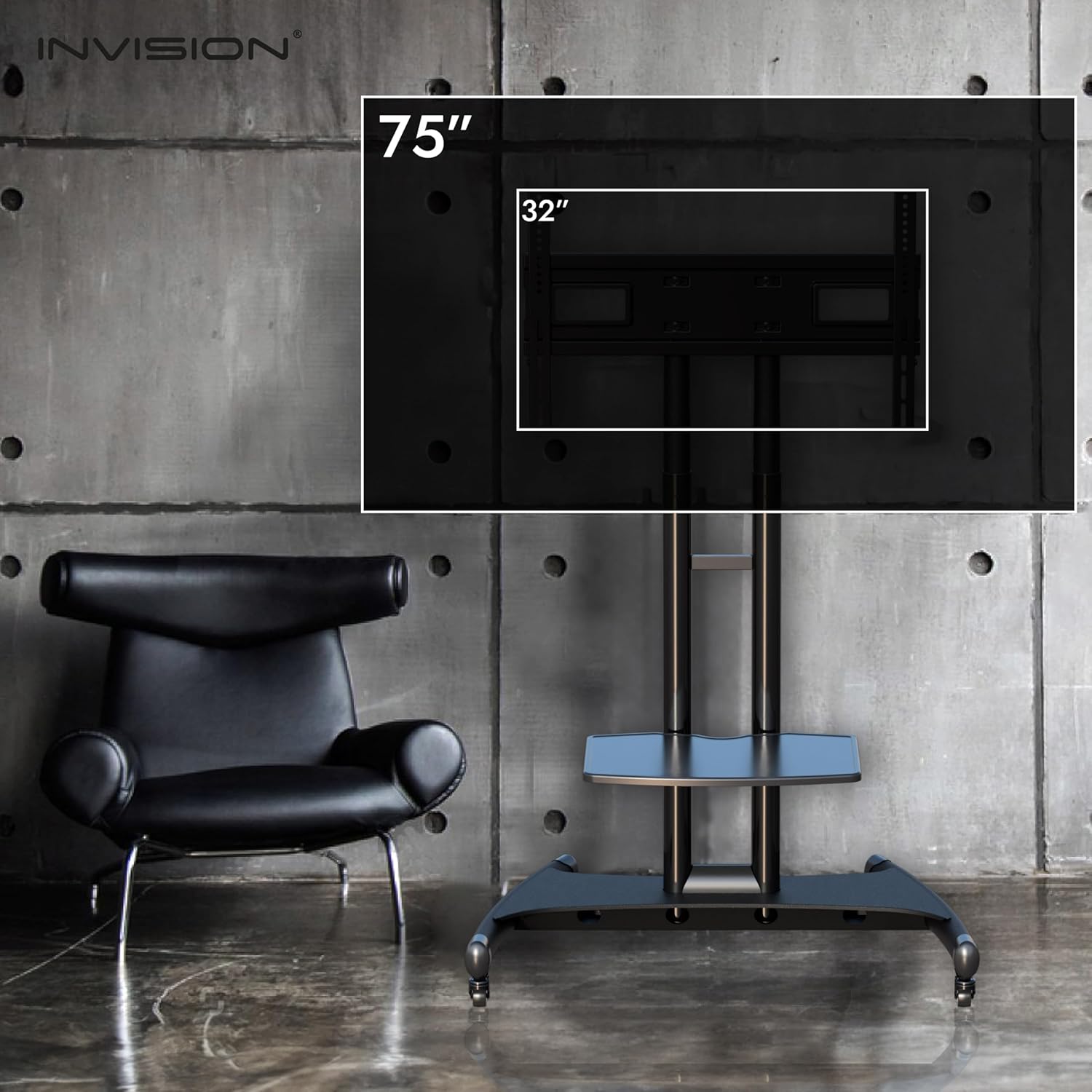
Figure 2.1: Screen size compatibility (32" to 75").

Figure 2.2: Adjustable features including cable management and AV shelf.

Figure 2.3: Structural components for strength and stability.

Figure 2.4: Screen and shelf height adjustment ranges.
3. Assembly Instructions
The GT1200 Mobile TV Stand is designed for quick and simple assembly. All necessary tools and accessories are included in the package. Please follow the detailed instructions provided in the physical manual that accompanies your product for step-by-step guidance.
Important Considerations:
- Ensure all components are present before beginning assembly.
- Assemble on a soft, clean surface to prevent scratches.
- It is recommended to have two people for assembly, especially when mounting the TV.
- Verify your TV's VESA compatibility (horizontal then vertical measurement) before attaching it to the mount.

Figure 3.1: VESA compatibility details for TV mounting.
4. Operating Instructions
4.1 Moving the Stand
To move the Invision GT1200, ensure that the foot-push brakes on all four swivel wheels are disengaged. Gently push or pull the stand in the desired direction. The multi-directional wheels allow for smooth movement in any orientation.
4.2 Securing the Stand
Once the stand is in its desired location, engage the foot-push brake on each wheel by pressing down firmly. This will lock the wheels and prevent unintended movement, ensuring optimal stability.
4.3 Adjusting Screen Height
The screen height can be adjusted along the dual columns. Refer to the assembly manual for specific instructions on how to safely unlock, adjust, and re-lock the screen at your preferred viewing height. Always ensure the screen is securely fastened after adjustment.
4.4 Adjusting AV Shelf Height
The adjustable AV shelf can be positioned at various heights to accommodate your media devices. Follow the instructions in the assembly manual to adjust the shelf's position and ensure it is securely locked before placing items on it.
5. Maintenance
- Cleaning: Wipe down the stand with a soft, damp cloth. Avoid abrasive cleaners or solvents that could damage the finish.
- Inspections: Periodically check all bolts, screws, and connections to ensure they are tight and secure. Re-tighten if necessary.
- Wheel Care: Keep the wheels free of debris (hair, dust, etc.) to ensure smooth operation.
- Load Capacity: Do not exceed the maximum load capacity of 45.5 kg (100 lb) for the TV or 4.5 kg for the AV shelf.
6. Troubleshooting
- Stand is difficult to move:
- Ensure all wheel brakes are fully disengaged.
- Check wheels for any obstructions (e.g., tangled hair, debris) and clear them.
- Stand feels unstable:
- Ensure all wheel brakes are fully engaged when stationary.
- Verify that all assembly bolts and screws are securely tightened.
- Ensure the TV weight does not exceed the maximum capacity of 45.5 kg.
- TV not fitting the mount:
- Double-check your TV's VESA mounting pattern against the stand's compatibility (100x100mm to 600x400mm).
- Ensure your TV size is within the 32-75 inch range.
7. Specifications

Figure 7.1: Detailed dimensions of the GT1200 Mobile TV Stand.
| Feature | Detail |
|---|---|
| Brand | Invision |
| Model Number | GT1200 |
| Color | Black |
| Material | Reinforced Carbon Steel & Tempered Glass |
| Compatible Devices | Television |
| Screen Size Compatibility | 32" to 75" |
| Maximum TV Load Capacity | 45.5 kg (100 lb) |
| VESA Mounting Dimensions | 100x100mm to 600mm (width) x 400mm (height) |
| Adjustable Shelf Capacity | Up to 4.5 kg |
| Maximum Central Screen Height | 1520 mm (59.8 inches) |
| Minimum Central Screen Height | 1120 mm (44.1 inches) |
| Maximum Shelf Height from Ground | 850 mm (33.4 inches) |
| Minimum Shelf Height from Ground | 300 mm (11.8 inches) |
| Country of Origin | China |
8. Warranty and Support
8.1 Warranty Information
The Invision GT1200 Mobile TV Stand comes with a 5-year manufacturer's warranty. All parts are covered under the Invision Product Warranty, ensuring peace of mind regarding the quality and durability of your purchase.
8.2 Customer Support
Should you encounter any difficulties during assembly, operation, or with any aspect of your Invision GT1200 Mobile TV Stand, please do not hesitate to contact Invision customer service. Our team is available to provide assistance and support.
For further assistance, please visit the official Invision website or refer to the contact information provided in your product packaging.
Related documentsGT1200


Ask a question about this manual
Ask about setup, troubleshooting, compatibility, parts, safety, or missing instructions. Manuals+ will review the question and use this page’s manual context to help answer it.