
Introduction
The Vortex Optics Ranger 1800 Laser Rangefinder provides precise distance data essential for accurate shots in hunting and shooting applications. Designed for ease of use, it features a clear, illuminated display and an intuitive menu system, ensuring high performance without unnecessary complexity.
The primary HCD (Horizontal Component Distance) mode delivers angle-compensated distance readings, suitable for gun hunters, target shooters, and bow hunters. This manual outlines the proper setup, operation, and maintenance of your Ranger 1800 to ensure optimal performance and longevity.
Key Features
- Extended Ranging Capability: Accurately ranges targets up to 1,800 yards.
- HCD (Horizontal Component Distance) Mode: Provides angle-compensated distance readings, ideal for various shooting scenarios.
- LOS (Line of Sight) Mode: Offers advanced precision for calculating long-distance, high-angle shots.
- Scan Feature: Delivers continuous range readings for moving targets or when panning across terrain.
- Adjustable Brightness: Three settings ensure display visibility in diverse lighting conditions.
- Fully Multi-Coated Lenses: Enhances light transmission for clear, bright images.
- Durable Construction: Features textured rubber armor for a secure grip and is waterproof and fogproof for reliable performance in harsh environments.
- Portability: Includes a neck lanyard and a removable utility clip for convenient carrying.
- Tripod Compatibility: Designed for use with a tripod adapter for enhanced stability.
Product Overview
Familiarize yourself with the components of your Ranger 1800 Laser Rangefinder:

An annotated diagram illustrating the key components of the Ranger rangefinder, including the Menu Button, Measure Button, Eyecup for focus adjustment, Lanyard Attachment Sockets, Battery Compartment, and Utility Clip.

The Vortex Optics Ranger Laser Rangefinder, showcasing its compact design and objective lens.
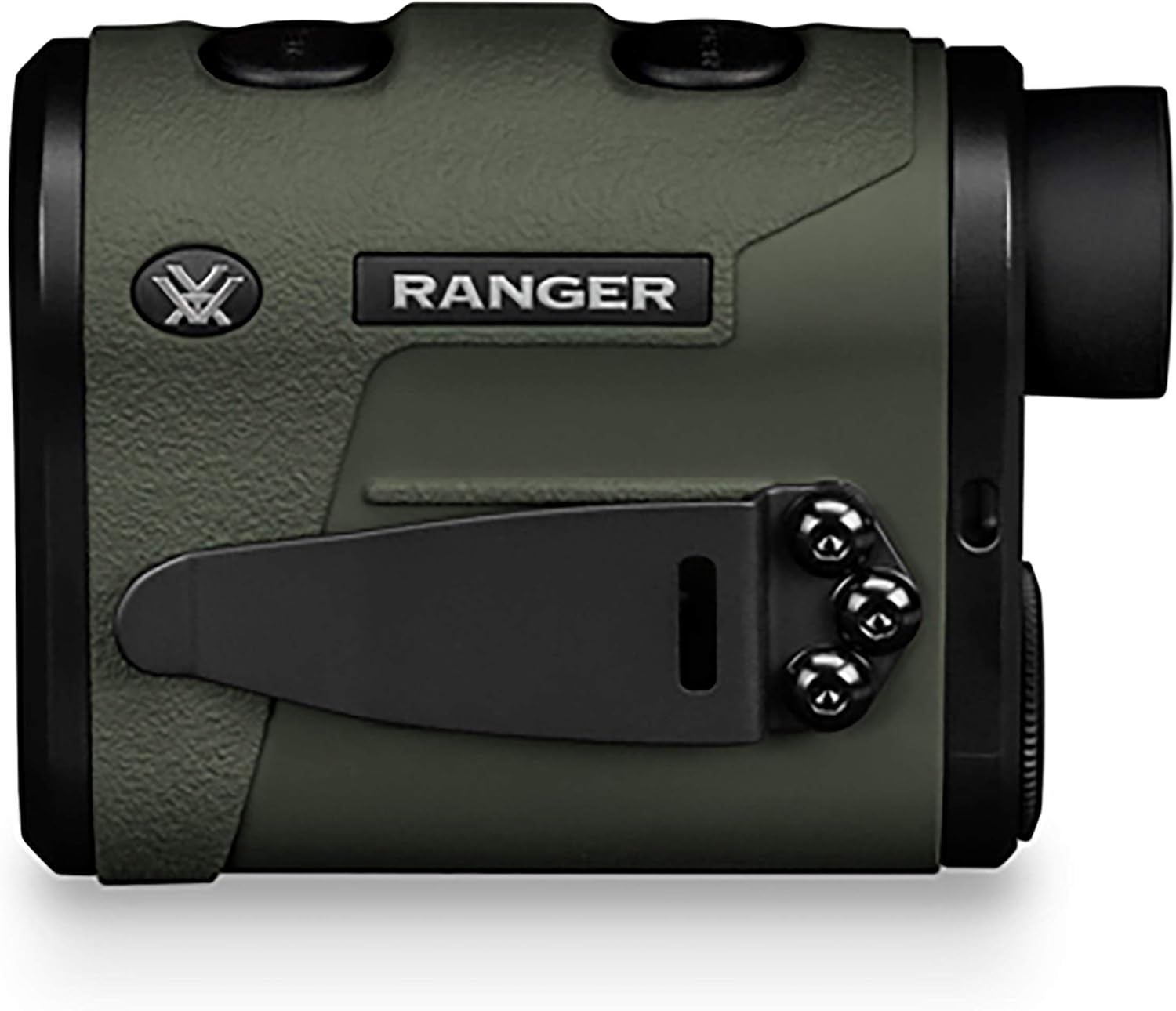
Side view of the rangefinder, highlighting the removable utility clip for easy attachment.
Setup
1. Battery Installation
The Ranger 1800 uses a single CR2 lithium battery. To install or replace the battery:
- Locate the battery compartment cap on the underside of the rangefinder.
- Unscrew the cap counter-clockwise.
- Insert the CR2 battery with the positive (+) terminal facing inward.
- Replace the cap and screw it clockwise until snug. Do not overtighten.
2. Adjusting the Eyecup Focus
For a clear view of the display and target, adjust the eyecup:
- Look through the eyepiece.
- Rotate the eyecup clockwise or counter-clockwise until the display text and reticle appear sharp.
3. Attaching the Lanyard and Utility Clip
The Ranger 1800 comes with a neck lanyard and a removable utility clip for convenient carrying. The utility clip can be attached to either side of the rangefinder using the provided screws.
Operating Instructions
1. Power On/Off
- To power on, press the Measure Button (top button). The display will illuminate.
- The unit will automatically power off after 10 seconds of inactivity to conserve battery.
2. Ranging a Target
With the unit powered on:
- Aim the rangefinder at your desired target.
- Press and release the Measure Button. The distance will be displayed.
3. Scan Feature
For continuous distance readings:
- Press and hold the Measure Button for approximately 3 seconds.
- The display will show a continuous reading as you pan across targets or track a moving object.
- Release the button to stop scanning.
4. HCD (Horizontal Component Distance) Mode
HCD mode provides an angle-compensated distance, which is the most common and practical mode for most hunting and shooting situations. This is the default mode.
A visual representation of the HCD (Horizontal Component Distance) mode, showing how the rangefinder calculates an angle-compensated distance (385 yards) from a line-of-sight distance (500 yards) to a target on an incline.
5. LOS (Line of Sight) Mode
LOS mode displays the true line-of-sight distance to the target, along with the angle of inclination. This mode is useful for advanced ballistic calculations.
6. Menu Navigation and Brightness Settings
To access the menu and adjust settings:
- Press the Menu Button (bottom button) to enter the menu.
- Press the Menu Button repeatedly to cycle through options (e.g., HCD/LOS, brightness).
- Press the Measure Button to select or change a setting.
- To adjust display brightness, navigate to the brightness setting and use the Measure Button to cycle through the three available levels.
Maintenance
1. Cleaning
Keep the lenses clean for optimal performance. Use a soft, lint-free cloth to gently wipe away dust and debris. For stubborn smudges, use a lens cleaning solution specifically designed for optics.
2. Water and Fogproof Performance
The Ranger 1800 is designed to be waterproof and fogproof. However, avoid submerging the unit in water for extended periods. If the unit gets wet, wipe it dry with a clean cloth.
3. Storage
When not in use, store the rangefinder in a cool, dry place. Remove the battery if storing for extended periods to prevent leakage.
Troubleshooting
- No Display/Unit Not Powering On: Check battery orientation and ensure it is fully charged. Replace the battery if necessary.
- Inaccurate Readings: Ensure the target is within the effective ranging distance. Environmental factors like heavy rain, fog, or highly reflective surfaces can affect accuracy. Ensure the lenses are clean.
- Display Not Clear: Adjust the eyecup focus until the display is sharp.
Specifications
| Specification | Value |
|---|---|
| Brand | Vortex |
| Model Name | Ranger 1800 |
| Part Number | RRF-181 |
| Measuring Range | 1800 yards |
| Magnification Maximum | 1x |
| Item Weight | 7.7 Ounces |
| Product Dimensions (LxWxH) | 5"L x 4.1"W x 2.7"H |
| Battery Type | Lithium (CR2) |
| Water Resistance Level | Waterproof |
| International Protection Rating | IP54 |
| Material | Composite |
| Color | BLACK |
| UPC | 875874009059 |
Warranty and Support
Vortex Optics stands behind its products with an Unlimited, Unconditional Lifetime Warranty. If your Ranger 1800 Laser Rangefinder ever requires service, regardless of the cause, Vortex Optics will repair or replace it.
For warranty claims, technical support, or additional product information, please visit the official Vortex Optics website or contact their customer service department.
You can also find more information and products at the Vortex Brand Store.


